Ahrefs SEO Toolbar

Provides on-page SEO analysis, structured data checks, and SERP insights directly from your browser.
Ahrefs.com
Is this your tool?
Follow for updates & deals
Get alerts for Ahrefs SEO Toolbar discounts, feature releases & pricing changes
Similar Tools

Scalenut
AI tool for content creation, SEO optimization, and competitor analysis to enhance marketing strategies.

Ubersuggest
SEO tool that provides keyword metrics, trends, and competition analysis for effective digital marketing.

Similarweb
Analyze website traffic and SEO metrics with in-browser analytics for strategic marketing insights.

SEO Minion
Chrome extension for on-page SEO analysis, broken link checking, and SERP previews.

WordLift
Enhances SEO with AI by optimizing content and creating structured knowledge graphs.

Ahrefs SEO Toolbar Media Gallery
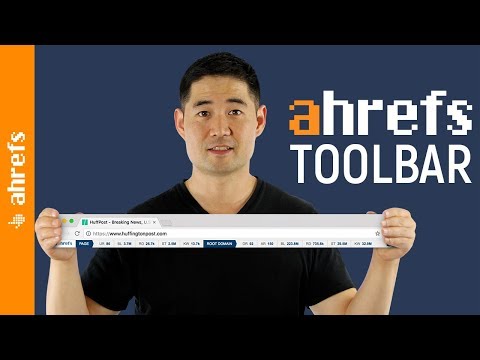
Ahrefs SEO Toolbar (review) video
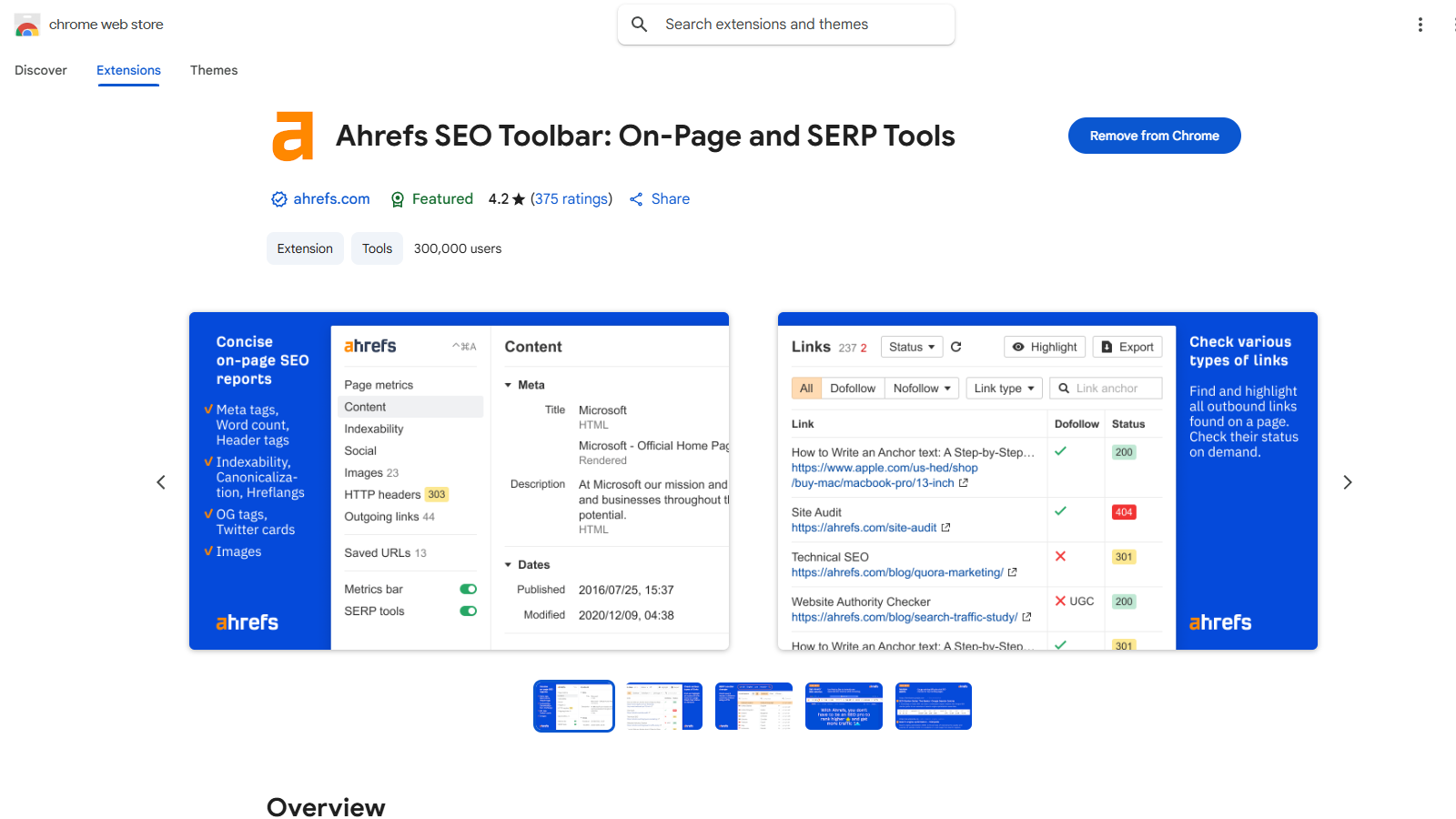
Screenshot of Ahrefs SEO Toolbar
What is Ahrefs SEO Toolbar?
The Ahrefs SEO Toolbar is a completely free tool tailored for SEO professionals and webmasters, designed to streamline the optimization process right from the browser. With over 400,000 users and a strong reputation, this extension incorporates a comprehensive toolkit that aligns with the daily tasks of SEO experts and marketers at Ahrefs.
Key Features
The toolbar is packed with exciting features that enhance user experience and improve overall SEO efficiency.
- On-page SEO report: Instantly generate an on-page SEO analysis that includes crucial metrics such as meta tags, headings, content word count, and indexability. This feature allows SEO professionals to quickly identify areas for improvement.
- Global SEO research: Without needing a VPN, you can switch regions, Google domains, and languages to view search results tailored to specific geographies.
- Link analysis made easy: Efficiently highlight links on the webpage, filter outgoing links, identify broken links, and even export the data to CSV for further analysis.
- Structured data checker: The toolbar can analyze schema data on web pages, providing quick access to various validators, ensuring your structured data is correctly implemented.
- Outgoing link checker: Detect whether links on the webpage are broken, redirecting, or nofollow, thereby maintaining a healthy link profile crucial for SEO success.
- Redirect tracer: Uncover the complete redirect path for any URL, including HTTP headers, to understand redirection issues better.
- User-agent switcher: Simulate various devices and user agents to compare how your site appears across different platforms.
- Domain highlighter for SERPs: Monitor competition by highlighting specific domains in search engine result pages.
While many features are offered completely free and do not require registration, users must maintain an active Ahrefs subscription to access Ahrefs metrics for deeper insights into domain performance and traffic estimates. This subscriptions model allows users to leverage the extensive data analytics and metrics Ahrefs is known for.
Benefits for SEO Professionals
The Ahrefs SEO Toolbar significantly enhances productivity and efficiency by providing essential data directly within the browser. This results in a more streamlined workflow, enabling SEO professionals to conduct thorough checks and analyses without switching between multiple tools.
Optimizing Web Content
With its user-friendly interface, the toolbar allows users to gather key information like page titles, meta descriptions, and canonical URLs quickly. This functionality facilitates rapid optimization, letting professionals make necessary adjustments without digging into complex source code, saving time and effort.
The easiest way to visualize your search result positioning and to analyze your content's performance is definitely through this extension.
Performance and User Feedback
The Ahrefs SEO Toolbar boasts a commendable rating of 4.3 out of 5 from 458 reviews, signifying its high level of user satisfaction. Users particularly appreciate its ease of use and the depth of functionality that helps in navigating their SEO tasks seamlessly.
Installation and Use: Installing the extension on Google Chrome is a breeze, making it accessible to both seasoned marketers and beginners alike. Once added, users can instantly start utilizing its powerful features to enhance their SEO efforts.
In summary, the Ahrefs SEO Toolbar is more than just an extension; it’s a vital tool for anyone aiming to refine their search engine optimization strategies and achieve greater visibility across digital platforms.
Pros & Cons
Pros
- Offers a comprehensive on-page SEO report without requiring registration.
- Includes structured data validation and a country changer for SERP analysis.
- Highlights outgoing links and checks for broken or redirecting links.
Cons
- Requires a paid Ahrefs subscription to access additional SEO metrics.
Frequently Asked Questions
Ahrefs SEO Toolbar is available at no cost.
According to our latest information, this tool does not seem to have a lifetime deal at the moment, unfortunately.
The Ahrefs SEO Toolbar offers a suite of features designed for SEO professionals, including an on-page SEO report that displays meta tags, dates, word count, and heading structures. It features a structured data checker for validating schemas, an outgoing link checker to identify nofollow and broken links, as well as additional tools such as a redirect tracer, HTTP header reader, and a user-agent switcher. It also includes a country changer for simulating SERPs from different locations and a domain highlighter for tracking competitors in search results.
Yes, most features of the Ahrefs SEO Toolbar are completely free and do not require registration. However, if you want to access advanced SEO metrics for the pages you visit or SERP results, you will need an active subscription to Ahrefs. These metrics enhance your SEO analysis by providing detailed insights into the performance and ranking of web pages.
The country changer feature allows you to view search results as they would appear from different countries without the need for a VPN. This is particularly useful for understanding how location affects SERP outcomes and for tailoring your SEO strategies to specific markets. You can select your desired country within the toolbar and then perform searches to see localized results.
Yes, the Ahrefs SEO Toolbar includes a structured data checker that presents JSON-LD data in a clear and accessible format. This feature enables easy validation of structured data on a webpage without requiring navigation through the page's code. Additionally, it provides a quick link to validators for thorough validation checks.
While the Ahrefs SEO Toolbar offers many free features, it does not provide access to Ahrefs' metrics without a subscription. Furthermore, some users have reported issues with the extension affecting browser performance, such as Google Chrome becoming unresponsive. It's also essential to ensure that your browser is up to date to avoid compatibility issues.
If you experience issues with the Ahrefs SEO Toolbar, ensure that your browser is updated to the latest version first. You can also try disabling and re-enabling the extension, clearing your cache, or checking for conflicts with other extensions. If problems persist, you can access the troubleshooting guide provided by Ahrefs or contact their support team for assistance.
The Ahrefs SEO Toolbar features a user-agent switcher, enabling you to modify the user-agent string that your browser sends when accessing web pages. This can help you see how different sites render their content based on various user agents, such as mobile or desktop browsers. It's useful for testing how your website appears across devices and to different bots.
Yes, several SEO toolbars are available that offer similar functionalities. Some alternatives include MozBar, which provides metrics related to page and domain authority, and SEOquake, which offers a range of SEO metrics, including on-page audits. Depending on your specific needs, exploring these alternatives may be beneficial to find the best fit for your SEO strategy.