BlabbyAI
Convert spoken words into text for efficient voice typing across apps and platforms.
Blabby.ai
Is this your tool?
Follow for updates & deals
Get alerts for BlabbyAI discounts, feature releases & pricing changes
Similar Tools

Extra Thursday
AI assistant that uses voice commands to manage email and plan daily tasks seamlessly.

remio
Automates data capture and knowledge management for personalized productivity support.

Evernote Web Clipper
Capture and save web content directly to your Evernote account for easy organization.

Everyday
Automates tasks like email drafting and meeting scheduling to enhance your workflow efficiency.

Hyprnote
AI notetaking tool that prioritizes user privacy and operates entirely offline for secure meeting records.

BlabbyAI Media Gallery
What is BlabbyAI?
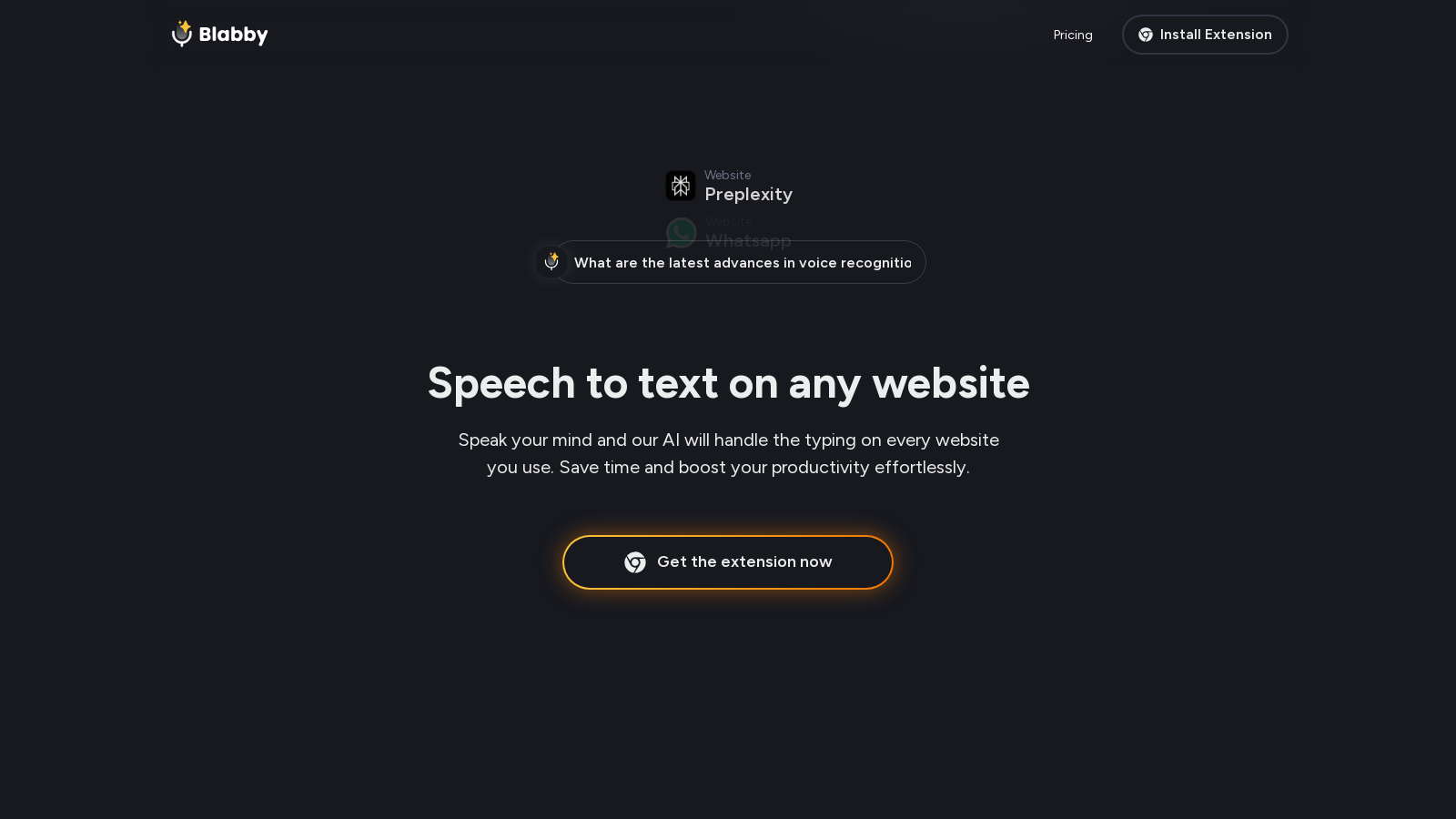
BlabbyAI is an innovative AI-powered speech-to-text Chrome extension that redefines how users can transform their voice into written words.
Designed for both productivity and ease of use, BlabbyAI seamlessly integrates into various platforms and applications, allowing users to dictate their thoughts quickly and accurately. With installation being a breeze, once the extension is added, a discreet microphone icon appears in every text field. This feature makes voice typing accessible on more than 50,000 websites, including popular platforms like Gmail, Google Docs, ChatGPT, and Microsoft Word.
One significant advantage of BlabbyAI is its remarkable accuracy—boasting a 99% speech-to-text accuracy. More than just transcribing, this extension automatically adds punctuation and smart capitalization, allowing users to engage in natural speech without the worry of corrections, substantially enhancing overall efficiency. This aspect proves particularly beneficial for busy professionals juggling multiple tasks, who require effective and swift communication.
Key Features
BlabbyAI stands out in the crowded dictation market thanks to its advanced AI algorithms tailored to comprehend contextual nuances in speech. This ensures that the transcribed text not only looks grammatically correct but also conveys the intended message accurately. Users are empowered to define custom modes, allowing them to tailor transcription outputs to the context—be it for formal emails, casual chats, or even technical documentation. The interface is crafted to be sleek and user-friendly, making the dictation process a pleasant experience while empowering users to begin voice typing immediately without extensive configurations.
Why Choose BlabbyAI?
When compared to established tools like Google Speech-to-Text and Microsoft Speech Services, BlabbyAI showcases superior transcription capabilities, including intelligent formatting features like automatic punctuation—traits often absent in other services. Users have reported that BlabbyAI not only saves time but also significantly reduces the likelihood of transcription errors, thereby minimizing the time dedicated to proofreading. Furthermore, its support for over 90 languages ensures that individuals from diverse linguistic backgrounds can equally benefit from its advanced features.
Customer Reviews
With an impressive 4.9-star rating on the Chrome Web Store, users praise how BlabbyAI has transformed their workflows. Many assert it outperforms competing products in efficiency, appreciating its unique blend of simplicity and functionality. Reviewers highlighted its ability to streamline written communication, stating it allows them to express ideas swiftly and coherently with minimal effort.
How It Works
Using BlabbyAI is remarkably straightforward. Upon installation, users simply click on the microphone icon on any web page or press a designated keyboard shortcut to activate the voice dictation. Participants can speak at their natural pace, and the AI diligently transcribes their words into text, accounting for factors such as pauses and natural linguistic variations to ensure a seamless writing flow. This intuitive two-step process simplifies the experience for individuals keen on enhancing their typing efficiency.
In conclusion, BlabbyAI is an indispensable tool for anyone aiming to elevate their productivity through voice dictation. With its intelligent, user-centered design, accurate transcription capabilities, and extensive application support, it empowers users to effortlessly share thoughts and ideas while leveraging cutting-edge AI technology. Initiate your journey toward simplifying your writing process and witness the future of voice typing unfold with BlabbyAI.
Pros & Cons
Pros
- Offers 99% accurate speech-to-text with automatic punctuation and grammar correction.
- Seamlessly integrates with over 50,000 websites for versatile use across platforms.
- Custom modes allow for personalized transcription tailored to specific needs.
Cons
- Currently lacks support for Safari browsers.
Frequently Asked Questions
BlabbyAI offers a free plan with limited credits, with additional credits available.
According to our latest information, this tool does not seem to have a lifetime deal at the moment, unfortunately.
BlabbyAI provides a 99% accuracy rate in speech-to-text transcription with automatic punctuation, eliminating the need for manual corrections. Unlike Dragon NaturallySpeaking, which often requires voice training and periodic recalibration, BlabbyAI is straightforward to set up and can be used immediately after installation. It's also a free Chrome extension with no hefty upfront costs, allowing for dictation across more than 50,000 websites without impacting system resources.
Absolutely! BlabbyAI seamlessly integrates with various applications, including Gmail, Google Docs, ChatGPT, and many more. Once installed, you'll see a microphone icon in any text area where you can click to start dictating. This feature allows you to compose emails, write documents, and interact with AI naturally and efficiently.
Yes, BlabbyAI offers custom modes that allow you to personalize the transcription output according to different use cases. You can create specific modes for writing formal emails, casual texts, or even technical documents, instructing the AI on how to document your speech effectively, including tone, structure, and punctuation.
BlabbyAI takes data security seriously. Your voice data is processed securely and is not stored after transcription. All communications with BlabbyAI are encrypted, adhering to strict privacy standards. For more detailed information on their data handling practices, you can refer to the Privacy Policy available on their website.
BlabbyAI provides user support primarily through their official website, where you can find helpful guides and troubleshooting tips. Additionally, if you require more immediate assistance, you can reach out to their customer support through the contact methods provided on the website.
Yes, BlabbyAI supports over 90 languages and can accurately transcribe speech in various languages and accents. This makes it a versatile tool for users globally, helping non-English speakers and multilingual users perform speech-to-text tasks effectively.
Getting started with BlabbyAI is simple. First, install the BlabbyAI extension from the Chrome Web Store. Once installed, you'll find a microphone icon appearing in text fields across supported websites. Just click the microphone, begin speaking, and your words will be transcribed instantly! You can also check their website for step-by-step guides.
The free version of BlabbyAI offers one hour of transcription time and 320 credits for additional functionality. While you can explore the features, users who require more extensive usage can consider upgrading to a Plus or Unlimited plan for increased transcription hours and credits. The premium plans unlock even more capabilities while retaining all essential features.