













BlueWillow

Generate unique artwork from text prompts using an easy-to-use interface.
Www.bluewillow.ai
Is this your tool?
Follow for updates & deals
Get alerts for BlueWillow discounts, feature releases & pricing changes
Similar Tools

Automatic1111 - Stable Diffusion web UI
Interactive web interface for generating images with Stable Diffusion using the Gradio framework.

SuperCraft
Create and visualize product designs using natural language descriptions with AI assistance.
Supawork AI
Generate personalized AI headshots and dynamic videos in seconds with customizable options.

Craiyon
Generate unique images from text prompts using an AI art generator.
DALL·E 2
Generates detailed images from textual descriptions with features for editing and style variations.

BlueWillow Media Gallery

BlueWillow (review) video
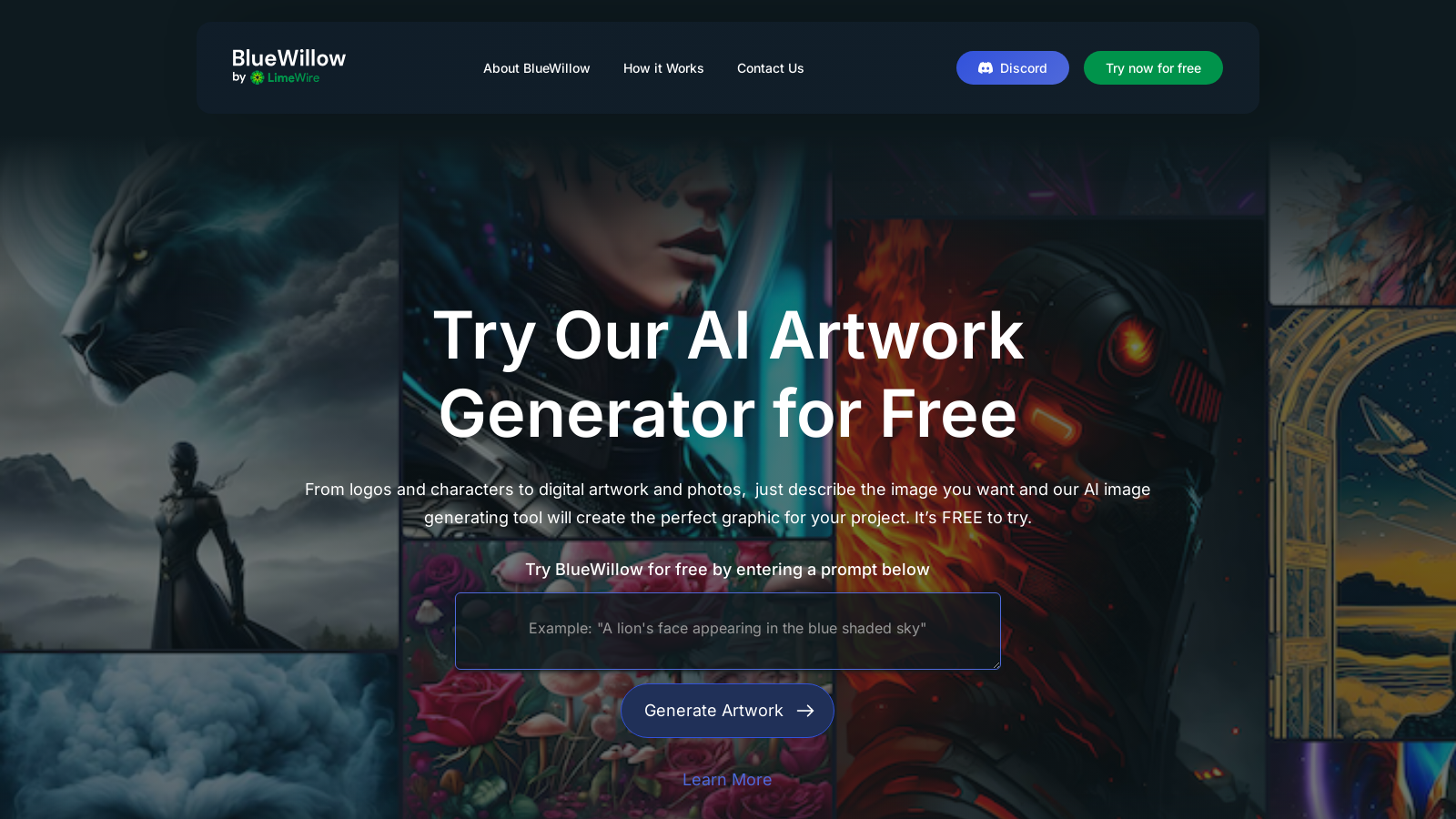
Screenshot of BlueWillow
What is BlueWillow?
BlueWillow is a compelling AI artwork generator that enables users to produce stunning AI-generated images effortlessly. With a simple description, users can create beautiful and unique pieces of artwork suitable for various applications, from logos to personalized portraits. Providing a complimentary alternative to other popular AI art platforms, BlueWillow democratizes access to advanced image generation technology.
Getting started with BlueWillow is incredibly straightforward. Utilizing its intuitive user interface, you can enter a prompt describing the image you envision. In a matter of seconds, the powerful AI presents you with a diverse selection of images that match your description. This streamlined process caters to users across all skill levels, whether you are a complete beginner or a seasoned art director.
How It Works
The process of crafting artwork with BlueWillow involves just three easy steps:
This approach transforms BlueWillow into not just a mere image generator but also a platform for artistic collaboration. Users can network and discuss their creations, enhancing the creative process. To elevate the community experience, BlueWillow invites users to join their Discord channel where they can receive updates about the latest news and announcements.
Join the Community
Engaging with other artists and users is highly encouraged at BlueWillow. The Discord community acts as an accessible platform for discussions, sharing of artworks, and engaging with community-driven events.
Apart from offering a state-of-the-art tool for generating artwork, BlueWillow is dedicated to continuous innovation and incorporating user feedback to improve the experience. Users can subscribe to the newsletter, ensuring they are up to date with the latest developments, receive pro tips, and learn how to maximize the potential of AI-generated artwork.
Whether you require captivating visuals for personal projects, business needs, or simply wish to explore your creativity, BlueWillow is equipped to assist you with its robust AI image generation technology—all at no cost. Unleash your creativity today with BlueWillow, and witness your ideas take form in breathtaking visuals!
Pros & Cons
Pros
- Generates stunning and unique AI artwork from simple text prompts.
- User-friendly interface makes it accessible for all skill levels.
- Fast image generation allows users to receive artwork in seconds.
Frequently Asked Questions
BlueWillow is available at no cost.
According to our latest information, this tool does not seem to have a lifetime deal at the moment, unfortunately.
To generate artwork with BlueWillow, enter a descriptive prompt into the text input field on the homepage and click 'Generate Artwork'. This action will direct you to the AI Studio, where you will need to enter your email address to proceed. Within seconds, BlueWillow will produce a selection of images based on your prompt, which you can further refine or re-generate as needed.
BlueWillow is capable of generating a wide variety of images, including logos, characters, graphics, and photo-realistic artworks. You can describe virtually any visual idea you have, and the AI will turn your words into stunning images. This versatility makes it suitable for personal projects, marketing materials, or simply exploring your creativity.
Yes! BlueWillow encourages users to join their Discord community, a free platform for sharing news and updates about the AI Studio. By joining the Discord, you can connect with other users, share your created artworks, and stay informed about new features or announcements from BlueWillow.
No prior experience is necessary to use BlueWillow. The AI artwork generator is designed to be user-friendly and accessible for everyone, regardless of technical skills or artistic background. All you need is a creative prompt to get started, and the AI takes care of generating the visuals for you.
If you encounter any issues while using BlueWillow, the best course of action is to check the official website for FAQs or contact their support. They also provide a way to share feedback and report problems. Engaging with their community on Discord may also help, as other users may have experienced similar issues and can offer solutions.
To stay informed about BlueWillow's updates, you can sign up for their newsletter directly from their website. This will provide you with the latest news, tips, and tutorials to help you maximize your experience with the AI art generator. Additionally, following their social media accounts can keep you informed.
While the website does not specify usage rights, it is generally advisable to check the terms of service regarding the commercial use of generated artworks. As BlueWillow is a free tool, it's crucial to ensure compliance with their guidelines, especially if you plan to use the images for business purposes.
To start using BlueWillow, you only need internet access and an email address. Visit the website, enter a creative prompt, and follow the prompts to generate your artwork. No downloads or installations are necessary, as the tool operates entirely online.




