Canva AI

Create and refine designs using conversational AI to simplify the design process for any skill level.
Canva.com
Is this your tool?
Follow for updates & deals
Get alerts for Canva AI discounts, feature releases & pricing changes
Similar Tools

Frosting
Generate images and interact with characters through a creative AI platform.

Ghost
Create and edit presentations effortlessly with an AI-powered slide editor designed for fast, beautiful results.

Craiyon
Generate unique images from text prompts using an AI art generator.

STOCKIMG.AI
Generate custom images from text prompts using AI for logos, posters, and more.

CLIP Interrogator
Generates optimized text prompts for text-to-image models based on input images.

Canva AI Media Gallery

Canva AI (review) video
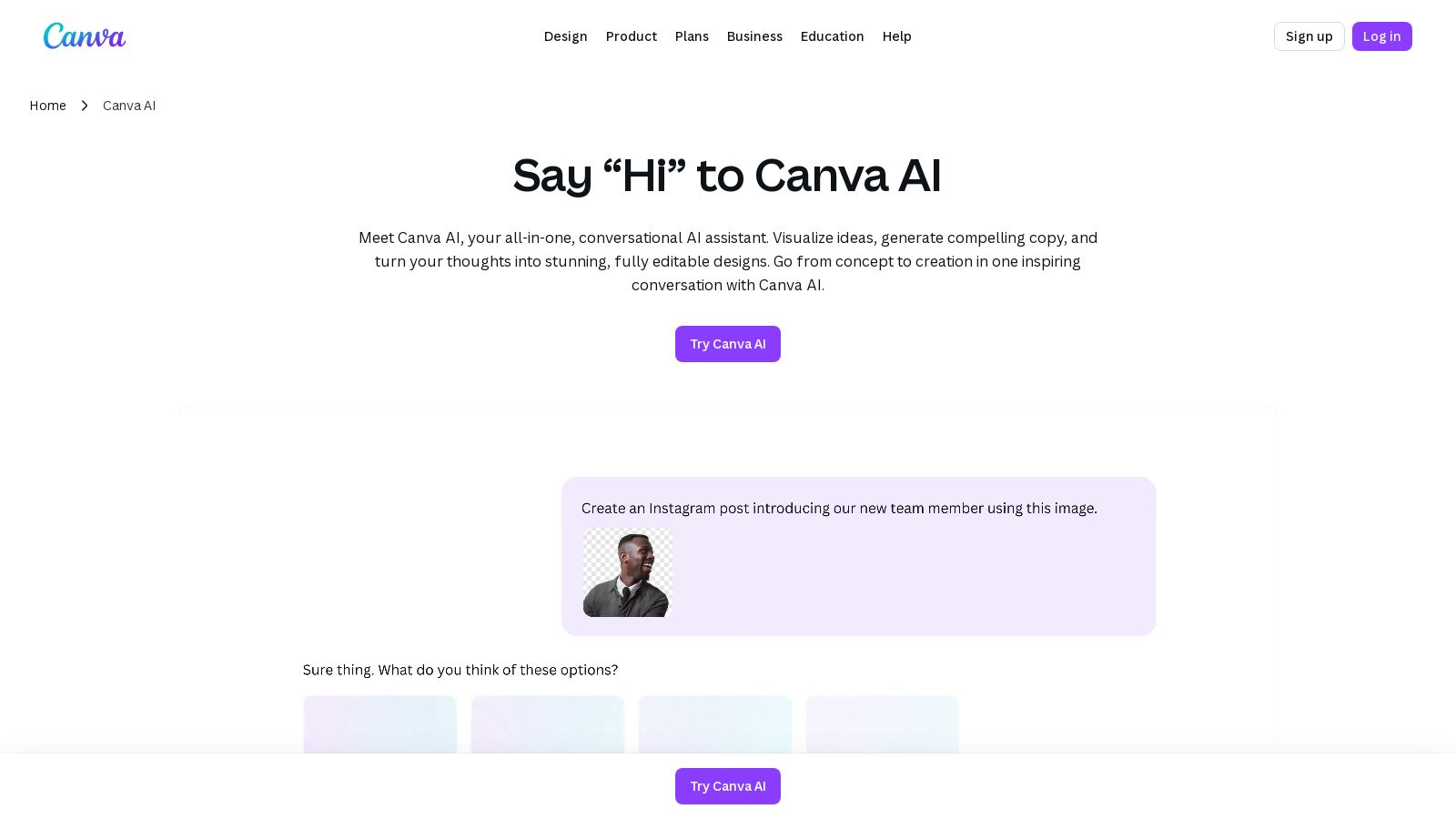
Screenshot of Canva AI
What is Canva AI?
Meet Canva AI, your all-in-one, conversational AI assistant designed to revolutionize the way you visualize ideas, generate compelling copy, and create stunning designs. With Canva AI, users can go from mere concepts to fully polished creations through intuitive conversations, simplifying the design process for everyone.
Canva AI provides access to both powerful generative design tools and a user-friendly interface that enables individuals and teams to work collaboratively, regardless of their design skills. The AI helps users brainstorm ideas, map out campaigns, and produce various forms of media, including social posts, documents, presentations, and images—all without needing to switch platforms.
One of the standout features of Canva AI is its ability to turn rough drafts into refined outputs. Users can describe their design needs using simple prompts, and the AI translates these inputs into professionally designed materials that are fully editable. Whether you are working on a presentation for a team meeting or designing content for social media, Canva AI ensures you have the tools you need to succeed.
Streamlined Workflow
Designed with productivity in mind, Canva AI streamlines your workflow by integrating various tools into one platform. You can jump right into your creative flow from the home page, thanks to an all-in-one AI workflow that eliminates the need for complex navigating through different apps.
Incredible Design Flexibility
The designs created using Canva AI are fully customizable, allowing you to refine and perfect them within the Visual Suite. The AI's capabilities also extend to image generation, where it can help create unique visuals by using AI-generated textures and aesthetics, ensuring that no two designs look the same.
Collaboration Made Easy
For teams, Canva AI facilitates real-time collaboration and feedback through its integrated commenting and editing features. Whether you are working in an office or remotely, Canva AI allows multiple users to work on a single document or design simultaneously, making it easier than ever to create and share ideas.
AI-Powered Features
With advanced functionalities powered by AI, such as voice command capabilities, text-to-image transformations, and automatic content generation, users can achieve a level of speed and efficiency that traditional methods cannot match. Canva AI not only saves time but also enhances creativity, empowering users to focus more on the creative aspects of their work instead of the technicalities.
Safe and Ethical Design
Canva AI is built on a foundation of user safety and ethics, incorporating multi-layered safeguards to protect users from harmful content while maintaining content appropriateness. It provides customizable AI access controls and privacy settings to ensure that all designs adhere to ethical standards.
In conclusion, Canva AI stands out as a versatile tool that blends powerful AI capabilities with user-friendly design functionalities, making it suitable for marketers, educators, and businesses alike. No matter your design experience, Canva AI equips you with everything you need to create stunning, compelling visual content effortlessly.
Pros & Cons
Pros
- Offers seamless integration of design, writing, and image generation tools.
- Provides fully editable designs through natural language prompts for all users.
- Facilitates collaborative work with real-time updates across devices.
Frequently Asked Questions
Canva AI is free to start, with paid plans from 0 to 110 EUR per year.
According to our latest information, this tool does not seem to have a lifetime deal at the moment, unfortunately.
With Canva AI, you can create a wide range of designs, including presentations, social media posts, marketing materials, and even personalized content like logos and brochures. The AI assistant helps transform your ideas into fully editable designs using simple text or voice commands, allowing for creativity across various formats.
The AI assistant in Canva, powered by tools like Magic Write™, allows you to generate high-quality text content quickly. By simply entering a prompt, you can produce compelling copy tailored to your needs—be it for social media, blog posts, or marketing materials—making the writing process faster and more efficient.
Yes, Canva AI is designed to be accessible on various devices, including mobile, desktop, and laptop. This versatility allows you to create and edit designs wherever inspiration strikes, ensuring a seamless design experience across all platforms.
Canva AI incorporates multiple safety features, including Canva Shield, which protects users from harmful content and ensures ethical AI use. Users benefit from customizable access controls and content safeguards designed to align with Canva's Terms and Acceptable Use Policy, allowing for a secure creative environment.
The designs created using Canva AI are fully editable. You can refine and enhance them using the Visual Suite, where you can alter colors, adjust layouts, or incorporate your Brand Kit (Pro). This functionality allows for personalization and fine-tuning to meet your specific branding needs.
Yes, Canva AI allows for integration with various tools and data sources. For example, you can connect Canva Sheets to apps like Google Analytics for data-driven design, or use the AI-powered features to translate content, generate interactive elements, and much more, streamlining your creative workflow.
Canva AI is ideal for marketers, sales professionals, and creatives. Marketers can use it for rapid content generation, sales teams can draft communications and proposals quickly, and creatives can develop compelling media for projects. Its all-in-one capabilities enhance collaboration and efficiency in business contexts.
To get started with Canva AI, log in to your Canva account. You can initiate a conversation with the AI by clicking on the 'Canva AI' option in the left-side panel of the homepage. From there, select a tool like 'Design for me' or 'Draft a doc', input your prompt, and begin creating!