ClickUp

An all-in-one platform for task management, collaboration, and workflow automation.
Clickup.com
Is this your tool?
Follow for updates & deals
Get alerts for ClickUp discounts, feature releases & pricing changes
Similar Tools
Craft
Create, organize, and share documents with a flexible block-based system across all devices.

Plane
An open-source project management tool that integrates task tracking, documentation, and collaboration in one platform.

Granola
AI-powered notepad that transcribes meetings into actionable notes and insights.

2-b.ai
AI-powered To-Do list that creates tasks directly from web content in your browser.

Jan
Open-source AI tool that operates locally on your device, ensuring privacy without cloud reliance.

ClickUp Media Gallery

ClickUp (review) video
Screenshot of ClickUp
What is ClickUp?
ClickUp is revolutionizing productivity by offering a comprehensive platform that integrates the needs of diverse teams and processes into one powerful platform. With ClickUp, users can manage tasks, documents, goals, and chat, all while integrating seamlessly with their existing workflows. The versatility of ClickUp allows teams to utilize its features for project management, document collaboration, and task allocation, ultimately enhancing efficiency.
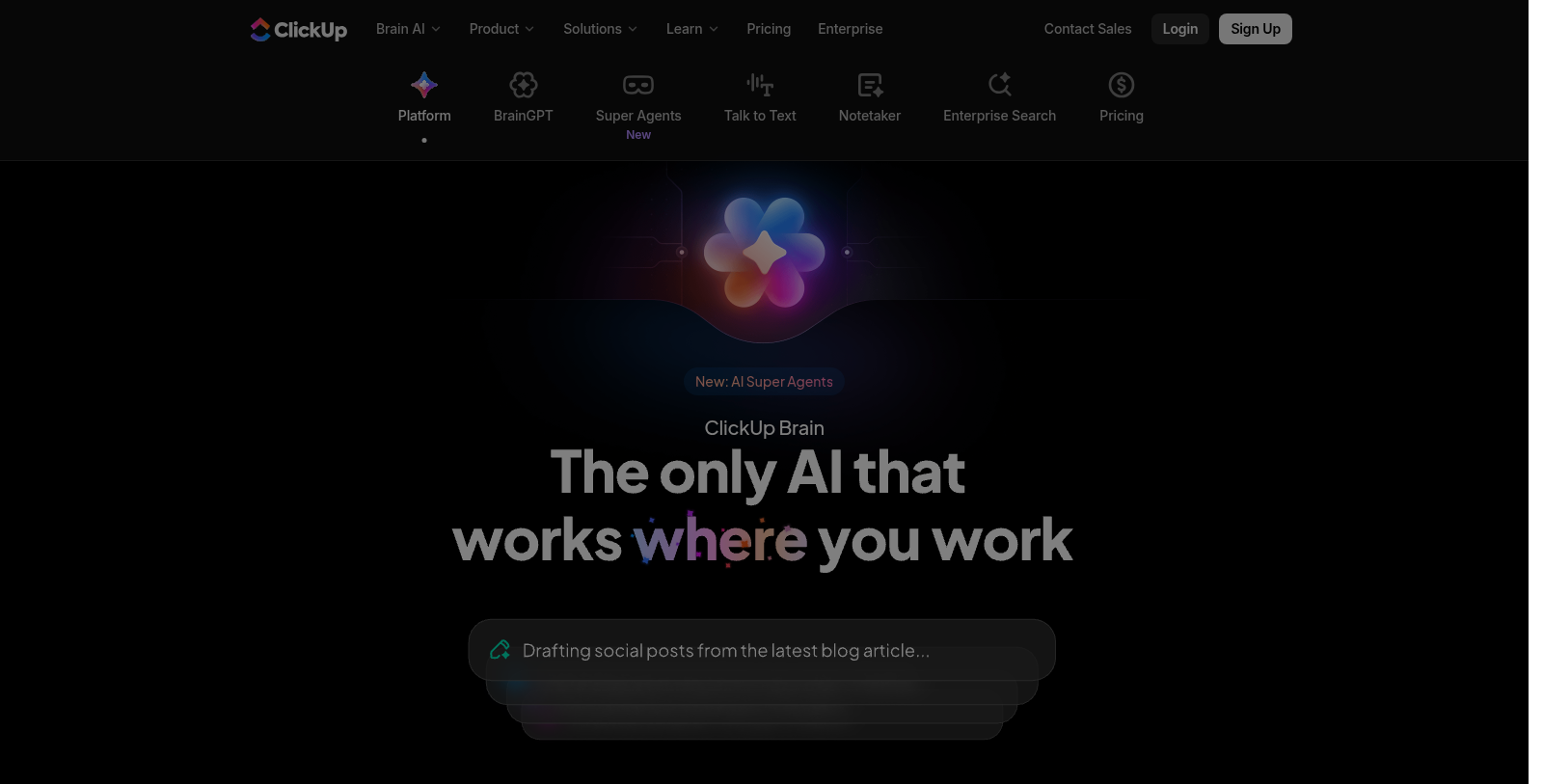
Recent innovations include ClickUp Brain, an AI-driven enhancement that assists users in maximizing productivity by automating routine tasks. From assigning roles to compiling and synthesizing meeting notes, ClickUp Brain embodies the future of work with AI integration in every feature.
What can ClickUp do for you?
ClickUp's all-in-one platform is designed to adapt to your needs regardless of industry. Whether you work in marketing, finance, software development, or another sector, ClickUp's capabilities scale with your team. Users rave about the platform's ability to save time, create structure, and provide clarity in workflows, which is crucial for maintaining focus on high-impact tasks.
AI Super Agents
One of the shining innovations within ClickUp is the introduction of AI Super Agents. These AI-driven assistants can autonomously manage tasks by providing deadline reminders, tracking project status, and even generating insights on project performance. This reduces micromanagement, allowing project managers to focus on strategic initiatives rather than day-to-day operations.
Robust Project Management Tools
With tools like Gantt charts, Kanban boards, and task dependencies, ClickUp provides users with detailed project visualization options. These features help teams see the big picture of their projects and understand how tasks are interrelated. Comprehensive dashboards and reports allow for real-time tracking of projects, helping to identify bottlenecks and ensure timely delivery.
Integration and Flexibility
ClickUp's ability to integrate with over 50 additional applications means that you can synchronize your workflows rather than replacing existing software. Integrations with tools like Slack, Google Drive, and Salesforce further enhance productivity by creating a unified working environment.
Compliance and Security
In today's era of cyber threats, ClickUp prioritizes security and compliance. It adheres to standards such as GDPR and HIPAA, ensuring user data is safeguarded and kept private. This focus on security enables organizations to use ClickUp with confidence, knowing their sensitive information is protected.
Why Choose ClickUp?
With ClickUp, you are choosing a forward-thinking solution that not only increases productivity but also provides measurable returns on investment. Users report significant time savings, with some even claiming to save a full workday each week through ClickUp's comprehensive features. The fact that it is free to start means there is no risk in exploring its capabilities.
Join millions of other teams that have found success with ClickUp, and revolutionize the way you work.
Pros & Cons
Pros
- Integrates multiple tools into one platform, reducing software sprawl.
- AI agents automate tasks, saving users an average of 1.1 days per week.
- Provides comprehensive security features, including GDPR and HIPAA compliance.
Frequently Asked Questions
ClickUp is free to start, with paid plans from 0 to 28 USD per month.
According to our latest information, this tool does not seem to have a lifetime deal at the moment, unfortunately.
ClickUp Brain introduces a collection of AI Super Agents tailored to various project management tasks, including automated responses, auto-task creation, and AI-driven meeting scheduling. This tool integrates seamlessly with multiple apps, allowing it to pull data and context from across your workspace, ultimately enhancing productivity. Users can utilize autonomous projects that handle task assignments and priorities without manual input, as well as AI meetings that automatically generate notes, tasks, and agendas from any meeting.
ClickUp Brain is designed to save users significant time, claiming to save at least 1.1 days per week. By automating mundane tasks such as note-taking, scheduling, and task assignment, teams can focus on high-impact work. The AI proactively manages workflows, auto-updates project statuses, and provides contextual answers, enabling teams to complete tasks three times faster and freeing them from routine management.
ClickUp Brain supports a wide array of integrations with popular tools, including Slack, Dropbox, Salesforce, Jira, Zoom, GitHub, Figma, Notion, HubSpot, Gmail, and Outlook. This extensive compatibility ensures users can connect their existing workflows and data sources to maximize the value of ClickUp Brain, creating an integrated project management environment.
While ClickUp Brain offers extensive project management and automation features, limitations may apply depending on the chosen subscription plan. Not all features are available in the free tier, and specific advanced capabilities, such as custom AI agents and unlimited AI note-taking, may require paid subscriptions. Additionally, users should be aware of possible usage caps tied to their plans; thus, checking pricing details and feature availability is recommended.
To begin using ClickUp Brain, you need to create an account on the ClickUp platform, which is available for free. The minimum technical requirements include having a modern web browser or the ClickUp desktop application for Windows or Mac. For mobile users, the ClickUp app is available on iOS and Android, and requires the latest operating system versions to ensure full functionality.
Yes, ClickUp Brain allows users to build custom AI agents tailored to specific tasks. Through a user-friendly interface, individuals can set up these agents without requiring any coding skills. Features such as intelligent task assignment and custom workflows can be configured to team needs, enabling organizations to offload busywork to AI agents, thereby enhancing overall productivity.
ClickUp offers comprehensive support for new users, including 24/7 online support, live training sessions, and resources like tutorials and webinars. Users can book demos and attend live workshops on setting up and using ClickUp Brain effectively. This ensures that both new and existing users feel equipped to maximize the tool's features for their project management needs.
ClickUp Brain distinguishes itself from other productivity tools by integrating multiple features into a single platform. It combines task management, documentation, collaboration, and AI-driven features that eliminate the need for several disparate tools. Many users report significant cost savings by consolidating their software subscriptions with ClickUp Brain, making it a compelling alternative to other productivity and project management applications.