CLIP Interrogator

Generates optimized text prompts for text-to-image models based on input images.
Google.com
Is this your tool?
Follow for updates & deals
Get alerts for CLIP Interrogator discounts, feature releases & pricing changes
Similar Tools

Unstable Diffusion
Create unique images based on your prompts using AI for personalized visual expression.

Shakker
AI tool for generating images with customizable features and models for various creative projects

PicLumen
Generate images from text and edit existing photos with various AI-powered tools for artistic expression.

Imagen 3
Transforms text prompts into high-resolution images, making digital content creation accessible for all.

Kolors AI
Generates custom images and videos for design projects through an intuitive chat interface.

CLIP Interrogator Media Gallery
What is CLIP Interrogator?
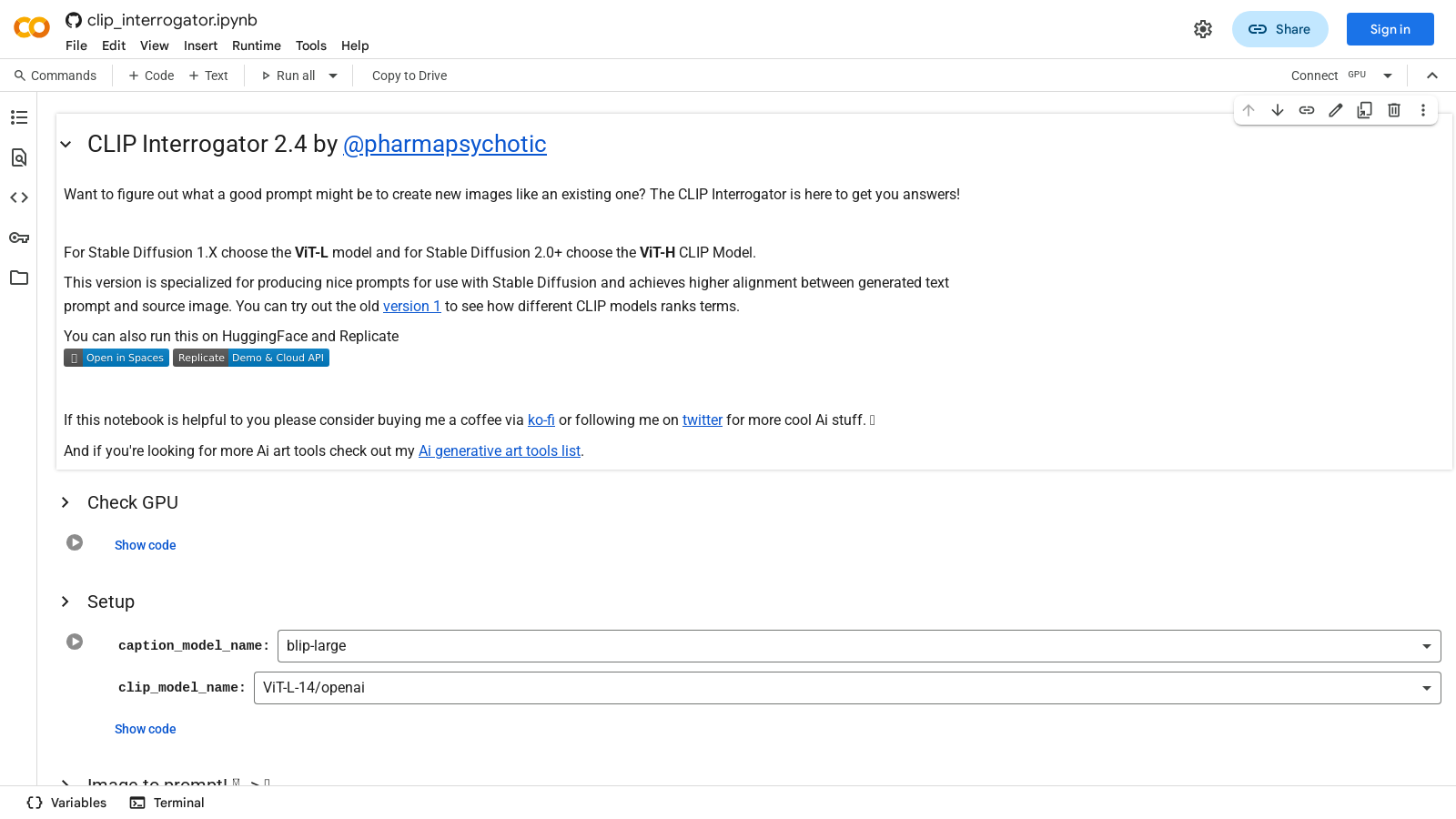
The CLIP Interrogator is an innovative tool designed to streamline the process of prompt engineering for text-to-image models. Developed by @pharmapsychotic, this tool leverages OpenAI's CLIP and Salesforce's BLIP to provide users with tailored text prompts that align well with their existing images. This can significantly enhance the quality of art generated by models like Stable Diffusion.
Understanding the Functionality: The primary function of the CLIP Interrogator is to help you devise effective prompts that can yield better visual content similar to an existing image. With two distinct models to choose from, users can opt for either the ViT-L model for Stable Diffusion 1. X or the ViT-H model for Stable Diffusion 2.0 and beyond. This versatility ensures that users receive the most suitable prompts for their specific needs.
How It Works: When using the CLIP Interrogator, users can input an image and select a processing mode: 'best', 'classic', 'fast', or 'negative.' The tool then analyzes the image and generates a prompt that text-to-image models can utilize. For example, the 'Batch process a folder of images' feature allows users to generate prompts for multiple images efficiently, which can then be saved to a CSV file or used to rename the files according to the generated prompts.
Utilizing the Tool: The CLIP Interrogator can be run directly on platforms like HuggingFace and Replicate, or users can install it via pip in their Python environment. It requires minimal setup, and the instructions are straightforward, including the necessary commands to get it up and running. Additionally, the tool's configuration options enable adjustments tailored to individual user requirements, ensuring optimal performance even on systems with limited VRAM.
Additional Features: The functionality of the tool extends beyond simple prompt generation. Users can rank their images against a customizable list of terms to find the best match according to their specifications. This feature is handy for those who require precise terminology for their creative projects.
Conclusion: In the growing landscape of AI-assisted art creation, the CLIP Interrogator stands out as a valuable resource. It not only simplifies the process of creating effective prompts but also enhances the overall quality of generated artwork, making it an essential tool for artists, developers, and enthusiasts of AI-based solutions. Whether you are generating art for personal projects or commercial use, the CLIP Interrogator equips you with the necessary tools to achieve stunning results.
Pros & Cons
Pros
- Offers specialized prompt generation for improving image creation in Stable Diffusion.
- Supports batch processing to generate prompts for multiple images efficiently.
- Utilizes multiple CLIP models for higher alignment between text prompts and source images.
Frequently Asked Questions
CLIP Interrogator is available at no cost.
According to our latest information, this tool does not seem to have a lifetime deal at the moment, unfortunately.
CLIP Interrogator offers four modes for generating prompts: 'best', 'fast', 'classic', and 'negative'. The 'best' mode provides the most refined prompts, while 'fast' prioritizes speed over detail, 'classic' attempts a traditional approach, and 'negative' generates prompts focused on undesirable qualities or aspects of the image. Users can choose the mode that best fits their needs based on the desired output.
You can batch process images in CLIP Interrogator by specifying a folder containing your photos and selecting the appropriate output mode (either renaming files with prompts or saving results in a CSV). Set the `folder_path`, select your `prompt_mode`, and choose between `rename` or `desc.csv` for `output_mode`. The CLIP Interrogator will then automatically generate prompts for each image in the folder.
For users working with Stable Diffusion 1. X, the recommended model is the ViT-L-14 from OpenAI. For Stable Diffusion 2.0 and later, the ViT-H-14 from laion2b is suggested. Selecting the appropriate model is crucial as it can significantly improve the alignment between generated prompts and the source images in your art generation projects.
The CLIP Interrogator generally requires a system with a GPU, as it is optimized to utilize CUDA for enhanced performance. The default settings use approximately 6.3 GB of VRAM. If you're facing limitations, you can apply low VRAM defaults to reduce memory usage to approximately 2.7GB, but this may impact speed and quality. Installing dependencies like PyTorch with GPU support is also essential.
Yes, CLIP Interrogator can be integrated with platforms such as HuggingFace and Replicate. Additionally, it can be run as a Stable Diffusion Web UI Extension, which allows for more versatile usage in different art generation workflows and environments.
To analyze an image using CLIP Interrogator, upload the image within the provided interface and click the 'Analyze' button. The tool will provide insights into the image's medium, the artist's style, artistic movements, trending aspects, and flavor classifications, enabling you to understand the image's artistic context better.
If you experience issues, ensure that you have all required libraries installed first. Refer to the installation commands provided in the setup section to install the necessary packages. Additionally, if problems persist, checking the official documentation on GitHub or engaging with the community on forums may provide solutions and troubleshooting tips.
While the CLIP Interrogator is a powerful tool for prompt generation, alternatives include other AI-based tools, such as DALL-E, Midjourney, and various other image-to-prompt frameworks. Each tool has its unique strengths, so exploring these alternatives can help find one that meets specific creative needs or workflow preferences.