Craft
Create, organize, and share documents with a flexible block-based system across all devices.
Craft.do
Is this your tool?
Follow for updates & deals
Get alerts for Craft discounts, feature releases & pricing changes
Similar Tools

ClickUp
An all-in-one platform for task management, collaboration, and workflow automation.

Plane
An open-source project management tool that integrates task tracking, documentation, and collaboration in one platform.

iAsk
Get precise answers to questions using an AI-powered search engine designed for effective learning.

Blockit
AI-driven scheduling tool that instantly manages your appointments and optimizes your calendar.
Bland
AI-powered voice system that personalizes customer interactions across multiple channels.

Craft Media Gallery

Craft (review) video
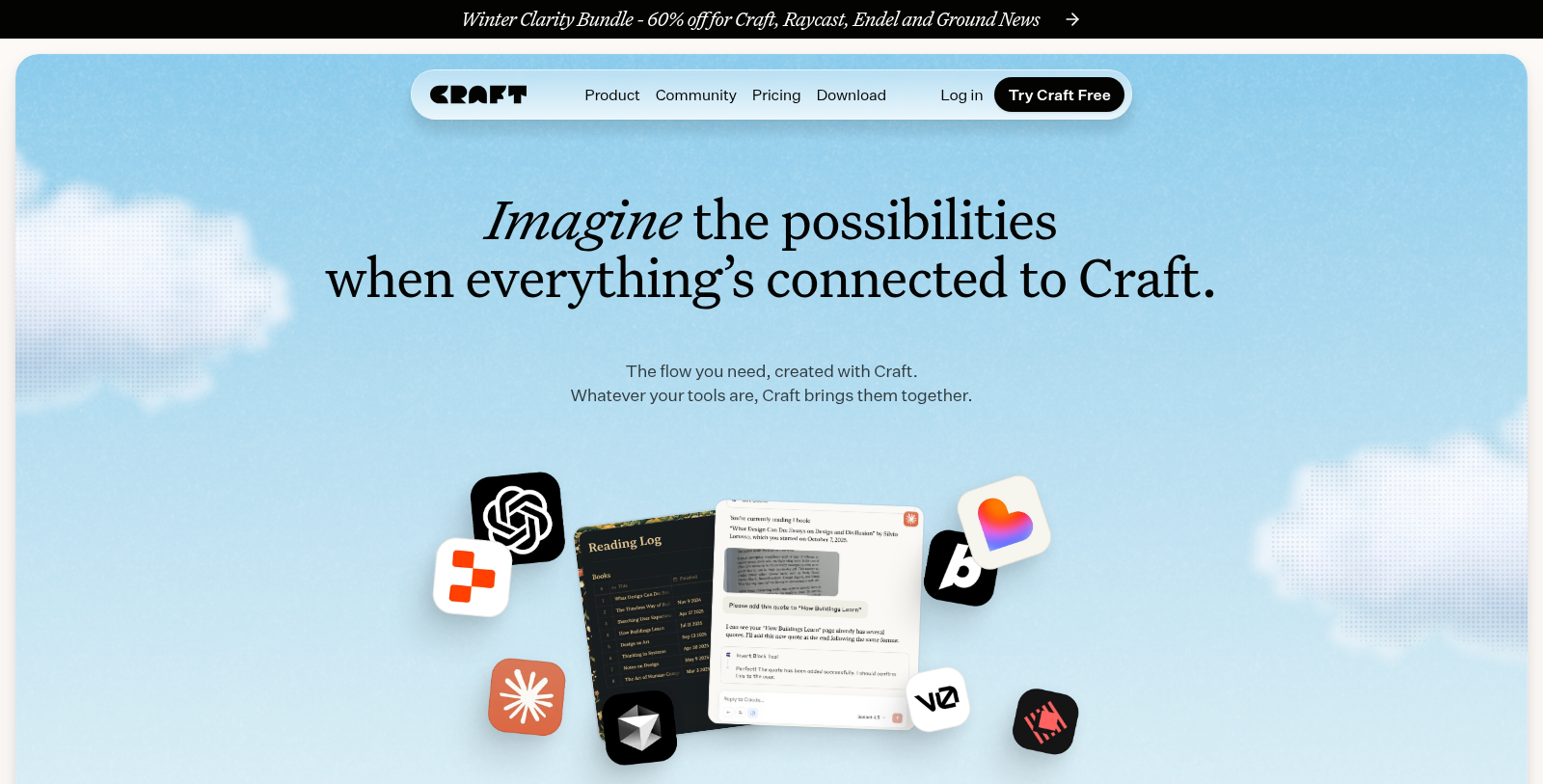
Screenshot of Craft
What is Craft?
Craft is an innovative productivity tool that helps users create, organize, and share their thoughts, ideas, and projects seamlessly. Designed for individuals and teams alike, Craft combines a beautiful interface with robust functionality, empowering users to realize their full creative potential.
With Craft, you can manage everything from documents, tasks, notes, and even to-do lists all in one space. The tool's flexibility lets you tailor its features to your workflow, whether you're working on a personal blog, managing project updates, or collaborating with colleagues. Everything you create can be elegantly styled and formatted, making Craft not just a utility but also a platform where your work can shine.
One of the defining features of Craft is its powerful organizational capabilities. With a block-based system, you can easily isolate different elements of your content. Each thought, sentence, or piece of media lives in its own block, giving you the freedom to structure your documents to reflect your thinking process. Blocks can be rearranged, grouped, or formatted according to your needs, simplifying the drafting and editing process.
The integration of AI tools through Craft's Model Context Protocol (MCP) enhances the user experience, connecting seamlessly with platforms like Claude or ChatGPT, allowing for real-time assistance in generating content or processing information. Craft now supports local AI models, which provides users with enhanced privacy while boosting productivity without relying solely on cloud-based services.
Craft is evolving into a versatile platform with a wide array of workflow templates, inspiring users to explore their creativity. Recent community-driven events such as the Winter Challenge highlight this evolution, with participation opportunities to win significant prizes, including a grand prize of NULL,000 for demonstrating unique uses of Craft's features.
Moreover, Craft emphasizes a collaborative atmosphere where users can share their workflows and templates, providing a rich source of inspiration and fostering community engagement. The platform regularly conducts competitions that promote creative thinking and innovation among users.
With continuous updates driven by user feedback, Craft is committed to refining its features. Notable recent enhancements include a more intelligent Craft Assistant, which offers contextual prompts and suggestions. Updates also include improved API features, making it easier to integrate Craft into daily tasks and workflows, solidifying its position as a leading tool for digital creativity.
In summary, Craft is not just a writing tool; it's a multifaceted platform that empowers individuals and teams to express their ideas through structured and visually appealing documents while effectively managing tasks and projects. Its commitment to user satisfaction and innovation positions Craft as a premier choice for anyone looking to streamline their creative processes.
Pros & Cons
Pros
- Offers seamless integration with various tools via API and MCP for customized automation.
- Provides a visually pleasing writing and organizational experience with customizable templates.
- Includes unique features like the ability to create personal dashboards for diverse needs.
Cons
- Some advanced features may require a learning curve for new users.
Frequently Asked Questions
Craft is free to start, with paid plans from 0 to 50 EUR per month.
According to our latest information, this tool does not seem to have a lifetime deal at the moment, unfortunately.
Craft's API and MCP (Model Context Protocol) enable you to create diverse projects tailored to your needs. Users have built a Plant Dashboard for managing plant care, a Dream Journal for introspection and exploration of symbolism, and a personal blog that integrates tags and search. Additionally, workflow examples include automated daily agendas and reading logs, enabling seamless integration of Craft's features with external tools and services such as ChatGPT and Claude.
To enable API access in your Craft document, navigate to the 'Imagine' tab and select 'Add Your First API Connection.' Configure the connection by assigning a name and setting the appropriate permissions. Once active, Craft will provide an API URL that you can use to interact with your document for various applications, such as integrating with third-party services or building custom web apps.
Craft offers integration with several AI platforms, including ChatGPT and Claude. Users can create connections to enable features such as summarizing text, organizing brainstorming sessions, and interpreting journal entries. Craft provides guides on setting up these connections, helping you leverage AI to streamline your workflows and enhance creativity.
Users of Craft have created inspiring projects such as a Discord-based coaching system for community support, interactive lesson plan slideshows that auto-sync with Craft, and a comprehensive content command center for research and analytics. These diverse applications illustrate Craft's flexibility and its creative use across fields and personal goals.
Craft utilizes a block-based structure that allows you to write freely and organize later. You can create folders, spaces, collections, and add tags to keep your notes structured. Use Craft's integration of tasks directly within your documents to maintain an overview of your projects. Experiment with embedded links and use collections to manage large volumes of information effectively without feeling cluttered.
Yes! Craft offers a variety of free templates designed for different use cases, including meeting agendas, personal blogs, travel itineraries, and more. These templates can help you kickstart your projects, ensuring you capture and organize your thoughts efficiently without starting from scratch. You can easily customize these templates to suit your individual needs.
Craft supports a range of integrations, including popular tools and APIs such as Lovable, Replit, and Apple Shortcuts. This enables users to automate workflows, build interactive web projects, and manage tasks across platforms. By leveraging these integrations, users can enhance productivity and have a more connected work experience.
Craft provides a comprehensive help center with tutorials, troubleshooting guides, and community resources. Users can explore documentation for different features, join the Craft community on Slack and Reddit for discussions, and watch tutorial videos on Craft's YouTube channel. If you need direct assistance, you can submit requests to the support team, ensuring you get the help you need to maximize your Craft experience.