Craiyon
Generate unique images from text prompts using an AI art generator.
Craiyon.com
Is this your tool?
Follow for updates & deals
Get alerts for Craiyon discounts, feature releases & pricing changes
Similar Tools
DALL·E 2
Generates detailed images from textual descriptions with features for editing and style variations.
SuperCraft
Create and visualize product designs using natural language descriptions with AI assistance.

Image Labs
AI software for editing images with customizable styles and extensive editing features.
PicPicAI
Enhance image quality, remove backgrounds, and create art seamlessly with AI tools.
Shakker
AI tool for generating images with customizable features and models for various creative projects

Craiyon Media Gallery
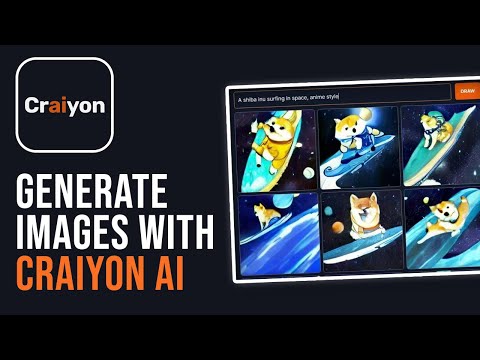
Craiyon (review) video
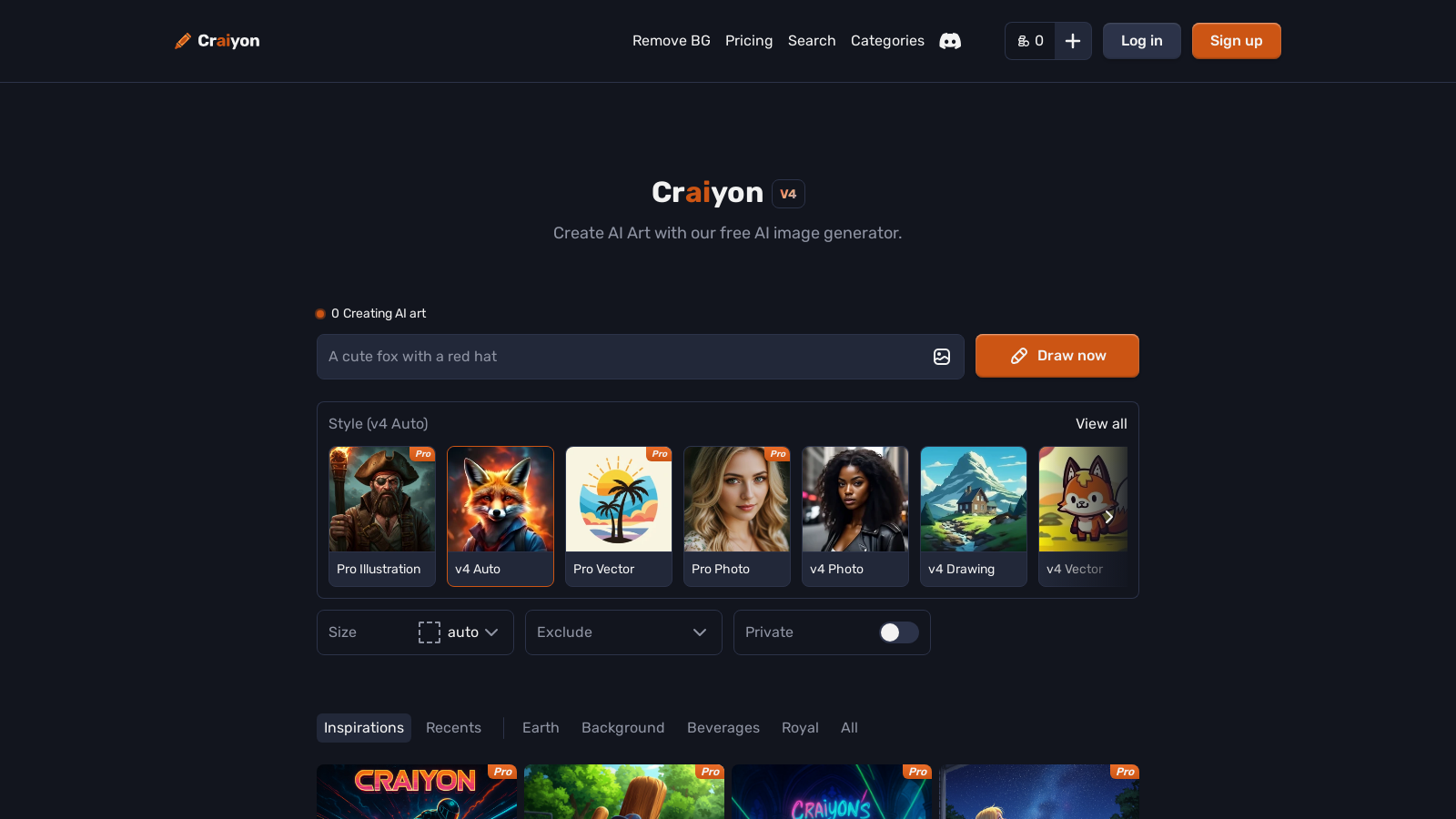
Screenshot of Craiyon
What is Craiyon?
Craiyon is an innovative AI art generator that transforms your text descriptions into unique images within seconds. Previously known as DALL·E mini, Craiyon enables users of all skill levels to manifest their imagination into vibrant art. This free tool caters to casual creators as well as professional artists exploring the expansive realm of AI-generated creativity.
Powered by advanced algorithms developed in-house, Craiyon allows users to input their imaginative concepts effortlessly. Whatever you envision—be it abstract art, stunning wallpapers, or breathtaking landscapes—Craiyon can realize your ideas with remarkable speed and precision. One of the standout features of Craiyon is its user-friendly interface, designed to facilitate quick and easy artwork creation. Users simply type in a description, click ‘DRAW,’ and within moments, the artwork is ready for download.
Creating AI Art with Craiyon
The process of creating art using Craiyon is exceptionally simple and enjoyable:
- Open the Craiyon AI Art Generator
- Type in your creative idea—be as specific and detailed as possible for the best results!
- Select your desired style—options include Artistic, Photo, Anime, Illustration, Vector, or Raw
- Choose your aspect ratio—Square, Landscape, or Portrait
- Hit ‘DRAW’ and watch as your idea transforms into unique AI art
Furthermore, users have the option to refine their text prompts to enhance the style and realism of their AI-generated creations. With access to millions of art styles and photorealistic options, the potential for creative expression is virtually limitless. Users can also specify unwanted elements through the 'Exclude' section, allowing for even more tailored results.
Pro Features and Subscription Plans
Craiyon operates on a freemium model, offering both free usage and a range of subscription plans that unlock advanced features. Free users can generate a limited number of images, while subscribers enjoy enhanced capabilities:
- Access to the highest quality models for better detail, sharpness, and accuracy
- Unlimited image generation without watermarks
- Credits for editing images and additional features like private image generation for professional needs
- Priority processing to avoid wait times during peak usage
The subscription plans have been clearly defined:
- Supporter Plan: NULL/month or NULL/year with 100 edit credits
- Professional Plan: NULL/month or NULL/year with 220 edit credits
- Ultra Plan: NULL/month or NULL/year with 900 edit credits
These tiers are ideal for users aiming to create high-quality artwork with fewer limitations and without advertisement interruptions.
Future Vision and Community Engagement
Craiyon is committed to ongoing innovation, regularly refining its technology to enhance user experience. The development team actively encourages feedback to further improve the platform. Users can share their creations online, with the condition that commercial usage should credit Craiyon.com. A mobile app is currently in development, adding to the excitement surrounding the future growth of the tool. Communication with the team is made easy through various channels, including Discord.
Conclusion
Craiyon represents a significant advancement in AI art generation, making it accessible to everyone looking to express their artistic flair without needing extensive artistic skills. Whether you're creating personal art or experimental works, Craiyon is a powerful tool that stands out in the burgeoning realm of artificial intelligence.
Pros & Cons
Pros
- Generates stunning AI art from simple text prompts in seconds.
- Offers the ability to exclude specific elements from generated images.
- Constantly improving the technology to enhance user experience.
Cons
- May experience high traffic affecting image generation availability.
Frequently Asked Questions
Craiyon is free to start, with paid plans from 0 to 840 USD per month.
According to our latest information, this tool does not seem to have a lifetime deal at the moment, unfortunately.
With Craiyon, you can create a diverse range of art styles, including abstract art, aesthetic wallpapers, breathtaking landscapes, and more. The tool enables you to explore an infinite range of possibilities for styles, themes, and techniques, making it suitable for both beginners and experienced artists. Just type a creative text prompt, and Craiyon will bring your imagination to life in seconds!
The 'Exclude elements' section in Craiyon allows you to specify what concepts you want to avoid in your generated images. For example, you can type in terms like 'people', 'low contrast', or 'blue', and the AI model will attempt to create an image that excludes those elements. This feature gives you more control over the final output, allowing you to tailor the artwork to your preferences.
If you encounter a 'too much traffic' message while using Craiyon, it's usually best to wait a moment before trying to press the draw button again. Sometimes, a few attempts may be needed to generate your AI art. If you have a subscription, you'll have priority access, allowing you to skip the line during busy times as the team works to increase its server capacity.
Yes, you can use the images generated by Craiyon for personal, academic, or commercial purposes, provided you adhere to the Terms of Use. If you are a free subscriber, it's recommended to credit craiyon.com when using the images. This enables you to leverage the unique AI-generated art in various ways, including marketing campaigns or personal projects.
Subscribing to Craiyon's Pro models allows you to generate images of higher quality with significantly more detail and sharpness. The Pro plans also offer benefits like unlimited Lite images, no ads, no watermarks, and private image generation for professional use. As technology improves, both Pro and Lite models will continue to deliver enhanced image quality over time.
If your images do not appear when using Craiyon, try using a different browser, preferably Google Chrome, or enable incognito mode. Clearing your browser cache may also resolve the issue. If that doesn't help, consider using a different device or disabling your VPN. If the problem persists, you can contact the Craiyon support team via email or Discord for further assistance.
Currently, Craiyon does not have a mobile application; however, they plan to develop one in the future. Be cautious of any unofficial Craiyon apps found in app stores, as they are not affiliated with the actual Craiyon platform. When a legitimate app is released, the community will be promptly informed of its availability.
You can support Craiyon by providing feedback on your experience, reporting bugs, and making feature requests via email or their Discord channel. If you love using Craiyon, you can also consider upgrading to a paid plan or purchasing merchandise featuring your favorite AI creations. Your support helps the team continue to improve the AI model and enhance the tool for all users.