DeWatermark

AI-powered tool for seamless removal of watermarks from images and videos without losing quality.
Dewatermark.ai
Is this your tool?
Follow for updates & deals
Get alerts for DeWatermark discounts, feature releases & pricing changes
Similar Tools
Pixlio AI
Create and edit professional images using advanced AI models and intuitive editing tools.

Instories
Design graphics, edit photos, and create videos using AI-powered tools and templates.

PixNova AI
Generate and edit images with AI, including headshots, face swaps, and baby predictions.

OpenArt
Enhance and transform images with an array of AI tools for quality and creativity.

HitPaw
Enhance videos, photos, and audio with easy-to-use multimedia editing tools.

DeWatermark Media Gallery

DeWatermark (review) video
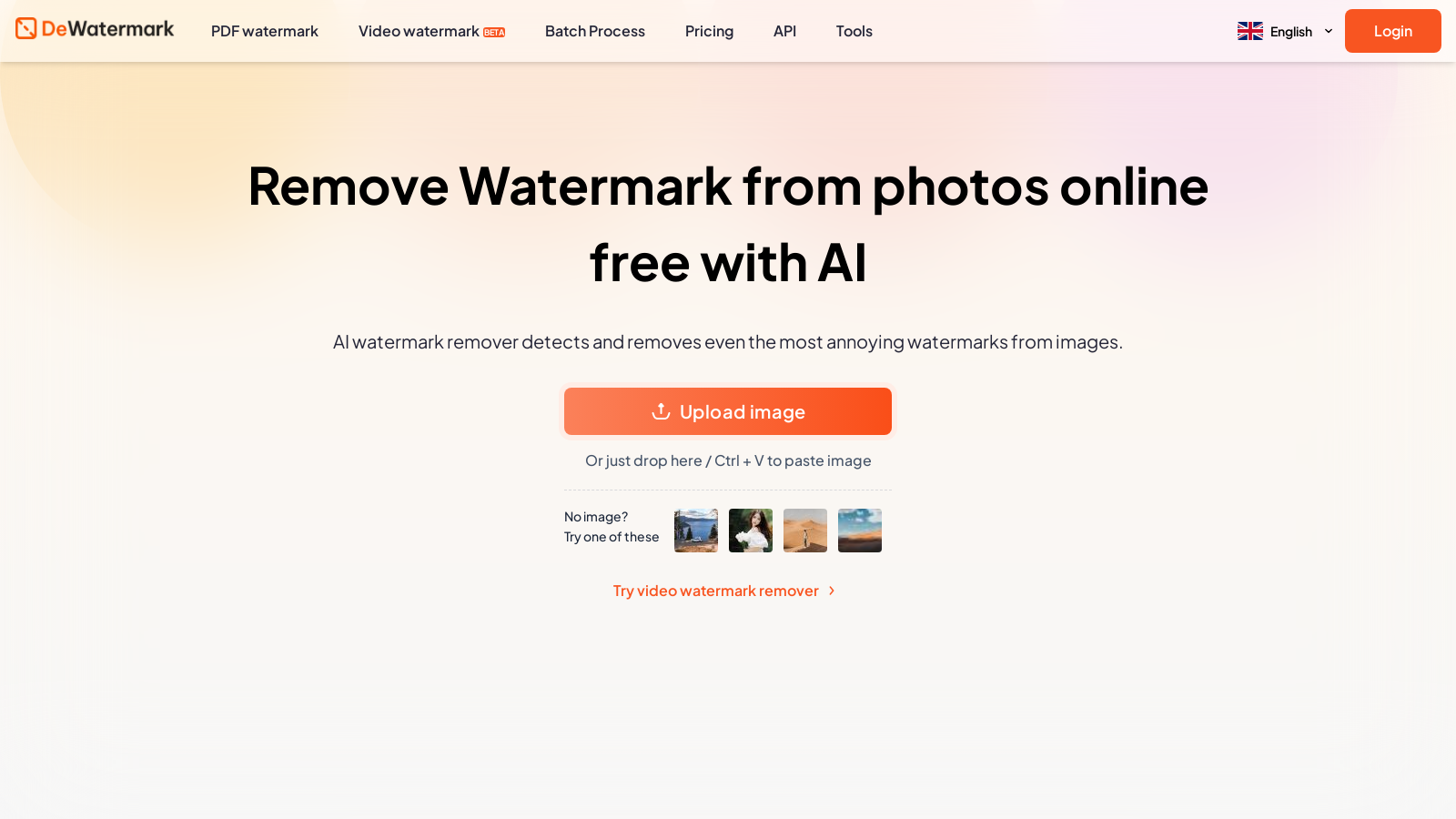
Screenshot of DeWatermark
What is DeWatermark?
DeWatermark is an innovative AI-powered tool specifically designed for removing watermarks from photos and videos, providing users with a seamless and efficient image editing experience. Leveraging cutting-edge technology, it detects and removes even the most complex watermarks with exceptional accuracy, ensuring high-quality results that cater to the needs of both professionals and casual users.
How to Use DeWatermark
Utilizing DeWatermark is straightforward and user-friendly. Simply upload your watermarked images by either dragging and dropping them into the designated area or by clicking to select files directly from your device. Once the image is uploaded, the AI swiftly scans the image and employs sophisticated algorithms to detect and remove watermarks in mere seconds.
Step-by-Step Removal Process
- Upload your watermarked images by dragging them into the upload area.
- The AI will automatically scan the images and initiate watermark detection algorithms.
- If necessary, utilize the manual AI brush tool for precise, pixel-perfect results.
- Finally, download your watermark-free images in either original or HD quality, tailored to your preferences.
The AI Brush Feature
In more challenging scenarios where remnants of the watermark may remain, DeWatermark incorporates a manual AI brush tool. This feature empowers users to meticulously paint over any remaining watermark traces, ensuring a completely clean image. This dual approach of automatic detection combined with manual editing accommodates a variety of use cases, enhancing the overall versatility of the tool.
High-Quality Results
A standout quality of DeWatermark is its commitment to maintaining the original quality of images after watermark removal. Users can confidently rely on DeWatermark, knowing their photos will retain detailed clarity as the tool meticulously enhances image resolution while minimizing loss of quality. This is a crucial aspect for creatives who need professional-grade results.
Accessibility and Device Compatibility
DeWatermark excels in accessibility, offering compatibility across a range of devices, including iOS and Android platforms, as well as desktop environments. This capability allows users to edit images on-the-go, making it a perfect solution for busy professionals and photography enthusiasts alike. The tool can be accessed via popular web browsers or by downloading the dedicated desktop application, enhancing its usability.
User Feedback and Experience
With an impressive user rating of 4.9/5 based on extensive feedback, DeWatermark has established itself as a favorite among those looking for reliable watermark removal solutions. Users consistently praise the tool for its speed, efficiency, and the quality of the watermark removal process, alongside its intuitive interface which significantly enhances the editing experience.
Powerful Features and Services
The tool is designed to handle a wide array of watermark types, from common logo and text watermarks to more elaborate multi-layered designs that merge into backgrounds. Users can navigate these challenges confidently, relying on DeWatermark's advanced AI capabilities, which quickly identify and separate watermark layers.
Moreover, the tool features a batch processing capability, allowing users to remove watermarks from a maximum of 50 images concurrently. This substantially boosts productivity, saving time for those needing to process a large number of images.
Free to Use
One of the most appealing aspects of DeWatermark is its cost structure. The tool is entirely free for the first three images per day, following which users can opt to subscribe for enhanced features, including premium quality downloads and additional capabilities. This freemium model effectively balances accessibility with the availability of advanced tools.
Frequently Asked Questions
DeWatermark provides transparency regarding its functionality and the implications of watermark removal. Users are encouraged to utilize the service responsibly while benefiting from robust customer support for any inquiries they might have. Whether you're a photographer aiming to refine your portfolio, a content creator seeking to enhance your images for social media, or simply someone looking to polish personal photographs, DeWatermark serves as an invaluable resource that harnesses AI technology for effortless watermark removal. By removing barriers to sophisticated editing features, it empowers users to achieve stunning imagery with ease.
Pros & Cons
Pros
- AI-powered remover efficiently detects and eliminates complex watermarks from images.
- Retains image quality while removing watermarks, even offering HD versions for download.
- Supports batch processing, allowing users to edit up to 50 images simultaneously.
Frequently Asked Questions
DeWatermark offers a free plan with limited credits, with additional credits available.
According to our latest information, this tool does not seem to have a lifetime deal at the moment, unfortunately.
DeWatermark supports virtually all popular image formats, including JPEG, JPG, and PNG. This ensures that you can upload and clean watermarks from your images, maintaining compatibility with the most widely used file types.
The batch processing feature enables you to upload up to 50 images simultaneously to remove watermarks efficiently. This is especially useful for users who need to process multiple images quickly, enhancing productivity by saving time and effort in watermark removal.
Yes, DeWatermark is compatible with both iOS and Android devices. You can access the online AI watermark remover seamlessly on mobile devices, desktops, and tablets, providing flexibility regardless of the platform you are using.
The AI brush tool provides a manual option for users to refine the removal of watermarks. After the automatic process, if any traces remain, users can brush them away to achieve pixel-perfect results, ensuring that their images stay clean and of high quality.
The legality of removing watermarks depends on the ownership and rights associated with the image. If the image is copyrighted or comes with restrictions, removing the watermark may violate those rights. Always ensure you have the appropriate permissions before using DeWatermark.
If you encounter any issues, you can reach out to DeWatermark's support team via email at support@dewatermark.ai. They aim to respond within 1-2 business days to assist with any questions or concerns you might have.
The desktop app provides faster and more stable watermark removal, enabling offline use and batch processing while retaining manual editing features. The web version allows immediate access without installation, but may have slower processing times compared to the dedicated desktop software.
Yes, DeWatermark is designed to effectively handle complex watermark scenarios, including those with multiple layers and intricate details. The AI technology can automatically detect and separate these layers, ensuring comprehensive watermark removal from your images.