













Dora Studio

Create professional motion graphics by describing your vision in a chat with our AI.
Trydorastudio.com
Is this your tool?
Follow for updates & deals
Get alerts for Dora Studio discounts, feature releases & pricing changes
Similar Tools
Dora
Easily design customizable websites using AI with a drag-and-connect layout system.
MiniMax
Provides AI solutions for search and chat across various media formats.
Magic Animator
Generate customizable animations for Figma designs with a single click, saving time and effort.

KikiVoice
Generate realistic voice clones in 75+ languages without registration.
Visily
Create wireframes and prototypes with AI-assisted design tools for collaborative user interface projects.

Dora Studio Media Gallery

Dora Studio (review) video
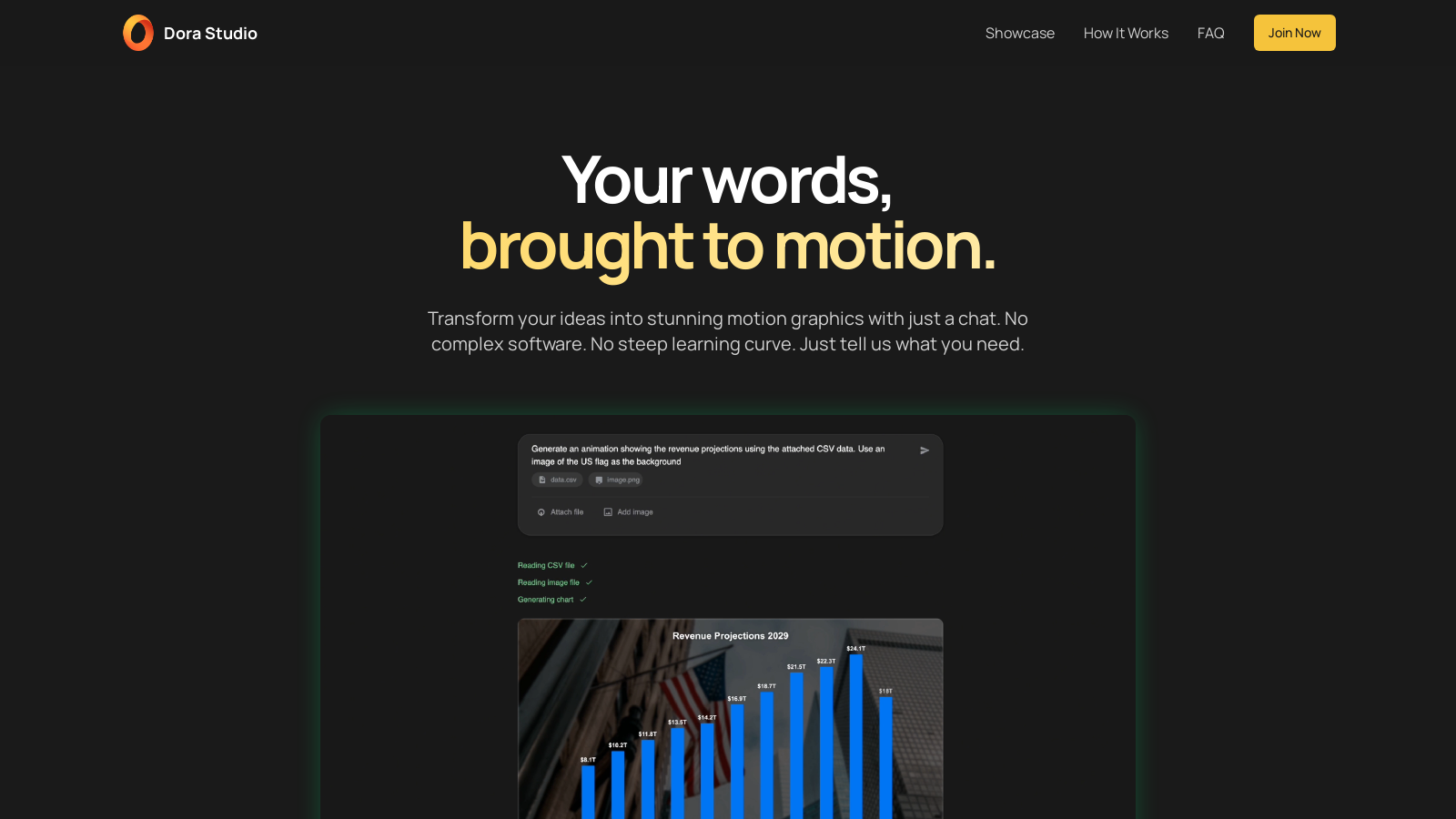
Screenshot of Dora Studio
What is Dora Studio?
Your words, brought to motion. Dora Studio is an AI-powered motion graphics generator that transforms your ideas into stunning animations through a simple chat interface. Gone are the days of complex software and steep learning curves; with just a few lines of text, you can describe your vision for motion graphics, and our tool will create the animation you need within minutes. This feature not only democratizes the art of animation but also makes it accessible for everyone, regardless of technical expertise.
Explore What Our AI Can Create
Discover the limitless potential of our AI in the Motion Graphics Gallery, showcasing a variety of animations including animated logos, data visualizations, and more. Whether you want to create an engaging intro for your YouTube channel or a detailed 3D bar chart to illustrate key data points, Dora Studio powers your creativity with ease and efficiency. Prepare to be amazed as our AI handles everything from simple animations to intricate graphics, all designed to enhance your content.
How Motion Magic Works
Creating captivating motion graphics with Dora Studio is straightforward and involves three simple steps:
- Describe Your Vision: Initiate a conversation with our AI by describing the type of motion graphic you envision in plain, everyday language. The AI is designed to understand natural speech, allowing you to articulate your ideas freely.
- AI Generates Motion: Once the request is captured, our advanced AI processes it swiftly and generates a professional-quality motion graphic, usually within a matter of minutes.
- Download & Use: When the animation is complete, it is available for download in various user-friendly formats, such as MP4, GIF, and MOV, making it easy to incorporate into your projects.
Frequently Asked Questions
To ensure a smooth experience, Dora Studio addresses common questions users may have in our FAQ section. Here, you can find insights into how our text-to-motion platform operates, whether technical skills are required for use, the file formats available for exporting animations, the average duration for generating a motion graphic, and details regarding your copyright ownership for any created content. Through Dora Studio, you possess full rights and commercial privileges for your generated animations, giving you control over your creative assets.
Join Now
Join thousands of content creators who are already saving time and elevating their video productions through our innovative text-to-motion platform. Starting is effortless, with no credit card required to sign up, allowing you to experience the benefits risk-free.
Become an Affiliate Partner
If you are excited about our platform, we invite you to join our early affiliate program. By referring new customers, you can earn a commission of 30% for each sign-up you generate, making it a great opportunity to turn your passion for animation into a rewarding venture.
Pros & Cons
Pros
- Transforms ideas into motion graphics using simple chat commands.
- Generates professional animations within minutes of user input.
- Allows users to edit generated animations through additional prompts.
Cons
- Service reliability and accuracy are not guaranteed.
Frequently Asked Questions
Dora Studio is free to start, with paid plans from 0 to 0 USD per Translation not found for 'time_period_unknown'.
According to our latest information, this tool does not seem to have a lifetime deal at the moment, unfortunately.
Creating a motion graphic in Dora Studio is a straightforward three-step process. First, you describe your vision in plain language to our AI. Next, our AI processes your description and generates a professional motion graphic within minutes. Finally, you can download your creation in various formats suitable for your projects.
Yes! After your animation is generated, you can make adjustments by using additional text prompts. This means you can refine your animations to better fit your specific needs without having to start from scratch.
Dora Studio supports a variety of motion graphics, including animated logos, data visualizations, kinetic typography, and more. Every day, use cases include creating 3D bar charts, route maps, and animated intros for videos, providing you with numerous options to enhance your content.
When using Dora Studio, you can export your animations in several popular formats, including MP4, GIF, and MOV. This allows you to choose the format that best suits your intended use, whether it's for online sharing, presentations, or other projects.
No technical skills are required to use Dora Studio. The tool is designed for users to describe their needs in plain language. The AI will handle all technical aspects of creating the motion graphics, making it accessible to everyone regardless of their design experience.
The generation time for a motion graphic typically ranges from 5 to 10 minutes, depending on the complexity of your request and the current demand on the system. This quick turnaround makes it easy to incorporate animations into your projects without lengthy waits.
You retain full ownership and commercial rights to all animations you create using Dora Studio. This means you can use, modify, and distribute your animations without any restrictions, giving you complete control over your creative outputs.
Yes, Dora Studio offers customer support to users who encounter issues or have questions about the platform. You can reach out via email at hello@trydorastudio.com for assistance, making it easy to resolve any concerns you may have.



