Easy Scribe

Generate documentation from screen recordings effortlessly.
Easyscribe.guide
Is this your tool?
Follow for updates & deals
Get alerts for Easy Scribe discounts, feature releases & pricing changes
Similar Tools

Anakin
An AI platform that simplifies content creation and automates workflows without coding skills.

Maskara.ai
Create and customize AI agents for various tasks, enhancing workflow efficiency.
Jobright
AI-driven platform that enhances job searches with personalized job matching and tailored resume support.

Assembly
Customizable client portal for managing projects, invoicing, and secure communication in service industries.

Ripplica
Automate browser tasks with context-aware execution and remote triggers for improved workflow efficiency.

Easy Scribe Media Gallery
What is Easy Scribe?
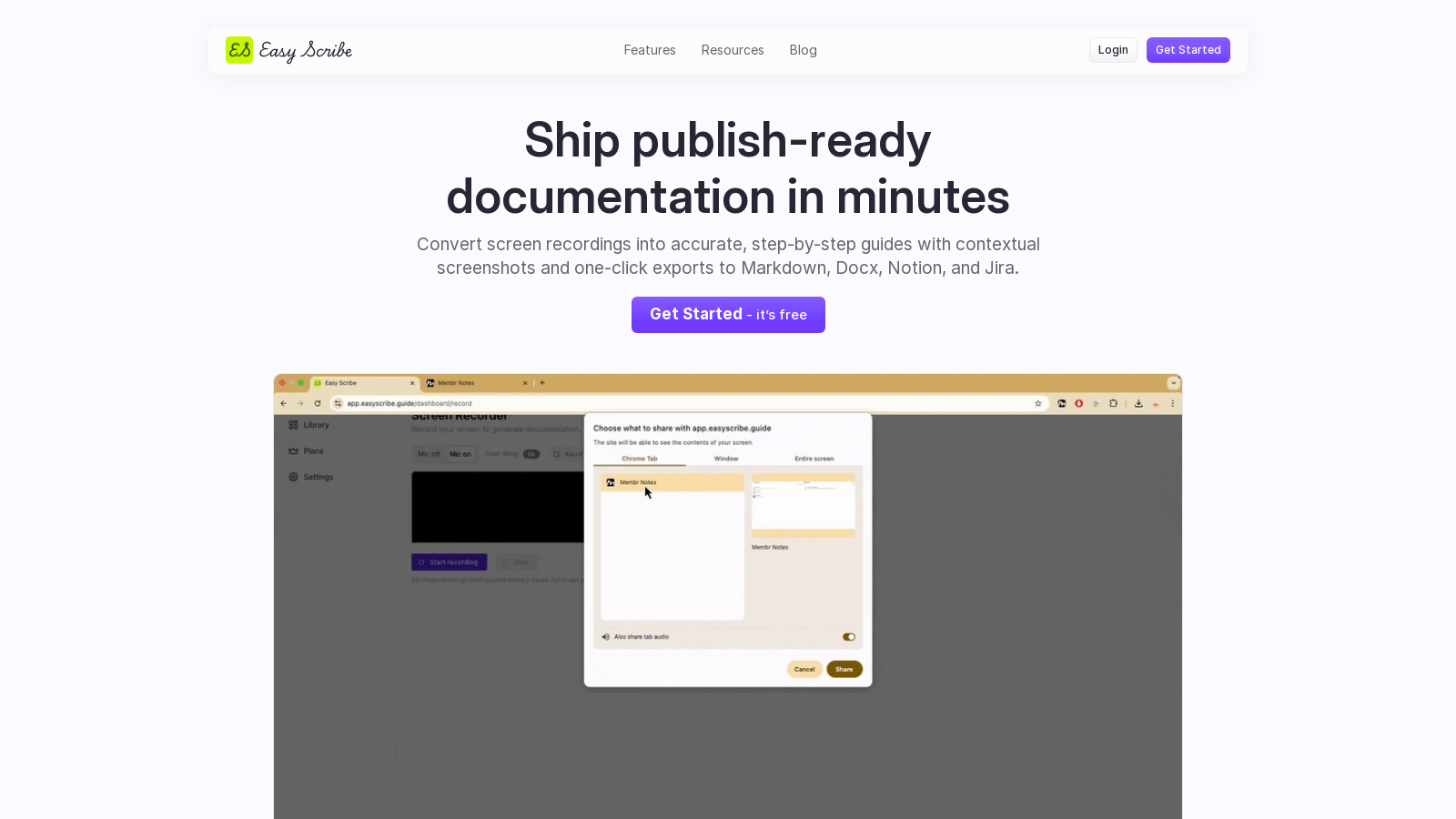
Easy Scribe is an innovative tool designed to streamline the process of creating documentation from video content, specifically screen recordings. In today's fast-paced world, where clear communication is essential, Easy Scribe stands out by transforming cumbersome video walkthroughs into professional documents. Whether you're a software developer, a product manager, or a technical writer, Easy Scribe empowers you to effortlessly convert your recorded screen activities into clear, rich documentation.
How It Works
The process is simple and effective. First, you will need to record your screen using the in-app screen recorder or upload existing captures, ensuring convenience for all types of users. Easy Scribe supports both mobile and desktop recordings. Once your recording is uploaded, the tool leverages its advanced algorithms to generate professional documentation. You can then review, edit, and fine-tune the content using the built-in visual editor. This flexibility enables you to tailor your documentation to meet your standards before publication.
Key Features
- In-app Screen Recording: Record your screen in real-time without needing additional apps. This feature simplifies the documentation process directly from your work environment.
- Contextual Screenshots: Automated extraction of screenshots enhances clarity, ensuring that each step of your guide is visually supported and easy to follow.
- Document Formats: Once your documentation is complete, exporting is easy. You can save your files in various formats, including PDF, Markdown, and Word. New integrations with platforms like Atlassian's Confluence allow for seamless sharing and collaboration across teams.
- Redact Private Information: Privacy is a priority for Easy Scribe. The tool automatically redacts personally identifiable information from your documents, adding an extra layer of security.
Use Cases for Easy Scribe
Easy Scribe is particularly beneficial for various roles and industries. For product teams, it helps in capturing in-app flows while conveying important release notes with embedded visuals. Technical writers can utilize Easy Scribe to convert recorded demos into comprehensive documentation, saving significant time and effort. Support teams can create reproducible guides and training manuals that clearly outline steps and include descriptive captions, thereby reducing converging queries and enhancing the user experience. Additionally, it aids in training new team members quickly with detailed guides on company tools and resources.
Efficient Documentation Creation
One of the primary advantages of using Easy Scribe is how it significantly speeds up the documentation process. Instead of spending hours stitching together screenshots and transcripts, you can focus on creating quality content more efficiently. This tool helps increase the volume of documents produced, reduces the number of review cycles needed, and consequently decreases support tickets through clear guidance.
Additional Benefits
With multilingual support, Easy Scribe allows you to specify the desired language when generating documentation, catering to a global audience. The ability to work with both desktop and mobile recordings ensures that, regardless of your environment, you can create clear and informative content. Recent updates have enhanced the editor experience, ensuring that users can create visuals and documents that are not only functional but aesthetically pleasing.
Conclusion
In summary, Easy Scribe offers a powerful solution for generating documentation from screen recordings, making it invaluable for users seeking efficiency, clarity, and professionalism in their documentation processes. Whether you are creating user manuals, UX documentation, or training guides, Easy Scribe provides the tools to transform your workflow and enhance your productivity.
Pros & Cons
Pros
- Transforms screen recordings into polished documentation with ease.
- Supports both desktop and mobile screen recordings for versatile use.
- Redacts personally identifiable information to ensure privacy in documents.
Frequently Asked Questions
Easy Scribe is free to start, with paid plans from 0 to 9.99 USD per month.
According to our latest information, this tool does not seem to have a lifetime deal at the moment, unfortunately.
With Easy Scribe, you can create a variety of documents, including user manuals, software guides, training manuals, and technical documentation. The tool easily transforms your screen recordings into accurate, step-by-step guides enriched with contextual screenshots, making it perfect for product teams, technical writers, and user experience designers.
Yes, Easy Scribe includes a visual editor that allows you to review and fine-tune the generated documentation. You can make adjustments to both text and images to ensure clarity and accuracy before publishing your final document.
Easy Scribe allows you to export your documents in multiple formats, including PDF, Markdown, and Word. This flexibility enables easy integration of your documentation into various repositories, content management systems, and knowledge bases.
Yes, if you're using the free version of Easy Scribe, you can upload recordings up to 50 MB each. If you upgrade to the Pro version, this limit increases to 5 GB per upload, providing greater flexibility for larger projects.
Easy Scribe features a built-in capability to redact Personally Identifiable Information (PII) from your documents. You can actively remove sensitive data from both text and screenshots before publishing, ensuring your documentation remains secure and confidential.
While the current descriptions don't explicitly mention team collaboration features, Easy Scribe's Pro plan offers unlimited document storage, which may facilitate easier sharing and access among team members. For detailed collaboration options, it is best to consult the official documentation or contact customer support.
Absolutely! Easy Scribe fully supports screen recordings from both desktop and mobile devices. You can easily record your screen on the go and upload it for documentation generation, making it a versatile tool for documentation workflows.
If you encounter issues while using Easy Scribe, you can reach out to their support team via email at hello@easyscribe.guide. Additionally, keep an eye on their official website for updates and FAQs that may provide further assistance.