Evernote Web Clipper

Capture and save web content directly to your Evernote account for easy organization.
Google.com
Is this your tool?
Follow for updates & deals
Get alerts for Evernote Web Clipper discounts, feature releases & pricing changes
Similar Tools

Kome
A browser extension that summarizes content and organizes bookmarks for enhanced productivity.

Dia
An AI browser that acts as your writing partner and learning assistant while ensuring user privacy.

Comet
An AI-integrated browser that assists with tasks and enhances productivity while you browse.

Saga
An AI workspace that combines notes, documents, and task management into a single streamlined interface.

BlabbyAI
Convert spoken words into text for efficient voice typing across apps and platforms.

Evernote Web Clipper Media Gallery

Evernote Web Clipper (review) video
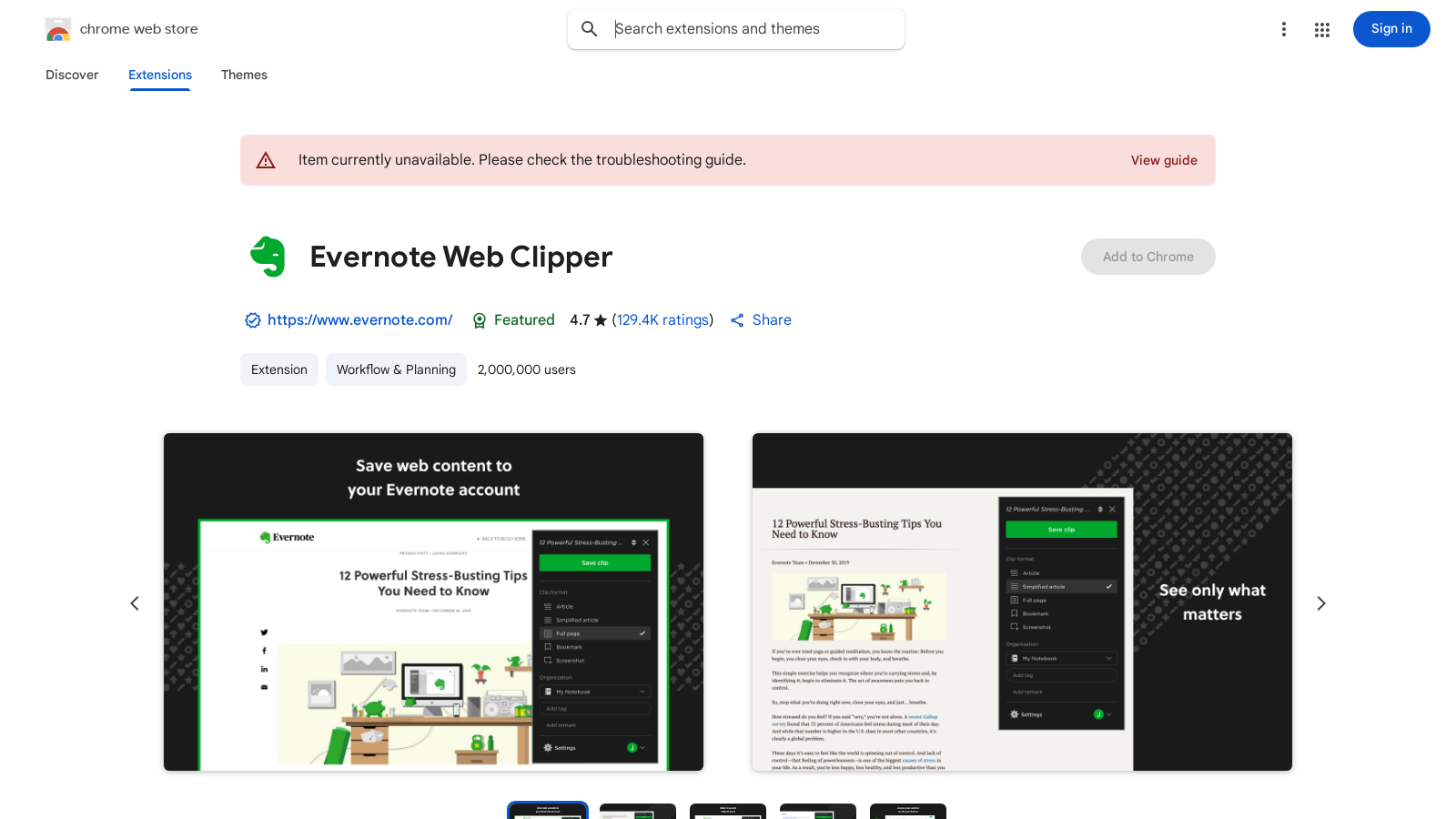
Screenshot of Evernote Web Clipper
What is Evernote Web Clipper?
Evernote Web Clipper is a powerful browser extension specifically designed to enhance your web browsing experience by allowing you to save content directly into your Evernote account. This feature is essential for anyone looking to capture and organize online information efficiently. With a user-friendly interface and diverse functionality, Evernote Web Clipper makes it easy to save articles, web pages, PDFs, and screenshots effortlessly, transcending traditional bookmarking.
Capture Ideas and Inspiration
The Web Clipper extension is ideal for individuals who find inspiration during their online browsing. Whether it's a motivational article or an intriguing webpage, you can quickly save it to your Evernote account for future reference. This tool empowers users to compile a reservoir of ideas, ensuring they never miss out on valuable information.
Customize Your Clips
One of the standout features is the ability to customize your clips. You can take a screenshot of any web page, annotate it with highlights or text, and save only what matters most to you. This helps maintain clarity and ensures that the most important points are easily accessible. The updated version streamlines the clipping process, allowing you to capture full pages or just the parts you want—free from distracting ads and sidebars.
Organize Content Effectively
Evernote Web Clipper simplifies organization by enabling users to tag their saved clips. Tags help categorize content for easy retrieval later, whether for research, planning, or creative projects. Adding titles and saving clips to relevant notebooks makes it seamless to find your saved materials. With seamless synchronization, whatever you save is immediately available across all of your devices, ensuring that your notes are never more than a click away.
Enhance Productivity Beyond Bookmarking
This tool goes beyond typical bookmarking features. By saving web page URLs, images, and notes into the relevant Evernote notebook, it consolidates your information into a central location, eliminating the need for scattered bookmarks. This means that all related content can be quickly found, thereby boosting productivity.
Accessibility Across Devices
With Evernote’s automated sync feature, whatever content you save is accessible across all your devices, whether you are using a desktop, tablet, or smartphone. This ensures you have access to your notes even when offline, enhancing your capacity to work on the go. The browser extension is optimized for major browsers, making saving content quick and convenient regardless of your platform.
AI Integration
The introduction of advanced AI features in Evernote has added new dimensions to Web Clipper. Users can now benefit from sophisticated organizational tools and AI-powered search capabilities that allow users to locate notes quickly—even those buried deep within attachments. This saves time, especially for users managing a vast amount of information.
Seamless Sharing and Collaboration
Evernote Web Clipper not only aids in personal organization but also enhances teamwork. It allows users to share their clips with colleagues or friends, promoting collaboration on projects. Real-time editing and comments ensure that everyone is aligned, fostering a productive working environment. The ease of sharing has made it a favorite among teams aiming to enhance their workflow and collective brainstorming sessions.
Security and Privacy
With a strong focus on user privacy, Evernote ensures that your data is never sold to third parties and is only used for the app's core functionalities. Users can save sensitive information with confidence, knowing they remain in control of their content. Evernote Web Clipper continues to prioritize user trust and security, making it a reliable choice for information management.
Conclusion
In summary, Evernote Web Clipper is an essential tool for anyone looking to enhance their productivity and organization. By combining the ease of capturing information with robust features for customizing, tagging, and sharing, users can manage their online discoveries efficiently. Whether you are a student, a professional, or a casual user, Evernote Web Clipper can help you keep everything organized and accessible, making your digital life smoother and more focused.
Pros & Cons
Pros
- Easily clip and save web pages, articles, and PDFs without ads.
- Customize clips with annotations and tags for better organization.
- Seamlessly integrates saved content with your Evernote account.
Frequently Asked Questions
Evernote Web Clipper is free to start, with paid plans from 0 to 0 USD per Translation not found for 'time_period_unknown'.
According to our latest information, this tool does not seem to have a lifetime deal at the moment, unfortunately.
With Evernote Web Clipper, you can save a variety of content from the web, including full articles, individual web pages, screenshots, and PDFs. The extension allows you to clip what matters most, stripping out distracting ads and sidebars, ensuring you capture only the information you need.
When you save content using Evernote Web Clipper, you can organize it by adding tags and selecting the appropriate notebooks. This helps keep your research, ideas, and photos easily accessible. You can also assign titles to clipped items that accurately reflect their content, making it easier to search for them later.
Yes, Evernote Web Clipper allows you to annotate and highlight the content you save. After clipping a webpage, you can add text, highlights, and other annotations to emphasize important information, making it easier to reference later.
Evernote Web Clipper is compatible with multiple browsers, including Chrome, Firefox, and Safari. You can install the extension on any of these browsers to start clipping content directly to your Evernote account.
While there is no specific limit to the number of clips you can save in Evernote, your usage may be subject to the overall limitations of your Evernote plan. For example, Free users have a limit on the number of monthly uploads and note sizes, while paid plans offer increased limits for uploads and note creation.
To ensure your clips are easily retrievable, use descriptive tags that relate to the content's subject matter. Additionally, organizing your clips into appropriate notebooks and utilizing Evernote's advanced search capabilities, including keywords or natural language queries, will make finding your notes quick and efficient.
Evernote Web Clipper itself requires an internet connection to clip content from the web. However, once you have saved content to your Evernote account, you can access your notes offline if you're using the Evernote app on desktop or mobile, allowing you to view and edit your clips without internet access.
To get started with Evernote Web Clipper, first install the extension for your browser. Once installed, create or log into your Evernote account. Begin clipping content by clicking the Web Clipper icon in your browser's toolbar whenever you find helpful information online. Explore the various clip formats available to determine which one works best for your needs.