Floyo

Discover and launch open-source ComfyUI workflows directly in your browser without setup
Floyo.ai
Is this your tool?
Follow for updates & deals
Get alerts for Floyo discounts, feature releases & pricing changes
Similar Tools

Tripo
Generate detailed 3D models from text or images quickly and intuitively.

Vidguru
Create videos, images, and audio content with an all-in-one AI platform designed for seamless user experience.

Imagen3D
Transform 2D images into detailed 3D models quickly with multiple quality options.

Auralume AI
Generate professional-quality videos from text prompts and images effortlessly with Auralume AI.

Image Prompt
Generate detailed visual art from written prompts quickly and efficiently.

Floyo Media Gallery
What is Floyo?
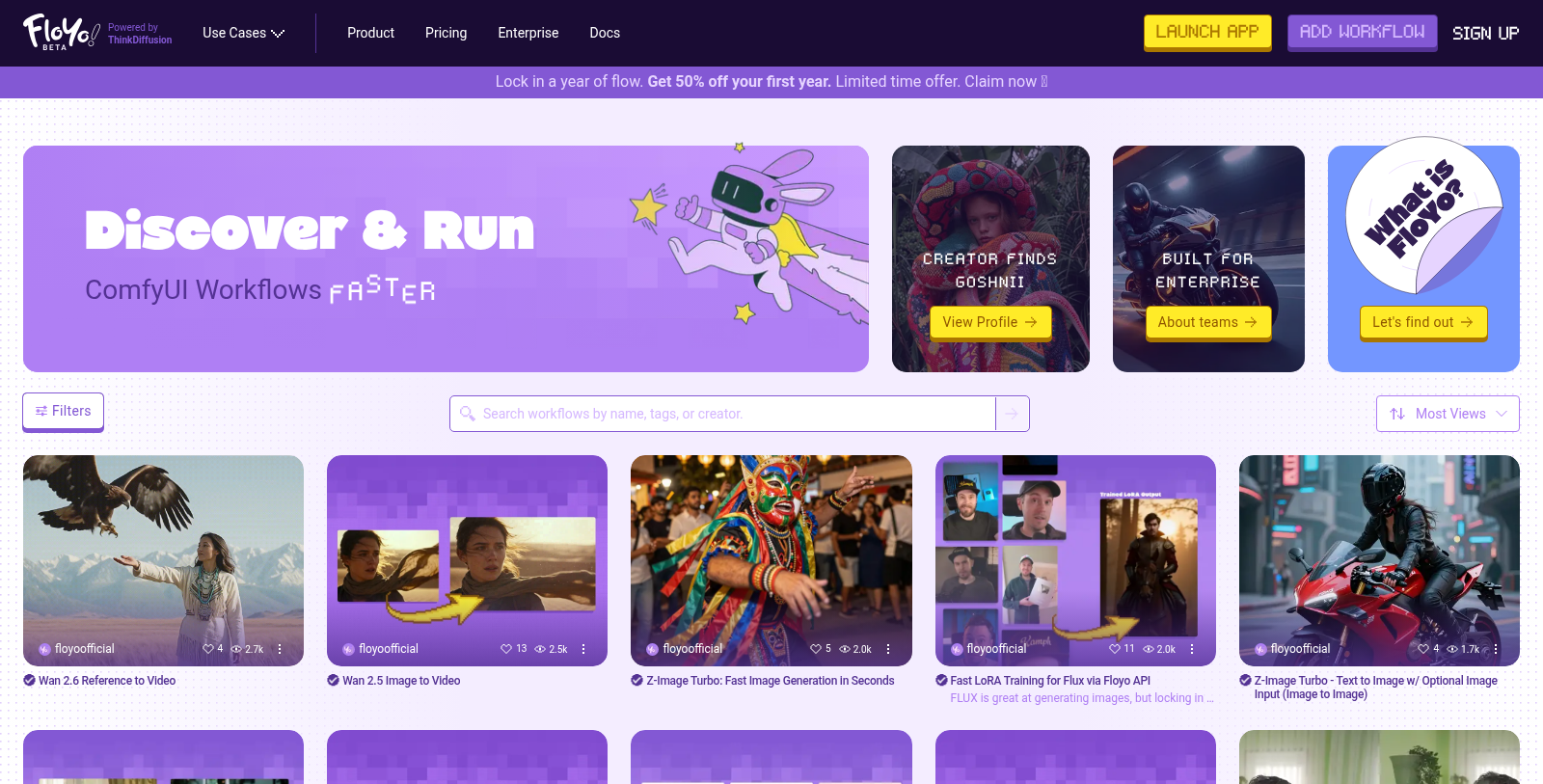
Floyo is a cutting-edge platform that seamlessly integrates creative workflows with the advanced capabilities of ComfyUI, all directly from your browser. With its intuitive, zero-setup interface, users can discover and launch workflows in mere seconds, freeing them from the complexities typically associated with advanced digital tools. This innovative platform empowers creators of all backgrounds to explore unlimited possibilities in their creative projects.
One of the most compelling features of Floyo is its freemium pricing model. The free plan allows users to edit workflows and utilize up to 20 minutes of FloTime daily without any cost. For those seeking enhanced capabilities, Floyo offers several paid plans that provide unlimited workflow editing, increased FloTime, and enhanced storage for private projects. The Explorer plan is available at just NULL per month, while other tiers, such as Pathfinder and Trailblazer, provide even more robust options for users at NULL and NULL per month, respectively. The Enterprise plan offers tailored solutions for larger organizations, ensuring that all needs are catered to.
Floyo utilizes NVIDIA H100 NVL GPUs, ensuring optimal performance for running workflows, particularly with high-resolution outputs. Unique to Floyo is its model of transparent cost management, which means you pay only for actual GPU usage, allowing for straightforward budgeting and planning for creative projects. Each tier of service outlines a specific total amount of FloTime available to users, making it easy for creators to gauge their usage.
Floyo is crafted for a diverse range of users—from individual artists and hobbyists to large enterprise teams. Solo creators can experiment with a variety of built-in workflows and create their own, while businesses benefit from the ability to customize workflows to align with their operational requirements. The platform is also designed to facilitate collaboration, providing advanced tools that enable teams to manage workflows effectively, share resources, and collaborate on projects efficiently. Extensive documentation is available, allowing users to learn and adapt workflows according to their unique needs, regardless of their level of expertise.
A key priority for Floyo is maintaining security and privacy. Users can trust that all inputs and outputs remain confidential and are not utilized for model training without user consent. This commitment to security ensures that creators can explore their artistic visions without fear of their work being misappropriated.
In addition to its strong feature set, Floyo continues to innovate. Recent enhancements include expanded capabilities for animation and video production, with workflows designed to streamline character animation and cinematic effects. Tools like the Animation module allow users to create and edit animated sequences, and users can leverage the InfiniteTalk feature to generate videos from images, enhancing the storytelling experience with minimal effort. Furthermore, Floyo also supports extensive customization and integrates various third-party tools and APIs, enriching the user experience and enhancing creative workflows.
Floyo has outlined various use cases across several industries, including filmmaking, marketing, e-commerce, and animation. The platform allows for intricate creative processes; whether you are a digital artist, content creator, or a business aiming to produce marketing materials, Floyo caters to all facets of visual storytelling.
To encapsulate, Floyo is not merely a tool but a comprehensive solution that bridges the gap between creativity and technology. It allows users to harness the full power of AI for creating stunning visual content without the steep learning curves often associated with such technologies. Users can quickly move from concept to execution, whether animating graphics, generating video content, or crafting intricate visual effects. With Floyo, creativity has no bounds.
Pros & Cons
Pros
- Easily launch and run open-source workflows in seconds with no setup required.
- Supports free unlimited workflow building alongside preloaded community models.
- Consistently introduces new nodes and features to enhance creative workflows.
Frequently Asked Questions
Floyo is free to start, with paid plans from 0 to 56 USD per month.
According to our latest information, this tool does not seem to have a lifetime deal at the moment, unfortunately.
Floyo allows users to create a wide array of workflows, including animation, video production, and character training. You can easily find and launch open-source workflows, such as LoRA training or advanced video editing, within seconds. The tool is designed for versatility, supporting everything from filmmaking to dynamic image styling, and it allows you to integrate custom tools and nodes to enhance creativity in your projects.
Floyo utilizes a system called 'FloTime' to manage workflow execution time. Users are charged only for the active GPU time while a workflow is running, so tasks such as building or editing do not incur costs. Additionally, users can purchase extra FloTime as needed, ensuring flexibility based on individual usage patterns.
Yes, Floyo allows users to upload their own models and LoRAs and provides 10GB of private storage on the free plan, with storage capacity increasing with paid subscriptions. This feature enables you to personalize your projects further by integrating custom training data and models, enhancing the originality of your workflows.
Floyo's Free plan includes limitations, including a maximum of 20 minutes of active FloTime per day and a queue of 3 items. However, subscribing to a premium tier increases your FloTime and queue capacity, enables collaboration with more team members, and provides a more robust experience for intensive projects.
Floyo provides extensive documentation and support resources on its official website. Users can access various guides, FAQs, and contact support for specific inquiries. Additionally, community resources and forums where experienced users share tips and solutions make it easier to troubleshoot and optimize your workflow.
Floyo supports integration with various tools and APIs to enhance functionality. It features preloaded models and supports over 300 custom nodes. Users can also run proprietary models and platforms through Floyo, making it adaptable to different creative workflows and production needs.
Floyo allows you to create team-only pages to organize both community and private workflows. You can save unlimited workflows, attach notes and assets, and establish private workflow cards visible only to your team. This structured approach helps maintain project clarity and fosters collaboration among team members.
While Floyo is a powerful tool for managing ComfyUI workflows, alternatives include other AI-driven workflow management platforms focused on video production or image generation. However, Floyo stands out for its unique features, such as zero setup, full browser integration, and extensive customization options that may not be available in other tools.