FocusPit

A customizable productivity dashboard for organizing tasks, events, and collaboration using smart widgets.
Focuspit.com
Is this your tool?
Follow for updates & deals
Get alerts for FocusPit discounts, feature releases & pricing changes
Similar Tools

Radial
Automate Repetitive Tasks on Mac

Craft
Create, organize, and share documents with a flexible block-based system across all devices.

ClickUp
An all-in-one platform for task management, collaboration, and workflow automation.

v0
AI assistant that generates UI components and provides real-time coding support for web development.

Plane
An open-source project management tool that integrates task tracking, documentation, and collaboration in one platform.

FocusPit Media Gallery
What is FocusPit?
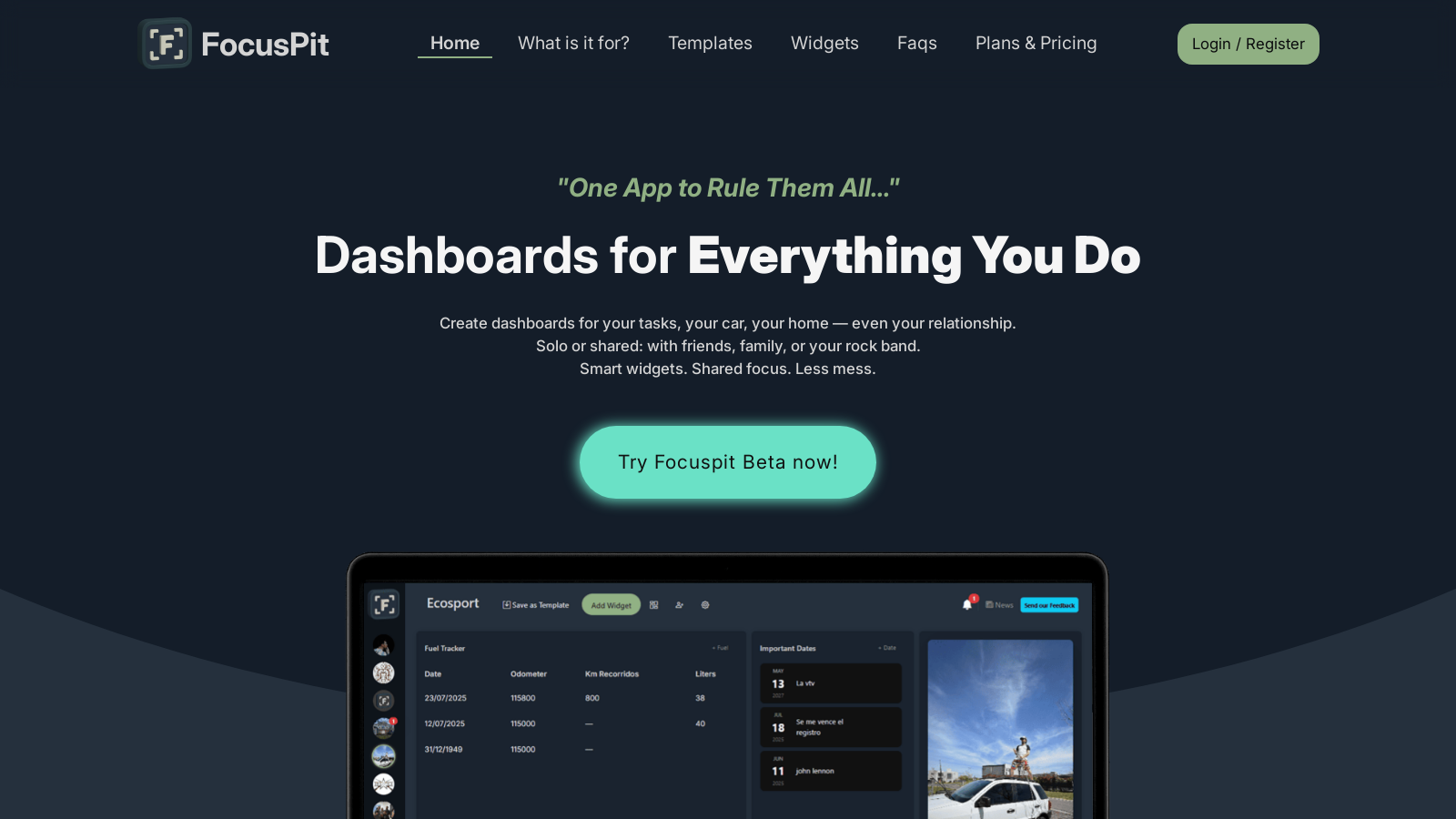
FocusPit is a customizable productivity dashboard that helps you organize different parts of your life using smart widgets. Whether it's for personal use, work, or collaboration with friends or family, FocusPit enables users to create intuitive dashboards tailored to their specific needs.
With FocusPit, you can plan your day with a custom dashboard that tracks tasks, events, and reminders. It allows you to build routines, such as drinking water or any other daily habit you want to maintain. For shared life management, you can organize housework with your partner or coordinate tasks among family members. The shared widgets, such as to-do lists and calendars, keep everyone on the same page and in sync.
When it comes to projects and teams, FocusPit enables efficient management without the complexity of traditional project management tools. You can share dashboards with colleagues or clients and utilize templates for quick setup, allowing for streamlined workflows.
Key Features of FocusPit
FocusPit distinguishes itself with its visual and flexible dashboard layouts. Users can add and remove widgets just like building blocks, rearranging their layouts to match their thought processes. This flexibility is key to staying organized in a way that feels natural.
Daily Panels and Widgets
FocusPit comes equipped with a variety of widgets, including to-do lists, calendars, notes, and even a Pomodoro timer to help you maintain focus. New widgets are introduced weekly, ensuring that there are always fresh tools to enhance your productivity. This growing library allows you to customize your experience continually.
Community and Collaboration
In addition to individual dashboard setups, FocusPit supports collaboration among groups. You can create multiple dashboards for various purposes, whether for personal projects, family organization, or team management, ensuring that everyone can contribute and stay organized together.
With the ability to run as a Progressive Web App (PWA), FocusPit can be easily installed on desktop or mobile devices, providing users with the flexibility to organize their tasks anywhere, anytime. It works offline, ensuring that you can keep track of your productivity without any interruptions.
Conclusion
FocusPit is designed to reduce the chaos in your life by consolidating your tasks, projects, and goals into a single application. With its promise of clarity and focus, it allows users to manage their daily lives effectively. Whether you are a student, a professional, or someone simply trying to manage personal commitments, FocusPit provides the tools necessary to enhance productivity and foster collaboration.
Pros & Cons
Pros
- Customizable dashboards allow for flexible organization of tasks and routines.
- Shared widgets facilitate collaboration among family, friends, or team members.
- Regularly updated widgets enhance functionality and user experience.
Cons
- Desktop app installation may trigger security warnings on some systems.
Frequently Asked Questions
FocusPit is free to start, with paid plans from 0 to 19.99 USD per month.
According to our latest information, this tool does not seem to have a lifetime deal at the moment, unfortunately.
FocusPit enables you to manage a range of tasks, including daily planning, project management, event scheduling, and personal routines. You can create custom dashboards to track tasks, events, shopping lists, or even health routines, such as hydration reminders. The platform's flexibility allows you to tailor your dashboard to suit your specific needs, whether for personal use, family organization, or collaborative projects.
Collaboration in FocusPit is seamless. You can invite friends, family, or team members to join your groups and share widgets in real-time. This feature is perfect for organizing household chores, coordinating events, or managing projects together. Each member can contribute to the shared dashboard, helping everyone stay in sync and accountable.
While the free version of FocusPit provides access to core widgets and basic functionalities, it does have some limitations compared to premium plans. Users on the free tier may encounter limitations, including the number of dashboards they can create, the types of widgets available, and the level of support. Upgrading to a premium or enterprise plan unlocks advanced widgets, increased functionality, and priority support.
FocusPit offers a variety of widgets designed to enhance productivity, including to-do lists, calendars, notes, weather updates, fuel trackers, and even chat features for group communication. With the addition of new widgets every week, users can customize their dashboards to suit their specific workflows, ensuring all necessary tools are readily accessible and visually organized.
Yes, FocusPit can be accessed offline, making it convenient for users who might not always have internet access. As a Progressive Web App (PWA), it can be installed on both desktop and mobile devices, providing a richer experience that doesn't rely on a browser. This means you can work on your tasks seamlessly, even without an internet connection, and all updates will sync automatically once you're back online.
Absolutely! FocusPit provides native desktop applications for both Windows and macOS users. These apps are optimized for better performance and can run offline. However, users may encounter a security warning during installation, as FocusPit is not yet verified by Microsoft or Apple. You can bypass this warning by selecting 'Run anyway' or 'Open anyway' to install the application safely.
If you encounter any issues while using FocusPit, the best course of action is to check their official support channels. The platform offers community support for free users, and premium users can access priority support for faster assistance. Additionally, you may find troubleshooting tips in the FAQs section on their website, which addresses common concerns and queries.
Yes, you can create custom templates in FocusPit! This feature allows you to set up pre-built configurations that can be adjusted according to your specific needs. By designing your templates, you can save time when starting new projects or routines, ensuring that your dashboard reflects your workflow efficiently. This flexibility helps cater to personal habits, team projects, or family organization seamlessly.