Fuser

A visual workspace for connecting AI models and streamlining creative projects across various media.
Fuser.studio
Is this your tool?
Follow for updates & deals
Get alerts for Fuser discounts, feature releases & pricing changes
Similar Tools

Gemini
Edit images precisely while maintaining the subject's likeness across multiple photos.
DALL·E 2
Generates detailed images from textual descriptions with features for editing and style variations.

Movely
Create videos by transforming images into dynamic content with AI and a wide range of customizable templates.

Shakker
AI tool for generating images with customizable features and models for various creative projects

Imagen 3
Transforms text prompts into high-resolution images, making digital content creation accessible for all.

Fuser Media Gallery

Fuser (review) video
Screenshot of Fuser
What is Fuser?
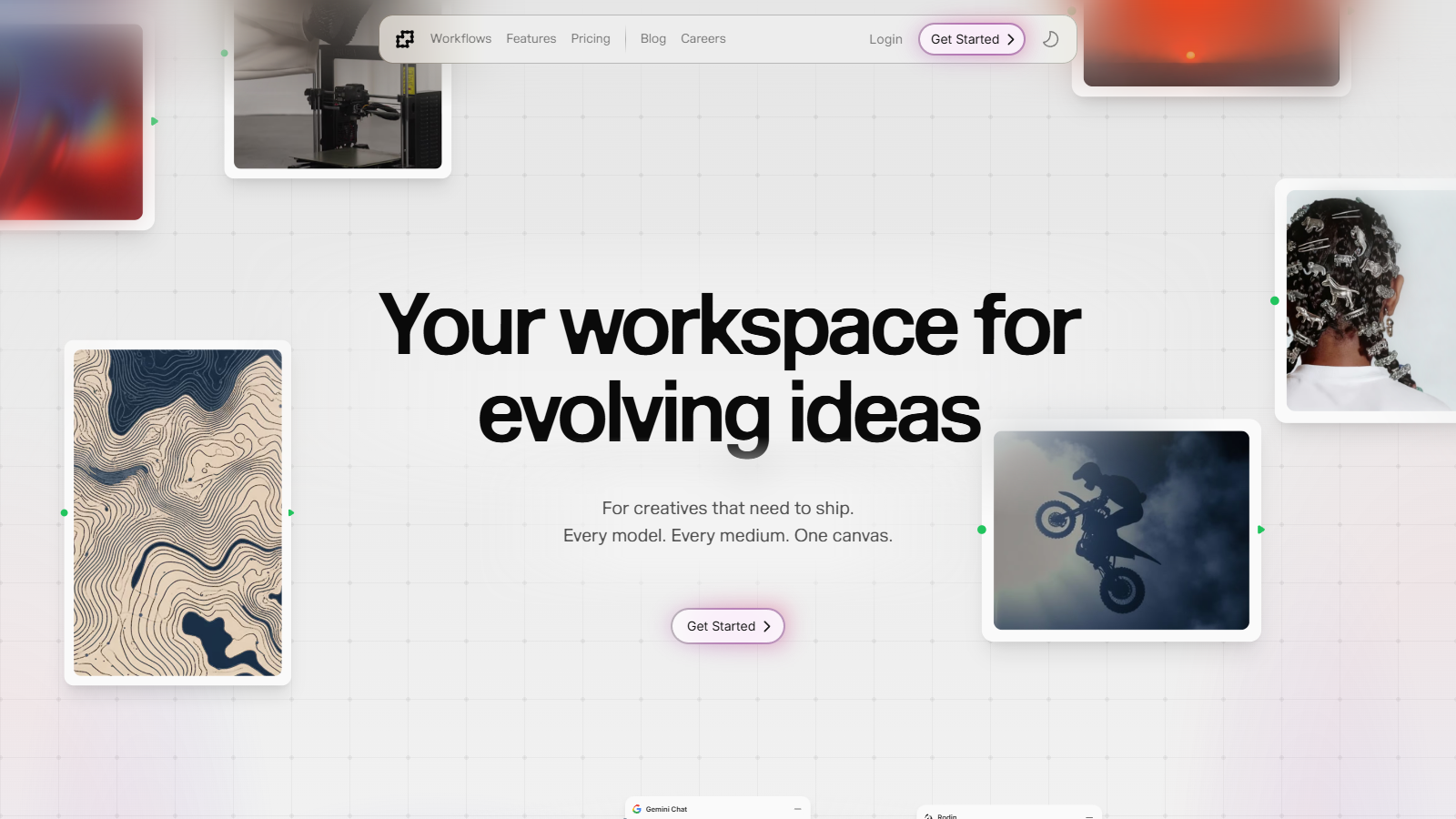
Fuser is an innovative, creative workspace designed to help users evolve their ideas and streamline their creative processes. This versatile platform caters to a diverse range of creative endeavors, including fashion photography, brand identity, video production, and 3D modeling. Fuser is perfect for creatives seeking a fluid design process and flexible workflows across various media.
The platform features a visual node-based editor that simplifies connecting different AI models without the need for coding. It integrates multiple content formats—including text, images, videos, audio, and 3D content—on a singular canvas. This approach is aimed at providing creative professionals with a seamless experience that aids in exploration and iteration.
Features of Fuser
Fuser encompasses a range of features that significantly enhance the creative workflow:
- Visual Workflow Building: Design unique workflows by easily connecting nodes, which allows users to visualize their creative processes.
- Multi-Modal AI: Seamlessly integrate various AI capabilities to create a comprehensive approach to creativity, facilitating the combination of different media.
- Provider Flexibility: Access cutting-edge models from leading providers like OpenAI, Anthropic, and many others—ensuring that users have the best tools available.
- Real-Time Collaboration: Collaborate in real time by sharing and remixing workflows with other users, enhancing the creative process through community engagement.
- Credits/Pay-Per-Use Pricing: Enjoy transparent pricing with no hidden costs, allowing you to pay only for what you use. Fuser’s credits do not expire, ensuring flexibility and user-friendliness by rolling over unused credits to the next billing cycle.
Creative Process at the Core
Fuser emphasizes the creative process itself rather than merely focusing on the final outputs. It operates under the ethos that creativity is inherently iterative, allowing for exploration and continual adjustments. For designers and creators, this makes Fuser a genuine collaborator in bringing ideas to life, rather than just a generator of end products.
Community Engagement
The fragmented world of creative tools often leaves users feeling isolated, but Fuser actively fosters community interaction. Users can share templates and workflows, cultivating a collaborative environment that enhances individual projects while contributing to a larger creative community.
Pricing Options and Accessibility
Fuser offers several pricing tiers that make the platform accessible to a variety of users. New users can start with a generous free tier that includes credits for content generation. Those looking to upgrade can choose affordable monthly plans that offer discounts for bulk purchases. The flexibility of credits ensures that users do not lose their investments, as they can roll over unused credits each month.
Envisioning a future where creativity knows no bounds, Fuser invites individuals to explore new possibilities with its versatile, all-in-one platform.
Pros & Cons
Pros
- Offers a visual, node-based editor for seamless workflow creation.
- Supports multi-modal content including text, images, video, audio, and 3D.
- Integrates top-tier AI models and encourages community collaboration.
Cons
- Potential learning curve for users unfamiliar with node-based systems.
Frequently Asked Questions
Fuser offers a free plan with limited credits, with additional credits available.
According to our latest information, this tool does not seem to have a lifetime deal at the moment, unfortunately.
Fuser lets you create diverse workflows across multiple media, including text, images, videos, audio, and 3D content. You can use it for iterative design, transforming sketches into photorealistic renders, crafting brand identities, and producing engaging video content. The platform supports seamless transitions between different modalities, enabling you to generate an image, caption it, and create a video from that result all within the same workflow.
Fuser is designed for real-time collaboration, enabling users to share and remix workflows with their community. This means you can co-create with others by sharing templates or editing existing workflows together. This collaborative feature makes it easy for teams to iterate on projects and to leverage participants' collective creativity effectively.
To get started with Fuser, check their official documentation, which provides a quick-start guide to build your first workflow in just 5 minutes. You'll learn about the core concepts, including how to connect APIs, manage media, and utilize the node-based visual editor. Visit the Fuser documentation at https://docs.fuser.studio to follow the step-by-step instructions.
Yes, Fuser is model-agnostic, allowing you to integrate and utilize the best AI models available on the market. You can connect your API keys to access a variety of providers, ensuring flexibility and customization in your creative projects. This means you're not limited to one specific AI model and can choose the best tools for each task.
Fuser provides cloud storage accessible from anywhere, accommodating unlimited projects and canvases. Users can select from different storage plans with varying capacities, ensuring they can store extensive creative output. Additionally, with an annual plan, users often receive promotional offers, such as two free months of storage.
While Fuser offers extensive capabilities, be mindful that it operates on a credit system for generative features: credits can be bought in packs and do not expire, but they may affect the extent of your project creations. Additionally, while the platform encourages innovative workflows, individual user experiences might vary based on their familiarity with AI tools and creative processes.
Yes, Fuser provides templates and reusable components for various use cases, including fashion photography, brand identity creation, and video production. These templates are designed to help you kickstart your creative process, so you do not have to start from scratch and can quickly adapt existing frameworks to fit your project's needs.
For assistance with Fuser, users should refer to the official documentation for troubleshooting tips and guides. Additionally, Fuser encourages a community-driven approach, so using their community forums or reaching out on platforms like Discord can provide peer support and resources to resolve issues. Always ensure to check their blog for updates, tips, and additional resources.