Ghost

Create and edit presentations effortlessly with an AI-powered slide editor designed for fast, beautiful results.
Useghost.io
Is this your tool?
Follow for updates & deals
Get alerts for Ghost discounts, feature releases & pricing changes
Similar Tools

DeckSpeed
Create personalized slide presentations through an interactive conversation process.

MyMap AI
Generate flowcharts, mind maps, and presentations using conversational AI for easy visual organization.

Z.ai
Generates professional presentations, assists in writing tasks, and supports coding projects with AI.

Canva AI
Create and refine designs using conversational AI to simplify the design process for any skill level.

Tome
Create and share multimedia presentations with AI-enhanced content and interactive features.

Ghost Media Gallery
What is Ghost?
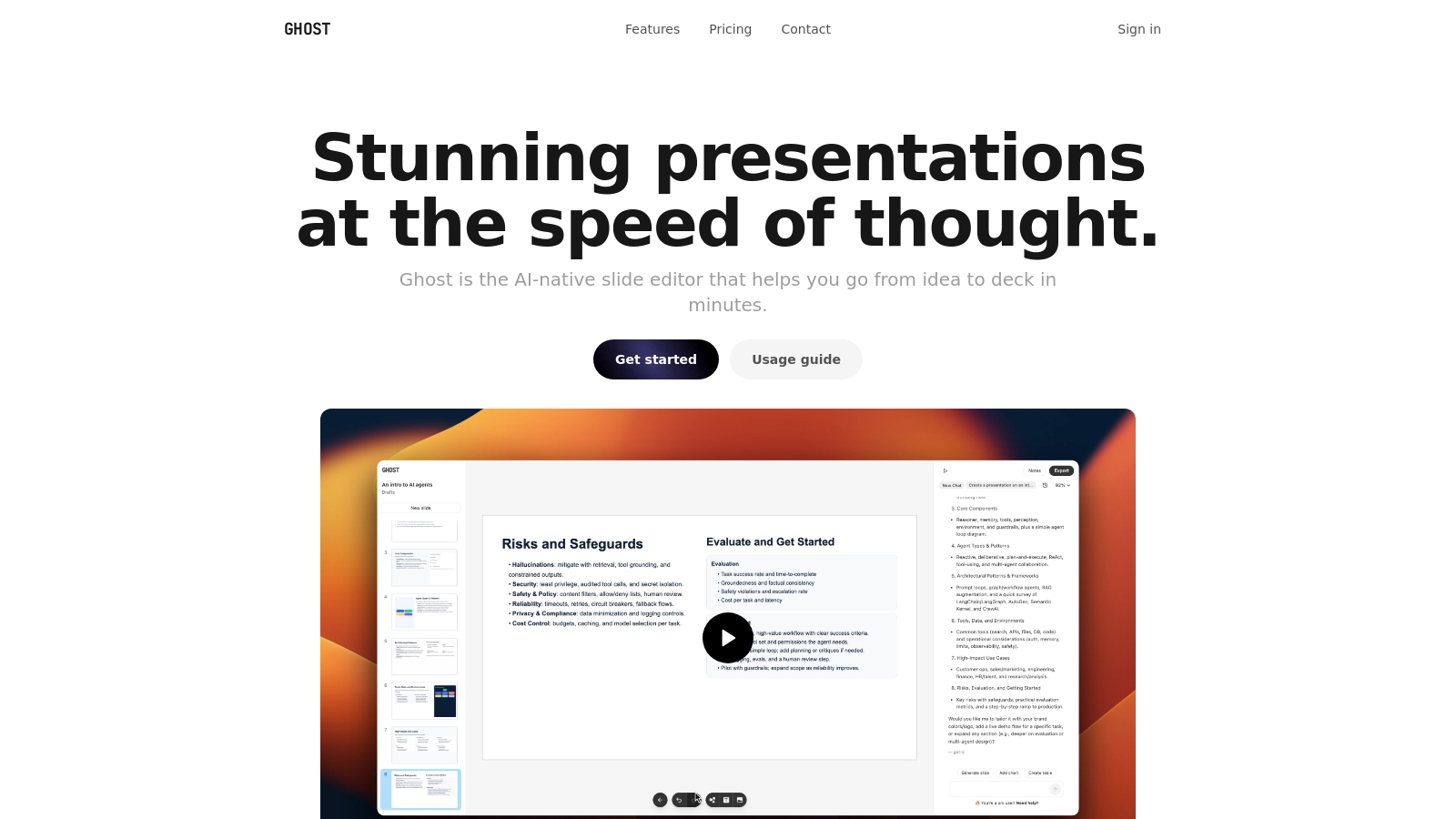
Ghost is the AI-native slide editor designed to transform the way presentations are created and shared, enabling you to go from idea to deck in mere minutes. With a focus on speed and simplicity, Ghost offers an intuitive interface that lets you draft projects, update proposals, and design pitches seamlessly. Everything you need for creating stunning presentations is integrated into a single application, so you can concentrate on what matters most – your content.
One of the hallmark features of Ghost is its revolutionary AI-native capabilities. The tool harnesses advanced AI technology to not only assist in generating slides but also refine content with remarkable ease. It allows you to create a rapidly-produced first draft of your presentation while efficiently customizing your designs and content on the go.
Key Features of Ghost
Ghost includes a multitude of features specifically designed to enhance your user experience:
- GPU-Accelerated Editing: Ghost ensures responsive performance using GPU acceleration, allowing for lag-free work when creating presentations.
- Unlimited Slides: Unleash your creativity without limits. Design and manage as many slides as you need without restriction.
- Streamlined Export Options: Easily export your presentations as high-quality PDFs or images with just a click, facilitating hassle-free sharing.
- AI-Powered Assistance: Utilize integrated GPT-5 technology to generate slides and create graphics, facilitating impressive content production effortlessly.
- Version History: Maintain organization and efficiency with built-in version control that helps you track changes and revert to prior drafts if necessary.
- Drag & Drop Functionality: Simplify the editing process with the ability to easily rearrange slides with a simple drag and drop.
- Presenter Mode: Enhance your presentation experience with a dedicated presenter mode that simplifies navigation.
- Speaker Notes: Stay in sync with synchronized speaker notes that accompany you during your presentation.
Ghost is not just a tool; it's a transformative solution that many users have adopted for their personal needs and larger team collaborations. It has effectively replaced multiple other tools previous users relied upon, thus simplifying workflows into a single, cohesive application.
Pricing Plans
Ghost offers a flexible pricing structure that begins with a free tier, allowing users to explore essential features at no cost. This free plan includes unlimited slides, a GPU-accelerated editor, and basic creation tools.
For users needing more advanced capabilities, the Starter plan is available at NULL.99 per month per user, which enhances the user experience by providing access to additional features such as 20 GPT-5 mini messages and 20 GPT-5 nano messages. If you're looking for even more robust capabilities, consider the Pro plan at NULL.99 per month per user, which offers everything in the Starter plan plus increased limits with 40 GPT-5 mini messages and 10 GPT-5 messages.
Conclusion
Ghost stands out as an innovative leader in the realm of presentation tools, particularly for individuals looking to leverage the power of artificial intelligence in their workflow. Its commitment to user-friendly design, combined with powerful features, makes it an exceptional choice for students, professionals, and teams alike who demand both quality and speed in their presentations.
Pros & Cons
Pros
- AI-native editor streamlines slide creation and customization effortlessly.
- GPU-accelerated performance offers rapid editing capabilities.
- One-click export to PDF or images simplifies sharing presentations.
Frequently Asked Questions
Ghost is free to start, with paid plans from 0 to 19.99 USD per month.
According to our latest information, this tool does not seem to have a lifetime deal at the moment, unfortunately.
Ghost is an AI-native presentation editor designed to streamline the process of creating presentations. Unlike traditional tools that may require manual design work and formatting, Ghost utilizes AI to generate and modify slides quickly, enabling users to transition from idea to a fully designed deck in minutes. Its GPU-accelerated editor ensures that the experience is not only fast but also intuitive, allowing users to focus on their content rather than the tool itself.
Yes, Ghost allows users to import existing slides from formats like PowerPoint and Keynote, making it easy to transition to using Ghost without losing your previous work. This functionality is particularly beneficial for users who want to modernize their presentations with Ghost's AI-driven features while keeping their existing content.
Ghost offers a range of features designed for creating presentations, including AI-driven slide generation, speaker notes, keyboard shortcuts for efficient editing, presenter mode, and drag-and-drop slide arrangements. Users can also export their presentations as PDFs or PNG images with a single click. Additionally, the version history allows users to track changes and revert to previous versions if needed, thereby enhancing the overall presentation workflow.
To maximize the benefits of Ghost's AI capabilities, start by using the built-in prompts to generate structure and content for your slides quickly. Refine these suggestions based on your specific needs and leverage the editing tools to tweak design elements. Utilizing keyboard shortcuts can also speed up your workflow, making it easier to focus on enhancing the presentation with your unique insights.
Ghost allows users to export their presentations in multiple formats, primarily as high-quality PDFs and PNG images. These exports are designed to maintain the integrity of designs, whether displayed on projectors or shared electronically. Notably, exports are not watermarked or compressed, ensuring that shared presentations maintain a professional appearance.
Absolutely! Ghost provides human support to users who encounter difficulties. You can reach out to their support team for assistance with any aspect of the tool, from questions about functionality to technical issues, ensuring that help is available whenever needed.
The free version of Ghost offers unlimited slides and basic creation and export capabilities, but it is limited in terms of the AI message usage. Users can access a lightweight version of AI features, but if you need extended access, upgrading to the Starter or Pro plans is advisable for added benefits, including more extensive AI message capabilities.
To get started with Ghost, head to their website and sign up for a free account. The Quick Start Guide provides a walkthrough of the essential processes, including creating and managing presentations, and offers a video tutorial for visual guidance. Once signed up, you can start generating slides immediately, taking advantage of the intuitive interface to enhance your presentation design.