GitHub Copilot

AI-powered coding assistant that provides real-time code suggestions and automates repetitive tasks.
Github.com
Is this your tool?
Follow for updates & deals
Get alerts for GitHub Copilot discounts, feature releases & pricing changes
Similar Tools

RED
Automates workflows and provides real-time assistance to enhance productivity across various roles.

v0
AI assistant that generates UI components and provides real-time coding support for web development.

ChatGPT
Engage in human-like conversations to brainstorm ideas, answer questions, and assist with writing tasks.

MyAudioJournal
Capture your thoughts through voice with an audio journaling app that aids personal growth.

Vercel
Streamline deployment of AI applications with efficient tools for frontend development and management.

GitHub Copilot Media Gallery

GitHub Copilot (review) video
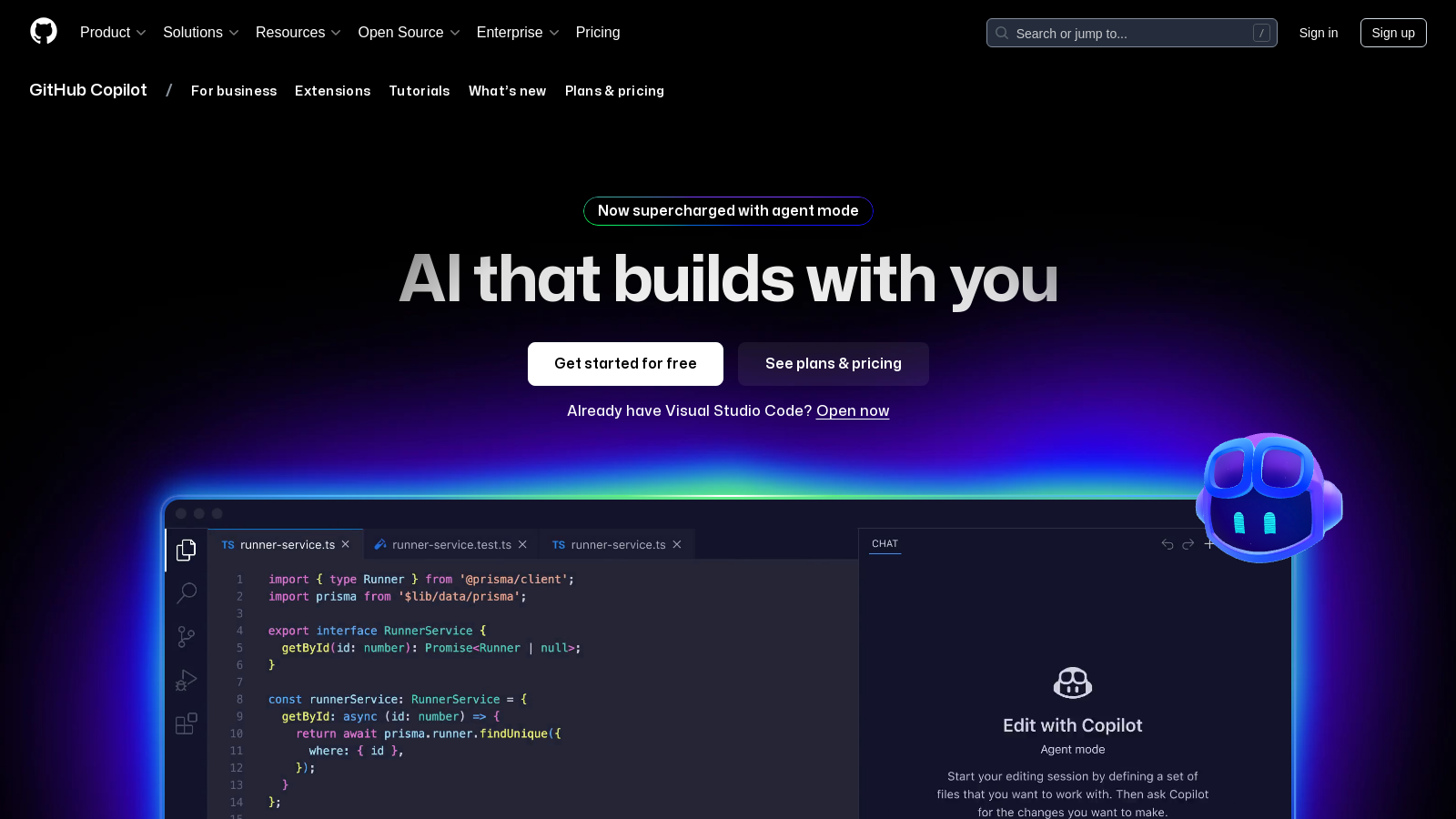
Screenshot of GitHub Copilot
What is GitHub Copilot?
GitHub Copilot is an innovative AI-powered coding assistant designed to enhance developers' productivity and streamline their coding workflow. Whether you're an experienced developer or just starting, GitHub Copilot acts like a virtual pair programmer, providing real-time suggestions and assistance directly within your code editor.
Extensive Feature Set
GitHub Copilot offers a range of features that adapt to your personal coding style and project requirements. By leveraging state-of-the-art AI models, it can suggest complete lines of code or even entire functions based on comments or the context of the code you are writing. This not only saves time but also helps to reduce the cognitive load associated with coding.
How Copilot Works
At its core, GitHub Copilot uses GPT-4.1 and other advanced models to analyze your code in real time. It'll suggest code snippets, automate repetitive tasks, and integrate seamlessly with popular development environments like Visual Studio Code, JetBrains IDEs, and more. By understanding the context of your coding task, it generates relevant suggestions that improve your coding efficiency and accuracy.
Plan Features
The pricing model for GitHub Copilot is unique, incorporating both a free tier and paid plans. The free version allows users to use Copilot at no cost, which includes 50 agent mode or chat requests and 2,000 completions per month. For users seeking more extensive capabilities, the Pro plan is available for $10 per month, offering unlimited completions and additional advanced features. The Pro+ plan, designed for teams or intensive users, provides even more flexibility and model options for $39 per month.
Who Can Benefit?
GitHub Copilot is ideal for individual developers as well as larger teams. It enables teams to enhance efficiency by minimizing the time spent on debugging and code revision processes. The flexibility of the tool also makes it suitable for various programming languages and frameworks, ensuring a wide range of applicability across different tech stacks.
Learning and Development
Not only does GitHub Copilot assist in writing code, but it also serves as an educational tool for developers learning new languages or frameworks. By providing contextual examples and coding suggestions, it enables users to learn coding best practices and discover new approaches to programming challenges.
Security and Policies
GitHub takes user privacy and security seriously, which is reflected in its comprehensive policies regarding data handling and AI model training. Copilot is continuously updated to adhere to best practices in security and responsible AI use, giving users peace of mind while coding.
Pros & Cons
Pros
- Offers agent mode that automates coding tasks like writing and testing code.
- Can analyze code and suggest consistent edits across multiple files.
- Supports various models for tailored coding assistance, enhancing flexibility.
Cons
- Requests may be subject to rate limiting during high usage periods.
Frequently Asked Questions
GitHub Copilot is free to start, with paid plans from 0 to 39 USD per month.
According to our latest information, this tool does not seem to have a lifetime deal at the moment, unfortunately.
Agent mode allows GitHub Copilot to work as a coding assistant that writes, runs, and tests code in the background. When you assign open issues, GitHub Actions can analyze existing code, propose edits, and iterate on solutions, automatically delivering pull requests for your review. This significantly boosts productivity by enabling you to focus on high-priority tasks while Copilot handles routine coding issues.
Yes! GitHub Copilot is compatible with major development environments, including Visual Studio Code, Visual Studio, Xcode, JetBrains IDEs, Neovim, Azure Data Studio, and Eclipse. This flexibility makes it easy to integrate into your existing workflow, regardless of your preferred tools.
GitHub Copilot offers a wide range of code suggestions, spanning from entire functions to individual lines of code. It leverages context from your existing code and comments to improve relevancy. Additionally, the 'following edit suggestions' feature shows how changes may ripple through your project, helping keep your code consistent.
GitHub Copilot acts as a code guardian by analyzing your code for potential bugs, mistakes, and inefficiencies. Before your human reviewers review the code, Copilot can suggest fixes and enhancements, thereby streamlining the code review process and improving the quality of your submissions.
While GitHub Copilot is a powerful tool, users should note that its performance can be impacted by periods of high usage. Additionally, requests may be subject to rate limiting. Packaging plans vary in terms of the number of agent modes, chat requests, and code completions allowed per month. Check the pricing section for specifics.
To get started, visit the GitHub Copilot website and take advantage of the free plan that offers 50 agent mode or chat requests and 2,000 completions per month. If you're using Visual Studio Code, you can easily open Copilot and start coding with suggestions immediately. It's recommended to explore the documentation and tutorials available online for further guidance.
GitHub Copilot stands out with its ability to integrate seamlessly into existing development environments and offer enhanced collaborative features through agent mode. This makes it more than just a code completion tool; it acts as a coding partner capable of running tests and opening pull requests autonomously. Evaluating alternatives like Codex or Tabnine may help you find a fitting solution based on specific features you need.
Yes, GitHub Copilot is free for verified students, teachers, and maintainers of popular open-source projects. This initiative supports educational initiatives by providing access to advanced coding tools, allowing learners and educators to benefit from AI-assisted programming without incurring costs.