Godmode

Web platform that automates tasks using advanced AI models like GPT-3.5 and GPT-4.
Godmode.space
Is this your tool?
Follow for updates & deals
Get alerts for Godmode discounts, feature releases & pricing changes
Similar Tools

FlowBot
Automate customer interactions and support processes for teams using WhatsApp.

FiveTimesFaster
Create and deploy AI agents to automate repetitive tasks and streamline your workflow without coding.

Director
Automates web tasks using natural language prompts, generating code for users without programming experience.
Synta
Automates n8n workflows through natural language interaction for streamlined deployment and debugging.

Ripplica
Automate browser tasks with context-aware execution and remote triggers for improved workflow efficiency.

Godmode Media Gallery
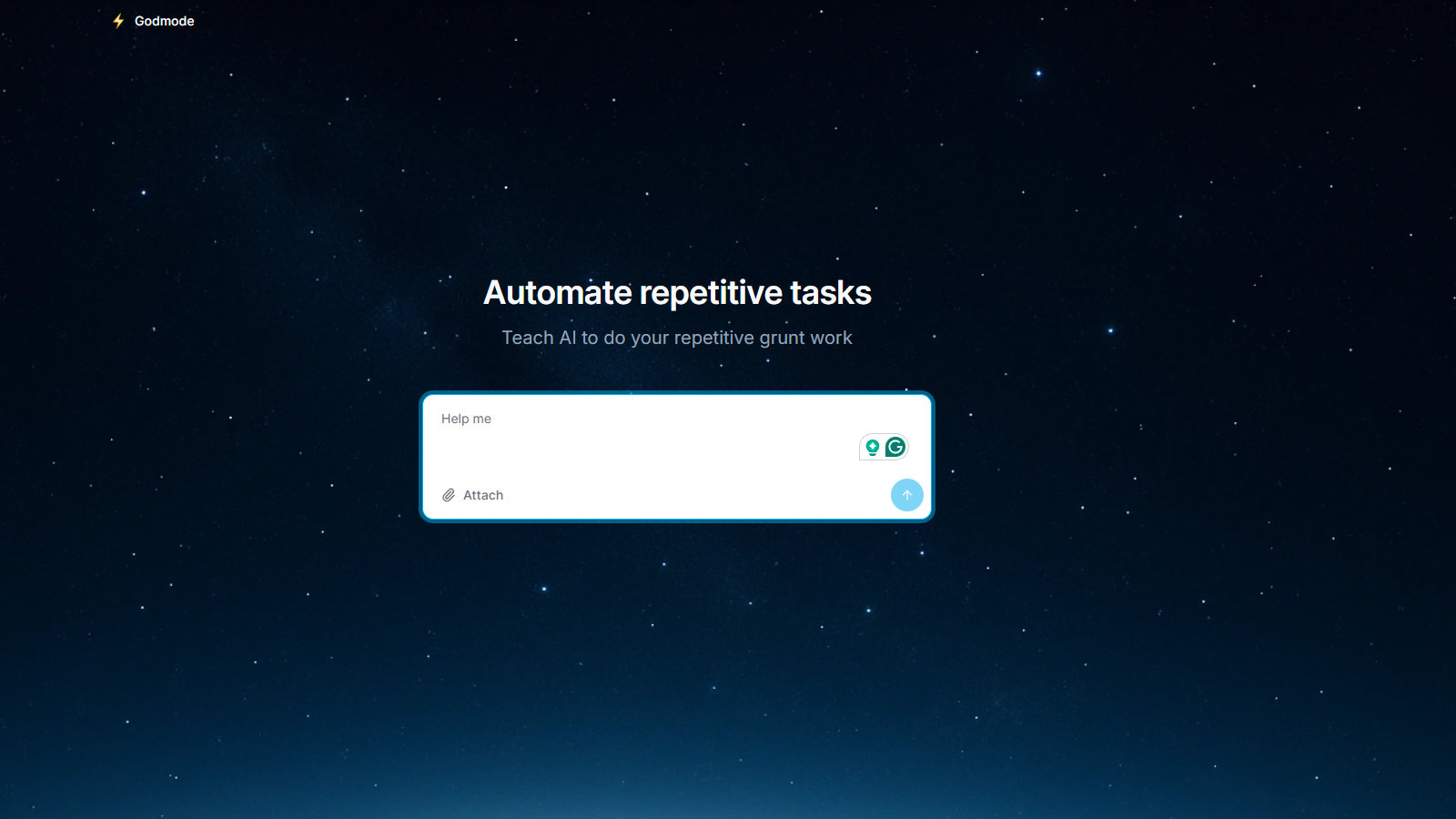
What is Godmode?
Godmode is a pioneering web platform designed to harness the impressive capabilities of autoGPT and babyAGI. Even though AI agents are still navigating their early developmental phases, their rate of progression and enhancement is nothing short of astounding. The vision behind Godmode is to bridge the gap between these growing AI capabilities and the vast number of individuals who wish to utilize autonomous AI agents, even during these formative years.
Inspired by notable entities such as Auto-GPT and BabyAGI, Godmode supports some of the most advanced AI models like GPT-3.5 & GPT-4. Such backing ensures users are provided with cutting-edge technology that is versatile and adaptable to various needs.
The brains behind this groundbreaking initiative are @_Lonis_ and @emilahlback. Their dedication and foresight in creating such a platform are commendable. They have established a Discord server to ensure a community-driven approach and provide a platform for assistance and discussion. This forum not only fosters communication and collaboration but also acts as a hub for updates related to the project.
One of the standout features of Godmode is its ability to automate repetitive business tasks. With the announcement of Godmode v2, businesses and professionals can look forward to even more streamlined processes and solutions. The diverse range of examples showcases the potential of Godmode, whether it's for market launch strategies, drafting resignation letters, or diving into the intriguing histories of ancient civilizations.
Key Features
- Autonomous task execution: The platform simplifies complex AI processes, allowing users to tap into autonomous AI without extensive technical knowledge.
- Multiple AI model support: Works with both GPT-3.5 and GPT-4 to deliver diverse functionalities.
- Web-based interface: No software installation required, making it accessible from any modern browser.
- Session saving: Users can log in to save their work sessions for future use.
Use Cases
The platform's user-friendly web interface makes it accessible to business professionals, content creators, and researchers alike. Some practical applications include:
- Market research and analysis
- Content creation and writing
- Business process automation
- Even niche tasks like negotiating a lease.
Pros & Cons
Pros
- User-friendly web interface enables access to powerful AI automation without coding skills.
- Supports multiple advanced AI models like GPT-3.5 and GPT-4 for versatile applications.
- Real-time reasoning log provides transparency in the AI decision-making process.
Cons
- Users may face a steep learning curve for advanced features and agent-style goals.
- Inconsistencies and errors can occur during data exports and complex task executions.
Frequently Asked Questions
Godmode is free to start, with paid plans from 0 to 20 USD per month.
According to our latest information, this tool does not seem to have a lifetime deal at the moment, unfortunately.
Godmode supports a wide array of automation tasks, making it suitable for various users, including business professionals, content creators, and researchers. Examples include market research, content creation, writing resignation letters, and business process automation. Whether you need to generate creative outputs, such as TikTok script ideas, or plan travel itineraries, Godmode can assist by leveraging autonomous AI agents to simplify complex tasks.
Godmode allows you to launch multiple AI agents simultaneously, each with its distinct objective. This multi-agent mode enables agents to collaborate or compete on various tasks, thereby enhancing productivity and facilitating more complex projects. You can easily monitor their interactions and results, allowing for dynamic management of your workflows.
Godmode features a live reasoning panel that displays the agent's thought processes and decision-making steps in real-time. If you notice that the agent is off track, you can intervene by clicking the Edit option to adjust the plan or use the Chain-off feature to spawn a helper agent that can assist in getting back on course. This transparency allows you to guide the AI effectively.
No, Godmode is designed to be user-friendly and accessible to individuals without technical expertise. Its web-based interface simplifies the process of leveraging advanced AI models, such as GPT-3.5 and GPT-4, allowing users to automate tasks and generate insights without requiring programming skills. The intuitive design makes it easy for users of all skill levels to get started.
Godmode offers a free tier that allows unlimited runs, but users are required to provide their own OpenAI API key, incurring raw token costs. For those seeking additional benefits, a Pro tier is available for a fee. Per month, which includes bundled tokens, higher concurrency, and priority queue advantages. Users should monitor the billing tab in their account to stay updated on plan names and quotas.
While Godmode provides powerful functionalities, users have reported some challenges, including a learning curve for setting agent-style goals, inconsistent outputs, and potential errors during the execution of complex tasks. It's not uncommon to cancel around 30% of runs due to issues like looping or hallucinations. Active participation in the community and utilizing the resources available may help mitigate these challenges.
Yes, Godmode has an active Discord community with around 18,000 members where users can ask questions, share experiences, discuss use cases, and receive support. This community-driven approach enhances user engagement and offers a platform for sharing best practices and troubleshooting tips related to Godmode.
To get started with Godmode, you'll first need an OpenAI API key with at least? Credit Visit godmode.space, create an account, and then enter a single-sentence goal to kick off the automation process. You can watch the reasoning panel in action, intervene as needed, and even export results in formats like Markdown or CSV once your goals are achieved.