gpt-engineer
Generate code by specifying software requirements in natural language for various projects.
Github.com
Is this your tool?
Follow for updates & deals
Get alerts for gpt-engineer discounts, feature releases & pricing changes
Similar Tools

Forefront
Fine-tune and deploy open-source language models with customizable options for various AI applications.

LangChain
A framework for building and deploying applications powered by large language models.

Fireworks
Easily build and customize generative AI applications using open-source models without extensive setup.

Kimi K2 AI
An open-source chatbot platform designed for efficient task automation and advanced AI solutions.

Qwen3-Coder
A code model that enhances coding tasks through agentic interactions and extensive context handling.

gpt-engineer Media Gallery

gpt-engineer (review) video
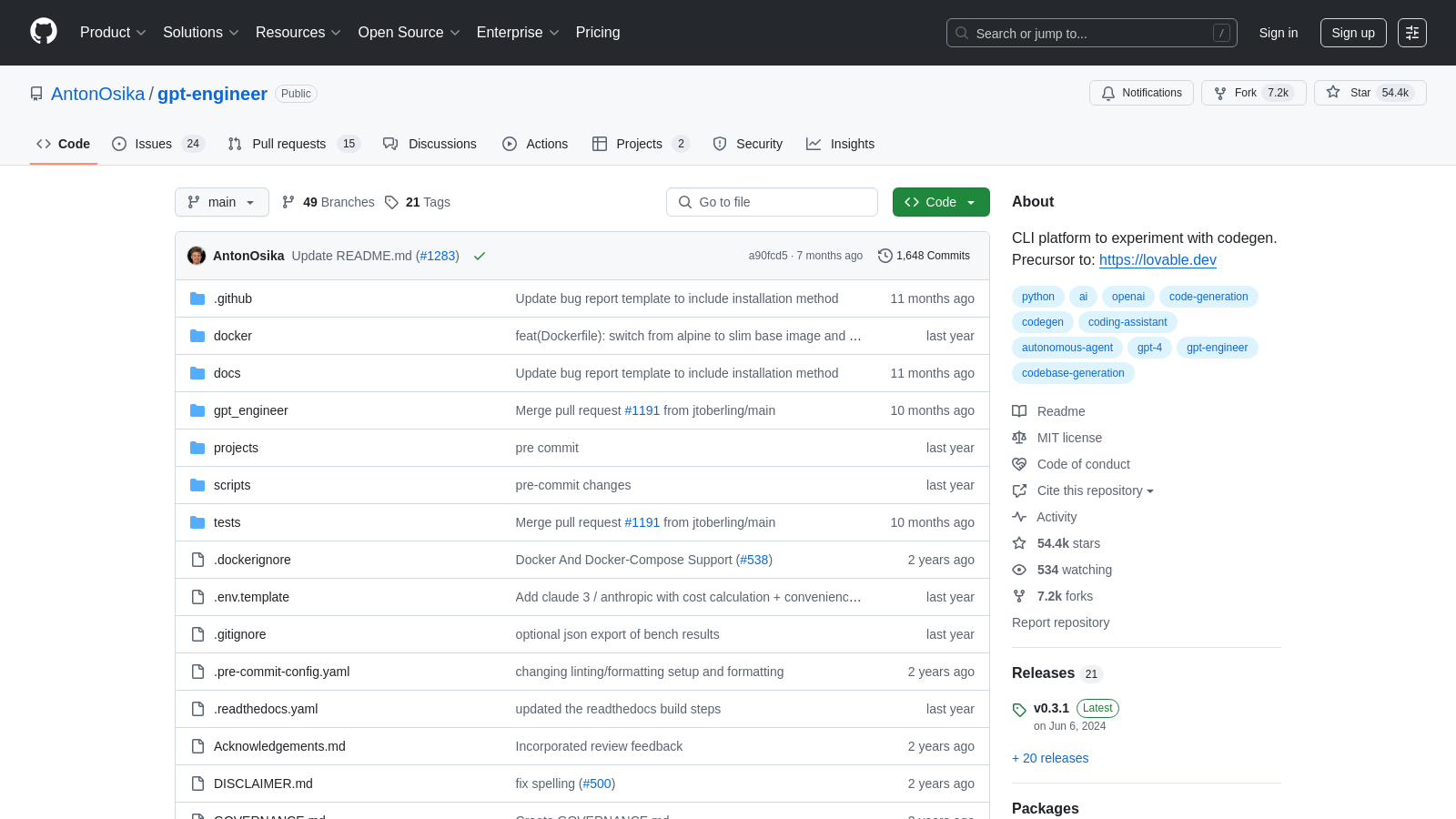
Screenshot of gpt-engineer
What is gpt-engineer?
gpt-engineer is now recognized not just as an innovative platform, but as the original code generation experimentation tool that stands at the forefront of integrating AI with software development. Designed specifically for both technical and non-technical users, gpt-engineer allows you to generate code by simply specifying requirements in natural language. This functionality transforms the way developers and creators approach coding, making software development more accessible than ever.
Getting Started
To start utilizing gpt-engineer, you can swiftly install it using pip:
- For a stable release, run:
python -m pip install gpt-engineer - For development purposes, execute:
git clone https://github.com/gpt-engineer-org/gpt-engineer.git, thencd gpt-engineerandpoetry install. Finally, activate your virtual environment withpoetry shell.
Installing gpt-engineer is quick and supported for Python versions 3.10 through 3.12. Users looking to leverage previous Python versions (3.8 and 3.9) should consider utilizing version 0.2.6.
To seamlessly integrate with OpenAI models, you can easily set up your API key through one of two methods:
- Export an environment variable to your terminal:
export OPENAI_API_KEY=[your API key], which can be added to your.bashrcfor persistence. - Alternatively, create a copy of the
.env.templatefile, rename it to.env, and add your OpenAI API key within this file.
New Features
gpt-engineer has enriched its capabilities to enhance your coding experience:
- You can now specify the AI agent's identity by overriding the pre-prompts folder, offering fine-tuned control through the
--use-custom-prepromptsargument. - The tool now accommodates image inputs, which can be integrated into your projects through the
--image_directoryflag, thus broadening the context AI uses for coding tasks. - Benchmark your custom agents against popular datasets, taking advantage of gpt-engineer's built-in benchmarking binary named
bench. Supported benchmarks include APPS and MBPP.
Using gpt-engineer
Users can create new projects or improve existing code by inputting instructions within a prompt file located in their project directories:
- To create new code, initiate the following command:
gpte. This will generate code within the specified directory, which can be a new folder anywhere on your machine. - For enhancing existing code, direct the tool to the pertinent folder and execute:
gpteto receive AI recommendations for improvements.-i
The flexibility to operate both locally and via cloud-based models allows users of gpt-engineer to cater its functionality to their specific requirements.
Community and Contribution
The collaborative nature of gpt-engineer is not just a design choice; it forms the bedrock of its evolution. By involving a community of contributors, the platform has cultivated a resource-rich environment for developers engaged in coding agent creation. Users can participate in this ecosystem by:
- Submitting pull requests to integrate new features or enhancements.
- Engaging in community discussions to share ideas and troubleshoot challenges.
- Contributing to the coding and quality assurance processes.
This community-focused governance ensures that contributions reflect the collective vision of enhancing the gpt-engineer user experience.
In summary, gpt-engineer stands as a trailblazer in the realm of AI-assisted development. By simplifying the coding process and fortifying community involvement, it allows individuals to bring their software visions to life more efficiently. With continued advancements, including enhanced error handling, a growing library of pre-prompts, and support for benchmarking custom agents, users are encouraged to explore the versatile capabilities of this remarkable platform.
Pros & Cons
Pros
- Allows users to specify software requirements in natural language.
- Enables AI to write and execute code, simplifying the development process.
- Supports custom benchmarking of AI agents against popular datasets.
Frequently Asked Questions
gpt-engineer is open source and free to use.
According to our latest information, this tool does not seem to have a lifetime deal at the moment, unfortunately.
GPT-Engineer is primarily designed for coding in Python. Still, it can also manage projects in other languages, such as Arduino's .ino files, and provide enhancements for general text prompts and use cases. The flexibility to customize the agent configurations allows users to experiment with various programming languages tailored to their project requirements.
To improve existing code with GPT-Engineer, identify a folder containing the code you want to enhance. Create a prompt file within this folder with specific instructions on how you want to improve the code. Then, run the command `gpte <project_dir> -i using the relative path to your folder. For example, execute `gpte projects/my-old-project-i' to apply improvements to the specified project.
Yes, you can! For Windows users, the gpt-engineer setup requires running specific commands to install the tool and set the API key. This can include using `set OPENAI_API_KEY=[your api key]` in the command prompt. Additionally, a detailed README is available that outlines the whole setup process, tailored specifically for Windows.
Pre-prompts in GPT-Engineer serve to establish the 'identity' of the AI agent. By customizing these pre-prompts, users can influence how the AI behaves and retains information across different projects. This customization is achieved using the `--use-custom-preprompts` argument, which helps the agent remember specific instructions or styles between sessions.
When using gpt-engineer, users should be aware that it operates within the constraints of the OpenAI API, including potential costs associated with token usage. Additionally, the generated code may not always adhere to business standards; therefore, users must verify compliance with relevant legal requirements. Regular monitoring of project configurations and usage is recommended for effective management.
Setting up your API key for gpt-engineer can be done in two ways: by exporting an environment variable or by creating a .env file. For the environment variable, you would enter the command `export OPENAI_API_KEY=[your api key]` in your terminal (Linux/Mac) or `set OPENAI_API_KEY=[your api key]` in cmd (Windows). Alternatively, you can create a `.env` file by copying the provided ` .env.template`, adding your key, and storing it in the project directory.
Yes! gpt-engineer supports Docker, allowing you to run the tool in a containerized environment. This feature provides a stable and isolated development environment. You can refer to the Docker setup instructions in the project's documentation to get started using Docker with gpt-engineer.
Benchmarking custom agents in GPT-Engineer is facilitated using the `bench` binary, which is installed with the software. This provides a straightforward interface for evaluating your agent implementations against popular public datasets, such as APPS and MBPP. To begin benchmarking, refer to the template repository included with gpt-engineer for detailed instructions and an agent template designed explicitly for benchmarking tasks.