Granola

AI-powered notepad that transcribes meetings into actionable notes and insights.
Granola.ai
Is this your tool?
Follow for updates & deals
Get alerts for Granola discounts, feature releases & pricing changes
Similar Tools
Komo
Streamlines research by providing instant, reliable answers and organizing data from extensive documents.

Extra Thursday
AI assistant that uses voice commands to manage email and plan daily tasks seamlessly.

Paxton
AI assistant for legal professionals with drafting, analysis, and research capabilities

Nodejam
An integrated office suite that merges documents, spreadsheets, and presentations for enhanced collaboration.
Notion
A collaborative workspace that integrates AI for project management, notes, and task automation.

Granola Media Gallery

Granola (review) video
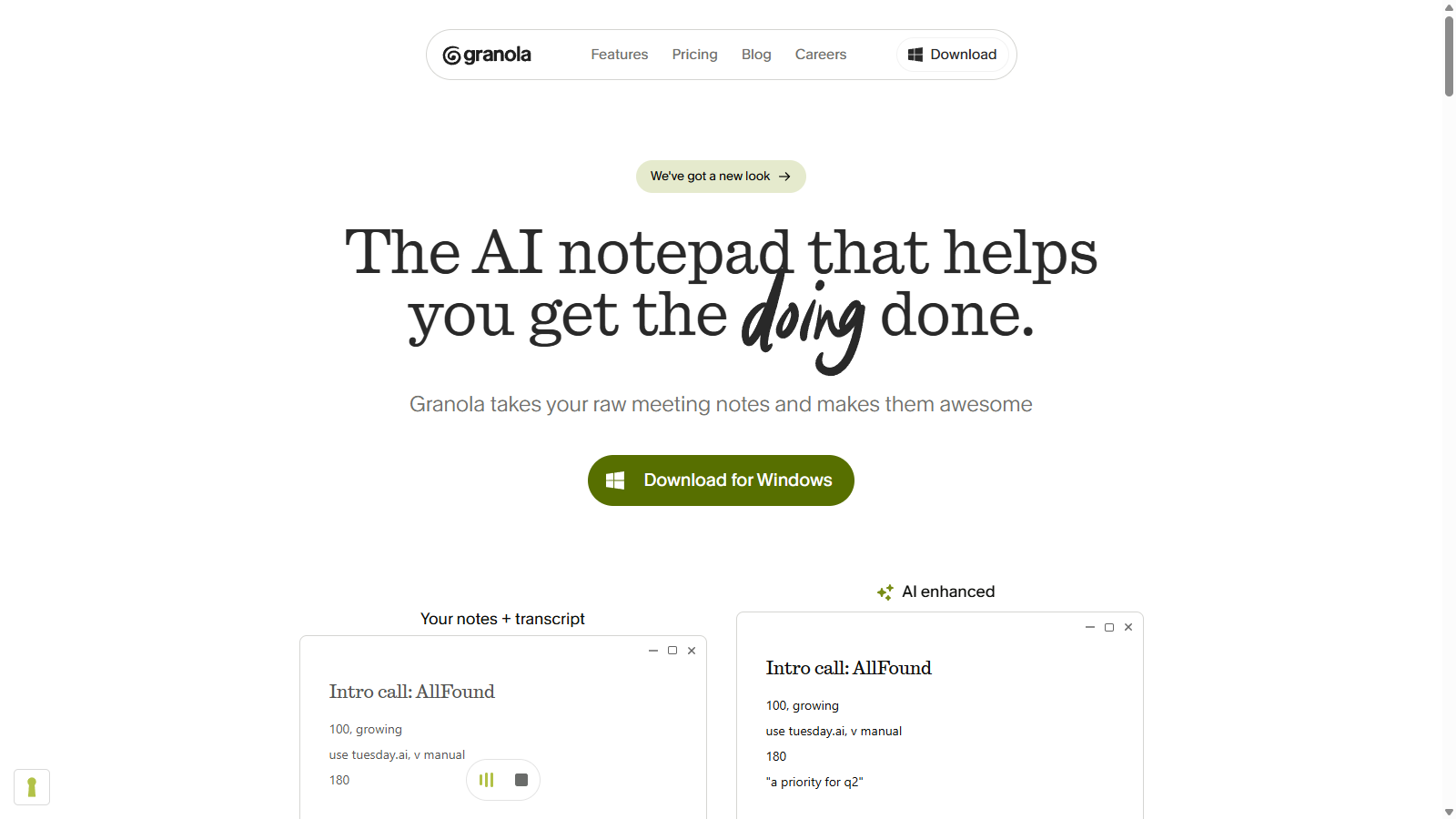
Screenshot of Granola
What is Granola?
Granola is an AI-powered notepad designed to help you capture meetings and turn your notes into actionable insights. This tool has quickly gained popularity among teams for enhancing productivity without the need for back-and-forth between note-taking applications or constant typing during meetings.
The core functionality revolves around its ability to transcribe audio from meetings without needing to join as an annoying bot, which allows users to stay fully engaged in their discussions. Granola captures audio from your device and processes it in real time, delivering structured notes that highlight essential action items and insights as soon as a meeting concludes. This means you can focus on what's actually being said rather than struggling to keep your notes organized.
One of the standout features of Granola is its ability to create customizable meeting templates, enabling users to standardize their note-taking process across various types of meetings like sales calls, team check-ins, and brainstorming sessions. With powerful searching capabilities, you can easily find past discussions and decisions, ensuring that valuable information is never lost.
Granola's integration capabilities are extensive. It can seamlessly integrate with popular tools such as Notion, Slack, and CRMs like HubSpot, allowing teams to maintain their current workflows without disruption. The platform is positioned as ideal for sales teams, product managers, and anyone involved in user research and product development, ensuring they capture every significant detail during their interactions.
Security is paramount for Granola. The platform complies with industry standards, including SOC 2, ensuring user data is handled with the utmost care. Additionally, you control who can access your notes, maintaining privacy as needed.
Pricing tiers are designed to accommodate different user needs: the Basic plan is free for individual users, while the Business plan offers enhanced features for $14 per user per month. For larger enterprises requiring additional functionality and security, the Enterprise plan starts at $35 per user per month. Granola is constantly evolving and includes cutting-edge AI components to improve user experience continuously.
Granola not only promotes productivity through its technology but also supports a collaborative environment by making it easy to share insights at the click of a button. This empowers teams to work better together, eliminating the chaos of disorganized notes and missed follow-ups.
In summary, Granola is revolutionizing the way meetings and notes are handled. Whether you're a student needing to capture lectures or a corporate team looking for better collaboration, Granola serves as an indispensable tool that enriches every conversation.
Pros & Cons
Pros
- Utilizes advanced AI to enhance meeting notes instantly after calls.
- Transcribes audio directly from your computer without requiring bot participation.
- Offers customizable templates for various meeting types to streamline note-taking.
Cons
- Data input process can be manual, posing challenges for some users.
Frequently Asked Questions
Granola is free to start, with paid plans from 0 to 35 USD per month.
According to our latest information, this tool does not seem to have a lifetime deal at the moment, unfortunately.
Granola is designed to enhance note-taking for various types of meetings, including sales calls, user interviews, product meetings, and team syncs. It seamlessly integrates with platforms like Zoom, Microsoft Teams, and Google Meet, allowing it to transcribe audio directly from your computer without needing an invasive bot to join the call. This makes it suitable for both internal meetings and external client conversations.
After the meeting, Granola takes your raw notes and automatically transforms them into structured summaries and action items. This feature allows you to focus on the conversation rather than frantically jotting down ideas. You can also edit your notes or request specific changes to ensure they accurately reflect the key points discussed.
Yes! Granola supports integrations with essential tools, including Notion, Slack, HubSpot, and Zapier. This means you can easily export meeting notes and summaries to your preferred platforms without any manual entry. Additionally, Granola's API allows for more advanced integrations, providing a seamless workflow tailored to your team's needs.
Granola prioritizes user security with industry-standard practices, including SOC 2 compliance and data encryption both at rest and in transit. The application does not store audio recordings of your meetings; instead, it transcribes audio in real-time. Users have complete control over their notes, which are private by default until shared, and can request data deletion at any time.
Yes! Granola has a mobile application designed specifically for iOS, enabling users to capture notes during in-person meetings or on the go. This ensures that no important details are missed, and all your notes stay organized and accessible across devices. The mobile app complements the desktop version, which is available for both macOS and Windows.
Granola provides a comprehensive Help Center and documentation to help new users get started. You can find guides on installing the app, using its features effectively, and troubleshooting common issues. For additional support, users can contact Granola's customer service via email at hey@granola.so for more personalized assistance.
While Granola offers robust features for note-taking and task management, there are some limitations based on the pricing plan you choose. The Basic plan limits meeting history and access to certain advanced features. For more extensive capabilities, users may need to consider upgrading to the Business or Enterprise plans, which provide unlimited meeting notes, integrations, and priority support.
Granola differentiates itself from traditional note-taking apps by not only providing transcription services but also enhancing those notes after meetings. It allows you to edit and refine your notes, offers customizable templates for various meeting types, and integrates with your other tools for seamless data management. The integrated AI models also help summarize discussions and identify key themes, making it a comprehensive solution for busy professionals.