HiClip

Automates the creation of short videos from long content, optimizing for social media sharing.
Hiclip.ai
Is this your tool?
Follow for updates & deals
Get alerts for HiClip discounts, feature releases & pricing changes
Similar Tools

Latte Social
Simplifies social media video creation with automatic editing and text-based editing tools.

CyberCut
Edit videos quickly using text commands to create engaging clips for social media.

2short.ai
AI YouTube Shorts generator

LINAH
Automate the creation and publishing of user-generated content for multiple social media platforms.

VidFlux
Generate videos from text descriptions or images quickly and easily

HiClip Media Gallery

HiClip (review) video
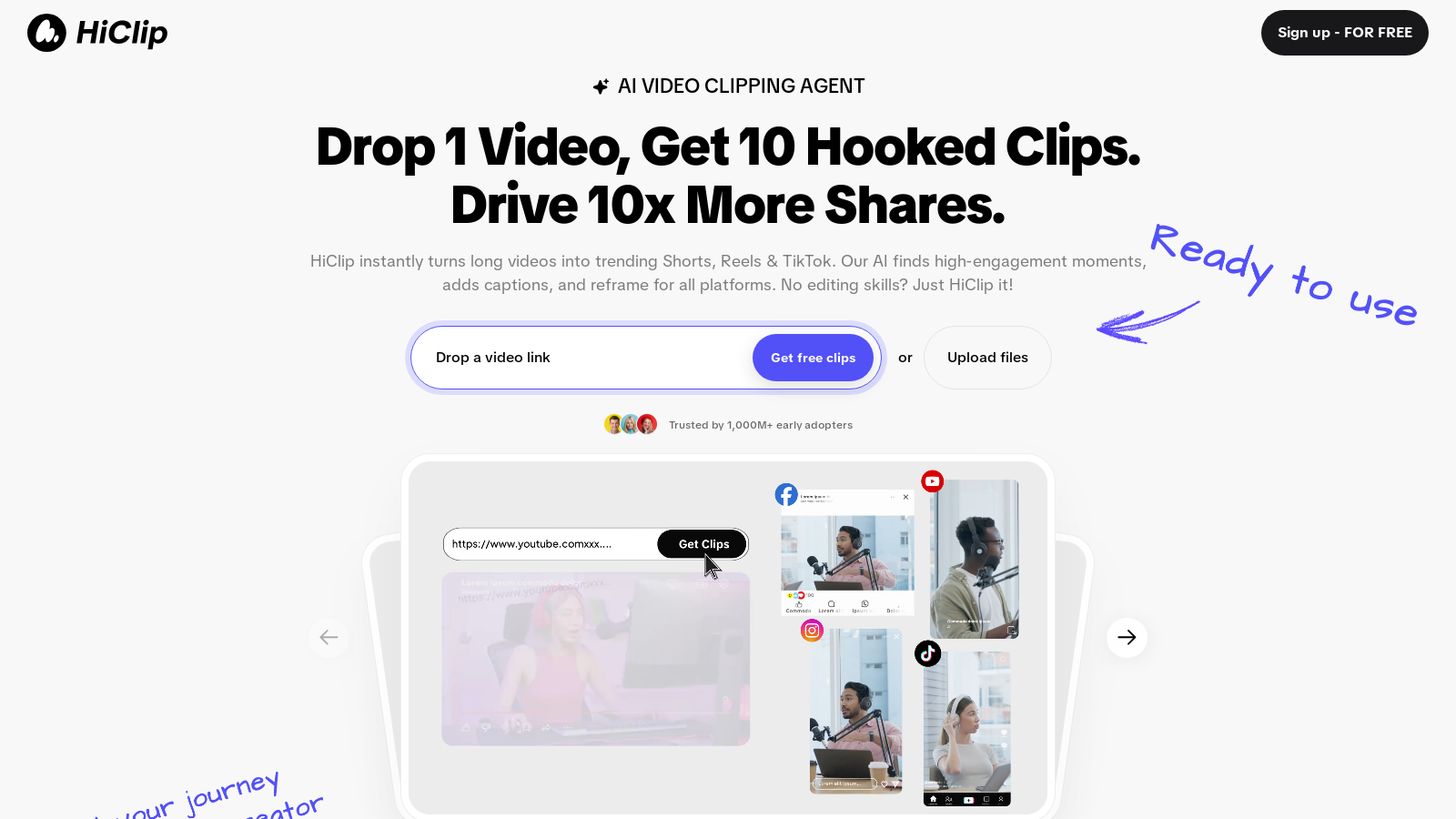
Screenshot of HiClip
What is HiClip?
HiClip is an innovative tool designed to transform your long videos into engaging Shorts, Reels, and TikTok videos effortlessly. Utilizing powerful AI technology, HiClip identifies high-engagement moments within your videos, adds captions, and reformats content for all major social media platforms, ensuring you reach your audience effectively.
This tool is particularly beneficial for creators, marketers, and businesses looking to expand their digital presence without the need for extensive editing skills. Users can drop a video link or upload a file, and within moments, receive multiple engaging clips ready for sharing.
Turn Long Videos into Shorts
HiClip automates the process of clipping and editing videos, allowing you to generate high-converting short videos in seconds. This means significant time savings during the video editing process—users report saving over 85% of their editing time compared to manual methods. For example, generating ten highlights can take as little as 20 seconds with HiClip. In contrast, it might take more than 30 minutes manually.
Features of HiClip
HiClip is equipped with several AI-driven features that enhance its functionality:
- AI Clipping: Automatically extracts the most engaging clips from your long video content.
- AI Reframe: Adjusts formats to fit various platforms' requirements seamlessly.
- AI Caption: Generates captions for your videos, aiding in accessibility and engagement.
- AI Analysis: Utilizes Context-Aware Analysis™, taking into account visual dynamics, audio cues, and semantic context to determine the most interesting parts of your video.
Supported Formats and Sources
HiClip supports multiple input sources, including MP4 and MOV files, as well as links from platforms like YouTube and Vimeo. Users can export their clips in over ten presets, which include formats suitable for TikTok, Instagram Reels, and YouTube Shorts, or they may opt for custom resolutions tailored to their needs.
Simplified Video Editing
With just one click, HiClip allows you to repurpose content across platforms. For instance, with its YouTube-to-Reels mode, users can quickly paste a YouTube URL, and the AI takes care of the rest, extracting and posting multiple clips optimized for Instagram Reels.
Engagement Optimization
To ensure video content is not just produced but resonates with viewers, HiClip employs advanced techniques—such as auto-cropping to essential formats and generating captions matching trending hashtags—to maximize engagement. The proprietary technology ensures that your videos are polished and trending, eliminating the lengthy manual editing process commonly associated with video production.
Whether you're a content creator looking to elevate your video strategy or a business aiming to improve social media engagement, HiClip offers a unique solution to automate video clipping while maintaining high standards of quality and effectiveness.
Pros & Cons
Pros
- AI technology automates video clipping, saving users 85%+ editing time.
- Context-Aware Analysis™ identifies high-engagement moments for optimal clip selection.
- Supports multiple input sources and exports for various social media platforms.
Frequently Asked Questions
HiClip offers a freemium model with free features available and premium options for advanced functionality.
According to our latest information, this tool does not seem to have a lifetime deal at the moment, unfortunately.
HiClip supports a variety of input sources, including MP4 and MOV files and URLs from popular platforms like YouTube and Vimeo. This flexibility lets you easily convert long-form video content into engaging short clips for social media.
HiClip employs a proprietary Context-Aware Analysis™ to identify the most engaging parts of your video, assessing visual dynamics, audio cues, and semantic context. Additionally, the tool auto-crops videos to the appropriate formats, such as 9:16 for TikTok, and generates captions to enhance visibility and engagement on platforms.
Absolutely! HiClip offers an efficient one-click mode for repurposing videos, such as turning YouTube videos into Instagram Reels. Paste the YouTube URL, and HiClip will extract 10+ highlight clips and even auto-post them for you, streamlining your content distribution across platforms.
HiClip can save users up to 85% of their typical video editing time. For instance, generating 10 highlight clips takes about 20 seconds, whereas doing the same manually could take over 30 minutes. Multi-platform reformatting also takes just one click, compared to the lengthy manual adjustments usually required.
When using HiClip for TikTok, the tool automatically crops your videos to the optimal 9:16 vertical ratio and generates captions with trending hashtags. This built-in functionality ensures your content aligns with TikTok's best practices for engagement, making it easier for your videos to reach the intended audience.
Yes, HiClip's Context-Aware Analysis™ features advanced algorithms that track engagement signals, such as visual changes, audio highlights, and semantic shifts, within your video content. This analysis helpsidentifyg the most compelling sections of your video, ensuring the clips generated are optimized for viewer engagement.
Not at all! HiClip is designed for users of all skill levels, with no prior video editing experience required. The AI-powered features streamline the process, allowing anyone to transform long videos into captivating short clips effortlessly—drop the video and let HiClip handle the rest.
HiClip offers versatility in exporting videos, supporting 10+ formats tailored for social media platforms, including TikTok, Instagram Reels, and YouTube Shorts. You can also create custom resolutions, ensuring your clips are ideally suited to any platform you target.