













ImgLarger

Enhance and enlarge images up to 800% while maintaining detail and clarity.
Imglarger.com
Is this your tool?
Follow for updates & deals
Get alerts for ImgLarger discounts, feature releases & pricing changes
Similar Tools
Drawnaq
Create custom graphics and designs effortlessly with AI-driven tools and intuitive editing features.

Imagen3D
Transform 2D images into detailed 3D models quickly with multiple quality options.

BlueWillow
Generate unique artwork from text prompts using an easy-to-use interface.

PixNova AI
Generate and edit images with AI, including headshots, face swaps, and baby predictions.

OpenArt
Enhance and transform images with an array of AI tools for quality and creativity.

ImgLarger Media Gallery

ImgLarger (review) video
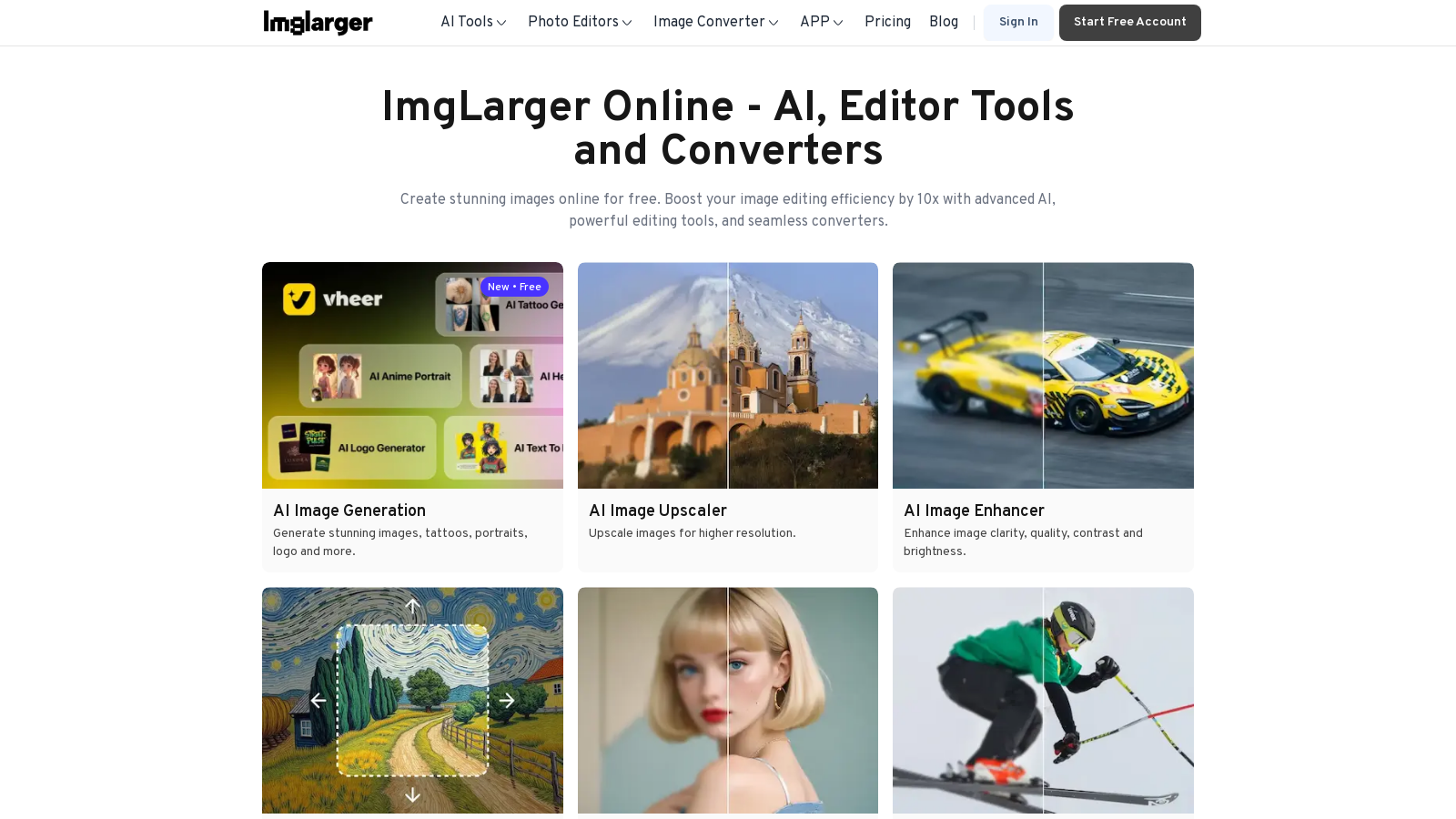
Screenshot of ImgLarger
What is ImgLarger?
ImgLarger is a powerful online tool that utilizes artificial intelligence to enhance, enlarge, and convert images with remarkable efficiency. It's tailored for various users—professional photographers, graphic designers, and casual users alike—looking to improve their images while retaining detail and clarity.
A standout feature of ImgLarger is its set of AI-driven tools that allow for significant image upscaling—up to 800%—while preserving sharpness and color fidelity. This is achieved via advanced algorithms that facilitate efficient image rescaling, ensuring essential details remain intact. The AI Image Enhancer further enhances image quality, optimizing contrast, brightness, clarity, and color vibrancy all at once.
In addition to image enlargement and enhancement, ImgLarger presents a comprehensive suite of editing functionalities, which enable users to crop, rotate, and resize images as needed. New functionalities include AI Uncrop, which allows users to extend the borders of cropped images, revealing their full potential and transforming portraits, landscapes, and artwork into stunning visuals. Furthermore, the convenience of batch processing permits the enhancement of multiple images simultaneously, significantly saving time and effort. Whether you're working on portraits or expansive landscapes, ImgLarger provides a user-friendly online interface that eliminates the need for complicated software installations.
Unleashing the Power of AI in Image Processing
Since its inception in 2018, ImgLarger has sought to simplify the photo enhancement process and introduce cutting-edge features that differentiate it from traditional image editing platforms. The underlying AI technology is continuously being refined, enabling the tool to effectively tackle common image-related challenges, such as blurriness, pixelation, and quality loss during resizing. Users appreciate the AI Image Sharpener, which swiftly restores clarity to blurry photos by intelligently refining image details, essential for ensuring photos look their absolute best.
A Free Starter Plan and Flexible Pricing Options
ImgLarger operates on a freemium model, providing a generous free tier that allows users to process up to 100 credits monthly, which includes various basic editing tools. For those requiring more extensive capabilities, the paid plans offer increased features and capabilities:
- Free Plan: Completely free with 100 credits/month for basic edits.
- Starter Plan: NULL.9/month for 500 credits.
- Premium Plan: NULL.9/month for 2000 credits, the most favored option for active users.
- Business Plan: NULL/month for 6000 credits, ideal for high-demand users.
This pricing structure is crafted to cater to both casual users who require basic enhancement tools and professionals requiring significant batch processing capabilities and high-resolution outcomes.
Image Converters and Additional Features
Beyond enhancement and editing, ImgLarger boasts robust conversion tools, permitting users to easily change image formats, including JPG, PNG, WEBP, and more, without compromising quality. This allows for seamless transitions between different file types directly in the browser, preserving user privacy and data security. The platform also features batch conversion capabilities, enabling users to convert multiple images at once, a function that enhances workflow efficiency.
Overall, ImgLarger represents a comprehensive solution for those in need of professional-quality photo enhancements online. With its intuitive layout and advanced AI capabilities, it stands out as an essential tool for both media creators and everyday users wanting to improve their images efficiently and effectively.
Pros & Cons
Pros
- Enlarge images up to 800% without quality loss using advanced AI technology.
- Offers a wide range of tools for enhancing, editing, and converting images easily online.
- No upload required; all processing is done locally in the browser for privacy.
Cons
- Quality may degrade when enlarging images using traditional enlargement algorithms.
Frequently Asked Questions
ImgLarger is free to start, with paid plans from 0 to 19 USD per month.
According to our latest information, this tool does not seem to have a lifetime deal at the moment, unfortunately.
The AI Image Enlarger allows users to enlarge images by up to 800% without losing quality. It utilizes advanced algorithms to maintain sharpness and clarity, making it particularly useful for photographers and graphic designers who want to upscale images without degradation of detail.
ImgLarger's AI Uncrop tool enables users to extend the borders of cropped images, enhancing the full visual potential of the photo. By adding additional background space, this tool helps transform awkwardly cropped photos into more complete compositions, ideal for landscapes, portraits, and artwork.
ImgLarger supports a variety of image formats for conversion, including JPG, PNG, WEBP, and JPEG. Users can convert images seamlessly and without needing to upload files to external servers, ensuring both convenience and privacy.
Yes, ImgLarger supports batch processing, allowing users to enhance or convert multiple images simultaneously. This feature is particularly beneficial for users who need to process large quantities of images efficiently, saving time while maintaining high quality.
ImgLarger offers various tools for free, including basic image editors and converters. However, features that require higher processing capabilities, such as image enlargement beyond the default size or enhanced processing speed, may require credits available through subscription plans.
The AI Old Photo Repair tool uses advanced algorithms to restore old, scratched, or damaged photographs by enhancing their clarity and colors. Users can upload their images and instantly visualize the restoration, allowing for easy recall of treasured memories.
Yes, ImgLarger is compatible with various platforms, including Windows, Mac, iOS, and Android devices. Users can access their online tools easily through a web browser, making it convenient to enhance images on the go.
ImgLarger prioritizes user privacy by processing images locally in the browser rather than uploading them to a server. All uploaded photos are cleared from the system after a specified time, ensuring that user data remains secure and private.



