Instruct

An AI agent that automates tasks across multiple applications to enhance productivity.
Instruct.ai
Is this your tool?
Follow for updates & deals
Get alerts for Instruct discounts, feature releases & pricing changes
Similar Tools

Emissary
Automates SMS communications for recruiters, enhancing candidate engagement and streamlining recruitment workflows.

Agent GPT
Create customizable AI agents to automate tasks and enhance productivity in digital workflows.

Zams
Automates repetitive tasks for B2B sales teams, integrating with 100+ tools for streamlined workflows.

Bardeen
Automate data extraction, lead qualification, and workflows with AI-driven tools.

Gobii
Create custom AI agents to automate online tasks, from lead generation to recruitment.

Instruct Media Gallery

Instruct (review) video
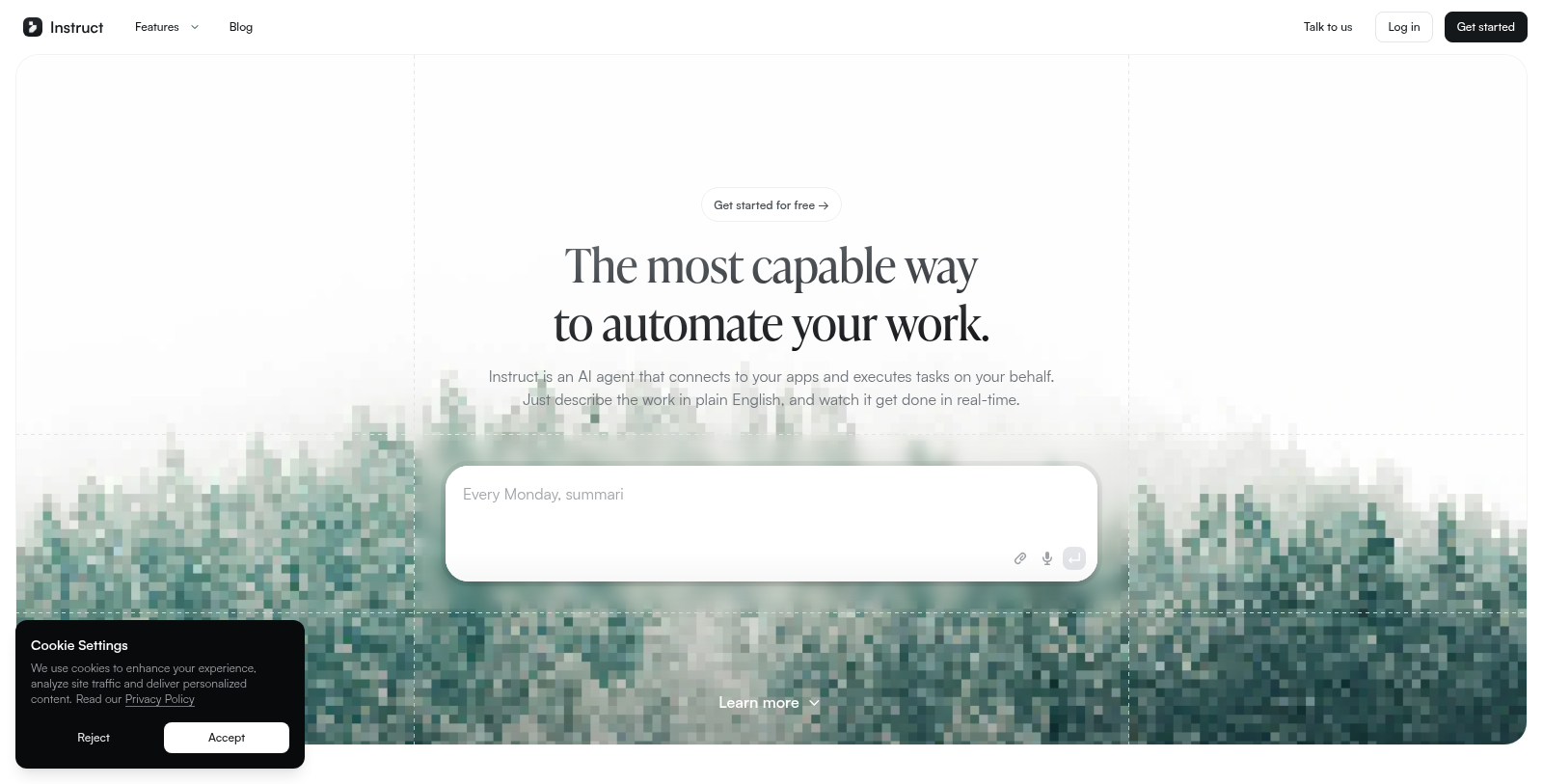
Screenshot of Instruct
What is Instruct?
Instruct is an innovative AI agent designed to automate your work seamlessly across various applications. As you navigate the digital landscape, having a tool that can intelligently execute tasks on your behalf saves time and enhances productivity. Instruct acts as your personal digital assistant, responding to the tasks you describe in plain English and executing them efficiently.
One of the standout features of Instruct is its ability to integrate with multiple applications. Whether you need to research a topic, generate engaging content, or manage your meetings more efficiently, Instruct connects with your favorite tools like Google Calendar, Slack, and Gmail to perform tasks instantly. Think of it as an employee that works around the clock, streamlining your workflows.
Key Features of Instruct
Instruct boasts a wide range of functionalities that cater to both personal and professional needs:
- Research & Summarization: Instruct can condense complex research topics into concise, engaging documents, saving you hours of study time.
- Meeting Preparation: By researching attendees and summarizing key discussions, Instruct ensures you are well-prepared before every meeting, enhancing your confidence and effectiveness.
- Automated Email Management: Tired of marketing spam flooding your inbox? Instruct can clean up your inbox by unsubscribing from unwanted emails across services like Gmail and Outlook.
- Event Planning: Utilize Instruct to plan and organize events smoothly. It can create detailed timelines and checklists, ensuring nothing important is overlooked.
- Personalized Recommendations: From finding new music based on your Spotify listening habits to offering gift ideas tailored to special occasions, Instruct delivers personalized touches that enhance daily life.
- Task Automation: The core strength of Instruct is its ability to automate mundane tasks. Whether it's tracking habits with daily encouragement or generating a podcast episode, this tool can turn repetitive tasks into automated workflows.
How Instruct Works
The process of using Instruct is straightforward. Sign up, describe the task at hand, and allow the AI agent to handle the rest. Its real-time processing capabilities mean that many tasks can be completed before you even finish your morning coffee. Rather than just reading your data, Instruct acts on it, making your software ecosystem more efficient.
Getting Started
Instruct allows users to get started for free, with the option to explore paid upgrades as needed. This flexible pricing model ensures that anyone can try out Instruct's features before committing to more extensive services. Whether you are an individual looking to enhance productivity or a team needing reliable workflow automation, Instruct fits a variety of use cases.
Sign up now and discover how much easier your life can become with the help of an AI agent that works tirelessly to assist you in your endeavors.
Pros & Cons
Pros
- Automates various tasks by integrating across multiple apps seamlessly.
- Users can describe tasks in plain English for easy automation execution.
- Offers unique features like generating podcasts and analyzing writing style.
Frequently Asked Questions
Instruct is free to start, with paid plans from 0 to 0 USD per Translation not found for 'time_period_unknown'.
According to our latest information, this tool does not seem to have a lifetime deal at the moment, unfortunately.
Instruct is designed to automate a variety of tasks, including research and summarization, meeting preparation, inbox cleaning, and the generation of creative content such as podcasts. Users can also manage events, plan travel, track habits, find gifts, and discover new music. By describing the work in plain English, you can leverage Instruct's AI agent to handle these tasks seamlessly across various integrated applications.
Integrating your apps with Instruct is straightforward. When you sign up, you'll be prompted to securely connect your various applications. Instruct can access context from these apps to execute tasks effectively, ensuring they work together seamlessly. For specific integration steps, it's best to refer to the official documentation or support resources available on the Instruct website.
Instruct 2.5 brings significant enhancements to the AI agent platform, aimed at improving performance and user experience. While specific details about all improvements may not be listed, the update focuses on making the automation process more efficient and user-friendly. You can find detailed discussions of these changes in the latest blog posts on the Instruct website.
Absolutely! Instruct includes features tailored for personal projects. For instance, you can use it to research destinations, create detailed travel itineraries, and track your habits with daily encouragement. These tools can help you stay organized and focused, making Instruct a versatile assistant for both professional and personal tasks.
Instruct is designed to be user-friendly, allowing new users to get started quickly. The interface focuses on plain English commands, making it intuitive to describe tasks. However, as with any tool, exploring its full range of features may require some experimentation. The official website and support resources guide to help users maximize their experience right from the start.
While Instruct aims to automate many tasks effectively, users should be aware that the features of the connected applications may limit its capabilities. Some tasks may require specific integrations or might not be supported if the app does not allow AI interaction. Additionally, users should familiarize themselves with any security and privacy implications of connecting their apps to ensure their data remains protected.
Instruct emphasizes data security and privacy when connecting to applications. The platform ensures that your data is accessed securely and only used for the tasks you request. To obtain specific information about their data-handling practices, users are encouraged to review the privacy policy available on the Instruct website.
Yes, there are several alternatives to Instruct for task automation, such as Zapier, IFTTT, and Microsoft Power Automate. Each of these tools has its own strengths and focus, so depending on your specific automation needs, you might find one that suits you better. However, Instruct's focus on using plain English to perform tasks makes it a standout option for many users.