Jotform

Create customized online forms quickly with an intuitive drag-and-drop interface, no coding required.
Jotform.com
Is this your tool?
Follow for updates & deals
Get alerts for Jotform discounts, feature releases & pricing changes
Similar Tools

Godmode
Web platform that automates tasks using advanced AI models like GPT-3.5 and GPT-4.

Kodey
Create and manage AI agents for automating complex workflows without coding.
Ripplica
Automate browser tasks with context-aware execution and remote triggers for improved workflow efficiency.

FlowBot
Automate customer interactions and support processes for teams using WhatsApp.
Synta
Automates n8n workflows through natural language interaction for streamlined deployment and debugging.

Jotform Media Gallery

Jotform (review) video
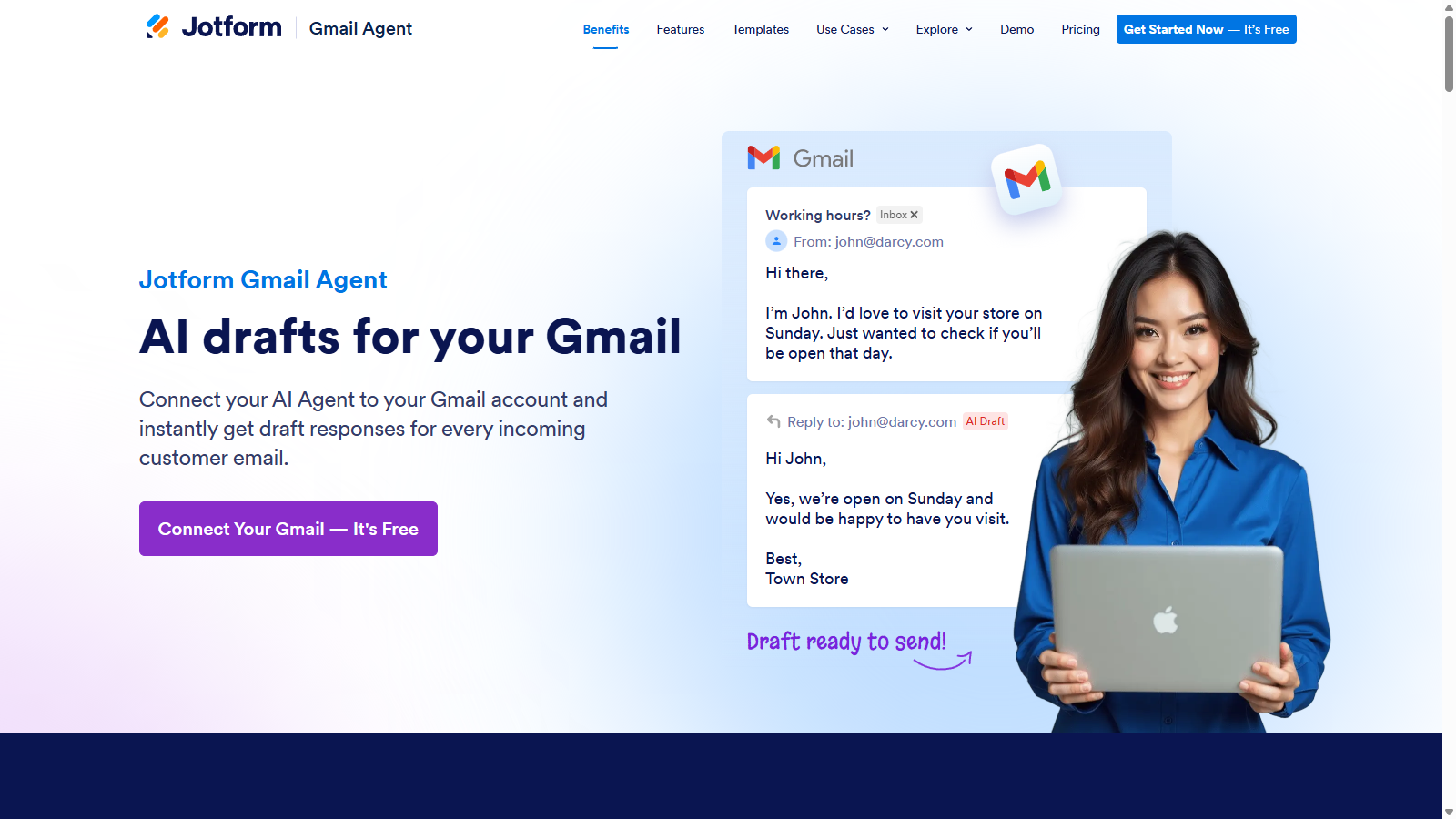
Screenshot of Jotform
What is Jotform?
Jotform is a powerful online application that empowers users to create customized online forms quickly and effortlessly. Featuring an intuitive drag-and-drop interface, form building with Jotform does not require any coding experience, making it accessible to everyone. Users can construct and publish forms, seamlessly integrate them into their websites, and collect responses via email with minimal hassle.
Imagine constructing a registration form, a contact form, or a feedback survey within minutes. With Jotform, users have access to thousands of ready-made templates designed for various use cases, ensuring that every form looks professional and meets specific needs. Whether it's for online registrations, donations, surveys, or event sign-ups, Jotform can handle it with ease.
Key Features of Jotform
One of the standout features of Jotform is its conditional logic capabilities. This allows the form creator to customize the flow of questions based on previous answers, creating a tailored user experience. This is particularly useful for complex forms where different responses warrant different follow-ups. Furthermore, users can enhance their forms with integrations to over 150 applications, enabling automatic data transfer to email marketing services, project management tools, cloud storage options, and more.
Collect Payments Seamlessly
Jotform simplifies the process of collecting payments directly through forms. Whether you are selling products, collecting service fees, or accepting donations, users can integrate their preferred payment gateways to ensure a smooth transaction process. This feature streamlines operations, saving time and allowing businesses to focus more on growth and less on administrative tasks.
Multiple Subscription Options
Jotform offers a range of subscription plans to cater to different user needs. Starting with a free plan, users can explore all features with certain limitations on form counts and submissions. As businesses grow, they can upgrade to various paid tiers—Bronze, Silver, and Gold—which offer increased limits and additional features, such as enhanced storage and no Jotform branding. The Enterprise option offers customized pricing for larger organizations that require advanced features, dedicated support, and scalability.
Data Security and Compliance
Security is paramount for Jotform, and the platform complies with various data protection regulations, including GDPR and HIPAA, for users on specific plans. With options for encryption and secure data storage, users can rest assured that their data is protected. This is particularly crucial for organizations handling sensitive information, such as healthcare providers.
Utilizing AI and Automation
Emphasizing the importance of technology in modern business, Jotform includes AI Agent capabilities for enhanced customer interaction. These AI-powered agents can respond to inquiries and assist users instantly, improving engagement and customer satisfaction. This feature leverages OpenAI's technology to provide intelligent automation, ensuring users receive timely help without overwhelming support teams.
Ease of Use and Adaptability
Jotform's user-friendly interface allows for quick learning, even for those unfamiliar with form-building tools. Users can easily embed forms on their websites, share them through links, or generate QR codes for offline access. Additionally, the flexibility to customize form themes and appearance means they can align with the branding of various organizations.
Customer Support Services
Jotform prides itself on offering excellent customer support with a team available around the clock. Whether through live chat, email, or a comprehensive help center, users can find answers to their questions whenever they need them. This level of support enhances the overall user experience, ensuring uninterrupted service and satisfaction.
Conclusion
In summary, Jotform stands out as a leading online form builder due to its robust feature set, including no-code form creation, payment collection, advanced integrations, and AI capabilities. Suitable for individuals, small businesses, and large organizations alike, Jotform streamlines the process of collecting and managing data. With the added benefit of superior support and security features, Jotform is the go-to solution for anyone looking to harness the power of online forms.
Pros & Cons
Pros
- Build forms quickly with an intuitive drag-and-drop interface and no coding needed.
- Over 150 integrations enable seamless connections with various business applications.
- Offers advanced features like conditional logic, payment collection, and automated workflows.
Cons
- Free plan includes branding on forms, which may not be ideal for professional use.
Frequently Asked Questions
Jotform is free to start, with paid plans from 0 to 99 USD per month.
According to our latest information, this tool does not seem to have a lifetime deal at the moment, unfortunately.
Jotform enables you to create a diverse range of forms tailored to various needs. You can design registration forms, surveys, feedback forms, order forms, application forms, and more. With over 10,000 templates available, you can easily pick one that suits your purpose or create a custom form from scratch using the intuitive drag-and-drop interface.
Jotform offers seamless integration with over 150 business applications, including email marketing services, project management tools, CRMs, and cloud storage apps. This means you can automatically send form submissions to the tools you already use, streamlining your workflow and improving efficiency in data collection and management.
You can upgrade or downgrade your Jotform subscription at any time through the billing page in your account settings. When you upgrade, your new limits and features will be implemented immediately. Conversely, downgrading will adjust your account to the limits of the selected plan, effective immediately, with any remaining balance applied to your next payment cycle.
Yes, Jotform makes it easy to share your forms via a standalone link or by embedding them directly onto your website. When you create a form, you'll receive an embed code that you can copy and paste into your website's HTML. This feature enables you to collect responses directly from your site visitors without redirecting them to another page.
Jotform prioritizes data security by utilizing SSL encryption by default for all forms. Users have the option to enable additional data encryption. Jotform also complies with data protection regulations, including the GDPR and CCPA, and offers options for secure data storage on European servers, providing users with control over their data residency.
Jotform's free Starter plan allows users to create up to 5 forms with a monthly submission limit of 100. However, it includes Jotform branding and has limits on form views and storage space. If you reach these limits, you'll need to upgrade to a paid plan for additional features and higher limits without branding.
Jotform's AI Agents enhance customer service by providing instant responses and support. They improve data accuracy by validating inputs in real-time, reducing manual errors, and streamlining workflows by automating repetitive tasks, such as data entry. The AI Agents communicate in a user-friendly manner, ensuring a positive and efficient interaction experience.
Jotform offers HIPAA compliance features on its Gold and Enterprise plans, enabling health organizations to collect and manage protected health information (PHI) securely. The platform provides encryption for data, ensures strict adherence to security protocols, and includes features such as audit trails and user access controls to protect sensitive data.