Keak

Streamlines A/B testing with automation and no coding, optimizing websites for conversions.
Keak.com
Is this your tool?
Follow for updates & deals
Get alerts for Keak discounts, feature releases & pricing changes
Similar Tools

Taplio
Create and schedule engaging LinkedIn posts while tracking analytics for optimal audience reach.

Hoppy Copy
Streamline email marketing with AI-driven content generation and brand-aligned automated campaigns.

Scalenut
AI tool for content creation, SEO optimization, and competitor analysis to enhance marketing strategies.

Simplified
AI-powered platform for creating and managing engaging content across digital channels.

Search Console Audit
Analyzes Google Search Console data to improve website SEO performance and traffic insights.

Keak Media Gallery

Keak (review) video
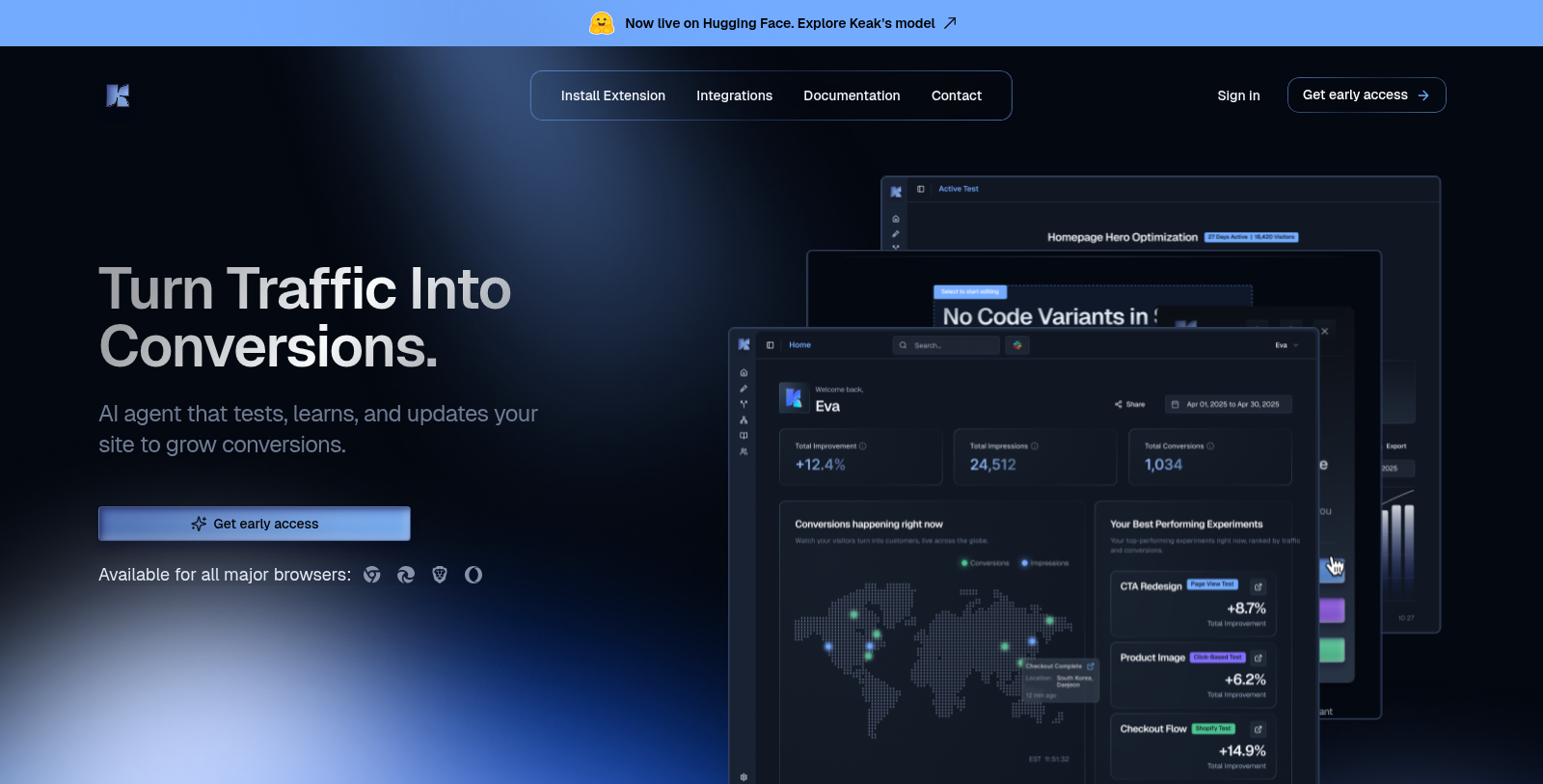
Screenshot of Keak
What is Keak?
Keak is an AI-powered A/B testing platform designed to streamline the process of optimizing your website for better conversions. By leveraging cutting-edge artificial intelligence, Keak helps you turn traffic into conversions effortlessly.
One of the standout features of Keak is its Auto Pilot Mode, which automatically launches the next test once the current one ends or reaches statistical significance. This not only saves time but ensures that your website is always adapting to user preferences and behaviors.
Fast and Lightweight
Keak boasts a tiny footprint, weighing in at just 34kb. This makes it one of the lightest A/B testing scripts available, ensuring fast loading times without compromising your site's SEO. Users can expect load speeds of about 300 ms, making it a perfect fit for any website aiming to provide a seamless user experience.
No Code Required
With Keak, you can create and test variations of your website in just a few clicks, without the need for any coding knowledge. The platform enables you to make changes instantly, publish new site versions in minutes, and test which ones perform best. It's designed for marketers who may not have a technical background but want to use powerful testing tools to enhance their strategies.
Enhanced Visual Analytics
Keak not only allows you to generate A/B test variants but also provides smart analytics that give you clear insights into which variants are winning. This means you can make informed decisions based on real data rather than guesswork. The one-click launch feature is particularly beneficial, allowing for rapid deployment of new tests.
Integrations and Compatibility
The tool is built to work seamlessly with Shopify, allowing eCommerce marketers to test what drives sales instantly. Furthermore, Keak supports cross-browser integration and can be applied across various platforms without requiring extensive modifications
.Community Feedback
User testimonials indicate that Keak is well-received, with users appreciating its simplicity and effectiveness. Marketers who have struggled with traditional A/B testing tools find Keak's automated approach refreshing and liberating, as it minimizes the time investment required to launch tests and optimize pages.
Keak's approach is particularly advantageous for fast-moving teams that need to react quickly to consumer behavior and market trends. The tool not only simplifies testing but also enables marketers to focus on strategy rather than the technicalities of implementation.
As organizations continue to recognize the importance of data-driven decision-making, tools like Keak are set to become indispensable in the marketer's toolkit.
Pros & Cons
Pros
- Automatically generates A/B test variants based on AI analysis of website traffic.
- Seamless integration with various platforms, including major no-code sites and frameworks.
- Lightweight pixel, just 34kb, ensures high loading speed and preserves SEO.
Cons
- Lacks detailed information on maintaining brand consistency across generated variations.
Frequently Asked Questions
Keak is free to start, with paid plans from 0 to 0 USD per month.
According to our latest information, this tool does not seem to have a lifetime deal at the moment, unfortunately.
Keak lets you run various types of A/B tests, including Page View Tests, Click-Based Tests, and Shopify-specific tests. Page View Tests track visits to specific pages, Click-Based Tests monitor clicks on designated elements, and Shopify Tests track purchases and revenue. Choose the type that best suits your goals to measure your changes' performance effectively.
Keak lets you run several types of A/B tests: Page View Tests track sessions on specific URLs, Click-Based Tests monitor interactions with buttons or links to see which lead to higher engagement, and Shopify Tests are tailored for e-commerce sites to track purchases and revenue. This versatility helps you analyze different aspects of user behavior effectively.
To install the Keak tracking pixel, first open the Keak dashboard and click on 'Install Pixel Code.' Select your platform (e.g., Shopify, WordPress) to get the specific pixel code. Follow the provided instructions for your platform to embed the pixel. This allows Keak to track conversion events and enhance the testing functionality on your site.
To launch your first test with Keak, start by installing the Keak Chrome extension. Open the extension on your website, and you can either select specific elements to generate variations manually or perform a full-page scan for automatic suggestions. After choosing your method, you'll apply the variations and select a conversion tracking option before launching the test. Make sure to monitor your dashboard to analyze results in real time.
Yes! You can invite your team members to collaborate on tests within Keak. On the dashboard onboarding card, click 'Invite Team,' enter their email addresses, assign roles (Admin, Editor, or Viewer), and send invitations. They'll receive an email to join your workspace and collaborate effectively.
The tracking pixel in Keak is essential for tracking conversions and managing A/B tests. It collects data on page views and clicks, enabling you to measure the effectiveness of your variations. Installation is straightforward—obtain the pixel code from your Keak dashboard, follow the platform-specific instructions for your website, and verify it's working correctly by checking its status in the dashboard.
Yes, Keak integrates seamlessly with platforms such as Shopify, WordPress, Webflow, and more. You can install the Keak tracking pixel across these platforms to enhance your A/B testing capabilities. Specific installation guides are available on Keak's documentation page to ensure compliance with each platform's requirements.
You can launch your first A/B test in under 10 minutes with Keak. The process involves adding your domain, installing the Chrome extension, inviting team members (optional), setting up the tracking pixel, and launching the test either by selecting elements manually or scanning the whole page for suggestions from Keak.
Auto Pilot Mode is a feature in Keak that automatically launches the next A/B test when the current one reaches statistical significance or ends. This means your site can continuously improve without requiring constant manual oversight, making the optimization process more seamless.
Keak offers comprehensive support for new users through various channels. Users can access detailed documentation covering setup, test launch, and A/B testing principles. For real-time assistance, Keak has a Slack community where users can ask questions and get help from both the support team and fellow users. You can also reach out via email for specific inquiries.
Keak utilizes AI trained on data from thousands of successful tests to generate variants of your web elements. While the AI generates suggestions, it's always advisable for users to review variations to ensure that they align with brand guidelines and tone of voice. Users can also generate multiple options to find the one that best fits their brand.
Keak uses AI to generate variations from existing content, ensuring the tone remains consistent with your brand's voice. While you can manually select elements to test, utilizing Keak's full-page scan will allow the AI to suggest relevant changes while considering your brand identity. Review each variation to ensure it aligns with your branding before launching any test.
To maximize the effectiveness of your A/B tests with Keak, start with high-impact elements like headlines or CTA buttons and test one element at a time. Allow sufficient time for your tests—aim for at least 95% confidence and a sample size of over 1000 visitors. Regularly analyze results to refine your testing strategy and continuously optimize your site based on data-driven insights.
Keak is designed to integrate seamlessly with multiple platforms. You can use it with popular no-code platforms like Shopify, WordPress, Webflow, and Squarespace, as well as JavaScript frameworks such as React, Vue, Next.js, and Angular. This flexibility enables diverse testing setups across different site types.
Absolutely! Keak strongly emphasizes a no-code approach. Users can easily generate variations and publish new versions of their site using the visual tools provided in the extension. The installation process for the tracking pixel is straightforward, and detailed guides are available for different platforms, making it accessible for users without coding knowledge.
To maximize your success with Keak, start by selecting high-impact elements that drive conversions, such assuch as headlines and CTA buttons. Test one element at a time for clear insights and wait for results to reach at least a 95% confidence level. Always aim for an adequate sample size (1000+ visitors) and consider running tests for at least 1 whole week for better results.