
Follow for updates & deals
Get alerts for Keyword Surfer by SurferSEO discounts, feature releases & pricing changes
Similar Tools

Yext
Manage business information across digital channels for multi-location brands.

Keyword Insights
Optimize content by researching keywords, clustering them, and generating detailed briefs for effective SEO.

Similarweb
Analyze website traffic and SEO metrics with in-browser analytics for strategic marketing insights.

Writesonic
Generate SEO-optimized content and manage marketing workflows for various digital channels.

ZipTie
Monitor brand visibility and optimize performance across major AI search platforms

Keyword Surfer by SurferSEO Media Gallery

Keyword Surfer by SurferSEO (review) video
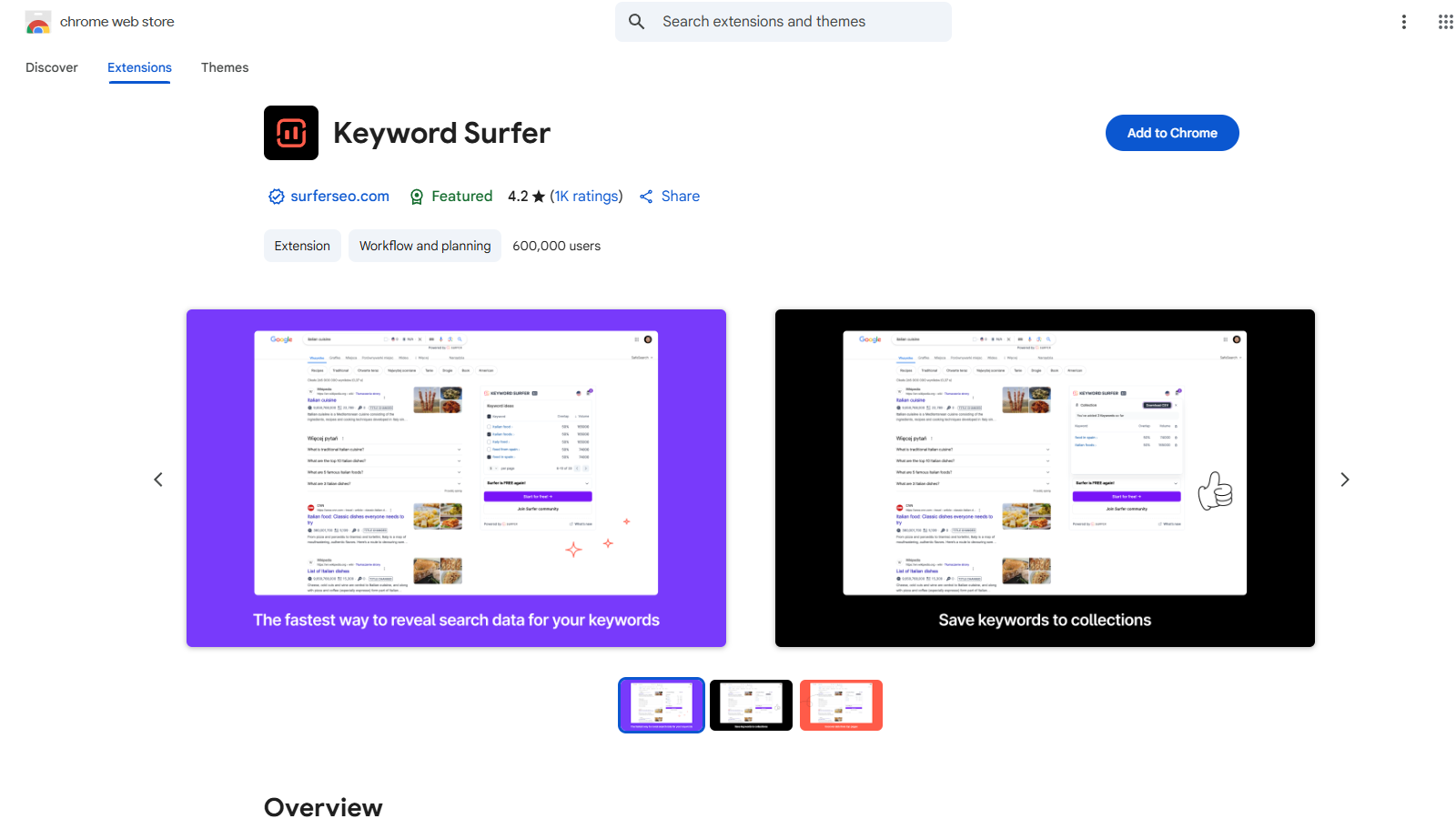
Screenshot of Keyword Surfer by SurferSEO
What is Keyword Surfer by SurferSEO?
Keyword Surfer is a powerful Chrome extension designed to enhance your keyword research directly within Google search results. This intuitive tool boasts a user-friendly interface and offers functionalities that streamline your content creation process.
With over 600,000 users and an impressive average rating of 4.3, Keyword Surfer equips marketers and SEO professionals with valuable insights right as they search the web. The extension lets you generate fresh keyword ideas and instantly view important metrics such as search volumes and cost-per-click (CPC), enhancing your keyword selection and strategy.
Each time you initiate a search on Google, Keyword Surfer provides real-time data that includes:
- Search Volume: Understand how many people are searching for your chosen keywords every month.
- CPC Data: Get estimates on how much you would pay per click for these keywords.
- Related Terms and Suggestions: Discover alternative keywords and phrases that could benefit your SEO efforts.
- Visibility Metrics: Analyze the competitive landscape for your targeted keywords.
- On-Page Data: Gather critical insights into how well pages are optimized for specific keywords.
To get started, simply download the extension from the Chrome Web Store and add it to your browser. After installation, grant the necessary permissions for full functionality. When you perform a search, Keyword Surfer will appear on the side panel of your Google results page, allowing easy access to all its features.
Keyword Collections
One of the standout features of Keyword Surfer is the ability to create and manage keyword collections. Users can save keywords for easy access without the need to conduct redundant searches. These collections can also be exported as .csv files, making it simple to integrate into your larger content planning or marketing strategies.
In addition to its core features, Keyword Surfer has recently introduced functionality that allows users to harness its power within ChatGPT. This feature helps to ensure that the generated content aligns with human-like writing styles, providing suggestions on how to improve the text for better readability and engagement.
Built for Efficiency
Keyword Surfer is designed to significantly enhance the efficiency of your content creation and SEO research process. It integrates seamlessly into the Google search interface, meaning that you can leverage its insights without having to navigate away from your query. Thus, it removes the hassle of juggling multiple tools, ensuring your focus remains on writing and optimization.
Furthermore, Surfer provides high-quality data that its users have come to trust. Thanks to its advanced algorithms and reverse-engineering capabilities, Keyword Surfer delivers results that empower users with data-supported recommendations for their SEO efforts.
The consistent updates and improvements made to Keyword Surfer reflect its commitment to meeting the evolving demands of the digital marketing landscape. The team behind the extension continually enhances its features, ensuring it remains a relevant and essential tool for anyone serious about SEO and content marketing.
For those looking to optimize their approach towards SEO and content drafting, Keyword Surfer is an indispensable addition to your toolkit. It simplifies the tasks of keyword research, analytics, and content management, making it easier than ever to create SEO-driven content that resonates with audiences and improves search visibility.
Keyword Surfer is powered by the confidence of users and the expertise embedded within the SurferSEO platform, enabling marketers, bloggers, and content creators to drive growth and success.
Pros & Cons
Pros
- Generates keyword ideas and displays search volumes directly in Google search results.
- Offers a side panel with on-page data and visibility metrics for enhanced SEO insights.
- Allows users to store keywords for quick access and export data as a .csv file.
Cons
- Displays some results off the screen on larger monitors, requiring window adjustments.
- Certain countries may be excluded from keyword suggestions due to data availability.
Frequently Asked Questions
Keyword Surfer by SurferSEO is available at no cost.
According to our latest information, this tool does not seem to have a lifetime deal at the moment, unfortunately.
Keyword Surfer enhances your Google search results by displaying essential data, including search volumes, cost-per-click (CPC), keyword suggestions, related terms, visibility metrics, and on-page data. This information helps users understand how to target their SEO strategies effectively without leaving the search results page.
To start keyword research with Keyword Surfer, first install the extension from the Chrome Web Store. Once installed, conduct a Google search for any term. The Keyword Surfer sidebar will appear on the right side of your search results, showing relevant keyword insights and suggestions tailored to your query.
Yes! Keyword Surfer allows you to store keywords, making it easy to access them later without needing to search for them repeatedly. This feature streamlines your research workflow and helps you keep organized notes of essential keywords.
Keyword Surfer provides an easy way to export your stored keywords. Navigate to your keyword collection within the extension, and select the export option to download your keywords in a CSV format. This functionality helps organize your keyword research or share it with team members.
The new integration of Keyword Surfer with ChatGPT allows users to refine and humanize their written content directly within the AI interface. It assesses the likelihood of the content being detected as automated versus human-written, helping users maintain high-quality writing.
Keyword Surfer is an extension designed explicitly for Chromium-based browsers. You can add it to any such browser, such as Google Chrome, Microsoft Edge, or Brave. Ensure your browser is updated to the latest version for optimum performance of the extension.
Some users have reported issues with visibility and display of Keyword Surfer data, particularly related to screen size compatibility and the extension overlapping with other elements on the page. It's recommended to use the most recent version of the extension and ensure your browser window is sized adequately to view all features.
If you're looking for alternatives to Keyword Surfer, consider tools like Keywords Everywhere, Ubersuggest, or SEOquake. Each of these tools offers unique features for keyword analysis and SEO insights, so you may want to explore them based on your specific needs and preferences.