KikiVoice

Generate realistic voice clones in 75+ languages without registration.
Kikivoice.ai
Is this your tool?
Follow for updates & deals
Get alerts for KikiVoice discounts, feature releases & pricing changes
Similar Tools

Commitify
AI-driven tool for motivational phone calls that help you stay accountable to your personal goals.

Mango AI
Generate videos with personalized talking avatars using AI technology.

KreadoAI
Generate professional videos from text, images, and presentations using AI avatars and voices.

Androidify
Design personalized Android bots using images or prompts with AI-driven customization features.

Dora Studio
Create professional motion graphics by describing your vision in a chat with our AI.

KikiVoice Media Gallery
What is KikiVoice?
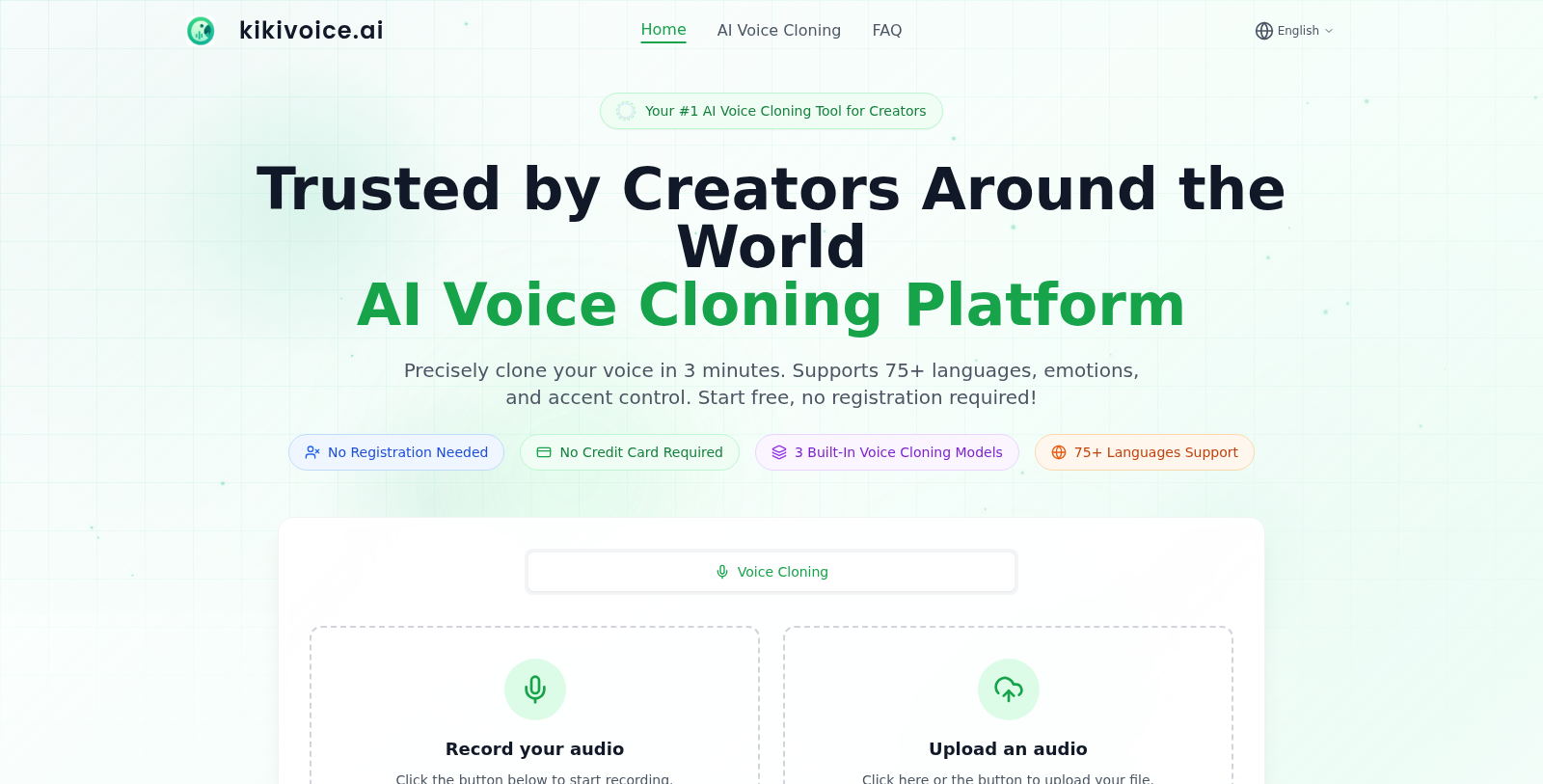
KikiVoice is a state-of-the-art AI voice cloning platform that allows creators to generate and clone highly realistic voices in minutes without any registration. With 75+ languages supported and no credit card required, KikiVoice stands out as a trusted tool among creators globally.
This platform efficiently captures and processes voice samples in a straightforward three-step process. Users upload a few seconds of audio, enter text, and receive a voice clone within approximately three minutes. The service is tailored to meet a range of creators' needs, from video dubbing and gaming voice acting to podcasting and e-learning.
How KikiVoice Works
The voice cloning functionality is powered by sophisticated machine learning algorithms that analyze the unique characteristics of a user's voice. This includes tone, pitch, accent, and pronunciation patterns, which are crucial to accurately replicating voice nuances.
Upon uploading a 3-15 second clear audio sample, the system employs one of three available voice cloning models:
- Kiki Core: Prioritizes speed and stability, making it suitable for everyday content creation.
- Kiki Pro: Offers enhanced emotional expression and parameter controls, ideal for professional-grade projects.
- Kiki Multilingual: Supports 75+ languages and multiple accents, assisting creators in producing content tailored for global audiences.
Benefits of Using KikiVoice
KikiVoice excels in producing voice clones that are not only quick but also highly versatile. The models provided switch effortlessly between different use cases, making it a comprehensive solution for various projects. The process is designed to be user-friendly, catering to both novices and seasoned professionals.
Furthermore, users benefit from significant privacy features as KikiVoice places a strong emphasis on the security of uploaded data, ensuring it is encrypted and deleted post-processing. The free core functionality offers ample opportunities for creators to explore the flood of options KikiVoice provides.
Community Trust
Over 10,000 creators have relied on KikiVoice for their voice cloning needs, underscoring the platform's effectiveness and reliability. With a free tier available, users can dive into the process without financial barriers, making it accessible to everyone from hobbyists to professionals.
Conclusion
In summary, KikiVoice is not just an AI voice cloning tool; it is a robust platform designed for modern content creators, ensuring they have the necessary tools at their disposal to create high-quality audio content seamlessly.
Pros & Cons
Pros
- Generates highly realistic voice clones in under 3 minutes.
- Supports over 75 languages and multiple accents for global content.
- No registration or credit card is needed to start using the service.
Cons
- Free tier has weekly credit limits that reset regularly.
Frequently Asked Questions
KikiVoice is available at no cost.
According to our latest information, this tool does not seem to have a lifetime deal at the moment, unfortunately.
KikiVoice supports a wide range of audio formats for both input and output. You can upload audio files in formats such as WAV, MP3, M4A, AAC, OGG, OPUS, FLAC, WMA, ALAC, AIFF, and AMR. Additionally, it supports video formats such as MP4, MOV, MKV, AVI, and WEBM, with a maximum file size of 50MB. Once the cloning process is complete, you can download the generated audio in formats such as MP3, WAV, OGG, AAC, or OPUS, and choose the audio quality as standard or high.
To improve cloning quality, ensure that the audio sample you upload is 3-15 seconds of clear speech recorded in a quiet environment using a high-quality microphone. Avoid background noise, and be mindful of your pronunciation and speaking speed. If your audio sample is longer than 20 seconds, use the cropping feature to select the clearest, most natural segment for best results. Additionally, you can try different voice-cloning models available in KikiVoice to make adjustments.
KikiVoice offers three built-in voice cloning models to meet diverse needs: Kiki Core focuses on quick, stable voice cloning for everyday content and supports over 10 languages. Kiki Pro provides higher-quality, ultra-realistic cloning with advanced emotional controls and support for 8+ languages, ideal for professional content. Kiki Multilingual supports 75+ languages, enabling cross-lingual cloning and accent transformations, making it perfect for global projects. Choose the model that best aligns with your project requirements.
Yes, KikiVoice allows the use of cloned voices for commercial projects. However, you must have full copyright and usage rights for the audio sample you upload for cloning. This means that you need to confirm that the original audio can be utilized for commercial purposes. Generated cloned voices can be used in applications such as video dubbing, advertising, and podcasts, provided the original audio complies with copyright laws.
The voice cloning process in KikiVoice is designed for speed and efficiency, generally completing within 3 minutes. The overall time may vary based on the length of the uploaded audio sample, the selected cloning model, and the AI servers' workload. Typically, the steps include uploading the audio, customizing settings, and then generating the cloned voice, all of which are streamlined for user convenience.
No, KikiVoice allows users to start creating instantly without account registration or credit card information. You can access the platform's core features immediately by uploading your audio file to begin the cloning process. This makes it easy for anyone to try out the service without any barriers.
Yes, KikiVoice lets you adjust both the speed and pitch of your cloned voice in its voice control settings. You can modify the speaking speed to your preference and fine-tune the pitch to achieve the desired voice characteristics. These adjustments enable greater customization and flexibility in the final voice output.
If the voice clone does not sound natural, it may be affected by the quality of the input audio. To rectify this, re-record your audio sample in a quiet environment using a high-quality microphone, ensuring clear speech. Avoid background noise and use the cropping assistance feature to select the best audio segment for cloning. Using different cloning models available in KikiVoice can also yield better results.