LazyTyper

Voice typing app with multiple AI models for accurate transcription in various languages.
Lazytyper.com
Is this your tool?
Follow for updates & deals
Get alerts for LazyTyper discounts, feature releases & pricing changes
Similar Tools

Scraib
AI tool for rewriting text quickly across various applications on your Mac.

Heynds
Transcribes voice to text in real time for faster writing and editing.

Wispr Flow
Transcribes speech into text for seamless communication across various applications

Dream Story
A journaling app that enhances personal growth through guided self-reflection and AI-assisted insights.

Ninja AI
AI tool for managing research, writing, coding tasks, and generating images.

LazyTyper Media Gallery

LazyTyper (review) video
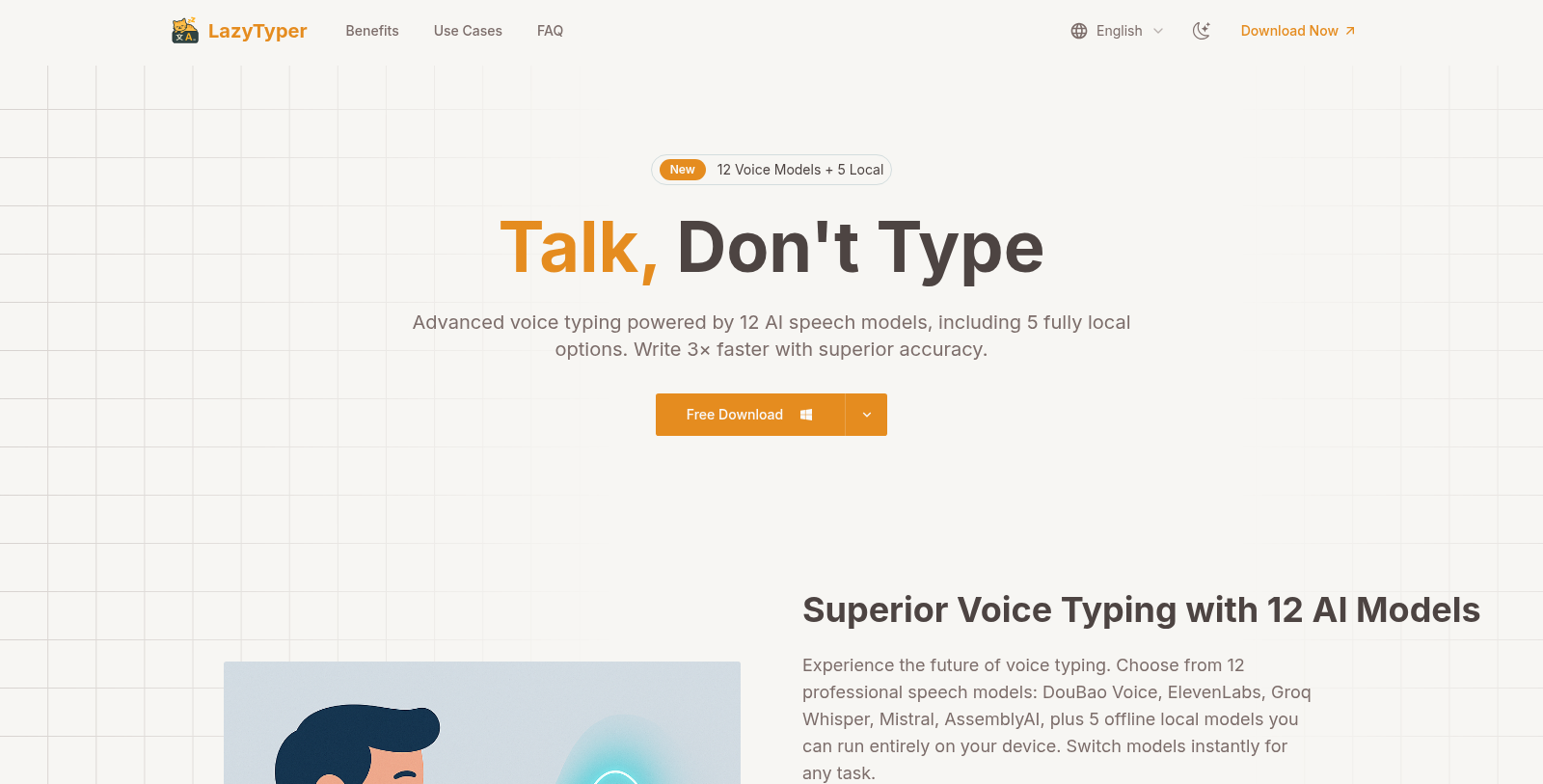
Screenshot of LazyTyper
What is LazyTyper?
LazyTyper is a fast, accurate, and completely free voice typing app, designed to transcribe spoken words into text with remarkable precision and efficiency. Leveraging twelve advanced AI speech models—among which five can run locally—LazyTyper significantly boosts productivity for professionals, students, and anyone aiming to expedite their writing processes.
Experience the Future of Voice Typing
With 12 professional speech models at your disposal, LazyTyper redefines the standards for voice typing applications. Users can choose from the specialized DouBao Voice for enhanced Chinese-language accuracy, ElevenLabs for optimal coding support, Groq Whisper for speedy transcriptions, and several other models, including Mistral and AssemblyAI. The flexibility to switch between these models seamlessly ensures that LazyTyper adapts to any writing requirement.
Unparalleled Accuracy
LazyTyper boasts an impressive voice typing accuracy of over 90%. This means that most users can expect their spoken words to be faithfully transcribed with minimal corrections required. Whether drafting emails, creating documents, or writing code, LazyTyper enables users to articulate their thoughts at speaking speed—approximately three times faster than traditional typing methods.
Lightweight and Accessible
This application is designed to operate smoothly on multiple operating systems including Windows, macOS, and Linux. Its lightweight architecture minimizes memory usage, ensuring it doesn’t slow down other applications while working in the background. LazyTyper is completely free to download, and users can access all features without any interruptions from ads.
Community-Favored Performance
The positive reception of LazyTyper is evident on platforms like V2EX, where many users have praised it as a game-changer for productivity. Real-time performance metrics recorded by users indicate enhanced typing speeds, consistently reported to be three times faster than manual inputs. The loyal user base appreciates LazyTyper's effective dictation capabilities, making it a trusted solution for voice typing.
Real-World Applications
LazyTyper is tailored for various user needs. Developers utilize it for efficient note-taking while coding, writers transform their spoken ideas into text without disruptive typing breaks, and students can record classroom lectures seamlessly. With robust multilingual support, LazyTyper allows users to blend languages fluidly, making it a valuable asset in diverse environments.
Data Privacy and Security
Your privacy is paramount when using LazyTyper. It processes voice recordings directly via the selected AI transcription provider, thus ensuring that sensitive data is not stored externally on servers. This capability provides users with peace of mind while executing voice-to-text tasks, knowing their information remains confidential.
New Features and Improvements
The recent updates to LazyTyper have further enhanced its functionality. Users can now select their preferred update channels, choose between various transcription engines, and experience improved control over transcription accuracy. The interface is more intuitive, with clear visibility of the active microphone and a refined workflow for translations. These improvements have substantially increased efficiency, ensuring a smooth user experience.
In summary, LazyTyper is not merely a voice typing tool; it’s a comprehensive solution for modern writing demands, merging speed, accuracy, and an excellent user experience—all at zero cost. Whether you are jotting down notes, drafting important documents, or even coding, LazyTyper is positioned to revolutionize how you interact with text.
Pros & Cons
Pros
- Offers 12 speech models, including 5 for offline use, enhancing versatility.
- Achieves 90% accuracy in voice typing, significantly reducing editing needs.
- Lightweight application, designed to run efficiently on Windows and macOS.
Cons
- Requires an internet connection for real-time voice typing functionality.
Frequently Asked Questions
LazyTyper is available at no cost.
This tool offers a lifetime deal.
LazyTyper is compatible with multiple platforms, including Windows, macOS, and Linux. Windows and macOS users can download the application directly from the LazyTyper website, while Linux users can install it via package formats such as .deb, .rpm, and .tar. gz.AppImage through the GitHub releases page.
LazyTyper achieves a remarkable 90%+ accuracy rate in voice typing, meaning that most users won't need to make edits. This performance is attributed to its 12 professional speech models, which include options optimized for different languages and tasks. The DouBao Voice model delivers enhanced accuracy on Chinese input, making it effective for a range of language needs.
For real-time voice typing, an internet connection is required because LazyTyper sends voice data to partner AI transcription services such as Groq and OpenAI for processing. However, LazyTyper also includes five local voice models that run entirely on your device, enabling offline use and supporting sensitive or private recordings.
LazyTyper is particularly beneficial for coders as it includes the ElevenLabs model, which formats variable names effectively and enhances overall coding efficiency. With voice typing speeds three times faster than manual typing, developers can document code and write seamlessly without the frustration of traditional typing methods.
Switching between voice models in LazyTyper is straightforward and can be done instantly within the app. Users can select from 12 models, including five local options, to suit tasks ranging from coding to multilingual work. This flexibility allows you to optimize for accuracy and speed based on specific needs.
Yes, LazyTyper prioritizes user privacy and data security. Voice recordings are sent directly to chosen transcription API providers without passing through LazyTyper's servers, and they are not stored. Users can also turn off optional analytics features, ensuring complete control over their data and privacy.
LazyTyper is designed for anyone looking to enhance productivity and save time when typing. It's especially beneficial for students, writers, developers, and professionals who need to draft documents, take notes, or communicate in multiple languages quickly and accurately.
LazyTyper stands out for its unique combination of 12 premium speech models—5 of which can operate locally—providing unmatched accuracy and speed. It maintains a lightweight footprint on system resources and is entirely free, with no ads. This feature set, coupled with strong community feedback, makes LazyTyper a top choice for compelling voice typing.