Levelr
Enhances audio clarity by reducing noise and isolating vocals for films, podcasts, and post-production.
Levelr.ai
Is this your tool?
Follow for updates & deals
Get alerts for Levelr discounts, feature releases & pricing changes
Similar Tools

ElevenLabs
Generates expressive text-to-speech audio for diverse applications including podcasts and audiobooks.

FineVoice
Convert text to speech using customizable, realistic voices and advanced emotional tone control.

DeepL
Provides AI-powered translation and writing assistance to overcome language barriers.

Mureka
Transforms user-provided lyrics and prompts into fully produced songs.

David AI
Provides curated audio datasets for training speech and conversational AI models.

Levelr Media Gallery

Levelr (review) video
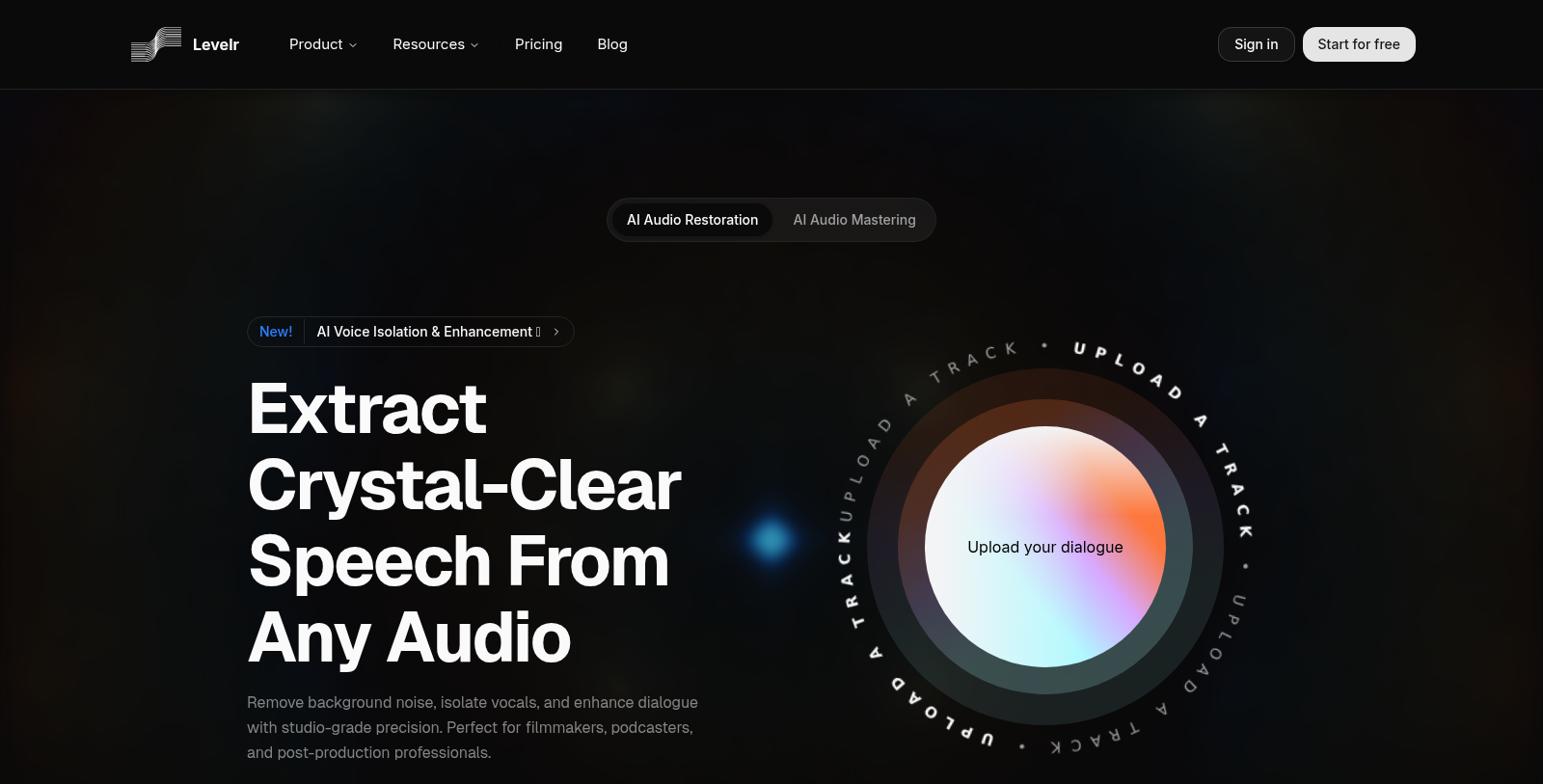
Screenshot of Levelr
What is Levelr?
Levelr is an innovative online tool specializing in AI-driven audio enhancement and restoration designed specifically for professionals in various audio-related fields. Whether you're a filmmaker, podcaster, or involved in post-production, Levelr provides tailored solutions to meet your needs.
One of the primary features of Levelr is its ability to remove background noise, isolate vocals, and enhance dialogue with precision, ensuring clarity in audio recordings. This capability is well-suited to a range of applications—from cleaning interview audio to restoring vintage recordings and improving podcast audio quality.
Key Features
With Levelr, users can enjoy studio-grade results with a user-friendly interface that makes complex audio restoration tasks straightforward and accessible.
Audio Restoration
Levelr's AI audio restoration uses advanced machine learning algorithms that analyze uploaded audio files to eliminate unwanted noise and enhance vocal clarity. Users can upload various formats, including MP3, WAV, and AIFF, and trust that the AI-powered system will restore audio while preserving the original audio's integrity.
Speech Clarity Enhancement
It’s common for dialogue to be muddled by background noise or echo, but with Levelr's tools, professionals can achieve crisp, clear speech. Whether users are processing audio for a podcast or preparing for film production, Levelr significantly streamlines the workflow.
Specialized Models for Different Needs
Levelr offers several models that work in tandem for comprehensive audio processing. The Studio Model is ideal for dialogue cleanup, while the EQ Recover model helps recover high frequencies in deteriorated recordings. By using both models, users can achieve superior audio quality efficiently.
Personalized Solutions
Levelr understands that different users have various needs—thus, it offers flexible pricing plans to accommodate both small teams and large enterprises. Users can start with the Free plan, which offers basic audio processing, or opt for a subscription plan that provides advanced features and unlimited access.
Why Choose Levelr?
Choosing Levelr means joining a community of satisfied users who rely on its efficient AI tools for audio enhancement. The platform is trusted by numerous fast-growing companies across the globe, which speaks volumes about its reliability and effectiveness.
Moreover, the intuitive design and operational simplicity mean that even those without extensive audio engineering expertise can operate the software easily, allowing for quick learning and immediate application.
In conclusion, whether your goal is to enhance the audio quality of podcasts, improve the sound of virtual meetings, or restore archival content to its former glory, Levelr has the robust features necessary to elevate audio experiences. Its combination of cutting-edge AI technology and user-friendliness positions it as a leader in the audio enhancement industry.
Pros & Cons
Pros
- Advanced AI effectively isolates vocals and removes background noise for clear audio.
- Supports multiple audio formats, ensuring versatility for various user needs.
- Designed for effortless use, allowing users to achieve professional results without expertise.
Cons
- Not optimized for music vocals, limiting its application for musical recordings.
Frequently Asked Questions
Levelr is free to start, with paid plans from 0 to 49 USD per month.
According to our latest information, this tool does not seem to have a lifetime deal at the moment, unfortunately.
Levelr supports a wide range of audio formats for restoration and enhancement, including MP3, WAV, FLAC, AIFF, M4A, and MP4. For best results, upload high-resolution files, and note that the maximum file size is 500MB.
Yes! Levelr's AI restoration algorithms excel at suppressing reverb and echo from recordings, minimizing any unwanted artifacts. This feature ensures your audio sounds natural and clear, even when captured in a highly reverberant environment.
Absolutely! Levelr is designed to enhance dialogue across various scenarios, including podcasts, interviews, and video productions. It can effectively remove background noise, improve speech clarity, and deliver high-quality audio, making it a valuable tool for content creators.
Levelr's AI audio enhancement can be used in a variety of settings, including cleaning up podcast audio by removing ambient noise, restoring vintage recordings with frequency recovery, and preparing tracks for music production by removing unwanted artifacts from stems. It's also beneficial for filmmakers and live streamers needing clear, professional audio.
Not at all! Levelr is designed to be user-friendly, with most users achieving excellent results using the default settings. You can upload your audio file, and the AI will handle the complex processing. There are also simple controls available for those who wish to fine-tune the restoration intensity.
Levelr uses advanced AI algorithms and deep neural networks trained on thousands of voice recordings to separate dialogue from unwanted noise intelligently. The technology is designed to maintain the natural characteristics of the voice, ensuring that the restored audio meets professional standards for clarity and sound quality.
If you exceed your current plan's limits, Levelr will alert you. You can either upgrade to a higher plan or adjust your usage to stay within your current limits. It's essential to monitor your usage to avoid any interruptions.
Yes! Levelr is continuously evolving, and features such as API access for integrating audio restoration into developer workflows are coming soon. Additionally, improvements to existing functionality and the introduction of new tools are planned to enhance the user experience further.