













LightPDF

Edit, convert, and manage PDF documents online with OCR and cloud integration features.
Lightpdf.com
Is this your tool?
Follow for updates & deals
Get alerts for LightPDF discounts, feature releases & pricing changes
Similar Tools

ClickUp
An all-in-one platform for task management, collaboration, and workflow automation.

Scribe
Automate workflow documentation and create clear, shareable guides without manual effort.

URL to Any
Convert any webpage into formats like PDF, Markdown, and HTML for easy saving and sharing.

Bubble
Build web and mobile applications visually without writing code using a drag-and-drop interface.

ChatPDF
Interactively query PDF documents to extract information and insights using AI.

LightPDF Media Gallery

LightPDF (review) video
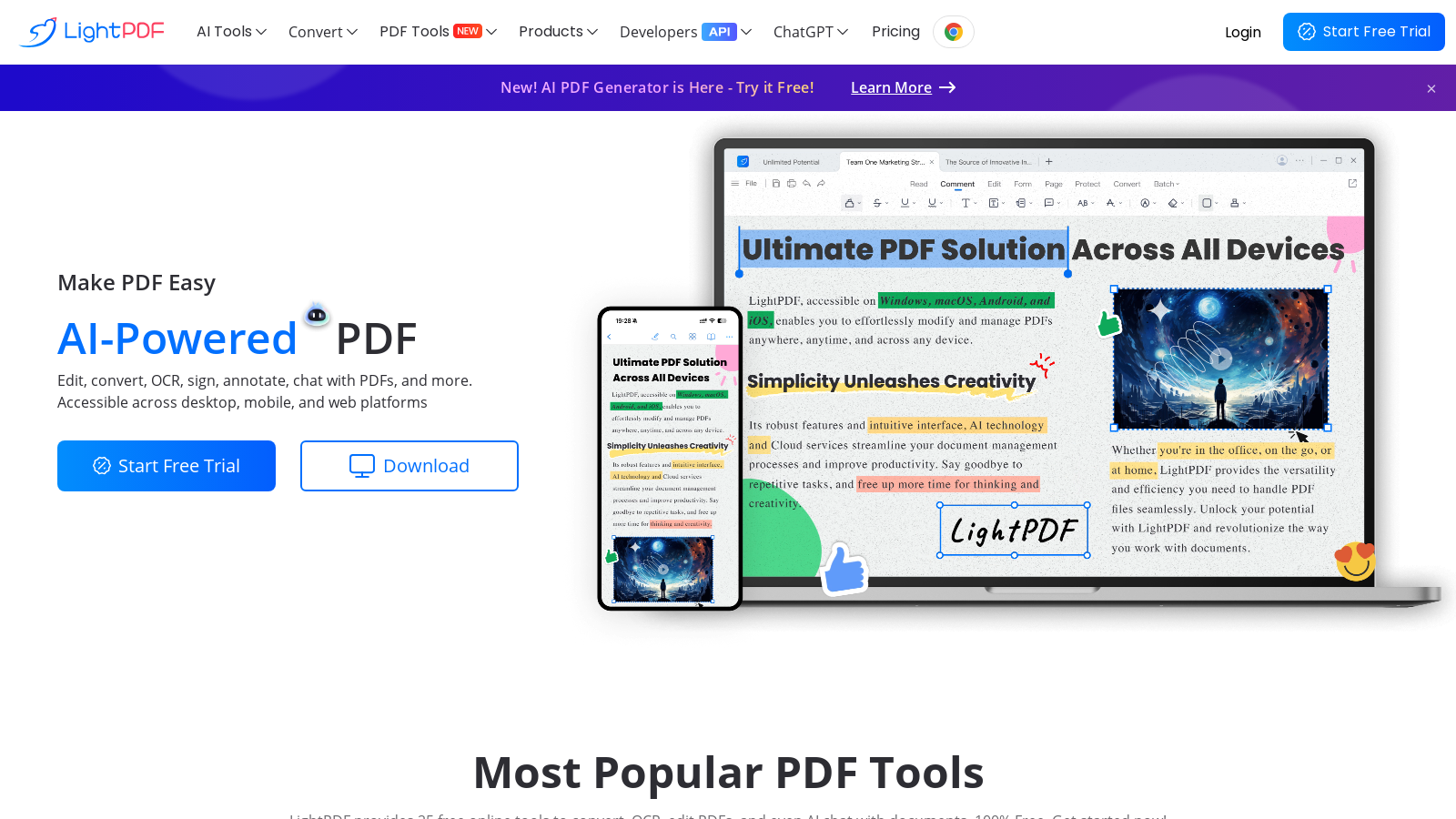
Screenshot of LightPDF
What is LightPDF?
LightPDF is an innovative online tool that harnesses the capabilities of artificial intelligence to provide a diverse set of services for managing PDF documents. With functionalities ranging from editing and converting to viewing, signing, and sharing PDFs, this platform resolves nearly all challenges associated with PDF file management.
Stepping up its game, LightPDF now features an AI-powered ChatPDF tool, allowing users to interactively ask questions about their PDF documents. This feature enhances user engagement and streamlines workflows for students and professionals alike. The tool is designed to be accessible across desktop and mobile platforms, enabling users to manage their documents conveniently, no matter where they are.
Key Features
- AI-Powered PDF Interaction: Users can now chat with their PDF documents using the innovative ChatPDF feature. This allows for easy question-asking about content within the documents, fostering a deeper understanding and facilitating better documentation practices.
- Extensive PDF Editing: LightPDF continues to provide seamless modification of text, images, and links within PDFs. Users can add annotations, comments, and markups, improving collaboration and communication.
- Powerful File Conversion: The tool can convert PDFs to a variety of formats, including Word, Excel, PPT, and image formats, alongside integrating capabilities for conversion back to PDF. This facilitates flexibility based on user needs.
- Optical Character Recognition (OCR): With enhanced OCR capabilities, LightPDF allows users to transform scans and images into editable and searchable documents with high accuracy. This feature significantly improves the accessibility of previously uneditable content.
- Cloud Integration: Users can upload their documents to the cloud for easy management and access from any device, enhancing convenience and productivity on-the-go.
- Multi-Device Accessibility: LightPDF is supported on various platforms, including Windows, Mac, Android, and iOS, ensuring users can easily access their documents wherever they are.
- Document Merging and Splitting: Combine multiple PDFs into a single document or extract specific pages effortlessly to adapt to your workflow.
- Document Compression: Reduce PDF file sizes without losing quality, making sharing and storage more efficient.
- Top-Notch Security: LightPDF prioritizes user privacy. All files processed are securely handled, with automatic deletion after conversions to ensure confidential documents remain private.
How to Get Started
Getting started with LightPDF is a straightforward process. Users can visit the official website, create an account, and immediately dive into the rich features offered by the tool. For those curious about its full capabilities, a free trial enables exploration without immediate commitment.
Why Choose LightPDF?
LightPDF is distinguished in the competitive landscape of PDF tools due to its strong focus on user experience, its wide array of features, and its commitment to providing a reliable solution for all PDF processing needs. Whether you are managing personal documents or corporate files, LightPDF serves as a robust and dependable platform designed to enhance productivity and simplify the often-complex tasks associated with PDF management.
Pros & Cons
Pros
- AI-powered features streamline PDF editing, summarization, and analysis.
- Offers 25 free online tools for various PDF tasks, enhancing versatility.
- Supports cross-platform access, allowing users to work on desktop and mobile.
Cons
- Some features may require a higher level of user engagement for optimal results.
Frequently Asked Questions
LightPDF is free to start, with paid plans from 0 to 0 USD per Translation not found for 'time_period_unknown'.
According to our latest information, this tool does not seem to have a lifetime deal at the moment, unfortunately.
LightPDF supports various file formats for editing, including PDFs, Microsoft Word documents, Microsoft Excel sheets, and images. You can annotate, sign, and modify texts and images within these documents seamlessly. Additionally, LightPDF allows bulk editing and conversion tasks to help streamline your workflow.
LightPDF's OCR (Optical Character Recognition) feature allows you to convert scanned PDFs and images into editable text. It supports multiple languages and can maintain the formatting of the source files. This tool is ideal for digitizing printed documents and enhancing accessibility, making text searchable and editable.
Yes, LightPDF provides a range of APIs, including PDF conversion, editing, OCR, and watermark removal APIs. These APIs enable seamless integration with your applications, allowing you to automate document processing tasks and utilize LightPDF functionalities within your existing systems.
Yes, when using LightPDF services, the maximum allowed file size is 100 MB. If your files exceed this limit, you may face upload failures. It's essential to ensure that files comply with this size restriction before attempting to process them.
For optimal performance when using the LightPDF API, ensure that you adhere to the recommended request frequency (default QPS is 2) and utilize asynchronous processing for tasks requiring high concurrency. Additionally, ensure that URLs are encoded correctly and that token expiration is handled correctly to prevent service disruptions.
Yes, LightPDF prioritizes user data security by employing HTTPS for data transmission. The platform does not collect personal information, and strict compliance with data protection regulations is maintained to ensure the integrity and confidentiality of your documents.
Absolutely! LightPDF is accessible across multiple platforms, including web browsers, desktops, and mobile devices. You can download the LightPDF app on iOS and Android to edit and manage PDFs on the go, ensuring you can handle documents anytime, anywhere.
In case of an error, first, check the HTTP response code for a quick diagnosis. Common issues include invalid API keys, file size exceeding limits, or incorrect parameters. Refer to the provided documentation for guidance on error messages, or contact LightPDF's support for further assistance.




