Link Redirect Trace

Analyzes redirection paths and checks SEO elements for better website performance.
Linkresearchtools.com
Is this your tool?
Follow for updates & deals
Get alerts for Link Redirect Trace discounts, feature releases & pricing changes
Similar Tools

Ubersuggest
SEO tool that provides keyword metrics, trends, and competition analysis for effective digital marketing.

Yext
Manage business information across digital channels for multi-location brands.

PhotoG
Create and optimize visual marketing content, including ads and videos, using AI-driven tools.

MozBar
A browser extension for SEO research with metrics like Domain Authority and Page Authority.

Screaming Frog SEO Spider
Crawls websites to identify technical SEO issues and analyze page performance.

Link Redirect Trace Media Gallery
What is Link Redirect Trace?
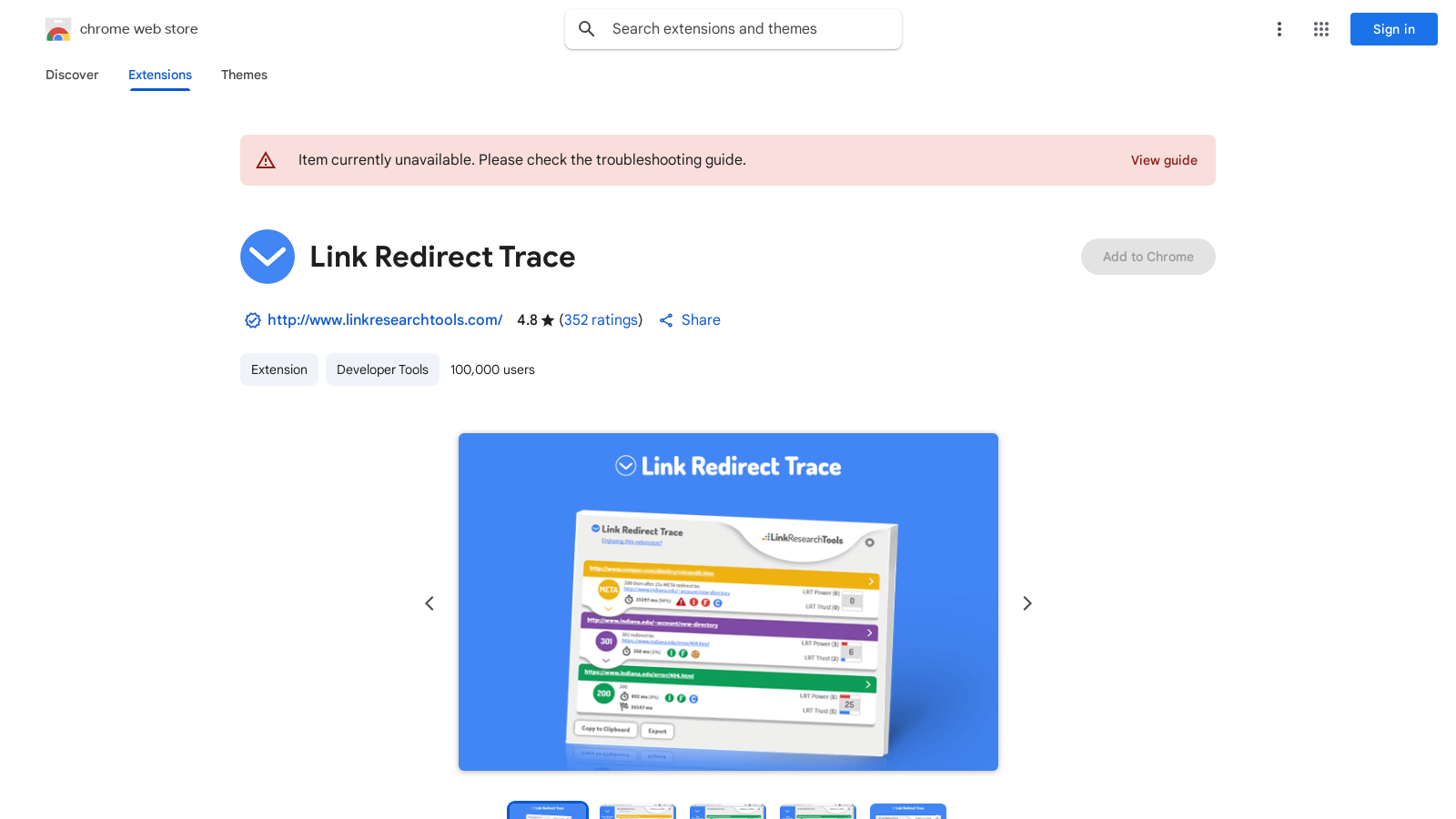
Link Redirect Trace is a powerful Chrome extension designed specifically for SEO professionals, webmasters, and digital marketers who require detailed information about the redirect paths of their websites. This tool allows you to perform advanced, comprehensive, and accurate analyses of redirects and REL-canonicals, providing a complete picture of every redirect involved in the URL process.
Comprehensive Redirect Analysis
The primary function of Link Redirect Trace is to analyze each step in a redirection path. Whether it’s a simple 301 or 302 redirect or a more complicated series involving multiple steps, this extension tracks and displays every redirect in the path, helping you understand how users and bots experience your URLs. By utilizing this tool, you can quickly identify potential issues in the redirection process that may affect user accessibility and search engine indexation.
Protocol Headers and SEO Features
In addition to tracing redirects, Link Redirect Trace examines a variety of protocol headers and SEO-related elements. It checks whether redirects are blocked by the robots.txt file or if there are any X-Robots-Tags in the HTTP header. Moreover, it assesses which URLs are setting cookies, enabling you to understand the implications of cookie use in your redirects.
This extension also provides insights into the LRT (Link Research Tools) Power and Trust metrics for each URL, which has been updated to include more efficient tracking methods that provide even richer data. This is essential for understanding the credibility and authority of the sites involved in your redirect path.
Link Redirect Trace supports many technical checks, including:
- Assessing NOINDEX and NOFOLLOW tags on every redirect step
- Identifying and highlighting cookies set by URLs
- Displaying issues related to bots being blocked at any redirect stage
- Comprehensive analyses of REL-canonicals to ensure your SEO strategies align with best practices.
User-Friendly Interface
The extension has a straightforward, user-friendly interface that integrates seamlessly into your Chrome browser. You don’t need extensive technical skills to interpret the data presented; the tool provides real-time feedback, highlighting issues as they arise.
With an impressive rating of 4.8 out of 5 from 363 users, up from 353, Link Redirect Trace has proven to be a reliable and effective tool for managing redirects and optimizing SEO strategies. The userbase now exceeds 100,000, showcasing its popularity among professionals.
Whether you’re conducting a competitor analysis, refining your on-page SEO, or troubleshooting redirect issues, Link Redirect Trace serves as an invaluable asset in your digital toolkit. Regular updates and a responsive development team ensure that the extension remains compliant with the latest standards and continues to enhance its functionality.
Overall, Link Redirect Trace is not only a tool but a partner in your SEO journey, helping you to navigate the complexities of web redirection with ease and efficiency.
Pros & Cons
Pros
- Offers comprehensive analysis of redirect paths and SEO elements.
- Instantly checks robots.txt for crawler access issues and cookie handling.
- Displays backlink power and trust metrics for evaluated URLs.
Cons
- Some users report inaccurate data affecting usability.
Frequently Asked Questions
Link Redirect Trace is available at no cost.
According to our latest information, this tool does not seem to have a lifetime deal at the moment, unfortunately.
Link Redirect Trace is a powerful tool designed to analyze various aspects of web redirects. It offers a detailed analysis of redirect paths, protocol headers, REL-canonicals, and robots.txt files. Additionally, it evaluates backlink power and trust metrics of each URL. This makes it especially useful for SEO professionals conducting on-page and off-page SEO audits, competitor analysis, and identifying technical SEO issues such as noindex/nofollow tags on redirects.
Link Redirect Trace helps with SEO analysis by providing comprehensive insights into the redirect paths of URLs, identifying potential issues that could impact a website's performance. By checking for any blocks in the robots.txt file, cookie drops, and assessing the trust and authority of backlinks, users can better understand how redirects might impact site indexing and search engine rankings. This allows SEO professionals to optimize their strategies effectively.
Yes, Link Redirect Trace is an excellent tool for competitor analysis in the SEO realm. By examining the redirect paths, backlink profiles, and canonical links of competitors' websites, users can uncover insights into their SEO strategies and identify areas for improvement. This information can be leveraged to inform your SEO practices and make strategic decisions based on competitors' strengths and weaknesses.
Link Redirect Trace is capable of identifying a variety of technical issues that could hinder a website's SEO performance. It analyzes the presence of noindex/nofollow tags and checks for blocks in the robots.txt file or HTTP headers. Additionally, it helps detect cookie drops and evaluates the overall health and trustworthiness of each URL in the redirect chain, providing a holistic view of potential obstacles to effective indexing.
Link Redirect Trace is designed to complement other SEO tools in a digital marketing toolkit. While it focuses specifically on redirect paths, backlinks, and technical SEO issues, it integrates well with other analytical tools and extensions. Users often find it beneficial to use Link Redirect Trace in conjunction with tools that offer keyword tracking, content analysis, and overall site auditing to gain comprehensive insights into website performance.
If you face any issues while using Link Redirect Trace, it's recommended to check the troubleshooting guide available on the developer's support site. This guide may offer solutions to common problems. Additionally, users can contact the support team directly for personalized assistance if the issue persists.
Link Redirect Trace is committed to user privacy. The developer has disclosed that no personal data is collected or used, ensuring that users’ data remains confidential. It also ensures compliance with applicable laws and does not sell user data to third parties, keeping the focus on the core functionality of the tool.
Link Redirect Trace is an extension for the Google Chrome browser, so you will need the latest version of Chrome installed on your computer to use it. The extension is lightweight, requiring minimal storage space, and is easy to install without any additional system requirements.