Magic Animator
Generate customizable animations for Figma designs with a single click, saving time and effort.
Magicanimator.com
Is this your tool?
Follow for updates & deals
Get alerts for Magic Animator discounts, feature releases & pricing changes
Similar Tools

Tome
Create and share multimedia presentations with AI-enhanced content and interactive features.

Malloy
Generate custom animations by typing prompts without needing prior animation skills.

Dreamlux
Generate high-quality videos from text and images without watermarks using an easy-to-use AI platform.

Picbolt
Easily create mockups, edit screenshots, and design visuals with a user-friendly online tool.

Leonardo.Ai
Create high-quality images, art, and videos using a versatile generative AI platform.

Magic Animator Media Gallery
What is Magic Animator?
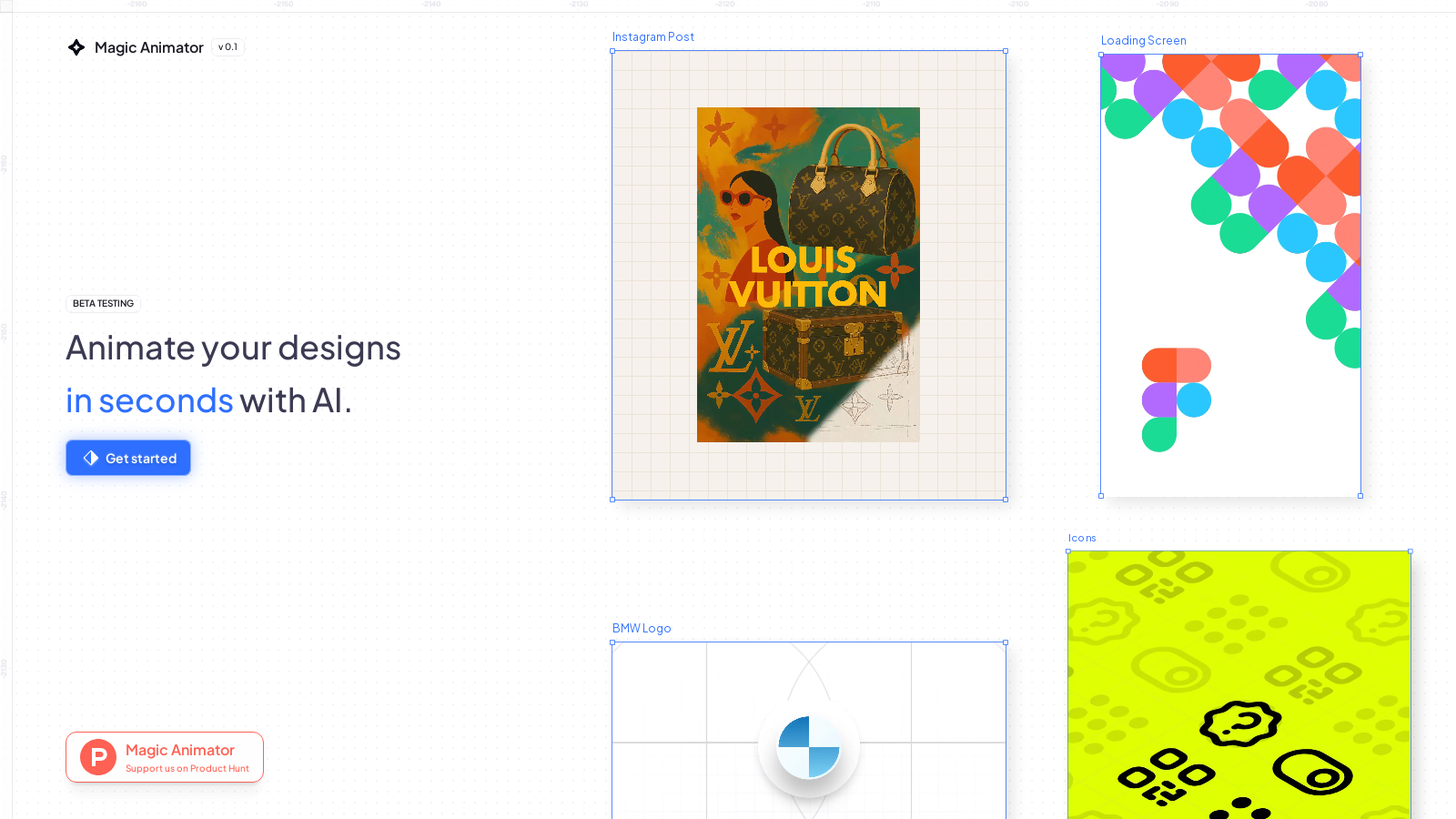
Magic Animator is a revolutionary tool designed to transform the way designers create animations for their Figma projects. One of its standout features is the ability to generate animations with just a single click, instantly providing users with editable animation options based on their design input.
This innovative AI tool analyzes your layout and design intent, offering four unique animation variations that can be further refined or exported directly as MP4s, GIFs, or Lottie files. This capability addresses a common pain point in design workflows, cutting down the time typically spent on manual animation tasks by up to 80%.
The process is straightforward; simply select a frame or component, click 'Generate animations', and watch as Magic Animator works its magic—your designs come to life without the tedious back-and-forth between software packages. This direct integration into Figma makes it especially appealing as it eliminates the need for complicated exporting and importing processes.
How It Works
Magic Animator operates using an intelligent analysis engine that evaluates various design factors like layout, hierarchy, and the overall intent of the project. The tool is particularly user-friendly; there's no requirement for detailed prompts or instructions. Designers can utilize the auto-generated animations directly or tweak the resulting animation layers, timings, and properties in a dedicated motion editor tailored to enhance creativity without the technical hassle.
Key Features
- One-Click Animation Generation: With just one click, designers can create up to four animation variations, saving both time and effort.
- Export Options: Seamlessly export your animations in various formats, including MP4 (up to 4K), GIF, and Lottie JSON.
- Editable Animations: Each generated animation can be opened in a comprehensive motion editor, allowing full control over elements such as layers and keyframes together with easing functions.
- Collaborative Tools: Share and collaborate with teams directly within Figma, enabling multiple users to work on animations in real-time.
Possible Use-Cases
Magic Animator is not just for simple GIFs; its applications are vast and versatile, including:
- Website animations that engage users and enhance interaction.
- Social media assets designed specifically for platforms like Instagram, TikTok, and LinkedIn.
- App and UI animations to improve user experience and onboarding flows.
- Promotional ads that require eye-catching visuals.
- Micro animations for buttons and icons, adding subtle but effective engagement tools.
- Logo introductions and reveals, which are perfect for branding initiatives.
- Presentations and walkthroughs that require a polished, animated approach to communicate ideas effectively.
A Tool for Professionals
Magic Animator has been embraced by designers across prominent industries, including Netflix, Google, and Spotify, showcasing its reliability and effectiveness in enhancing the animation workflow. By reducing the complexity often associated with animation design, Magic Animator serves as an invaluable asset for those looking to elevate their creative projects.
Conclusion
As it stands in beta, Magic Animator is continuously evolving based on user feedback, with weekly updates aimed at improving performance and functionality. This tool not only streamlines the animation process but also encourages creativity throughout various design sectors by making advanced features accessible and easy to use.
Pros & Cons
Pros
- Generates editable animations from Figma designs with just one click.
- Offers multiple animation variations instantly, promoting creative exploration.
- Provides a full-featured motion editor for detailed customization of generated animations.
Cons
- Experiencing intermittent issues and errors during high usage times.
Frequently Asked Questions
Magic Animator is available at no cost.
According to our latest information, this tool does not seem to have a lifetime deal at the moment, unfortunately.
Magic Animator allows you to create a variety of animations, including UI transitions, icons, onboarding animations, social media ads, logo reveals, micro-animations, and presentations. Essentially, any animated element that supports visual storytelling and user engagement can be produced using this tool, making it versatile for designers and marketing teams.
You can share generated animations in two ways. First, you can embed them directly within your Figma files for collaboration. Second, if you want to share an editable version, you can use the motion editor to enable real-time collaboration and work on multiple artboards together.
Magic Animator supports exporting animations in several formats, including MP4 (up to 4K resolution), GIF, Lottie JSON, and Telegram-compatible formats. This variety allows you to utilize your animations across different platforms and applications with ease.
If you encounter errors while generating animations, the first step is to ensure your design layer structure is compatible with Magic Animator. Should issues persist, it's advisable to check the official website for any updates on service stability. If problems continue, providing specific details like layer count and design setup can aid the support team in diagnosing the issue.
Yes! Each animation generated by Magic Animator can be opened in the built-in motion editor, which allows extensive manual editing of layers, keyframes, timing, and properties. You can further refine the generated animations by adjusting presets, easing, and other motion parameters.
During the beta testing phase, users may encounter some limitations, such as occasional server errors due to high demand. It's also important to note that while complex animations are supported, the speed and accuracy of generation might fluctuate as the service is being optimized. The team is actively collecting feedback to improve the experience.
Currently, users cannot utilize text prompts for specific animation requests, as Magic Animator's design focuses on one-click generation based on your Figma design structure. However, the tool is continually learning from user feedback so that prompts might be considered for future updates.
Getting started with Magic Animator is simple! Install the plugin in your Figma environment, select a frame or component from your design, and click 'Generate animations'. The tool will instantly provide you with four unique animation variations that you can choose to export or edit further in the motion editor.