Meeting.ai

Captures and organizes meeting notes with automated transcription for seamless collaboration
Meeting.ai
Is this your tool?
Follow for updates & deals
Get alerts for Meeting.ai discounts, feature releases & pricing changes
Similar Tools

Otter
Automates transcription and summarizes key points during meetings and conversations.

Deepgram
Real-time voice AI agents for speech-to-text and text-to-speech integration in applications

Spike
Email management tool that organizes messages like a chat for improved collaboration and productivity.

tl;dv
Automatic meeting transcription and summaries for various conferencing platforms.

NoteWave
Transcribes and summarizes meetings in real time, capturing key decisions and action items.

Meeting.ai Media Gallery
What is Meeting.ai?
Meeting.ai is an innovative tool designed for seamlessly capturing, transcribing, and organizing meeting notes during in-person and virtual gatherings. Leveraging advanced artificial intelligence features, it automates the note-taking process, ensuring that you remain focused on your discussions rather than scrambling to jot down key points. With seamless integrations across all major meeting platforms, including Google Meet, Zoom, and Microsoft Teams, Meeting.ai transforms how we conduct and document our meetings.
One of the standout advantages of Meeting.ai is its support for over 30 languages, featuring automatic language detection and highly accurate transcription capabilities. This makes it an ideal solution for multilingual meetings, allowing teams from different backgrounds to collaborate effortlessly. Whether summarizing discussion points or tracking actionable items, this tool guarantees organized and structured notes delivered promptly after your meeting concludes. Users have recorded a 99% accuracy rate in transcription, especially benefiting users from Southeast Asia.
Usage Scenarios
Meeting.ai caters to various user needs, proving beneficial not just for corporate meetings but also for students taking lecture notes and marketers analyzing customer support calls. Its AI capabilities allow users to extract vital insights and summaries automatically, reducing the need for manual annotation and boosting productivity. Examples of effective use cases include team stand-ups, product planning meetings, client presentations, candidate interviews, and design workshops—all efficiently captured and summarized.
New Features
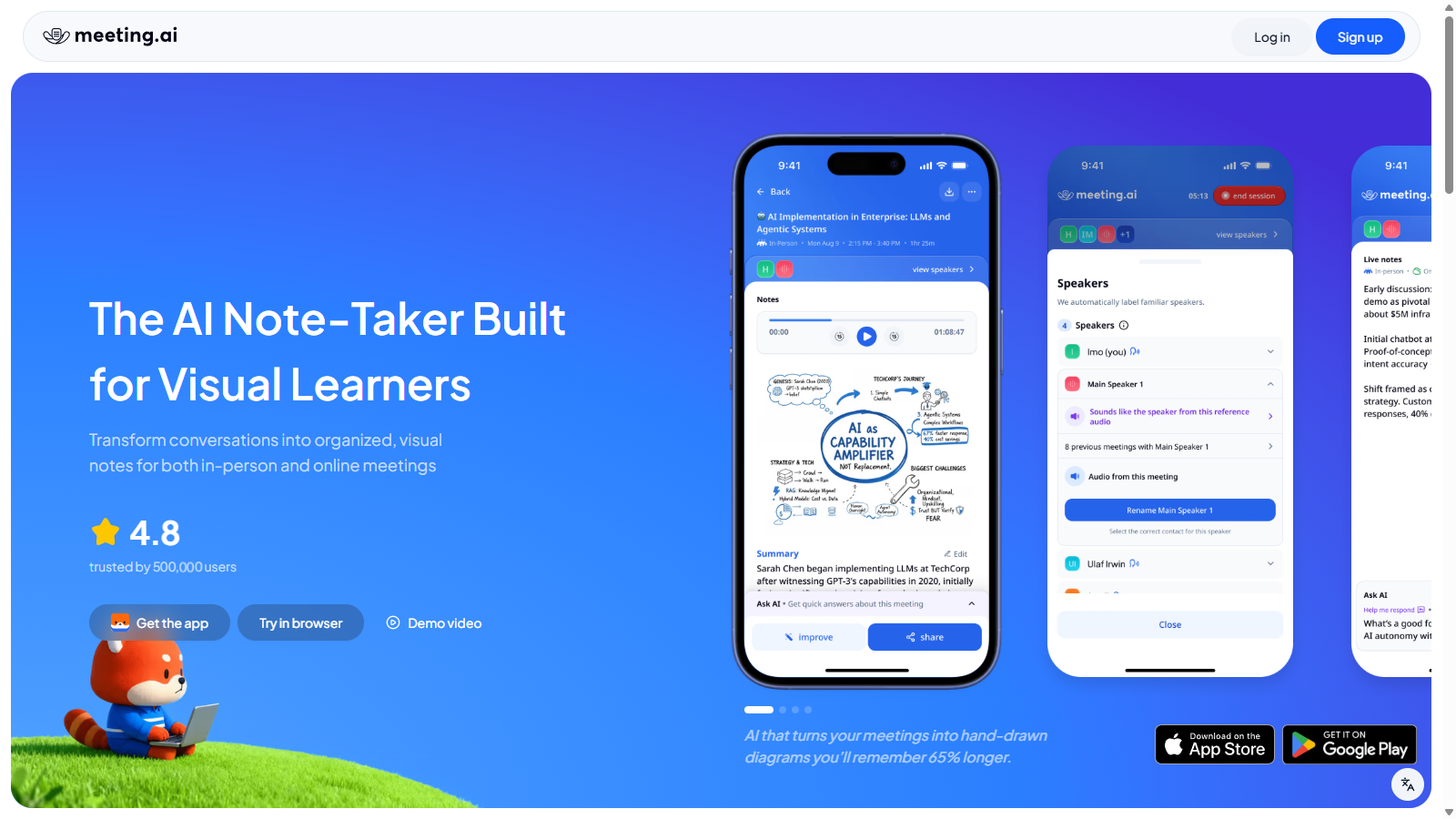
Recently, Meeting.ai introduced the Visual Note Pro, which enables users to automatically transform their meetings into clear visual notes and mind maps. This feature enhances comprehension and retention, making complex ideas easier to understand and remember. The incorporation of visual elements is a game changer for users who prefer visual learning aids, further showcasing how Meeting.ai is evolving to meet user needs. This development has been widely praised by users for its effectiveness in summarizing and clarifying discussions visually.
Pricing Structure
Meeting.ai operates on a freemium pricing model, allowing new users to sign up and receive a 5-hour free credit for their initial meetings. For users who require additional hours, advanced tools, or unlimited access, upgraded plans are available at competitive monthly rates. The pricing plans include:
- Plus Plan: NULL.99/month – includes 54 credits per month, with up to 15 hours of meeting notes and support for both online and in-person events.
- Professional Plan: NULL.99/month – includes everything in the Plus Plan and allows for double online meeting sessions, maximizing productivity for larger teams.
- Business Plan: NULL.99/month – expands capacity to 30 hours of meeting notes and enables up to three simultaneous online meeting sessions, ideal for organizations managing multiple discussions at once.
Features and Support
With Meeting.ai, you can easily export final notes, summaries, and transcriptions, ensuring that every detail is captured without the hassle of manual typing. The application supports both web and mobile platforms, making it a versatile option for users on the go. Users appreciate the secure sharing options via links or email, as well as the ability to export notes as PDFs, images, or text files.
Security is a priority for Meeting.ai; the tool is designed to maintain high security standards by storing data only in secure, certified data centers. The commitment to user privacy and data security is paramount, complying with international standards such as SOC 2 and ISO 27001. Meeting.ai also boasts exceptional customer support, providing email and live chat assistance to resolve queries quickly and efficiently.
Conclusion
Join over 500,000 users who have leveraged Meeting.ai to convert time-consuming meeting processes into efficient, streamlined experiences. By using this tool, you can save invaluable time, enhance collaboration, and focus on what truly matters—making every meeting count with ease and efficiency. The combination of cutting-edge AI technology and user-friendly features makes Meeting.ai a must-have for anyone looking to maximize their meeting productivity.
Pros & Cons
Pros
- AI captures and organizes key meeting details without manual note-taking.
- Supports over 30 languages with automatic detection for global usability.
- Integrates seamlessly with major platforms like Zoom and Microsoft Teams.
Frequently Asked Questions
Meeting.ai is free to start, with paid plans from 0 to 59.99 USD per month.
According to our latest information, this tool does not seem to have a lifetime deal at the moment, unfortunately.
Meeting.ai can be used for various types of meetings, including in-person, online, and even pre-recorded sessions. Whether you're meeting face-to-face or through platforms like Google Meet, Zoom, or Microsoft Teams, Meeting.ai effectively captures and transcribes the discussions.
Meeting.ai integrates seamlessly with major online meeting platforms such as Google Meet, Zoom, and Microsoft Teams. This allows you to easily capture and transcribe your meetings without needing to take manual notes, ensuring that you stay focused on the conversation at hand.
Meeting.ai supports over 30 languages, with accurate detection and transcription capabilities. This extensive language support makes it an excellent tool for multilingual meetings, allowing participants from diverse backgrounds to benefit from its features.
Meeting.ai prioritizes user data security by storing information only in SOC 2 and ISO 27001 certified data centers. This commitment ensures compliance with international security standards, giving users peace of mind regarding the safety of their meeting data.
Yes, Meeting.ai can be beneficial beyond traditional meeting settings. Many users, including students, use the tool to take notes in lectures, while marketers leverage it for gaining insights from customer support calls. Its versatility makes it an excellent option for various note-taking needs.
To get started with Meeting.ai, sign up on their website. New users receive 5 hours of meeting credits for free. You can then begin using the web or mobile app to capture and transcribe your meetings right away. Explore the available features to maximize your experience.
Yes, there are some limitations regarding simultaneous meetings. Depending on your subscription plan, you may be restricted to one online meeting session at a time, though in-person meetings are unlimited. Higher-tier plans allow for more online sessions concurrently.
To get the most out of Meeting.ai, ensure that you clearly define meeting agendas and key discussion points beforehand. This will help the AI capture relevant information more effectively. Additionally, taking advantage of the language detection feature can enhance transcription accuracy in diverse settings.