Microsoft Copilot

AI-driven assistant for generating content, enhancing writing, and providing creative insights.
Microsoft.com
Is this your tool?
Follow for updates & deals
Get alerts for Microsoft Copilot discounts, feature releases & pricing changes
Similar Tools

Doctrina AI
Helps students efficiently manage essays, exams, and notes with an AI-driven platform.

Avoid.so
Transforms AI-generated text into human-like content to evade detection tools.

Shorty AI
Generate customized marketing creatives quickly using AI-generated images and copy tailored to your needs.

UPCV
Create tailored resumes quickly with smart content generation and professional templates.

Munger
Automates cold email campaigns for efficient lead generation and engagement with personalized outreach.

Microsoft Copilot Media Gallery

Microsoft Copilot (review) video
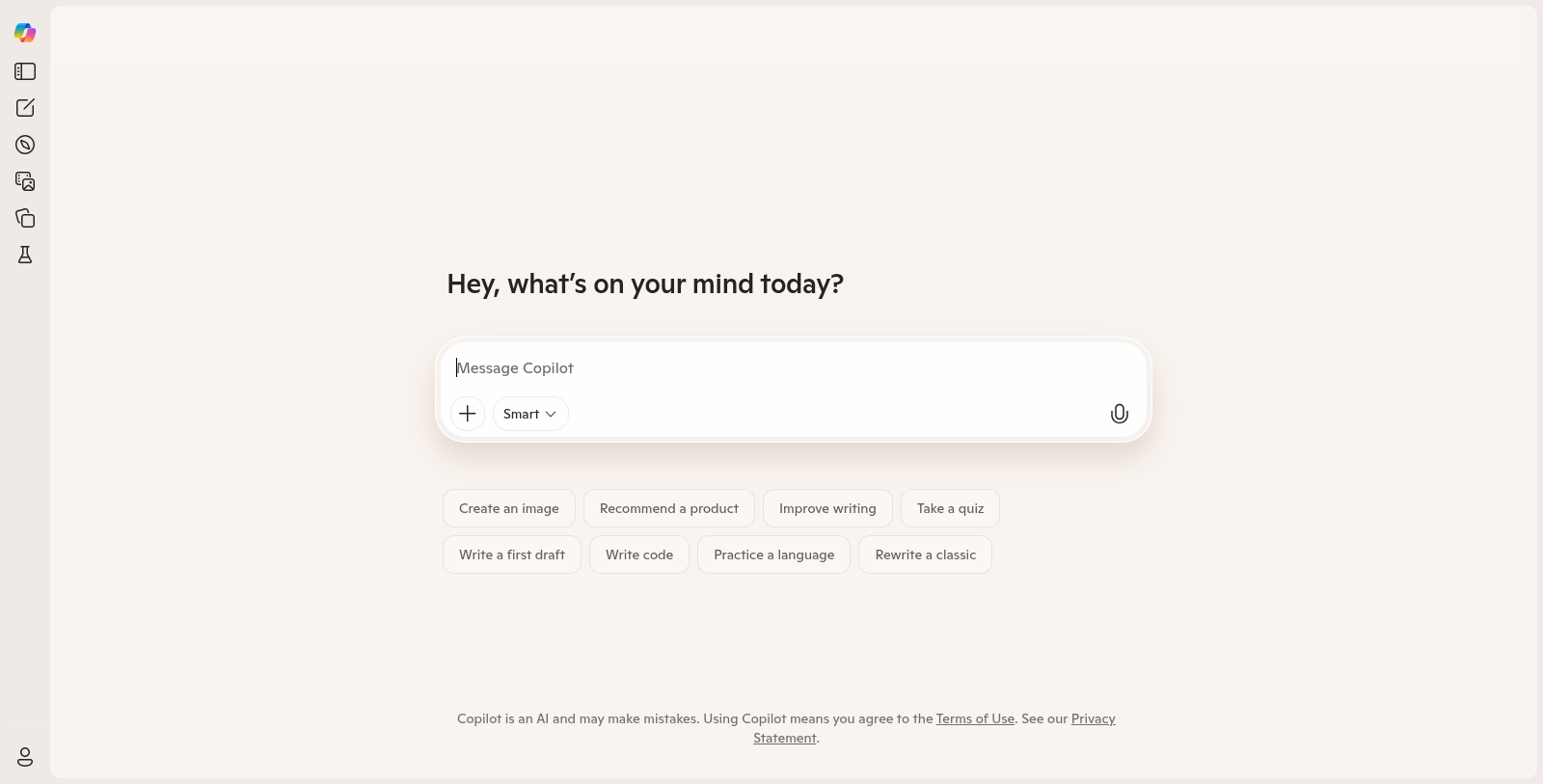
Screenshot of Microsoft Copilot
What is Microsoft Copilot?
Microsoft Copilot is an innovative AI tool designed to assist users with various tasks. Whether you need creative support, want to improve your writing, or seek personalized suggestions, Copilot has you covered.
As a tool integrated into Microsoft's suite of applications, Copilot leverages advanced AI technologies to enhance productivity and creativity. By understanding user intents and preferences, it offers real-time feedback and insights that make mundane tasks more manageable.
Key Features
Some of the standout features of Microsoft Copilot include:
- Smart Create: Generate content such as images, text drafts, packing lists, and more with a simple prompt.
- Improved Writing: Get suggestions to enhance clarity and engagement in your writing.
- Visual Assistance: Transform images into elaborate 3D models or receive visual responses to your queries.
- Interactive Quizzes: Challenge yourself or others with quizzes crafted by Copilot based on topic selection.
- Creative Tools: Design logos, create presentations, and remix existing content with ease.
User Engagement
Copilot encourages interactive use whereby users can collaborate and provide input, allowing the AI to learn from its interactions and improve over time. Through features such as Copilot Labs, users can experiment with new AI capabilities, offering a glimpse into the tool's evolving capabilities.
By utilizing Microsoft Copilot, individuals can harness the power of AI to streamline their workflows, enhance creativity, and access a vast array of tools that simplify complex tasks. Whether you are a student, a professional, or simply exploring your creative side, Copilot serves as a versatile assistant that adapts to your needs.
Future Developments
Microsoft continuously updates Copilot, adding new features and improving existing functionalities based on user feedback. As AI technology advances, users can expect even more sophisticated capabilities, driving efficiency across various applications.
In summary, Microsoft Copilot stands as a premier AI companion, merging creativity with efficiency, thereby providing users with an unparalleled experience in productivity enhancement.
Pros & Cons
Pros
- Offers a range of creative and practical tasks like image creation and writing assistance.
- Includes experimental features through Copilot Labs, enhancing user interactivity with AI.
- Utilizes AI for personalized suggestions and recommendations based on user interactions.
Cons
- The AI may produce occasional errors or inaccuracies in responses.
Frequently Asked Questions
Microsoft Copilot is free to start, with paid plans from 0 to 0 USD per Translation not found for 'time_period_unknown'.
According to our latest information, this tool does not seem to have a lifetime deal at the moment, unfortunately.
Microsoft Copilot offers a range of features to assist users with various tasks. You can create images, improve writing, design logos, recommend products, take quizzes, and even generate packing lists. Additionally, Copilot can draft initial drafts of reports or project documents, making it a versatile tool for both personal and professional use.
To access the experimental features in Copilot Labs, users typically need to sign in with a Microsoft account. The Labs include unique tools like Copilot Audio Expressions for audio creation and Copilot Vision for visual assistance. Note that feature availability may vary by subscription plan and regional restrictions.
Yes, Microsoft Copilot integrates with several applications and services within the Microsoft ecosystem, enhancing productivity across tools such as Word, Excel, and Teams. This integration enables seamless functionality, allowing users to use Copilot's features across other Microsoft platforms to improve efficiency.
While Microsoft Copilot is a powerful AI tool, it does have limitations. Users should be cautious, as it may produce inaccuracies and errors. Additionally, some advanced features may be available only with specific subscription plans, and functionality can vary by device or browser.
Microsoft Copilot can streamline numerous everyday tasks. For instance, you can use it to generate shopping lists, draft emails, create social media visuals, or gather news summaries. Its versatility makes it suitable for both personal organization and business-related tasks, enhancing overall productivity.
To get started with Microsoft Copilot, visit the official Copilot website and sign in with your Microsoft account. You can begin using its features directly on the site or integrate it with supported Microsoft applications. Make sure to explore the guidance resources available on the website to understand all its functionalities.
Currently, there is no dedicated mobile application for Microsoft Copilot. However, its functionalities can be accessed through web browsers on mobile devices, and integrations with Microsoft applications can enhance mobile productivity. Always check the website for the latest compatibility updates.
To maximize the value of Microsoft Copilot, familiarize yourself with its features and use cases. Regularly explore updates in Copilot Labs for new tools, provide clear prompts for specific tasks, and consider combining multiple features for complex projects. Stay engaged with the community to share experiences and learn new techniques.