Modul.page

Design and customize presentations quickly with pre-defined blocks and easy style adjustments.
Modul.page
Is this your tool?
Follow for updates & deals
Get alerts for Modul.page discounts, feature releases & pricing changes
Similar Tools

iipmaps
Easily create custom data maps with a user-friendly drag-and-drop interface.

Uizard
Simplifies UI design by generating components from text descriptions for quick prototyping.

Sketchflow
Generate web and app designs with AI-powered code from your ideas and input images.

Magic Animator
Generate customizable animations for Figma designs with a single click, saving time and effort.

TurboStyle
Visually edit websites without coding.

Modul.page Media Gallery
What is Modul.page?
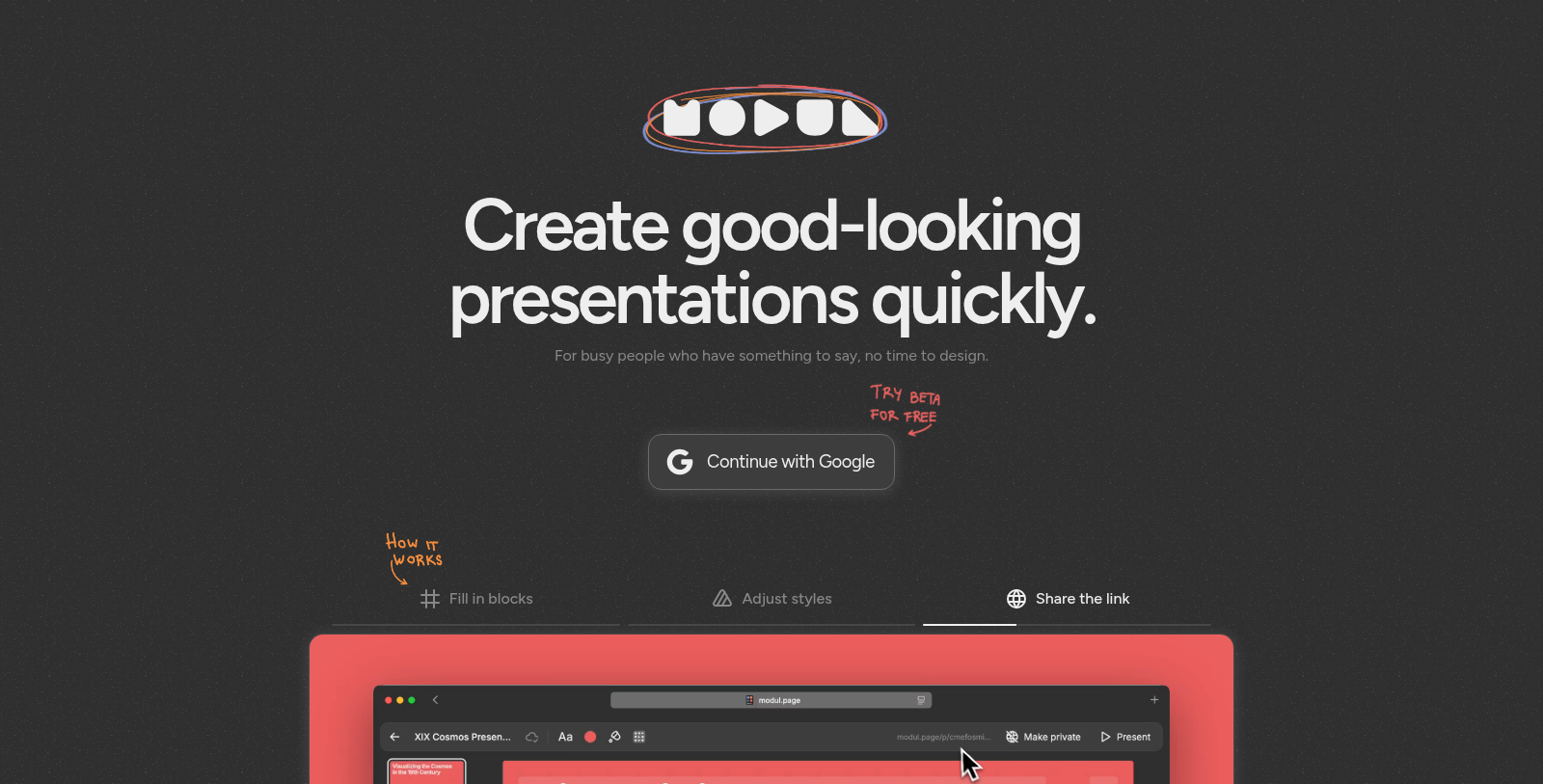
Modul.page is an intuitive web application designed for individuals who need to create compelling presentations efficiently. Aimed at busy professionals, Modul. Page simplifies the presentation design process, allowing users to focus on their content rather than getting bogged down in design details.
With Modul.page, users start by filling in blocks with their relevant information. This easy-to-use interface is specifically tailored for quick setup and customization, so even those without design expertise can create visually appealing presentations. The flexibility to adjust styles ensures that the end product reflects the user's personality or brand while maintaining a professional look.
How It Works
Using Modul.page is straightforward:
- Fill in Blocks: Begin by filling predefined blocks with the necessary content, such as text, images, and charts. This cooperative structure minimizes formatting hassle and enables immediate focus on message delivery.
- Adjust Styles: After inputting the content, users can tweak styles to enhance aesthetics. This customization allows for matching corporate branding or personal taste, ensuring that every presentation is unique.
- Share the Link: Once completed, presentations can be shared easily with a simple link. This feature promotes accessibility and convenience, whether for remote presentations or collaborative projects.
Who Can Benefit From Modul.page?
Modul.page serves a wide array of users, from educators looking to engage students to corporate teams developing impactful presentations for stakeholders. By providing a framework that streamlines the creation process, it caters especially to those short on time but high on necessity for impactful communication.
Key Features
- User-Friendly Interface: The application is designed for ease of use, welcoming professionals at all skill levels.
- Customization Options: A variety of styles and design choices empower users to create personalized presentations.
- Speed: Designed for quick production, users can generate presentations in mere minutes.
Data Privacy and Security
Modul.page takes user privacy seriously. The application employs robust data protection measures and adheres to strict privacy policies to ensure that all personal information is secured. Users are encouraged to read the privacy notice provided on the site, which outlines the handling of user data and rights regarding personal information.
Community and Support
For users seeking assistance or wanting to connect with others, Modul.page provides forums and support channels. This way, users can share tips, gain insights from the community, and enhance their experience with the tool. Support resources ensure help is readily available for technical issues or usage questions.
Conclusion
In conclusion, Modul.page is an ideal tool for those requiring efficient and aesthetically pleasing presentations without the burden of complex design skills. Whether for business or education, it enables users to communicate their ideas effectively with minimal effort.
Pros & Cons
Pros
- Facilitates quick creation of visually appealing presentations for busy users.
- User-friendly design allows easy adjustment of styles and content blocks.
- Shareable presentation links enhance collaboration and accessibility.
Cons
- Limited information about advanced features for experienced users.
Frequently Asked Questions
Modul.page is free to start, with paid plans from 0 to 0 USD per Translation not found for 'time_period_unknown'.
According to our latest information, this tool does not seem to have a lifetime deal at the moment, unfortunately.
To create a presentation with Modul. Page, follow these three steps: First, fill in the provided blocks with your content. You can add text, images, and other media. Next, adjust your presentation's styles using the available customization options to match your desired aesthetic. Finally, share your presentation link with others so they can view your work. This streamlined process is designed for those who want to create visually appealing presentations quickly, without delving into complex design tasks.
While the website does not specify limits on content size or presentation length, it is essential to keep your audience in mind when creating a presentation. Ideally, aim for concise content that communicates your message effectively. If you have specific concerns about size limits or the number of slides, it's advisable to contact Modul directly—the page's support or documentation for detailed guidance.
Module.page allows you to include various types of media in your presentations, including text, images, and possibly other multimedia formats. This flexibility enables users to enrich their presentations, making them more engaging. If you need specific details on supported media formats, consult the official website or documentation for the most accurate, up-to-date information.
The current content does not explicitly mention integrations with other tools or services. However, the module's functionality may support sharing presentation links or exporting content, which can be integrated into different platforms. For specific integration options or supported services, visit the official Modul website or contact their support team for further assistance.
Suppose you encounter any issues with the Module. Pagee, the best course of action is to contact their support team using the contact information on their website. You can email them directly at team@modul.page. They can assist you with any technical difficulties or questions you may have regarding the tool's usage.
Module. Page has implemented measures to secure user data, including personal information and any content created within the platform. However, as with any online service, complete security cannot be guaranteed. Users are encouraged to keep their passwords confidential and to be aware that any data transmission over the internet carries risks. For more detailed information, users can refer to the privacy policy accessible on the Modul page website.
Modul. The page collects user information through Google OAuth authentication and automatically as users navigate the site. This data includes personally identifiable information like names and email addresses, usage details, and content created on the platform. They commit to safeguarding user data in accordance with their privacy policy, which details how user information is used and disclosed. For complete details, please review the privacy policy on their website.
To create an effective presentation using Modul. Page, focus on clarity and brevity. Use bullet points to summarize key concepts rather than long paragraphs. Incorporate engaging visuals, such as images or icons, to complement your text and maintain audience interest. Lastly, ensure your style adjustments enhance readability—choose contrasting colors for text and background, and use a consistent font throughout. Utilizing these tips can maximize the impact of your presentation.