MozBar
A browser extension for SEO research with metrics like Domain Authority and Page Authority.
Moz.com
Is this your tool?
Follow for updates & deals
Get alerts for MozBar discounts, feature releases & pricing changes
Similar Tools
AlsoAsked
Keyword research tool that uncovers user queries from Google's People Also Ask section
PhotoG
Create and optimize visual marketing content, including ads and videos, using AI-driven tools.

WordLift
Enhances SEO with AI by optimizing content and creating structured knowledge graphs.
Keyword Surfer by SurferSEO
Keyword Research in Google Results
WebVisor
Analytics platform that provides cookieless tracking and real-time insights into website performance and SEO

MozBar Media Gallery

MozBar (review) video
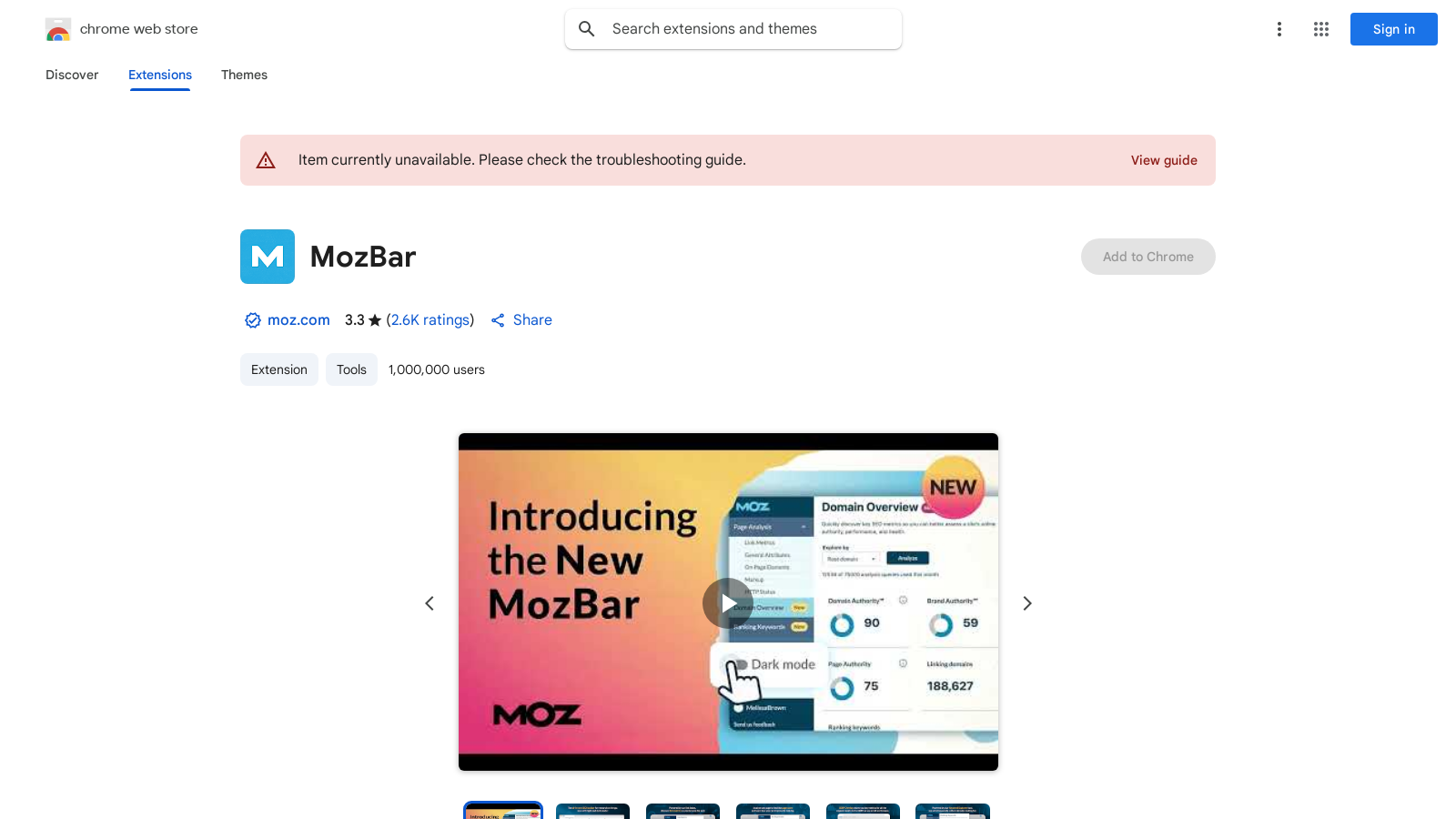
Screenshot of MozBar
What is MozBar?
MozBar is a powerful browser extension designed to assist with SEO research directly from your browser. The all-new MozBar V4 introduces enhanced features and metrics, significantly improving how users analyze website performance with greater ease. With over 1,000,000 users and the latest version updated on December 13, 2024, it supports both individual SEOs and marketing teams by integrating seamlessly into web browsers, making it a versatile tool for anyone involved in digital marketing or web analytics.
Key Features
MozBar provides quick access to essential metrics such as Domain Authority (DA), Page Authority (PA), and Brand Authority, enabling users to evaluate the strength of domains as they navigate the web. The recent version includes exciting new features like a revamped Page Analysis tool, which now allows users to check for critical on-page elements such as hreflang tags, robots.txt, and sitemap URLs, along with identifying and copying schema markup for simpler auditing processes.
With the integration of real-time access to Moz Pro keyword queries, users can easily gather insights on top-ranking keywords straight from search engine results pages (SERPs). This interactive functionality enables SEOs to find and highlight keywords on any page while differentiating links by type: Followed, No-Followed, External, or Internal.
User Experience and Accessibility
The user experience has been significantly enhanced with improvements like a rebuilt dark mode and a new Moz Pro navigation mode that offers greater flexibility and accessibility. Enhanced navigation ensures that users find the vital SEO information they need quickly and efficiently. The ability to highlight links and check for important on-page elements makes MozBar indispensable for serious SEO work.
Optimizing Pages with MozBar
The updated Page Analysis feature allows users to conduct comprehensive audits effortlessly. It provides insights into the various elements impacting a page's optimization and search rankings, streamlining the process of evaluating website performance.
Freemium Model
The basic version of MozBar remains free, allowing users to access fundamental metrics to kickstart their SEO journey. However, advanced features require a subscription to Moz Pro. Community users can access metrics like Domain Authority and Page Authority but are limited to 1,000 calls per month. Those who upgrade to the premium version can unlock extensive capabilities, including enhanced keyword tracking and deeper insights into domain analysis. A Moz Pro subscription starts at NULL per month, offering more in-depth functionality.
Why Choose MozBar?
MozBar stands out as an essential tool for professionals involved in SEO-friendly web development due to its extensive capabilities, seamless integration with other Moz tools, and user-friendly interface. Whether you're a seasoned SEO veteran or a beginner looking to grasp key concepts, MozBar equips you with the necessary tools to elevate your search engine optimization tasks.
By downloading the MozBar extension, you'll not only be setting the stage for better SEO practices but also gaining a competitive edge in analyzing market landscapes and optimizing your content strategy.
Pros & Cons
Pros
- Offers comprehensive SEO metrics including Domain, Page, and Brand Authority.
- New features like schema markup recognition simplify auditing processes.
- Integrated SERP Overlay provides instant access to key metrics while searching.
Cons
- Limited access to features without a Moz account, restricting usability.
- Negative reviews highlight issues with cost and accessibility of basic metrics.
Frequently Asked Questions
MozBar is free to start, with paid plans from 0 to 49 USD per month.
According to our latest information, this tool does not seem to have a lifetime deal at the moment, unfortunately.
MozBar includes various features such as Domain Authority (DA) and Page Authority (PA) metrics, Brand Authority for premium users, keyword highlighting, and link differentiation (followed vs. nofollowed). It also offers detailed Page Analysis, which identifies on-page elements such as hreflang tags and robots.txt files, as well as an export feature for search engine results page (SERP) analytics. Premium users gain more in-depth metrics and access to additional tools, including page optimization suggestions and keyword insights.
To create a custom search profile in MozBar, click on the MozBar icon in your browser, go to the settings menu, and select 'Add Profile' under 'Search Profiles.' You can customize the profile by selecting the search engine, country, region, and assigning a name to the profile. After saving, you can select this profile for future searches to view relevant results based on your settings.
The free version of MozBar provides limited functionality. Users can access basic SEO metrics such as Domain Authority and Page Authority, but are restricted to up to 1,000 calls per month. To unlock additional features, such as Spam Score, detailed keyword insights, and full access to all Moz Pro tools, users must upgrade to a premium Moz Pro account.
Currently, MozBar is available as a Chrome extension. Support for Firefox is marked as coming soon. Users of other browsers will need to wait for the official release of MozBar for their preferred platform or may consider using alternative SEO tools available for those browsers.
To get the most out of MozBar, log in to a Moz Pro or Community account to access full features. Utilize the SERP overlay to view instant link metrics directly within search results. Utilize the custom search profile feature to tailor your SEO research to your specific region and search engine. Regularly toggle through the settings to customize the interface according to your workflow preferences and utilize the export feature to analyze data later.
If you're experiencing issues with MozBar, first ensure it's enabled in your Chrome extensions by going to chrome://extensions/. If the extension is on but not working, try refreshing your browser or restarting your computer. Clear your browser cache or reinstall MozBar to ensure you're using the latest version. For further assistance or to address specific issues, please visit the support section on the Moz website.
The Page Analysis feature in MozBar provides insights into various on-page SEO factors. When activated, it displays crucial information such as Page Authority, Domain Authority, number of inbound links, and general attributes like canonical tags and page load times. Users can also access markup information and HTTP status codes, enabling comprehensive audits of any webpage to improve their SEO strategies.
MozBar distinguishes itself by providing a unique combination of real-time SEO metrics directly in the browser as users navigate different web pages. It integrates authoritative metrics, such as Domain Authority and Page Authority, features keyword highlighting, and offers SERP overlays for detailed competitive insights. MozBar also includes comprehensive Page Analysis and the ability to quickly see the health of websites without needing to leave the page.
That error notice means MozBar can’t read the tiny sign‑in cookie that Moz sets on moz.com. Because your browser is blocking “third‑party” (cross‑site) cookies, MozBar never sees that cookie and thinks you’re logged out.
Fix in Google Chrome (desktop):
1. go to the URL chrome://settings/cookies → Third‑party cookies
2. Leave “Block third‑party cookies” ON (or pick any setting you want).
3. Under “Sites allowed to use third‑party cookies” click Add.
4. Paste [*.]moz.com → Add. (The leading [*]. covers any Moz sub‑domain.)
5. Refresh the page where MozBar is open.
Fix in Microsoft Edge (desktop):
1. Go to the URL edge://settings/content/cookies
2. Scroll to “Allow” → Add.
3. Enter [*.]moz.com and tick Include third‑party cookies → Add.
4. Reload MozBar.