OpenClaw
Seamlessly integrates across platforms to automate tasks and provide personalized assistance.
Clawd.bot
Is this your tool?
Follow for updates & deals
Get alerts for OpenClaw discounts, feature releases & pricing changes
Similar Tools

Levity
Automates email management and routing for logistics operations, enhancing efficiency through AI

Minion
An AI that handles tasks like scheduling, emailing, and providing instant answers to simplify daily life.

Comet
An AI-integrated browser that assists with tasks and enhances productivity while you browse.

Notion
A collaborative workspace that integrates AI for project management, notes, and task automation.

Instruct
An AI agent that automates tasks across multiple applications to enhance productivity.

OpenClaw Media Gallery

OpenClaw (review) video
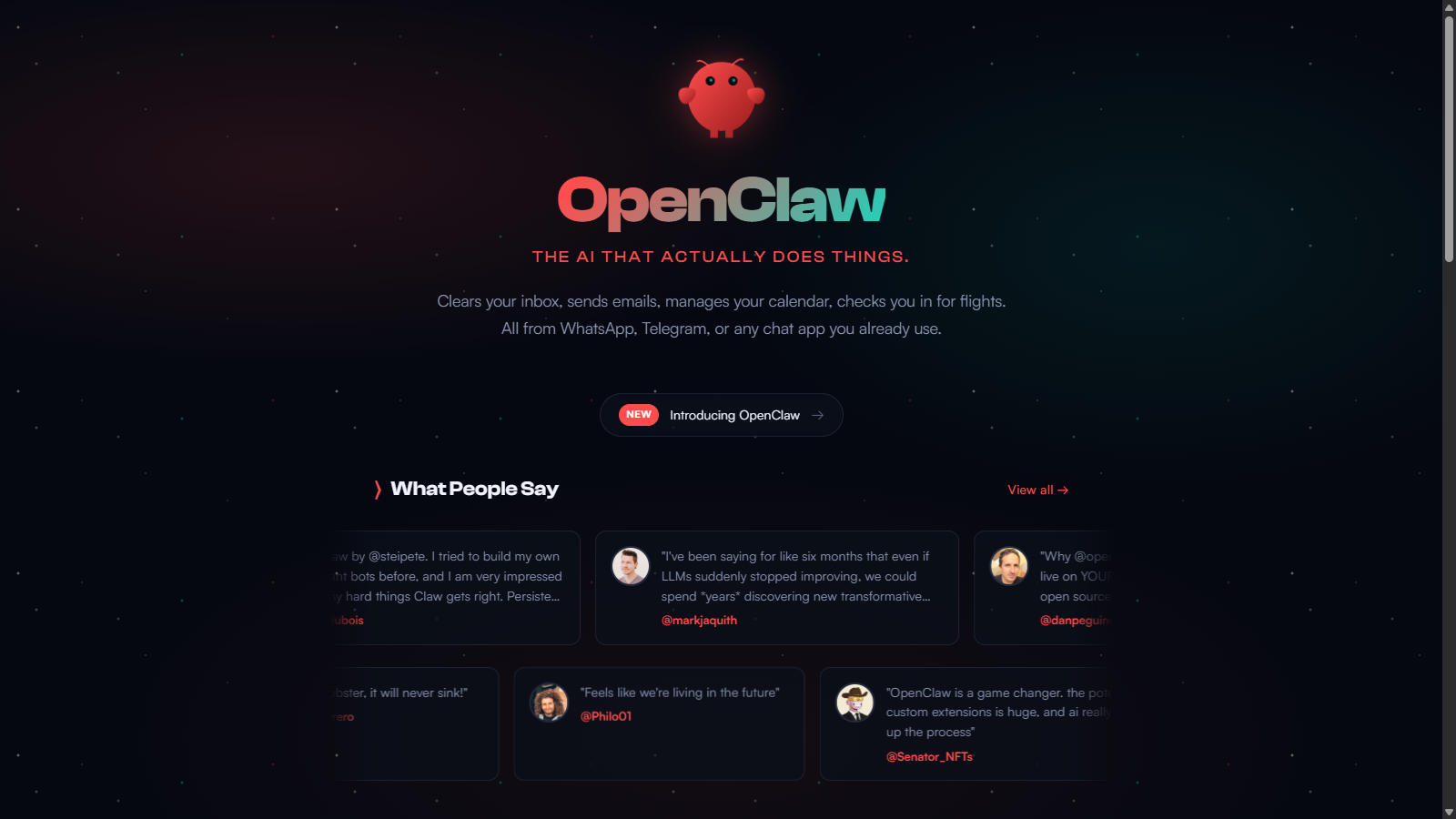
Screenshot of OpenClaw
What is OpenClaw?
OpenClaw (formerly Clawdbot / Moltbot) is an innovative personal AI assistant that integrates seamlessly across various platforms like WhatsApp, Telegram, and Discord. It is designed to automate everyday tasks by communicating with users just like a human would; thus, it elevates the traditional personal assistant experience into a more interactive and effective one. The essence of OpenClaw lies in its open-source nature, user customization, and the ability to leverage its own computer environment, creating a powerful tool capable of learning and adapting to user needs.
What Makes Moltbot Unique?
One of the standout features of OpenClaw is its persistent memory, which allows it to remember user preferences and previous interactions, creating a personalized experience. Users can rely on OpenClaw to manage their calendars and emails, and even to provide reminders autonomously. Its open-source model provides unlimited potential for customization, enabling users to create their own plugins or skills, expanding the capabilities of the assistant.
Automation and Integration
OpenClaw integrates with over 50 platforms, promising versatility in how users can manage their tasks. Whether it's actively monitoring email inboxes, scheduling meetings, or managing to-do lists across diverse tools, OpenClaw utilizes APIs to connect and automate workflows efficiently. This flexibility enhances productivity, as users can execute complex tasks simply by sending a message to OpenClaw.
Hands-On Experience
The setup process of OpenClaw is user-friendly, making it accessible even to individuals without a technical background. Users can install it on different operating systems, including macOS, Windows, and Linux, ensuring broad accessibility. The community surrounding OpenClaw continuously contributes to its development, creating a sense of camaraderie among users who share skills and innovations.
Real-World Applications
Numerous testimonials from users showcase how OpenClaw has revolutionized their productivity levels. From managing health appointments and personal schedules to complex automation tasks like syncing Google Places and generating reports, OpenClaw proves itself as amultifacetedd assistant. Users indicate that the tool assists in everything from document creation to sending reminders and handling messaging tasks.
The Future of Personal Assistants
OpenClaw is not just an assistant; it embodies a shift towards autonomous, agile digital helpers that can operate independently of user inputs. As its capabilities and user interactions evolve, it is positioning itself as a key tool in the exploration and realization of personal AI assistants. Users can engage in community discussions, share ideas, and contribute to the growth of this groundbreaking tool.
Pros & Cons
Pros
- Highly adaptable, allowing integration with various chat apps like WhatsApp and Telegram.
- Supports persistent memory, enabling customized interactions based on user context.
- Open source and hackable, giving users control over their personal AI assistant setup.
Cons
- Some users report minor wrinkles in performance, though overall experience remains positive.
Frequently Asked Questions
OpenClaw is open source and free to use.
According to our latest information, this tool does not seem to have a lifetime deal at the moment, unfortunately.
Clawdbot can automate a variety of tasks, including managing your calendar, sending emails, clearing your inbox, and checking in for flights. It operates via popular messaging platforms such as WhatsApp, Telegram, and Discord, allowing you to complete these tasks via chat. Additionally, users have reported that it can assist with project management, automate reminders, and support interactions across multiple communication channels.
Clawdbot prioritizes your privacy by operating locally on your computer, which means your data is not stored in the cloud or shared with third parties. You have complete control over your information, and the default setup keeps your data private. You can also set up sandboxed environments to execute commands, ensuring your information remains secure during operations.
Yes, Clawdbot supports over 50 integrations, including Gmail, Discord, Slack, Twitter, and more. You can also extend its functionality by creating or installing community-built skills and plugins that allow it to interface with various applications and services. Clawdbot's architecture is designed to integrate with multiple external tools, enabling seamless workflow automation.
Setting up Clawdbot is straightforward. With a simple one-liner command, you can install it on macOS, Windows, or Linux. The command installs Node.js and its dependencies. You can initiate this from a terminal, making the process quick and accessible even for those who may not be technically inclined. Once installed, you can start customizing it right away.
To maximize your experience with Clawdbot, explore its memory features, which allow it to remember your preferences and context for better interactions. Use ClawdHub's community skills to extend its capabilities and automate additional tasks. Regularly reviewing and updating skills will also keep it performing optimally. Lastly, engaging with the community can provide valuable insights and ideas on innovative ways to use Clawdbot.
While Clawdbot is designed to be robust, as with any platform, there are limitations. For instance, its performance can depend on the local hardware it's installed on, and there may be challenges if your setup requires extensive custom integrations. Additionally, while it supports various models, some advanced features may require technical knowledge to leverage fully. Users should monitor community forums for troubleshooting and feature requests.
In multi-agent setups, each agent in Clawdbot operates within its own workspace, enabling configurations and skills tailored to individual needs. You can have shared skills across agents, but per-agent skills can be managed separately. This structure enhances collaboration and organization, making it easier to manage tasks across projects and team members.
Absolutely! Clawdbot allows users to create custom skills using its AgentSkills framework. You can build skills that define the specific tasks or commands you want Clawdbot to perform, and tailor them to your workflows. Additionally, you can share your creations with the community on ClawdHub, fostering a collaborative environment to expand the assistant's capabilities.