













OpenLink Structured Data Sniffer

Discover structured metadata in HTML documents.
Google.com
Is this your tool?
Follow for updates & deals
Get alerts for OpenLink Structured Data Sniffer discounts, feature releases & pricing changes
Similar Tools

BuiltWith
Identify the technologies used by any website with a quick analysis tool.

Ravelin
AI-powered fraud prevention and payment solutions tailored for online merchants

WebVisor
Analytics platform that provides cookieless tracking and real-time insights into website performance and SEO

Similarweb
Analyze website traffic and SEO metrics with in-browser analytics for strategic marketing insights.

Adapty
Optimize in-app purchase revenue with flexible paywall management for mobile app developers.

OpenLink Structured Data Sniffer Media Gallery
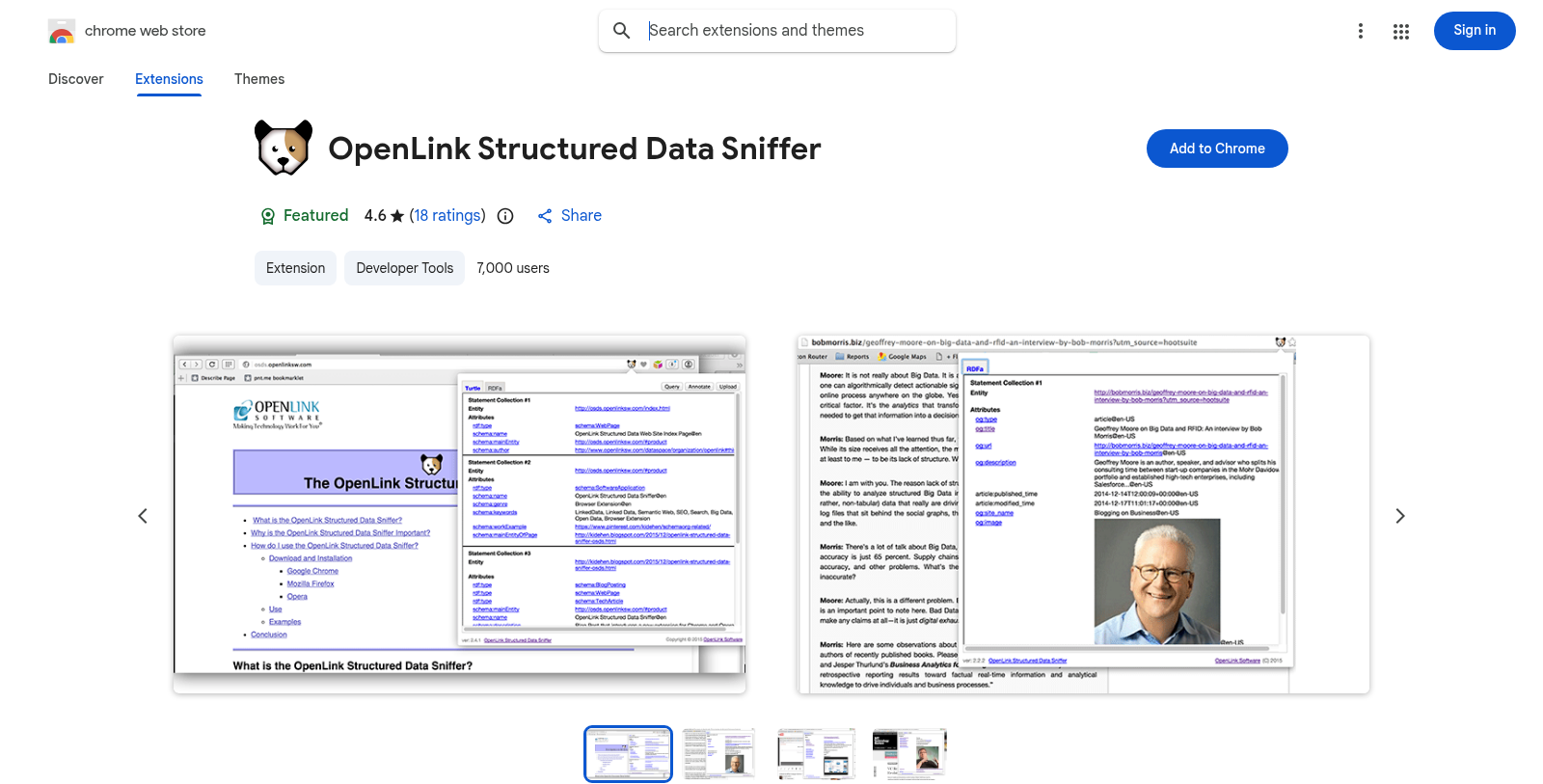
What is OpenLink Structured Data Sniffer?
The OpenLink Structured Data Sniffer (OSDS) is an essential browser extension designed for users of Web Extensions compliant browsers, including popular options like Google Chrome, Microsoft Edge, and Opera. This tool effectively discovers and showcases vital metadata that is embedded within HTML documents, thereby streamlining the research process for developers, digital content managers, and SEO professionals.
Understanding Structured Data: OSDS specializes in revealing various types of structured data notations, with support for Microdata, RDFa, JSON-LD, RDF-Turtle, RDF-XML, CSV, and JSON. This comprehensive coverage allows users to extract meaningful insights related to the metadata that enriches the understanding of a webpage's content and semantics.
Importance of Metadata: Metadata is critical for defining the context of web content, and it plays an instrumental role in how search engines index pages. This is where OSDS shines, as it assists Digital Brand Managers, SEO professionals, and Digital Content Managers in identifying the elements that could influence their visibility on Search Engine Results Pages (SERPs). By analyzing the metadata present on a webpage, these professionals are empowered to make data-driven decisions that can lead to improved rankings and enhanced online presence.
Installation and Usage: Installing the OpenLink Structured Data Sniffer is a breeze. Users simply need to add the extension to their browser. Upon visiting a webpage that contains structured data, the OSDS icon lights up, indicating active metadata discovery. By clicking this icon, users are presented with a well-structured Property Sheet that details the discovered metadata in a clear and comprehensible manner.
This functionality makes OSDS accessible not just for developers but for any user, demystifying the complexities of metadata. It significantly reduces the need for manual perusal of HTML documents, thus optimizing workflows, especially for those involved in content management and search engine optimization.
User Engagement and Features: OSDS has received positive feedback from its users, with an impressive rating of 4.6 out of 5 based on 18 ratings. Currently, the extension is utilized by around 7,000 users who appreciate its efficiency in revealing structured metadata. The user-friendly interface supports both novice users and seasoned developers, making OSDS a practical choice for a variety of tasks, including content creation, SEO strategies, and digital marketing efforts.
Conclusion: Overall, the OpenLink Structured Data Sniffer is a powerful asset for anyone engaged in the management of digital content. Its ability to simplify the retrieval and understanding of structured data makes it indispensable for professionals aiming for optimal SEO performance and enhanced digital visibility. As it continues evolving with updates and support, OSDS promises to remain a key player in the toolkit of digital brand managers and SEO specialists alike.
Pros & Cons
Pros
- Supports multiple structured data formats like Microdata and JSON-LD.
- Helps users and developers understand page content via embedded metadata.
- User-friendly interface with immediate metadata presentation upon activation.
Frequently Asked Questions
OpenLink Structured Data Sniffer is available at no cost.
According to our latest information, this tool does not seem to have a lifetime deal at the moment, unfortunately.
OpenLink Structured Data Sniffer (OSDS) supports a variety of structured data notations. These include Microdata, RDFa, JSON-LD, RDF Turtle, RDF/XML, CSV, and JSON. This broad support enables users to effectively discover and analyze embedded metadata in HTML documents.
OSDS is valuable for SEO professionals, especially in Semantic Search Engine Optimization (SSEO). By revealing structured metadata on a webpage, it helps users understand which content elements may influence Search Engine Results Pages (SERPs) placement. This insight can guide website optimization strategies.
OpenLink Structured Data Sniffer is designed for Web Extensions-compliant browsers. This includes popular browsers such as Google Chrome, Microsoft Edge, Opera, and others. Users can easily install the extension to enhance their web browsing experience in these environments.
To get started with OpenLink Structured Data Sniffer, simply install the extension from the Chrome Web Store. Once installed, navigate to any webpage of interest. The OSDS icon will activate on page load. Click the icon to view the structured metadata presented in a user-friendly format.
While OpenLink Structured Data Sniffer is powerful at revealing structured data, the amount of data it can uncover depends on the page content. If a webpage lacks embedded metadata or uses unsupported formats, the tool might not reveal any structured data. However, for well-structured pages, it can uncover extensive metadata.
OpenLink Structured Data Sniffer is useful for a range of professionals. Digital Brand Managers can use it to verify how their brand's information is represented online. Digital Content Managers can analyze their content metadata to optimize it. Additionally, it helps SEO experts assess the potential impact of structured data.
OpenLink Structured Data Sniffer has been regularly updated; the latest version is 3.4.27, released on August 18, 2025. Regular updates ensure compatibility with emerging web standards and improve functionality, so it's a good idea for users to keep the extension up to date.
If you experience any issues or have questions about OpenLink Structured Data Sniffer, the first step is to check the official website or the support section of the Chrome Web Store. For further assistance, you may contact the developer via the provided email or support channels.


