PicPicAI

Enhance image quality, remove backgrounds, and create art seamlessly with AI tools.
Picpicai.com
Is this your tool?
Follow for updates & deals
Get alerts for PicPicAI discounts, feature releases & pricing changes
Similar Tools

Image Labs
AI software for editing images with customizable styles and extensive editing features.

PicLumen
Generate images from text and edit existing photos with various AI-powered tools for artistic expression.

Shakker
AI tool for generating images with customizable features and models for various creative projects

Unstable Diffusion
Create unique images based on your prompts using AI for personalized visual expression.

Kolors AI
Generates custom images and videos for design projects through an intuitive chat interface.

PicPicAI Media Gallery
What is PicPicAI?
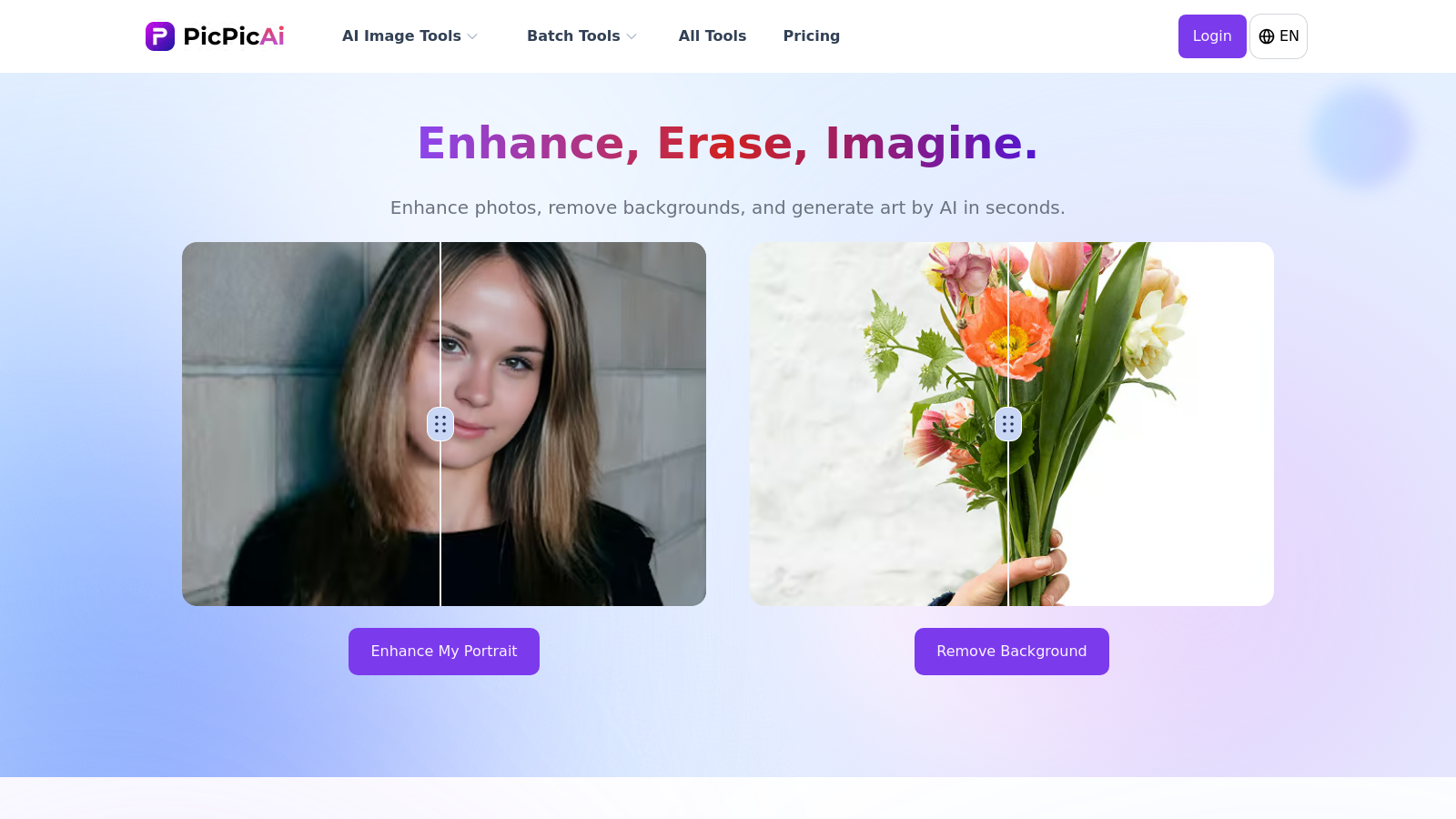
PicPicAI is an innovative platform that harnesses the power of AI to bring your photo editing to life. From enhancing image quality to removing backgrounds and generating art, it offers a comprehensive suite of tools designed to cater to every user’s needs. Let's delve into what PicPicAI has to offer.
AI Photo Enhancer: This tool allows users to elevate the quality of their images effortlessly. With just a simple upload, you can enhance clarity, adjust colors, and sharpen details, giving your photos a professional flair in just a few clicks. The AI Photo Enhancer is perfect for a wide range of images, from personal photos to professional marketing materials.
Background Remover: PicPicAI’s AI-powered background remover is perfect for anyone who needs to create clean images quickly. This tool automates the tedious task of background removal, allowing users to focus on their subject without the distraction of unwanted backgrounds. The latest updates include options for changing background colors to suit your creative vision.
AI Art Generator: The platform features an advanced art generator that enables users to transform their images into stunning artworks seamlessly. Whether you're aiming for a classic style or something contemporary, users can choose from various art styles, making it a delightful experience for both art enthusiasts and casual users.
Portrait Enhancer: Using advanced AI technology, PicPicAI makes improving portrait photos easy. It systematically enhances facial features, producing results that look natural and lifelike, ideal for personal use or professional portfolios. With recent upgrades, the AI Portrait Enhancer ensures sharper and more lifelike results.
Creative Upscaler: This creative upscaling tool helps enhance low-resolution images to high-definition masterpieces. Users can upscale their photos by up to 4x, ensuring that images retain their vibrancy and detail when showcased, particularly beneficial for those involved in digital art or e-commerce.
User-Friendly Experience: Designed with a user-friendly interface, PicPicAI is accessible on both desktop and mobile platforms, ensuring that anyone can use it without prior editing experience. Simply upload your photo, choose a tool, and let the AI do the work for you. Many users praise its intuitive design and the seamless experience it offers.
Flexible Pricing: PicPicAI operates on a flexible credit-based pricing model. Users can purchase credits based on their needs, with the pricing structure as follows: 200 credits for NULL.99, 1,000 credits for NULL.99, 400 credits for NULL.99, and a best value option of 2,000 credits for NULL.99. Notably, these credits never expire, making it an affordable option for users looking to edit images over time. Each tool utilizes a set amount of credits, ensuring that users pay only for what they use. For instance, enhancing a photo may cost 2 credits, while removing a background can range from 2 to 4 credits depending on the complexity of the image.
Final Thoughts: Whether you're a content creator, a small business owner, or simply looking to enhance your photos, PicPicAI provides an array of powerful tools that make image editing straightforward and efficient. Its combination of AI-powered features, flexible pricing, and ease of use make it a standout choice in the realm of online photo editing. With a rich set of functionalities covering everything from restoring old photographs to generating anime art, PicPicAI is your go-to solution for all your photo editing needs.
Pros & Cons
Pros
- Offers a comprehensive suite of AI tools for photo enhancement, including restoration and editing.
- Supports batch processing for multiple images, saving time for users with large projects.
- Features specialized tools for anime and portrait enhancement, catering to niche audiences.
Cons
- Usage requires credits for most operations, which may complicate access for casual users.
Frequently Asked Questions
We have no pricing information available now, so please check the PicPicAI's website.
According to our latest information, this tool does not seem to have a lifetime deal at the moment, unfortunately.
PicPicAI's Restore Old Photos tool is specifically designed to enhance and restore old and blurry facial images. It's ideal for bringing faded memories back to life by repairing faces and improving detail. Upload your old photo, and the AI will analyze it for restoration.
The Batch Anime Upscaler allows users to upscale up to 20 anime images simultaneously. This tool employs AI to enhance resolution while preserving the artistic details unique to anime style. It's perfect for fans looking to improve their favorite scenes or create stunning wallpapers, saving time by processing multiple images at once.
The AI Background Remover tool in PicPicAI allows users to remove backgrounds from images instantly. It creates transparent or solid color backgrounds, making it ideal for product photography, personal branding, or social media posts. The tool is highly versatile, accommodating various subjects such as portraits, products, and pets.
Yes! PicPicAI is designed to be mobile-friendly, allowing you to access its range of tools through your browser on smartphones and tablets. This means you can edit images, apply enhancements, and perform other modifications on the go.
To enhance your portraits with the AI Portrait Enhancer, upload your image. The tool leverages advanced algorithms to bring out fine details, smooth skin tones, and improve overall quality. It supports enhancements for both individual and group portraits, making it suitable for family photos or professional headshots.
PicPicAI supports standard image formats, including JPEG, JPG, and PNG. While the maximum file size varies by tool, most support images up to 5-10MB in size, which is adequate for high-quality photos. Always ensure that your images meet these requirements for optimal use of the tools.
The AI Relight tool automatically analyzes and adjusts the lighting and exposure of dull or poorly lit images. It enhances brightness and contrast, allowing your photos to shine with vibrancy. This tool is especially beneficial for social media visuals, product photos, and any images suffering from suboptimal lighting conditions.
Absolutely! PicPicAI allows users to combine its various features for improved outcomes. For instance, you can use the Background Remover tool followed by the Photo Enhancer tool to achieve more explicit images with professional quality. This flexibility streamlines your editing process and enhances overall efficiency.