Ponder

A knowledge workspace that deepens understanding through interconnected ideas and personalized thinking spaces.
Ponder.ing
Is this your tool?
Follow for updates & deals
Get alerts for Ponder discounts, feature releases & pricing changes
Similar Tools

Loophole
An AI assistant that reads your screen and automates tasks to enhance productivity.

Sideconvo
AI plugin that interacts with website visitors in real time to provide answers and enhance engagement.

Komo
Streamlines research by providing instant, reliable answers and organizing data from extensive documents.

PMI Infinity
AI assistant that enhances project management processes and supports professionals with tailored guidance and automation.

Plotch.ai
Create and oversee AI agents for workflow automation in enterprise settings.

Ponder Media Gallery

Ponder (review) video
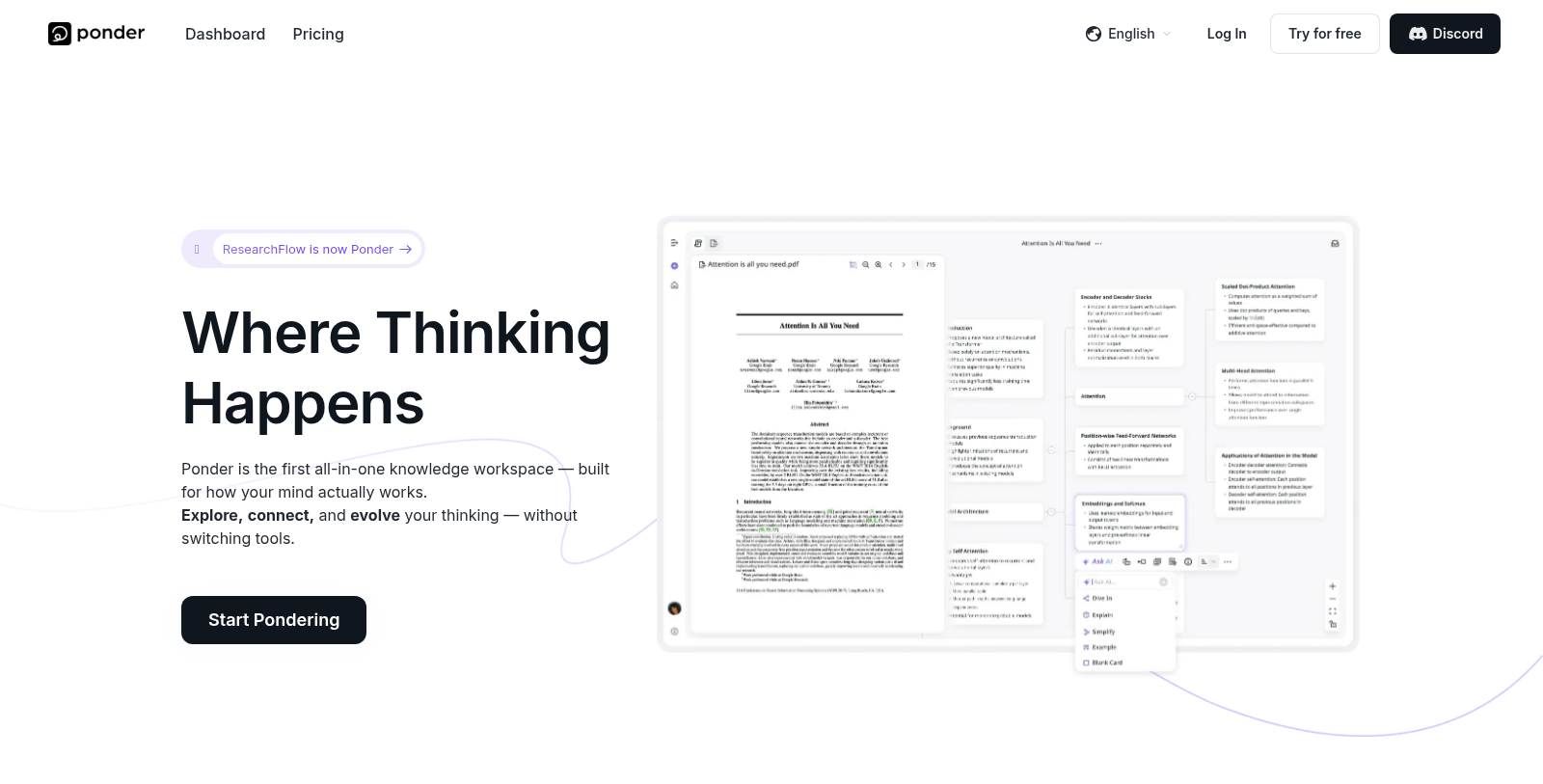
Screenshot of Ponder
What is Ponder?
Ponder is the pioneering all-in-one knowledge workspace that redefines how users engage with information by focusing on deeper thinking rather than speed. This tool is ideal for students, researchers, analysts, and knowledge workers who value the intricate connections between ideas. Ponder provides a comprehensive platform for uploading files, posing questions, and navigating through a web of interconnected ideas—allowing users to explore, connect, and evolve their thinking without having to switch between different tools.
At its core, Ponder promotes the idea that profound understanding is achieved through thoughtful exploration and the relationships between concepts, many of which are often overlooked by traditional approaches. This fresh perspective encourages users to create a personalized cognitive environment that aligns with their individual thinking habits, visualizing their thought processes on an infinite canvas that supports dynamic exploration of thoughts and seamless connections among various types of information, including documents, videos, and databases.
Key Features of Ponder
A standout functionality of Ponder is the Ponder Agent, an intelligent assistant that walks with you throughout your thinking journey. This feature isn't just a tool; it becomes a partnership in thinking by suggesting possible connections, organizing insights, and highlighting potential blind spots, ensuring that users don’t merely collect data but effectively turn it into coherent and strategic understandings. The metaphysical design of Ponder seeks to foster an environment where thoughts can grow and evolve organically.
Importing and Organizing Information
The platform excels at importing various formats, such as PDFs, videos, web pages, and texts, empowering users to engage directly with their sources. This hands-on method cultivates a more holistic approach to learning and discovery, rendering traditional searching methods obsolete. Moreover, Ponder enables users to analyze and juxtapose multiple sources, helping them discern patterns and gain deeper insights, revealing meaningful relationships between documents.
Growth and Connection
Ponder facilitates the organic growth of knowledge, allowing users to branch insights from a single concept into a vast network of connected thoughts, ensuring a richer understanding of complex subjects. The platform also supports various exporting options for this accumulated knowledge, enabling users to transform their insights into structured reports, mind maps, or Markdown files, enhancing shareability and reusability.
Community and Collaboration
Beyond personal learning, Ponder cultivates a collaborative atmosphere that appeals particularly to students and professionals seeking to integrate diverse perspectives into a cohesive understanding of complex topics. Users can share their Ponders with colleagues, encouraging a culture of collaborative knowledge building.
How Ponder is Transforming Research and Learning
Ponder has proven invaluable across various fields—from researchers synthesizing vast quantities of academic work into clear insights to analysts distilling complex data points with unmatched clarity. Users express gratitude for Ponder’s intuitive design, which significantly enhances their capacity for deep learning and boosts their productivity.
Get Started with Ponder
Ponder operates under a freemium model, featuring a free tier that allows access to basic functionalities, along with several paid upgrade options. Each upgrade grants users additional AI processing credits and capabilities that cater to a diverse range of users, from casual learners to dedicated professionals in various fields of study. Recent enhancements have focused on user experience, encouraging deeper interactions with the platform, and ensuring that the depth of thought is prioritized over the superficiality of speed.
In conclusion, Ponder embodies a revolutionary advancement in the realm of knowledge work. By minimizing distractions typical of traditional learning tools and promoting a deeper engagement with material, Ponder empowers users to engage not just faster, but, more importantly—deeper.
Pros & Cons
Pros
- Offers an infinite canvas for organizing thoughts, documents, and media seamlessly.
- Facilitates deeper understanding through AI-driven insights and knowledge mapping.
- Allows collaboration and flexible structuring of information, enhancing productivity.
Cons
- May require a learning curve for users unfamiliar with visual knowledge mapping.
Frequently Asked Questions
Ponder is free to start, with paid plans from 0 to 0 USD per month.
According to our latest information, this tool does not seem to have a lifetime deal at the moment, unfortunately.
Ponder is built as an all-in-one knowledge workspace designed to enhance deep thinking. Its unique features include an infinite canvas for branching ideas, an interactive Ponder Agent that helps you engage with your knowledge, and the ability to import a range of formats, including PDFs and videos. The tool allows users to analyze and compare multiple sources to identify connections, fostering deeper insights. This structure helps maintain a coherent thought process without switching between tools.
Ponder is particularly valuable for researchers, as it helps distill large volumes of information into clear, connected insights. You can build a personalized research hub, synthesize multiple sources into coherent strategies, and visualize your notes and findings into structured reports and mind maps. This makes it easier to focus on critical elements of your research without getting overwhelmed by data.
Ponder supports a variety of file types, including PDFs, videos, text documents, and web pages. This flexibility allows you to engage directly with your sources within the platform, facilitating deeper analysis and understanding. You can also use Ponder's tools to visually organize and connect these materials based on your thought processes.
Yes, Ponder is designed for collaborative thinking. You can share your knowledge space with others to explore ideas together and discuss your research or projects. The platform's structure encourages collaboration by enabling multiple users to work within the same framework, enhancing collective insights and understanding.
The free plan in Ponder lets you explore basic features but imposes limitations. Specifically, you receive 20 AI credits per day and can upload up to 5 files per day, with a maximum of 150MB per upload. If you require more advanced features or higher usage limits, consider upgrading to a subscription plan.
Ponder places a strong emphasis on data security. When you upload files, they are processed using third-party AI services that do not use your data for training purposes. Your content is kept private and secure within the platform, and Ponder itself does not have direct access to your files. For more details, refer to Ponder's Privacy Policy.
Ponder offers several subscription plans, including Free, Casual, Plus, and Pro. The Free plan provides limited daily AI credits and upload capabilities. The Casual plan enhances these limits and offers unlimited uploads, while the Plus and Pro plans further increase AI credits and unlock additional features, including advanced exporting options and improved analytics. Each plan is designed to accommodate different usage levels based on your needs.
To get the most out of Ponder, start by fully exploring its infinite canvas feature for brainstorming and organizing your ideas visually. Use the Ponder Agent to engage with your insights and discover new connections. Regularly upload diverse content to enrich your knowledge base, and participate in community discussions to leverage collective learning. Using Ponder as your primary workspace for all your research can significantly streamline your processes.