ReShoot

Effortlessly enhance selfies and visualize designs using AI-powered photo editing tools.
Apple.com
Is this your tool?
Follow for updates & deals
Get alerts for ReShoot discounts, feature releases & pricing changes
Similar Tools
PicPicAI
Enhance image quality, remove backgrounds, and create art seamlessly with AI tools.

Lovart
Automates the design process to create visuals, videos, audio content, and 3D designs from user prompts.
OpenArt
Enhance and transform images with an array of AI tools for quality and creativity.

Gemini
Edit images precisely while maintaining the subject's likeness across multiple photos.

Fotor
Edit photos and create images easily with intuitive tools and AI features for beginners and professionals.

ReShoot Media Gallery
What is ReShoot?
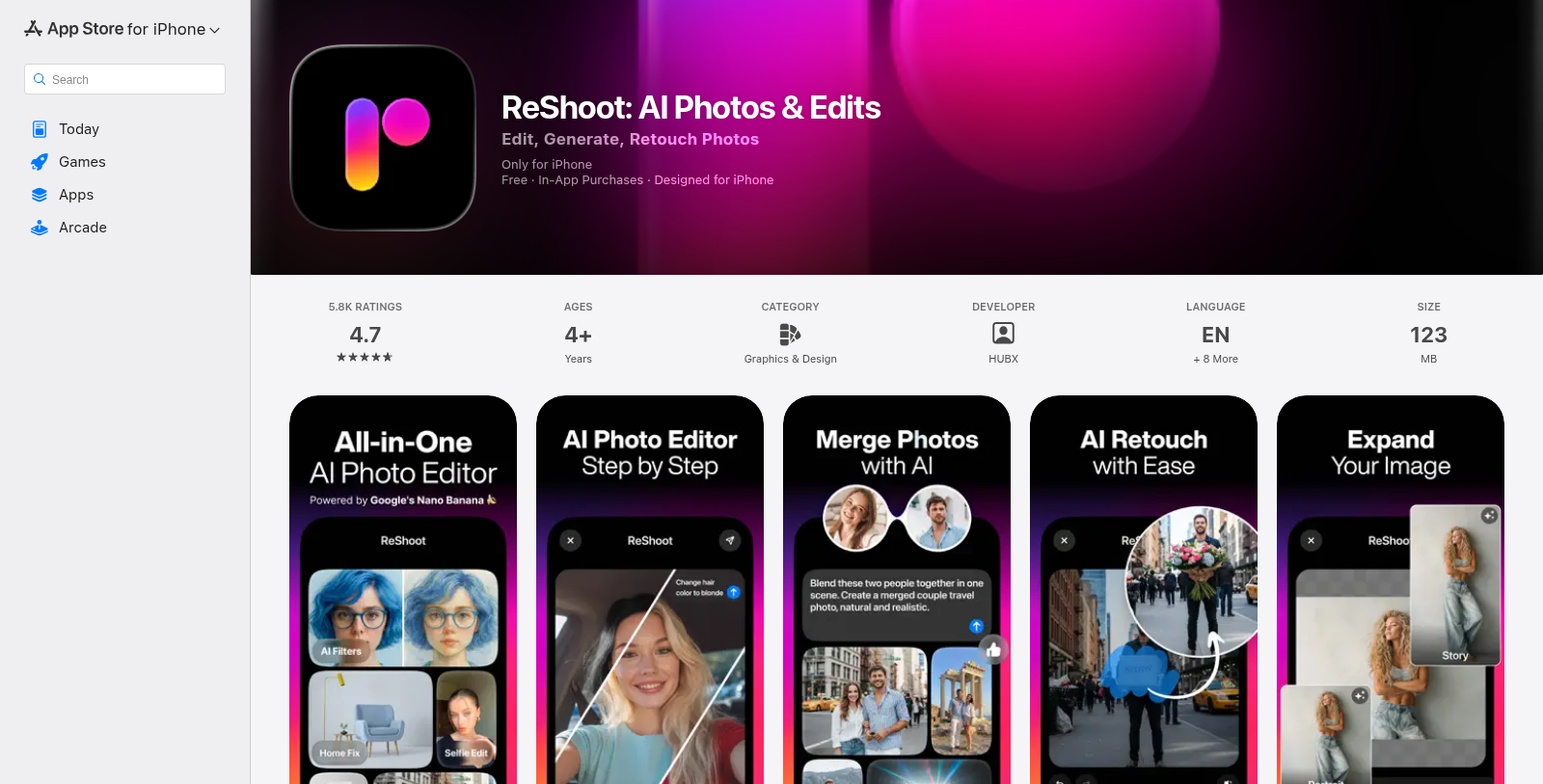
ReShoot is an innovative AI-powered photo editing application designed specifically for the iPhone. With ReShoot, users can effortlessly transform their selfies into stunning visuals that rival magazine shoots, enhance photos with a single tap, and even explore creative design possibilities, such as dreaming up interior spaces or experimenting with hairstyles. The app leverages cutting-edge AI technology, powered by Gemini 2.5, making it suitable for everyone from casual users looking to enhance their social media presence to professionals seeking high-quality imagery for marketing purposes.
One of the most exciting features of ReShoot is the AI Photo Generator that allows users to turn simple selfies into beautiful portraits. Just one tap is all it takes to reveal a user's best self, making it incredibly user-friendly. The AI Picture Editor further enhances this by providing retouch tools that ensure the final image is both realistic and aesthetically pleasing. ReShoot even features an interior design tool that lets users visualize their dream homes in seconds.
What You Can Do with ReShoot:
- AI Photo Generator: Create magazine-style portraits from selfies.
- AI Picture Editor: Easily enhance any photo with just one tap.
- AI Interior Designer: Visualize home designs quickly and easily.
- AI Tattoo Generator: Preview tattoo designs before getting inked.
- AI Image Generator: Produce logos and visuals just from text descriptions.
- AI Cartoon Filters: Transform photos into cartoonish art styles.
- Professional Business Headshots: Make your profile pictures suitable for professional uses.
- AI Merge Photos: Combine two images for a shared, realistic output.
Why ReShoot Stands Out:
Unlike traditional photo editors that can be complicated and time-consuming, ReShoot simplifies the process by automating photo enhancement and transformation. Users can test out various looks, such as business headshots or playful cartoons, without needing advanced editing skills. This makes ReShoot a valuable tool for influencers, marketers, and casual users alike, providing easy access to professional-quality imagery. The possibility to create brand-worthy content quickly and efficiently is a game-changer that highlights ReShoot's functionality.
Key Features Recap:
- AI Photo generator for realistic portraits
- One-tap retouch and editing tools
- Virtual hair and makeover trials
- Product photo studio capability
- Merge features for creative photo combinations
To sum it up, ReShoot not only offers a robust suite of AI-driven tools but also fosters creativity and fun in photography. Whether you want to refresh your social media profile, explore new looks, or create striking product images, ReShoot is the perfect companion for all your photo editing needs.
Pros & Cons
Pros
- Utilizes advanced AI technology to enhance photos effortlessly.
- Offers a variety of creative editing options such as tattoos, hairstyles, and interior design.
- Allows users to create professional-quality images for social media and business profiles.
Cons
- Daily usage is limited to a certain number of modifications without a premium upgrade.
Frequently Asked Questions
ReShoot is free to start, with paid plans from 0 to 7.99 USD per month.
According to our latest information, this tool does not seem to have a lifetime deal at the moment, unfortunately.
ReShoot offers a wide variety of image transformations. You can create stunning magazine-style portraits from selfies, professional business headshots, product photographs, and even artistic cartoon versions of yourself. The app also allows users to visualize interior design ideas, try on hairstyles and tattoos, and generate logos or images from text descriptions. There's something for everyone, from everyday users to professionals in need of eye-catching visuals.
ReShoot is packed with innovative AI-powered photo editing features. These include one-tap enhancements to make any image shine, cartoon transformations, the ability to create realistic avatars, and the merging of multiple photos into a single cohesive image. Users can effortlessly refine their pictures or create entirely new styles that fit their aesthetic or needs.
The AI technology in ReShoot, powered by Google's Gemini 2.5, analyzes uploaded images and applies sophisticated algorithms to enhance them. This means you won't need to worry about setting the perfect shot—upload any picture, and ReShoot will automatically generate several impressive outputs based on unique styles, from glamorous photoshoots to fun and engaging transformations.
Yes, ReShoot is ideal for professional use. Content creators, influencers, and entrepreneurs can quickly generate high-quality visuals for branding, marketing materials, and social media campaigns. It's beneficial for professional headshots or product photography, allowing users to create polished images without needing expensive equipment or extensive editing knowledge.
Users typically have a limit on the number of images they can edit each day for free. This limit is around 5-7 edits. If you find yourself needing to create more images, you may want to explore the premium subscription options, which offer more daily edits along with enhanced features and capabilities.
ReShoot values user feedback and encourages users to reach out with suggestions or issues. You can contact their support team directly via email at support@reshootapp.org. They actively seek to improve the app based on user experiences and suggestions.
ReShoot is specifically designed for iPhone and requires iOS 15.6 or later to function correctly. Unfortunately, it is not yet available on other platforms like Android or iPad. Users should ensure their devices meet this requirement before installing the app.
In addition to standard photo editing, ReShoot enables creative exploration by letting users visualize tattoo designs or experiment with different hairstyles before making permanent decisions. The app's capabilities extend to generating unique images from text, making it a versatile tool not just for photo enhancement but also for creative projects and fun explorations.