SeaArt AI

Collaborative platform for generating AI art, videos, and audio with community support
Seaart.ai
Is this your tool?
Follow for updates & deals
Get alerts for SeaArt AI discounts, feature releases & pricing changes
Similar Tools

Flux AI
Create high-quality images from text prompts and generate videos seamlessly from still images.
Automatic1111 - Stable Diffusion web UI
Interactive web interface for generating images with Stable Diffusion using the Gradio framework.
DALL·E 2
Generates detailed images from textual descriptions with features for editing and style variations.

Pollo AI
Create engaging videos with AI-driven animations and effects for social media and personal projects.

Imagen3D
Transform 2D images into detailed 3D models quickly with multiple quality options.

SeaArt AI Media Gallery
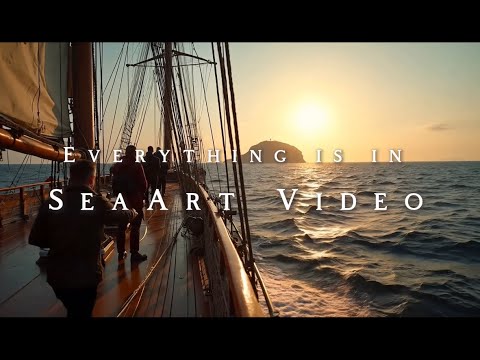
SeaArt AI (review) video
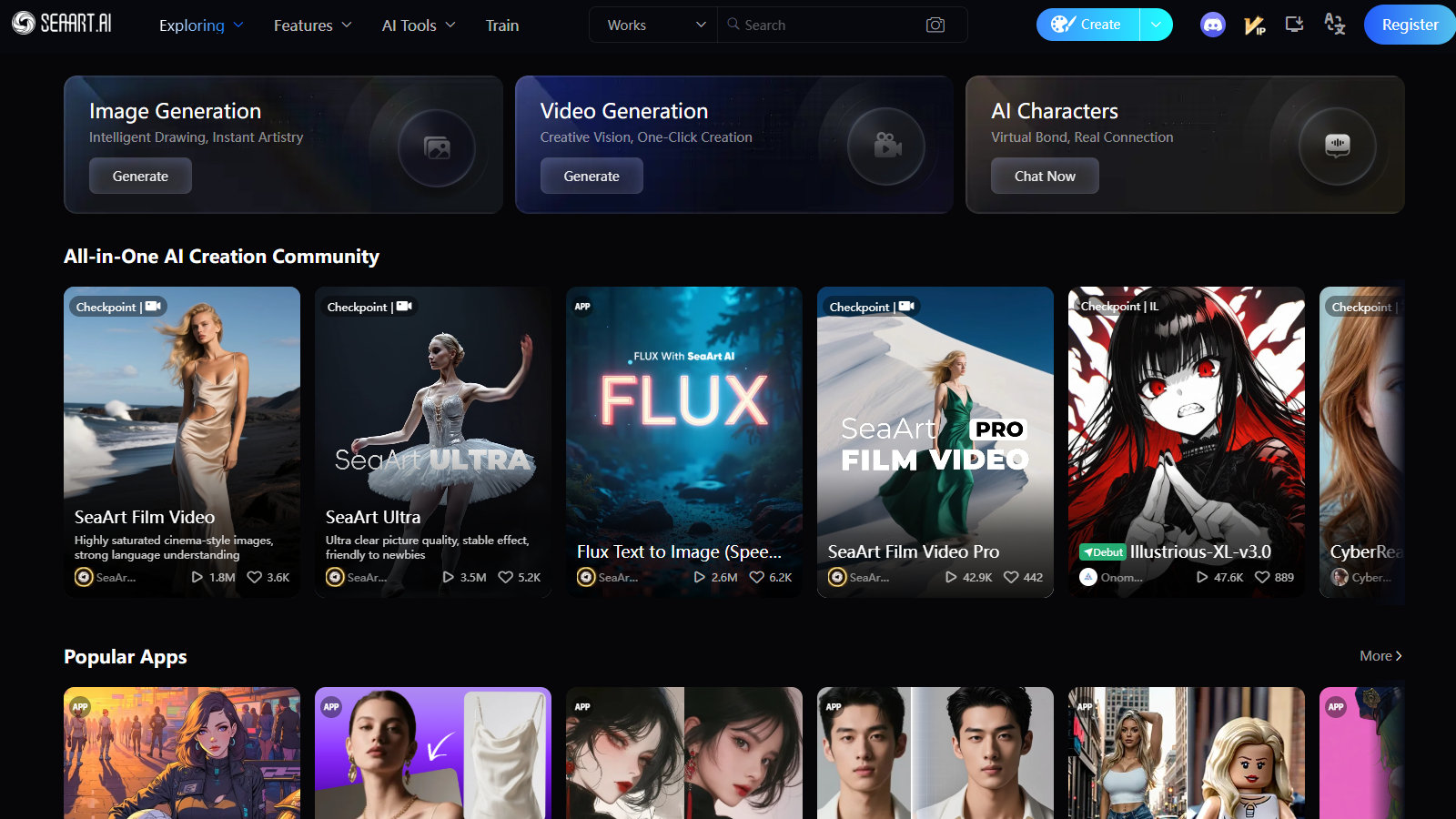
Screenshot of SeaArt AI
What is SeaArt AI?
SeaArt AI is a comprehensive platform that fosters creativity through artificial intelligence across various domains, including art, video, audio, and chat. This dynamic tool acts as a vibrant community hub where artists, creators, and enthusiasts collaborate, share ideas, and enhance their creative projects. With its user-friendly interface, SeaArt AI provides tools that cater to everyone, from beginners exploring the world of AI-generated content to seasoned professionals seeking innovative solutions.
1. Introduction to SeaArt AI
At its core, SeaArt AI aims to empower users by harnessing the capabilities of AI technology. Whether you aspire to create stunning visuals, engaging videos, or captivating audio experiences, SeaArt AI equips you with the necessary tools to realize your creative vision. It bridges the gap between imagination and execution, enabling anyone with a spark of creativity to translate their ideas into reality.
2. Key Features of SeaArt AI
SeaArt AI boasts an impressive array of features, including access to more than 700,000 AI models available for generating art. These models range from creating cinematic video effects to enhancing image quality and featuring robust text-to-image capabilities. Recently, the platform has also expanded its services, allowing for text-to-animation transformations that turn scripts into engaging animated videos swiftly. This expanded functionality enhances the creative potential within the community, encouraging users to explore diverse forms of expression.
Moreover, the community aspect of SeaArt AI is essential, as it fosters collaboration. Creators can engage in discussions, participate in challenges, and provide feedback on each other’s works. This interaction cultivates a sense of belonging within a supportive environment, amplifying creativity and innovation across the platform.
3. User Experience
Designed with users in mind, SeaArt's interface ensures an intuitive experience for all. The accessibility of each tool allows users to navigate effortlessly, focusing on their creative pursuits without being bogged down by complicated software. This simplicity has attracted a diverse audience—hobbyists exploring AI art and professionals relying on reliable tools for production.
SeaArt AI also offers a variety of templates and streamlined workflows that enhance the user's creative process. Whether it’s turning sketches into polished images or creating caricatures from simple photographs, the efficiency of these tools allows creators to work at their own pace while achieving remarkable results.
4. Community Engagement
Engagement within SeaArt AI is lively and ongoing. Users are encouraged to connect, collaborate, and share their creations, participating in various community-driven initiatives that foster creativity. This includes regular challenges and opportunities for feedback, creating a vibrant culture where every member contributes to the collective growth of the community. The platform supports and amplifies the exploration of new artistic avenues, offering creators the chance to express their individual styles and inspirations.
5. Pricing and Access
SeaArt AI operates on a freemium model, meaning it provides users with a variety of tools and features free of charge. Although free users have limitations, such as caps on the number of generations or the resolution of outputs, there are several premium options available for those looking to unlock additional capabilities. The premium offerings justify the upgrade for serious creators who seek enhanced functionality and additional resources. The flexibility of the pricing structure ensures it accommodates users at various levels, making it a suitable choice for casual creators and dedicated professionals alike.
6. Conclusion
Overall, SeaArt AI combines technology and community in a unique way to support artistic expression. Its robust features, inclusive environment, and commitment to fostering creativity make it a premier platform for anyone looking to engage with AI in creative endeavors. Whether your goal is designing digital art, generating videos, or exploring soundscapes, SeaArt AI is well-equipped to help you create and inspire.
Pros & Cons
Pros
- Offers a comprehensive suite of tools for creating art, videos, and audio.
- Provides over 700k AI models for image generation, enhancing creative possibilities.
- User-friendly interface allows for easy creation and customization of AI-generated content.
Frequently Asked Questions
SeaArt AI is free to start, with paid plans from 0 to 0 USD per Translation not found for 'time_period_unknown'.
According to our latest information, this tool does not seem to have a lifetime deal at the moment, unfortunately.
SeaArt AI enables users to create a diverse range of content, including high-quality AI art, videos, audio, and engaging conversations. Whether you're interested in creating stunning visuals from text, transforming sketches into images, or generating animated videos from scripts, SeaArt AI provides an all-in-one platform to explore your creativity.
With SeaArt AI, you have complete control over the style of the final images. The platform offers extensive customizable styles that you can select based on your artistic vision. You can provide specific descriptions and indications of the desired style, ensuring the generated art aligns with your expectations.
Yes, you can use the content generated from SeaArt AI for both personal and commercial purposes. However, it is essential to comply with any legal and ethical implications and to ensure transparency regarding the AI's role in the creation process. Always check for specific licensing information on the platform.
Creating animated videos from text with SeaArt AI is a straightforward process. Start by typing your script or idea, then select your desired video aspect ratio and length. After you hit 'Generate', the AI will process your text to produce a high-quality animation. Finally, you can preview and download your video once you're satisfied with the result.
SeaArt AI offers various usage plans that determine the number of images you can create. For free users, there may be a monthly limit on the number of images that can be generated. However, paid plans offer more access, including the ability to create high-resolution images and additional features like a priority queue for faster processing.
If you experience any issues or have questions while using SeaArt AI, you can reach out for support via their Discord server. The platform also offers extensive documentation and guides to help you navigate through any challenges. Additionally, the community aspect of SeaArt AI enables collaboration with other users who can assist.
Yes, SeaArt AI includes an image upscaling feature that enables you to enhance the resolution of images created on the platform without compromising detail. You upload the image you want to upscale, select enhancement options, and download your improved image. This feature is handy for refining the quality of your visual content.
Absolutely! SeaArt AI is designed to be globally accessible and can be used on various platforms, including computers, Android devices, and iOS devices. As long as you have an internet connection, you can easily access the services offered by SeaArt AI through your mobile browser.