













SEO Analysis & Website Review by WooRank

Analyzes websites for SEO performance, usability, and accessibility with actionable insights.
Woorank.com
Is this your tool?
Follow for updates & deals
Get alerts for SEO Analysis & Website Review by WooRank discounts, feature releases & pricing changes
Similar Tools

Indexly
Automates web page submission for faster indexing across major search engines like Google and Bing.
diib
Automated tool for monitoring SEO performance and generating custom growth plans for businesses

Peec AI
Analyze brand visibility and performance in real-time across AI search platforms for marketing strategies.

NeuronWriter
Use AI to analyze and enhance website content for improved SEO and audience engagement.

Link Redirect Trace
Analyzes redirection paths and checks SEO elements for better website performance.

SEO Analysis & Website Review by WooRank Media Gallery

SEO Analysis & Website Review by WooRank (review) video
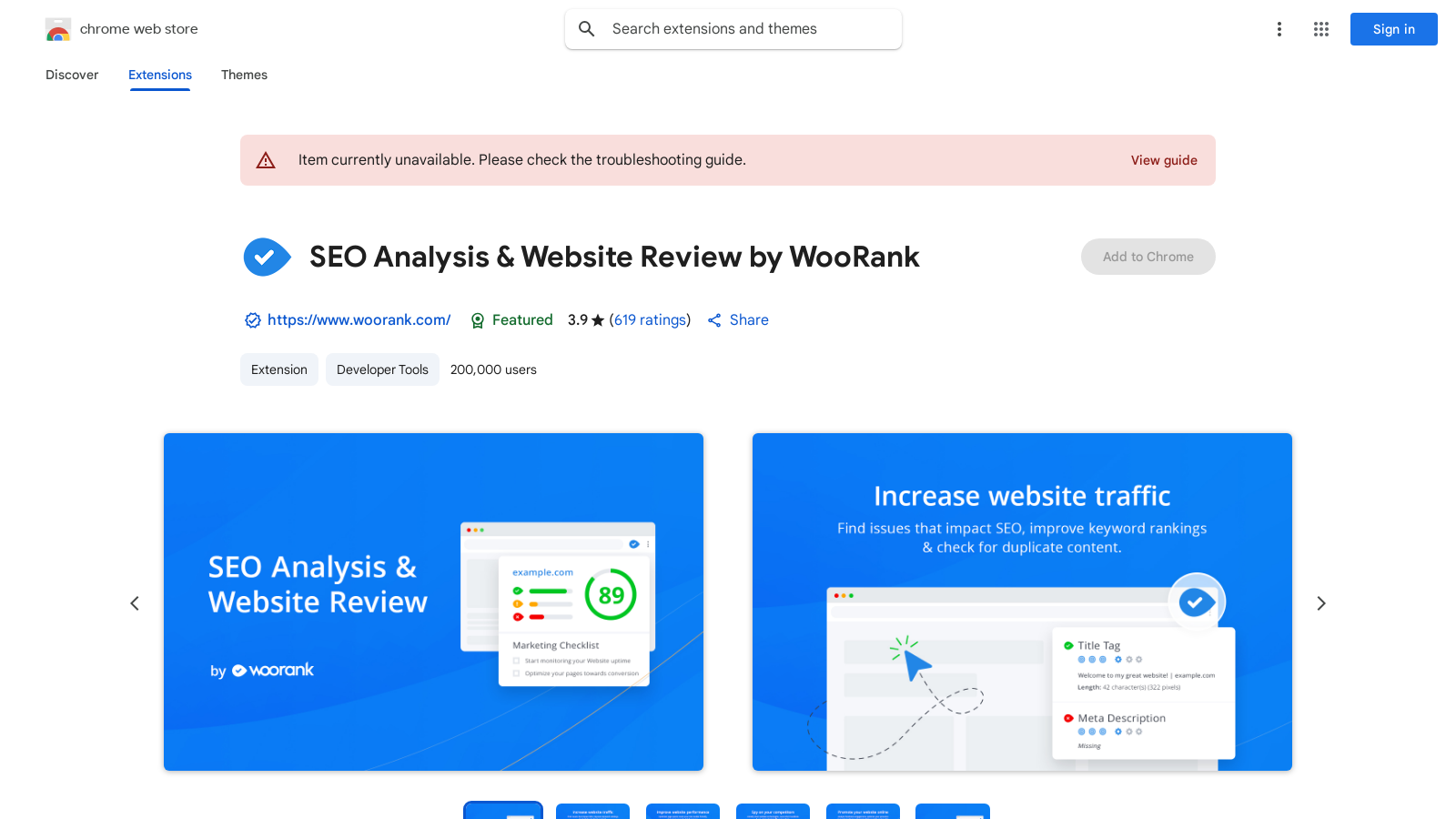
Screenshot of SEO Analysis & Website Review by WooRank
What is SEO Analysis & Website Review by WooRank?
SEO Analysis and Website Review by WooRank is a free Chrome extension that instantly provides a deep review of a domain’s on-site and off-site data, offering a complete picture of a website’s optimization. With this tool, website owners and marketers can quickly gain actionable insights into their website's performance, usability, and accessibility. The WooRank extension allows users to analyze the website they are currently visiting in their browser, generating clear reports that highlight any issues affecting the site's accessibility, readability, usability, and overall SEO.
The data assessed by the extension covers various critical aspects, including search engine optimization, structured data performance, mobile-friendliness, usability metrics, website technology insights, backlink profiles, social media metrics, and website traffic. This comprehensive analysis not only helps you improve your marketing efforts but also gives precise information on competitor websites, so users can see how they stack up against their rivals.
Features of the WooRank Extension
The key features provided by the SEO Analysis and Website Review tool include:
- Instant Website Reviews: Users can quickly analyze any website with just a click, receiving immediate feedback regarding SEO performance.
- Accessibility and Usability Analysis: The reports generated break down the issues affecting user experience, which is essential for maintaining a user-friendly site.
- Competitor Insights: Analyze the websites of competitors to gain insights into their strengths and weaknesses, including an overview of their backlink profiles.
- Regular Updates: The extension allows users to refresh their reports, ensuring that analyses stay current with the latest data.
Who Can Benefit from WooRank?
This tool is particularly beneficial for:
- Website Owners: Individuals looking to enhance their site's performance will find valuable insights for improvements.
- Marketers: In-house marketers optimizing for campaigns can leverage the tool for strategic alignment.
- Freelancers and Agencies: Professionals working on client projects can use its insights to deliver comprehensive SEO reports.
- Sales Teams: Members can gain understanding of potential leads by analyzing prospective clients' sites.
- Developers: Web developers can validate their project's SEO with the extension's detailed insights.
How to Use the SEO Analysis Tool
Getting started with the WooRank extension is straightforward:
- Install the extension from the Chrome Web Store.
- Click on the WooRank icon in your browser whenever you wish to analyze a website.
- If a website has been reviewed before, immediate access to its data is available. If it's a new site, just click the “Free review” button to generate a report.
This efficient process requires no account setup or permissions. Furthermore, WooRank values user privacy, processing only the URL of the site viewed during the analysis. This design ensures that anyone can improve their online presence without additional hassle or privacy concerns.
Pros & Cons
Pros
- Provides instant SEO analysis covering various website aspects.
- Refreshes data for up-to-date website reviews and insights.
- No account sign-up or permissions required, ensuring user privacy.
Cons
- Some users report limited access without a paid subscription.
Frequently Asked Questions
SEO Analysis & Website Review by WooRank is available at no cost.
According to our latest information, this tool does not seem to have a lifetime deal at the moment, unfortunately.
The SEO Analysis & Website Review extension analyzes various aspects of a website, including search engine optimization (SEO), structured data, mobile-friendliness, usability, website technologies, backlinks, social media presence, and website traffic. This comprehensive approach helps users understand the strengths and weaknesses of their site or a competitor's, ultimately aiding in optimizing performance.
You can refresh the SEO analysis data by simply clicking the WooRank icon in your browser while on the website you want to analyze. If WooRank has already reviewed that domain, you will get the most recent data instantly. For new domains, click the 'Free review' button to generate fresh data in seconds.
Yes, SEO Analysis & Website Review by WooRank is a free Chrome extension that does not require any account sign-up or activation. Once installed, you can start using it immediately without any additional permissions, making it easy and accessible for everyone.
WooRank prioritizes your privacy. The extension only sees the URL of the website you are currently viewing when you click the icon, and it does not collect any data regarding your browsing behavior or history. This means no tracking of your movements across the web, ensuring a secure user experience.
The SEO Analysis & Website Review extension is beneficial for various professionals, including website owners aiming to improve their site, in-house marketers optimizing a site for campaigns, freelancers and agencies managing client sites, sales teams researching prospects, competitors conducting analysis, and developers validating their work.
While the WooRank extension operates independently, it can be used in conjunction with various SEO tools and services within your workflow. The insights it provides can complement findings from other tools, enhancing your overall SEO strategy. However, specific integrations with third-party platforms are not mentioned, so users should verify compatibility based on their individual needs.
If you encounter issues with the SEO Analysis & Website Review extension, refer to the troubleshooting guide provided by WooRank or visit their support hub for assistance. Typical problems might include outdated browser versions or conflicts with other installed extensions. Ensuring your Chrome browser is up to date can often resolve functionality issues.
Several alternatives provide SEO analysis features similar to WooRank, including SEOquake, MozBar, and Majestic Backlink Analyzer. Each tool may offer unique functionalities, so consider reviewing their features to find one that best meets your specific SEO requirements. It's a good idea to evaluate these alternatives based on your particular needs and preferences.
SEO Analysis & Website Review by WooRank Comparisons
-
 LibreCrawl vs SEO Analysis & Website Review by WooRank
-
 PhotoG vs SEO Analysis & Website Review by WooRank
-
Link Redirect Trace vs SEO Analysis & Website Review by WooRank
-
 SEO Analysis & Website Review by WooRank vs Ultimate Web Scraper
-
 Keyword Surfer by SurferSEO vs SEO Analysis & Website Review by WooRank


