SEOquake

Analyze SEO metrics and perform audits directly in your browser with a customizable plugin.
Seoquake.com
Is this your tool?
Follow for updates & deals
Get alerts for SEOquake discounts, feature releases & pricing changes
Similar Tools

Ubersuggest
SEO tool that provides keyword metrics, trends, and competition analysis for effective digital marketing.

Content Gap Report
Identify content gaps on your site and receive personalized recommendations to improve traffic and conversions.

SparkToro
Identify audience trends and insights to enhance your marketing strategy.

diib
Automated tool for monitoring SEO performance and generating custom growth plans for businesses

Sindo
Automates customer review collection and helps manage online reputation.

SEOquake Media Gallery

SEOquake (review) video
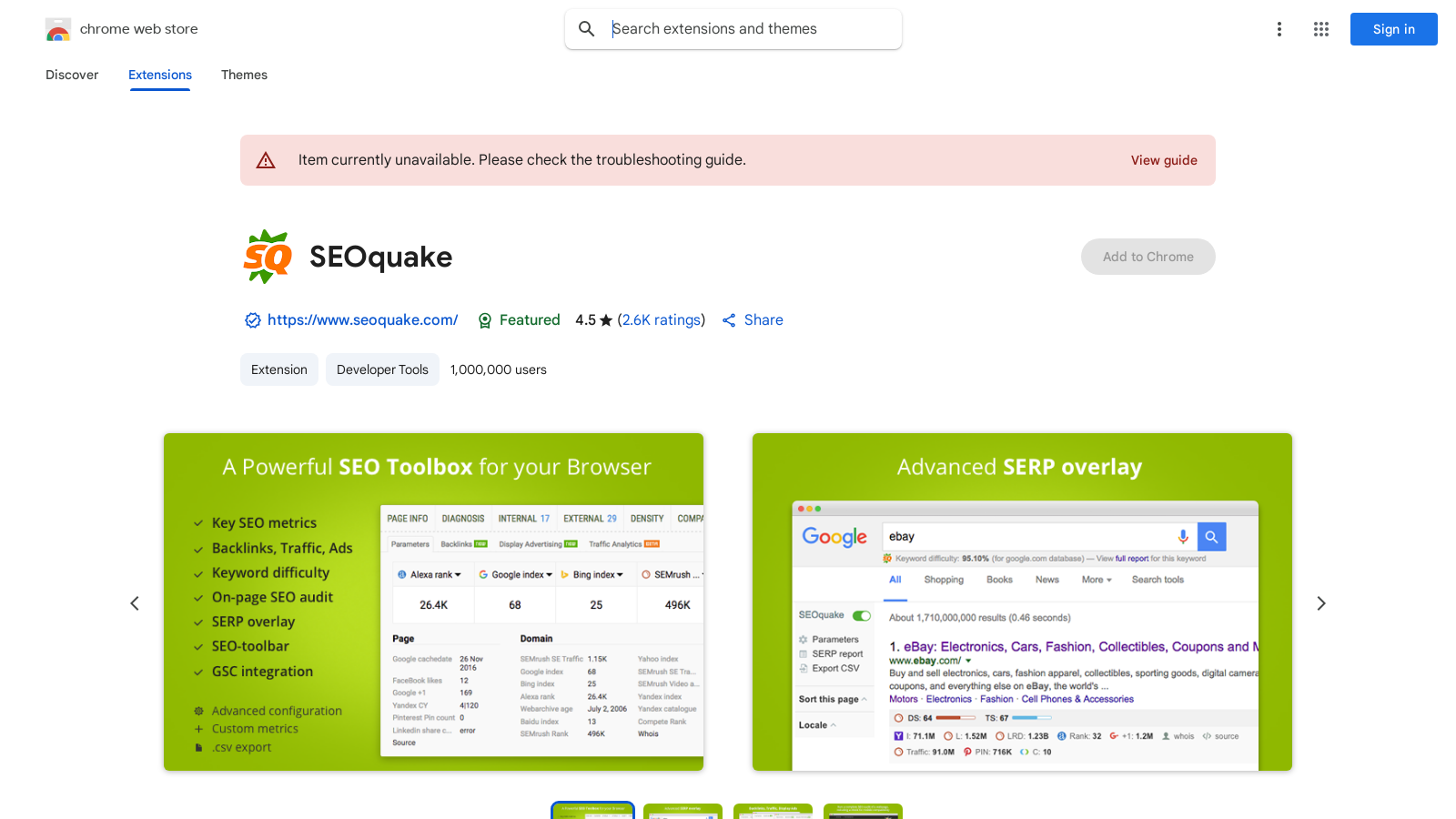
Screenshot of SEOquake
What is SEOquake?
SEOquake is a free plugin that helps you analyze your website's SEO metrics effectively. In the world of search engine optimization, having the right tools can mean the difference between ranking well and being buried deep in search results. With SEOquake, you get a plethora of features designed to enhance your SEO capabilities.
One of the most exciting aspects of SEOquake is its ability to provide you with key SEO metrics right at your fingertips. You can review all major metrics in a heartbeat, which allows for quick decision-making and insights.
Key Features
SEOquake is packed with powerful tools that can assist you in various SEO efforts:
- Detailed SERP Analysis: Get a thorough analysis of SERPs and export the results in CSV format. This is crucial for tracking performance over time and making data-driven decisions.
- Keyword Difficulty Estimation: Instantly estimate keyword difficulty, which is vital for focusing your efforts on achievable targets.
- Custom Query Parameters: Set parameters for your search query, which allows for tailored searches to fit your strategy.
- Comprehensive Audits: Run complete SEO audits of webpages, including checks for mobile compatibility. This ensures that your site is accessible and performs well across devices.
- Social Statistics Check: Monitor your social statistics for platforms like Facebook, providing a holistic view of your online presence.
- Customizable Metrics: Use a wide range of default parameters or create a custom set to suit your needs.
- Link Reporting: Get full reports for internal and external links, helping you understand link distribution and relevance.
- Keyword Density Analysis: Determine keyword density and configure a stop-word list, ensuring optimal keyword usage without overstuffing.
- URL Comparison: Compare URLs/domains to see how they stack up against each other.
User-Friendly Installation
Installation of SEOquake is quick and straightforward, making it accessible even for those who may not be tech-savvy. The plugin is compatible with various browser extensions and is regularly updated to incorporate the latest SEO trends and changes.
Why Choose SEOquake?
SEOquake has become a go-to tool within the SEO community, amassing over three million downloads. Its user base includes marketers, small business owners, and anyone looking to improve their website's SEO performance. With its user-friendly interface, comprehensive metrics, and valuable insights, SEOquake effectively serves both beginners and experienced users.
If you have any questions, reach out via email at mail@seoquaketeam.com. Be sure to review the Terms of Service and Privacy Policy for more information regarding usage.
Pros & Cons
Pros
- Provides comprehensive SEO metrics and analysis tools in a single plugin.
- Allows for easy export of SERP analysis results in CSV format.
- User-friendly interface with customizable metrics and settings.
Frequently Asked Questions
SEOquake is available at no cost.
According to our latest information, this tool does not seem to have a lifetime deal at the moment, unfortunately.
SEOquake offers a comprehensive range of essential SEO metrics, including keyword difficulty, internal and external link reports, social media statistics (particularly for Facebook), and SERP analysis. You can customize the metrics displayed in the SEO bar, allowing you to focus on the metrics that matter most for your analysis.
SEOquake allows you to export your SERP analysis results in CSV format. This feature is accessible through the SERP overlay, where you can sort and export the metrics associated with each listing. This functionality is handy for data analysis and record-keeping.
Yes, SEOquake is designed to be compatible with several browser extensions, enhancing its functionality as a versatile SEO tool. You can easily integrate it with your existing browser setup to maximize the benefits of your SEO analysis efforts.
The SEO Audit tool in SEOquake enables users to conduct comprehensive audits of web pages, identifying potential SEO issues. It checks for mobile compatibility, missing or duplicate tags, broken links, and on-page errors. This tool provides valuable recommendations for improving your page's SEO performance.
Yes, SEOquake features a Keyword Density report that helps you analyze the frequency of keywords on a selected web page. You can determine how often specific keywords appear and configure a stop-word list to focus your analysis on relevant terms, which helps optimize content.
Small business owners can leverage SEOquake to quickly analyze their own website's SEO performance, identify areas for improvement, and understand how they compare to their competitors. The tool's features, such as keyword difficulty estimation and SERP analysis, can significantly aid in developing effective marketing strategies.
Getting started with SEOquake is straightforward. Download the plugin from the Chrome Web Store and install it in your browser. Once installed, you'll have access to the SEO bar and SERP overlays, allowing you to review SEO metrics instantly while browsing. For in-depth guides, check the official documentation on their website.
SEOquake maintains a high standard of privacy by not collecting or using user data for any advertising or third-party purposes. Their privacy policy states that your data will not be sold, used for unrelated purposes, or transferred to determine creditworthiness, providing users with peace of mind while using the tool.