Streamlabs

Tools for live streamers to manage broadcasts, engage viewers, and customize stream appearances.
Streamlabs.com
Is this your tool?
Follow for updates & deals
Get alerts for Streamlabs discounts, feature releases & pricing changes
Similar Tools

KWatch.io
Monitor social media conversations in real-time.

Foreplay
Analyze ad performance and streamline creative processes without extra ad spending.

AdsGo AI
Automates ad campaign setup and management across multiple platforms for small and medium-sized businesses.

Glambase
Create, customize, and monetize unique AI-driven virtual influencers with ease

ViralSort
Manage and analyze your Instagram Reels to enhance content creation and optimize performance.

Streamlabs Media Gallery

Streamlabs (review) video
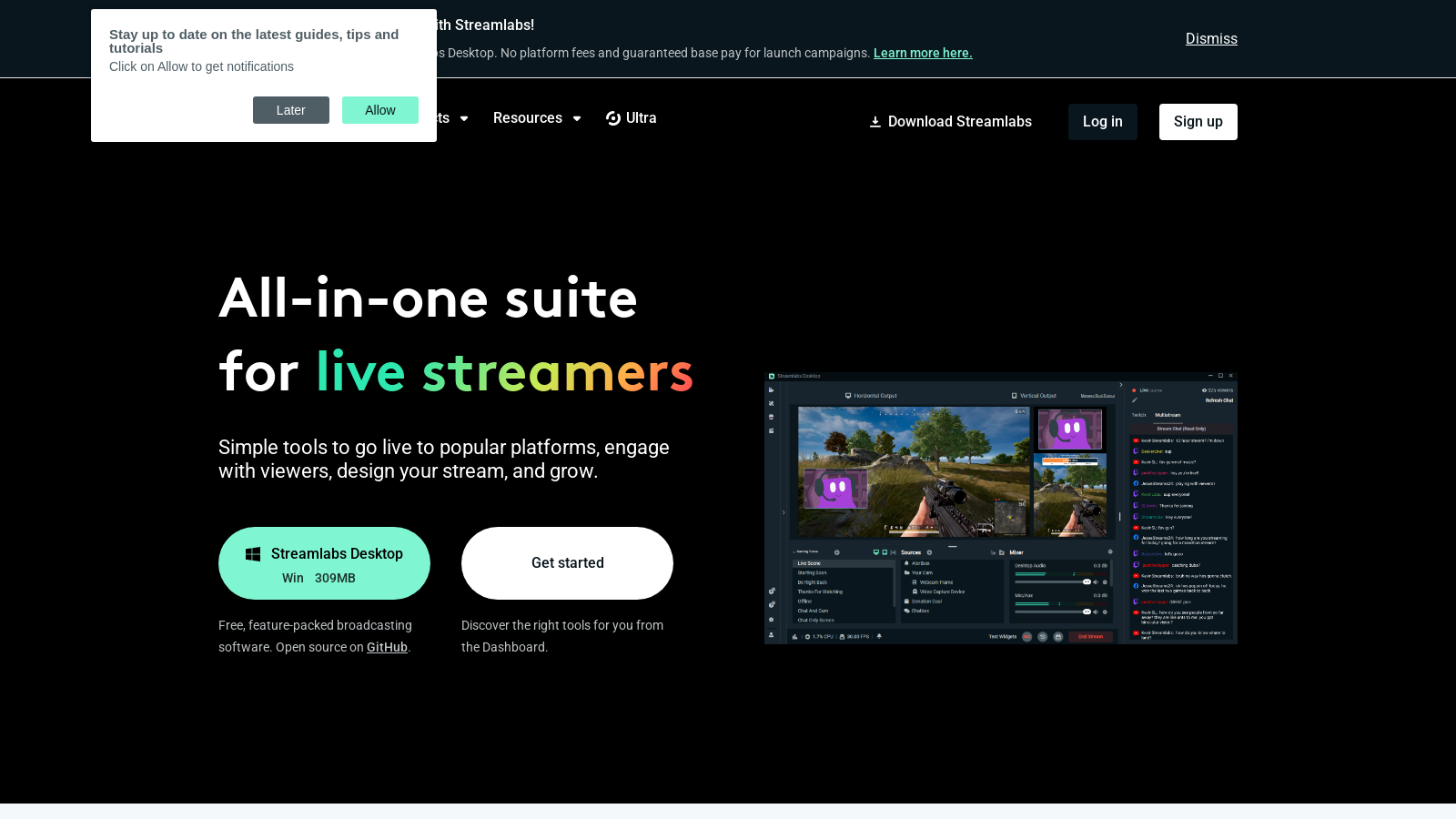
Screenshot of Streamlabs
What is Streamlabs?
Streamlabs offers an all-in-one suite designed specifically for live streamers and content creators. With its comprehensive tools, Streamlabs empowers users to connect with their audiences effectively, monetize their streams, and grow their following. Whether you’re just starting or a seasoned pro, Streamlabs provides both free and premium solutions to fit your streaming needs.
What is Streamlabs? Streamlabs is a leading platform that equips live streamers and content creators with a variety of easy-to-use tools. The software is designed to facilitate seamless live streaming to popular platforms like Twitch, YouTube, TikTok, and Facebook, ensuring that content creators can produce engaging broadcasts with ease.
Key Features of Streamlabs
One of the standout features of Streamlabs is its live streaming software, available for free on both Windows and Mac. Streamlabs Desktop incorporates essential tools, enabling users to go live in just a few minutes. This software allows streamers to customize their broadcasts with professional overlays and themes, engage viewers through alerts, and utilize various applications to enhance their streaming experience.
Multistreaming Capabilities
Streamlabs enables multistreaming, allowing users to broadcast to multiple platforms simultaneously. This feature is essential for streamers who aim to reach broader audiences without additional hassle. By simply toggling on the multistreaming feature, users can go live on platforms like YouTube, Twitch, and Facebook at the same time, maximizing their outreach. The benefits of multistreaming are significant; it allows content creators to diversify their audience and increase visibility across various platforms.
Custom Overlays and Themes
The presentation of your stream is critical; thus, Streamlabs provides a vast library of free overlays and themes to personalize streams. Users can tweak these elements to reflect their unique brand and style, making broadcasts visually appealing and more engaging for viewers. This flexibility is key for streamers looking to establish a recognizable presence.
Flexible Pricing Plans
Streamlabs utilizes a freemium model, offering excellent free tools accessible to all users. In addition to free features, those looking to elevate their streaming experience can opt for the premium subscription, Streamlabs Ultra. This Ultra plan includes access to advanced features such as customization of tip pages, increased video storage, and the ability to integrate multiple guests into your streams. Furthermore, users with a Streamlabs Ultra subscription can enjoy priority support, enhancing their overall experience. Notably, users with a Drillers ID can access all of Streamlabs' creator tools without any additional costs and enjoy significant upgrades on functionality and support. Streamlabs now also offers users the flexibility to pay for specific tools on a pay-per-use basis, catering to diverse user needs.
Community Support and Development
Streamlabs is more than just software; it represents a vibrant community of content creators who actively share their knowledge and experience. The platform is regularly updated with new features and improvements based on user feedback. Their extensive resource hub offers tutorials, support articles, and guides—essential tools to help creators maximize their use of the platform. The dedicated Help Center provides easy access to information on various topics related to live streaming and Streamlabs’ features, ensuring that new and seasoned users alike can find the support they need.
Notable Achievements
Since its inception, Streamlabs has paid out over more than 1.4 billion to live streamers and has helped raise millions for various charities, reflecting their commitment to supporting users and enhancing the live streaming landscape.
New Features and Updates
Streamlabs has recently rolled out several exciting functionalities aimed at improving the user experience. Enhanced alerts for donations and tips allow streamers to acknowledge their supporters in a more engaging manner. Streamlabs now supports integration with console and mobile devices, enabling streaming on platforms like TikTok directly from a desktop. Users can easily manage their settings across multiple devices, offering flexibility in how they stream. Updates in the user interface have simplified navigation, making it more intuitive and user-friendly. Additionally, Streamlabs has introduced an API for developers, enabling deeper customization and integration of new tools into the streaming experience.
Integration with External Tools
Streamlabs supports integration with various external tools and platforms beyond live streaming, broadening the potential functionalities for users. This kind of versatility is a significant benefit for content creators looking to streamline their workflows and enhance their production value. With the ability to integrate tools such as merchandise sales and various chat applications, Streamlabs continues to cater to the comprehensive needs of modern content creators.
Conclusion
In conclusion, Streamlabs provides an exceptional opportunity for live streamers to enhance their performance and engage with audiences. From their comprehensive free tools to the advanced features included in the Ultra membership, Streamlabs empowers users to take their passion for streaming to the next level while facilitating a supportive community around content creation. Their continuous commitment to innovation and user engagement sets them apart as a leader in the live streaming industry.
Pros & Cons
Pros
- Multistreaming allows broadcasting to various platforms simultaneously with easy toggling.
- User-friendly, all-in-one suite catering to various creator needs from streaming to editing.
- No platform fees for tips, maximizing earnings for content creators.
Cons
- Some advanced features are only available with the paid Ultra subscription.
Frequently Asked Questions
Streamlabs is available at no cost.
According to our latest information, this tool does not seem to have a lifetime deal at the moment, unfortunately.
Streamlabs supports a variety of platforms for live streaming, including Twitch, YouTube, Facebook, and Trovo, and allows custom RTMP destinations. This flexibility enables creators to reach audiences across multiple platforms simultaneously.
Yes, you can use Streamlabs on mobile devices! Streamlabs offers a mobile app that allows you to stream games and your camera directly from your smartphone or tablet. This is ideal for live streaming on the go.
Streamlabs Ultra offers professional-level features, including access to over 60 app add-ons, customizable tip pages, the ability to add multiple guests or cameras, and watermark-free, high-quality recordings. Additionally, Ultra users enjoy higher-tier monetization tools and advanced community management features.
To start multistreaming with Streamlabs, activate the multistream feature in Streamlabs Desktop. You can choose to broadcast to multiple platforms, such as Twitch, YouTube, and Facebook, simultaneously. This allows you to expand your reach and engage with a larger audience effortlessly.
A Streamlabs ID is a centralized login that provides access to all Streamlabs tools, including Streamlabs Desktop, Talk Studio, and the Web Suite. Having a Streamlabs ID simplifies the user experience, enabling creators to navigate easily between different tools and access their pro benefits with an Ultra subscription.
Streamlabs does not take a cut from tips made through its platform. Once a tip is made, it is processed directly through the payment processor to the creator's account, ensuring that most of the funds go directly to the user. The only fees you may encounter are standard processing fees from the payment service used.
Streamlabs provides a suite of analytics tools to help content creators understand their audience and improve their streams. These tools include performance metrics for streams, viewer engagement stats, and more, enabling creators to make informed decisions about their content strategy.
While using Streamlabs, you may encounter common issues, such as connectivity problems during streaming, audio or video lag, or difficulties with overlays not displaying correctly. For troubleshooting, it is recommended to check the official support articles available on the Streamlabs website or reach out to their support team for assistance.