SuperCraft
Create and visualize product designs using natural language descriptions with AI assistance.
Supercraft.ai
Is this your tool?
Follow for updates & deals
Get alerts for SuperCraft discounts, feature releases & pricing changes
Similar Tools

STOCKIMG.AI
Generate custom images from text prompts using AI for logos, posters, and more.

Midjourney
Generate unique images from text prompts using AI technology.

Shakker
AI tool for generating images with customizable features and models for various creative projects
DALL·E 2
Generates detailed images from textual descriptions with features for editing and style variations.
Kolors AI
Generates custom images and videos for design projects through an intuitive chat interface.

SuperCraft Media Gallery
SuperCraft (review) video
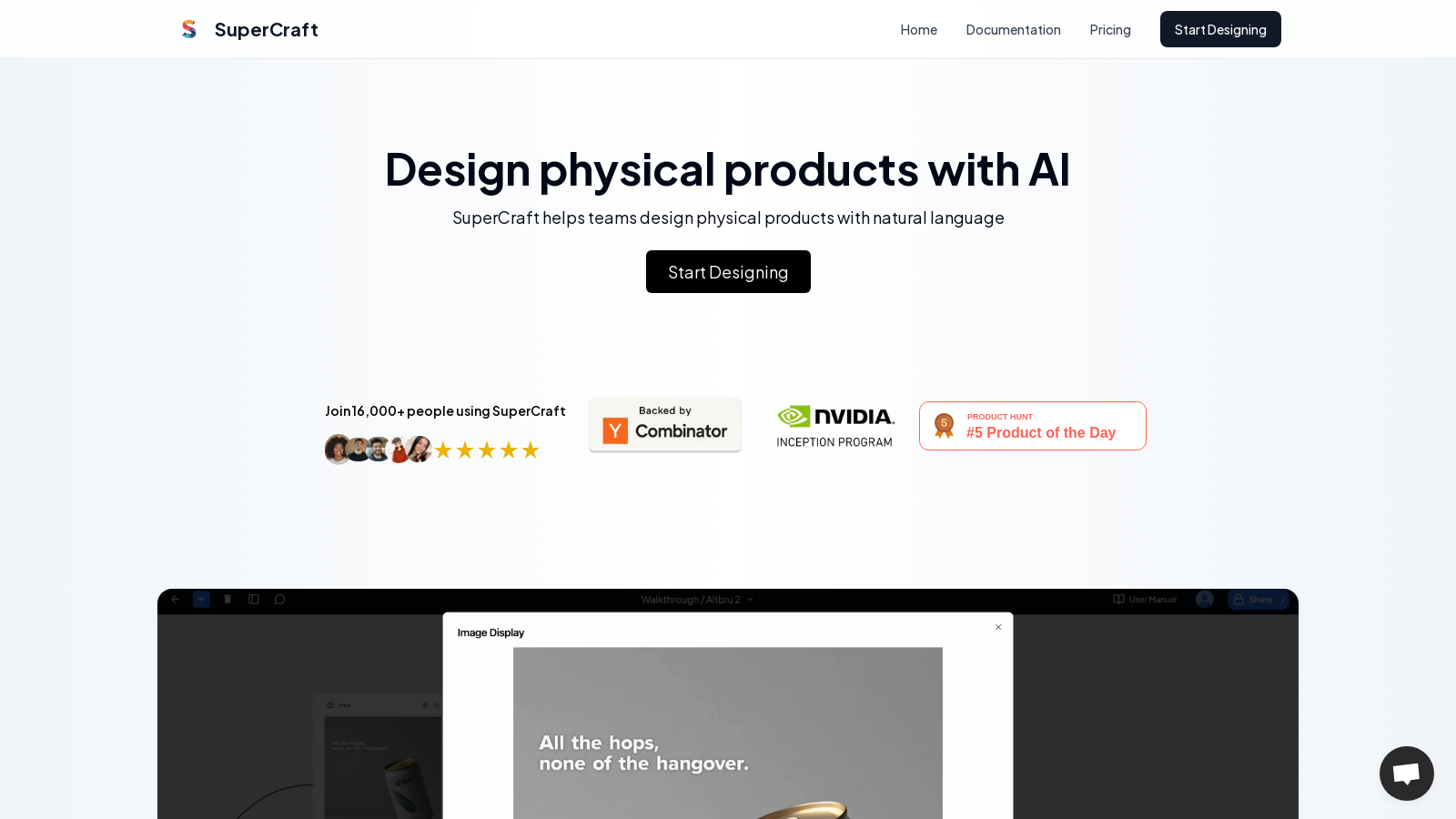
Screenshot of SuperCraft
What is SuperCraft?
SuperCraft is a cutting-edge platform that leverages generative AI technology to facilitate the design of physical products. This innovative tool enables users to create, visualize, and iterate on product designs using natural language, effectively removing the need for traditional design skills such as sketching or CAD modeling.
The platform showcases an intuitive interface where users can describe their design concepts in plain text, which is then translated by the AI into detailed drafts and renders. With over 20,000 users and more than 300,000 designs created, SuperCraft is rapidly becoming the go-to choice for teams looking to streamline their design process.
One of the standout features of SuperCraft is its ability to generate high-quality renders based on simple text descriptions swiftly. Users can initiate a design by entering a brief narrative, and the AI can produce multiple design variations in a matter of seconds. This capability not only accelerates the design process but also fosters creative exploration, allowing users to refine their ideas effectively.
SuperCraft supports an extensive range of design workflows, from packaging and product design to branding and marketing materials. Users interested in creating labels, designing products, or enhancing their branding efforts can leverage specific workflows tailored to these needs. For example, the platform offers specialized workflows for product designs from sketches, 3D modeling, and even CAD renders, ensuring a comprehensive design experience.
Key Features of SuperCraft
- Natural Language Input: Allows users to articulate what they want to create without needing extensive design knowledge.
- High-Quality Renders: Outputs are realized with realistic visualizations derived from sketches, text prompts, and even CAD models.
- Unlimited Iterations: The subscription model offers users unlimited design iterations, making it easier to explore various concepts and make rapid adjustments.
- Collaborative Tools: Emphasizing teamwork, SuperCraft features capabilities for inviting collaborators to design boards, enabling sharing comments, and managing feedback directly.
- Data Privacy: Subscribers maintain complete ownership of their designs, with stringent encryption measures in place to ensure data privacy and security.
- Node-Based Workflow: This innovative feature enables users to control design generations and explore concepts in a non-destructive manner, fostering a more experimental design process.
- Fast Rendering: Users can render images from sketches in approximately one second, allowing for an uninterrupted workflow.
Pricing Model
SuperCraft operates on a freemium model. Users can start with a free plan offering limited features, such as 30 iterations per week, standard-quality exports, and watermarked outputs. For those seeking enhanced capabilities, the 'Concept' plan is available for NULL.99 per month/user, providing unlimited iterations, unlimited 3D generations, high-resolution exports, and commercial usage rights. Additional enterprise solutions cater to the specific needs of businesses and include features like single sign-on (SSO), team management, and on-premise deployment.
Who Can Benefit?
This tool is ideal for designers, product managers, and marketers who wish to streamline their design processes and enhance collaboration within teams. Whether involved in product development, branding, or any other creative fields, SuperCraft’s flexible capabilities can significantly aid your design workflow.
Through its innovative combination of AI and design, SuperCraft simplifies the process of conceptualizing and creating physical products. By making design accessible via natural language, it empowers a broader range of users to engage in the creative process, revolutionizing how products are conceived and developed.
Pros & Cons
Pros
- Design physical products using natural language for accessibility.
- Generate highly realistic renders from sketches in about one second.
- Collaborative design boards allow seamless team feedback and iterations.
Cons
- 3D models require additional processing for printing compatibility.
Frequently Asked Questions
SuperCraft is free to start, with paid plans from 0 to 29.99 USD per month.
According to our latest information, this tool does not seem to have a lifetime deal at the moment, unfortunately.
SuperCraft enables you to design a wide range of physical products, including brand & packaging design, clothing & apparel, interior design, architecture, and footwear. You can create anything from detailed package designs like beer cans to complex interior layouts and fashion items. The platform supports diverse workflows tailored for converting sketches and techpacks into realistic renders or 3D models.
SuperCraft offers collaborative design boards where team members can comment, approve, or reject designs. This feature enables real-time feedback and allows you to invite others to participate in the design iteration process. You can create and manage multiple versions of designs as a team, enabling seamless communication and quicker decision-making.
While SuperCraft can generate high-quality 3D models from your designs, these models are not directly suitable for 3D printing. You'll need to process them in CAD or mesh editing software to ensure they are watertight, manifold, and ready for printing. Export options include .glb format for further processing.
When using natural language commands in SuperCraft, be clear and specific about the changes you want to make. For instance, instead of vague requests, specify the attributes to modify, such as color or material. Utilize commands such as 'create more like this' to generate variations, and describe desired edits by referencing existing designs through inpainting and prompts to achieve better results.
SuperCraft's Generative AI can produce a variety of outputs, including sketches, realistic renders, and 3D models. You can refine these outputs with precise inpainting tools that allow you to edit specific areas based on textual descriptions. However, be aware that AI-generated images may not always perfectly match expectations, and some manual adjustments may be necessary.
SuperCraft prioritizes user data privacy and intellectual property. Users retain full ownership of the content they create. For free users, SuperCraft reserves the right to use designs for service improvement purposes. In contrast, paid subscribers have the assurance that their content will not be used without their consent. All data is encrypted using advanced security measures to protect user designs.
Free accounts in SuperCraft have specific limitations, including a cap on iterations (30 per week), watermarking on exports, and restrictions on commercial use. Additionally, although the platform is designed to be user-friendly, generating complex designs may still require some trial and error to refine the output. Ensure you familiarize yourself with the various nodes and functionalities for optimal use.
SuperCraft offers comprehensive documentation and a user-friendly interface to help new users get started. The basics section of the documentation details how to create and manage design boards, add and connect nodes, and utilize specific design functionalities. Consider exploring tutorial videos, webinars, and community forums to enhance your skills further and receive additional support.