Synta
Automates n8n workflows through natural language interaction for streamlined deployment and debugging.
Synta.io
Is this your tool?
Follow for updates & deals
Get alerts for Synta discounts, feature releases & pricing changes
Similar Tools

FiveTimesFaster
Create and deploy AI agents to automate repetitive tasks and streamline your workflow without coding.

Director
Automates web tasks using natural language prompts, generating code for users without programming experience.

FlowBot
Automate customer interactions and support processes for teams using WhatsApp.

Ripplica
Automate browser tasks with context-aware execution and remote triggers for improved workflow efficiency.

Godmode
Web platform that automates tasks using advanced AI models like GPT-3.5 and GPT-4.

Synta Media Gallery

Synta (review) video
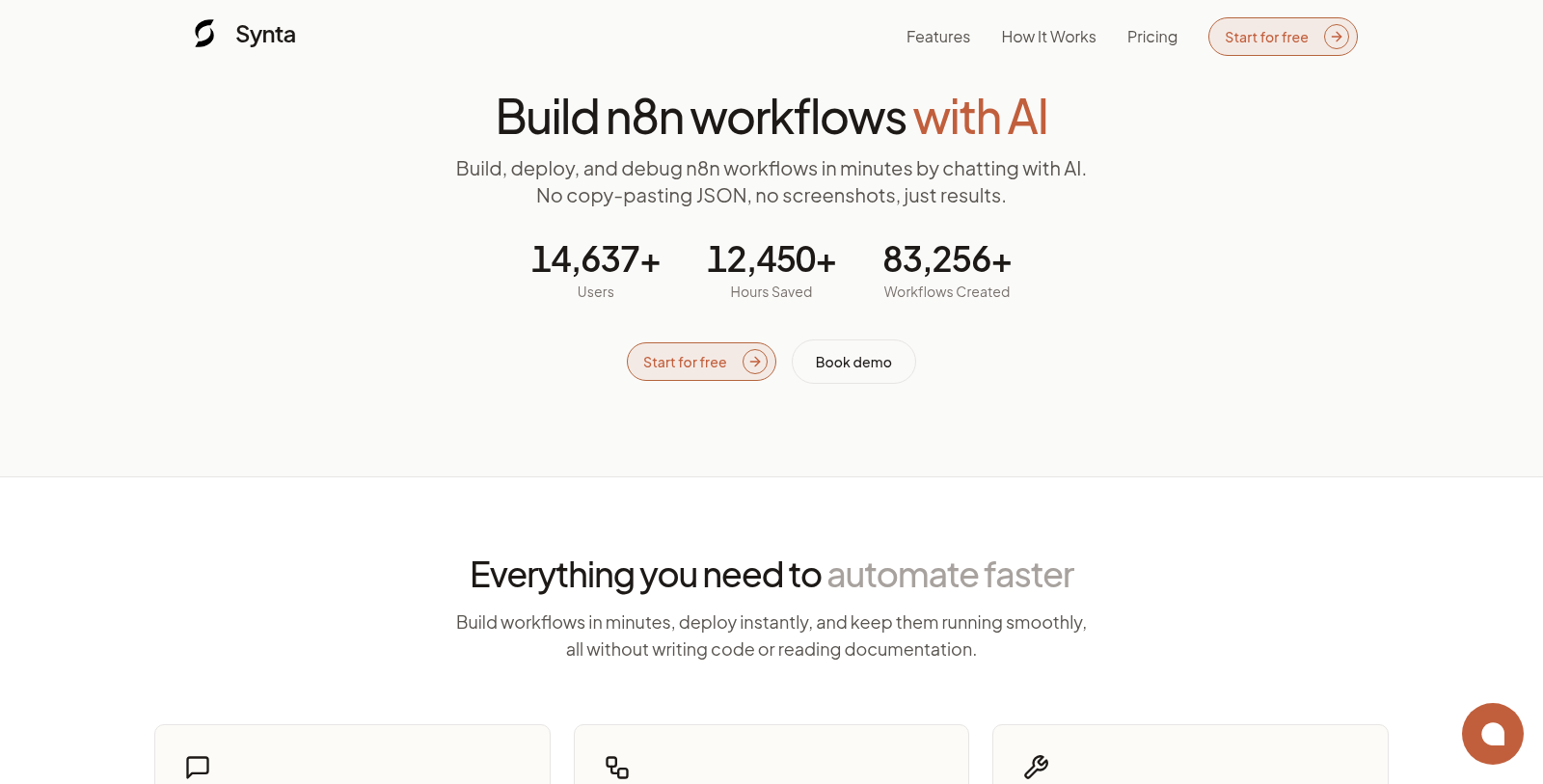
Screenshot of Synta
What is Synta?
Synta is an innovative AI-powered assistant tailored for automating workflows with n8n. Using artificial intelligence, Synta streamlines the planning, building, deploying, and debugging of workflows, significantly reducing the manual effort required. Users can interact with Synta in natural language, providing a simple, intuitive way to express their automation needs without diving into complex technical details.
To get started, Synta employs its unique Web Copilot, allowing users to describe their desired outcomes in plain English. This intelligent process turns vague ideas into actionable workflow plans, complete with the appropriate nodes, connections, and configurations. Once the user defines their needs, Synta generates production-ready n8n workflows instantly—no coding skills necessary.
Deployment is made simple with Synta MCP (Model Context Protocol), allowing workflows to be sent directly to the user's n8n instance without manual exports. Not only does this save time, but it also ensures that accurate configurations are maintained throughout the workflow's lifecycle. The integration streamlines the transition from design to execution, enabling workflows to be built, deployed, and refined in a matter of minutes.
The platform empowers users by providing real-time validation and debugging capabilities. AI analyzes workflows, identifies errors, and suggests fixes to enhance performance and reliability. This self-healing mechanism allows workflows to adapt over time, ensuring that they evolve alongside the user's needs without requiring starting from scratch.
One of Synta's standout features is its extensive library of over 10,000 templates. Users can leverage proven patterns or initiate their projects from a blank slate. This vast collection helps users quickly begin their automation journey by tapping into a mix of established workflows tailored for various scenarios.
For pricing, Synta offers several tiers. Starting with a monthly plan at $34, users can access fundamental features, including 150 credits per month, basic debugging support, and up to 10 AI-generated workflows. For larger teams and more sophisticated needs, the Pro plan at $67 offers enhanced features, including unlimited AI-generated workflows, advanced debugging, custom node recommendations, and priority support. Moreover, enterprises with custom requirements can reach out for tailored pricing options to maximize Synta's value for their organization.
Whether you're a solo developer or part of a large team, Synta simplifies the often tedious and complicated process of automation. It transforms hours of manual configuration and debugging into just minutes, empowering users to focus on what truly matters—their unique business logic.
The platform is built to be accessible for users of all technical backgrounds, ensuring that anyone can leverage the capabilities of AI to enhance their workflows. With Synta, innovation in workflow automation is just a conversation away.
Pros & Cons
Pros
- AI generates complete n8n workflows from plain English descriptions in minutes.
- Seamless deployment and updates directly to your n8n instance through Synta MCP.
- Instant debugging and optimization capabilities improve workflow reliability.
Frequently Asked Questions
Synta is free to start, with paid plans from 34 to 67 USD per month.
According to our latest information, this tool does not seem to have a lifetime deal at the moment, unfortunately.
Synta significantly reduces the time and frustration associated with building workflows. Instead of spending hours researching, configuring nodes, and debugging, you can describe what you want in plain English. Synta's AI instantly generates a complete n8n workflow tailored to your needs, offers instant debugging solutions, and automatically configures nodes. This allows you to focus on your core business logic rather than getting lost in technical details.
The Synta MCP (Model Context Protocol) streamlines the workflow deployment process by creating a secure connection to your n8n instance. Once connected, Synta automatically deploys generated workflows without manual export steps, keeping everything up to date seamlessly. This integration not only saves time but also enhances reliability by minimizing potential errors during deployment.
Yes, Synta is designed to accommodate both simple and complex workflows. You can provide detailed requirements in natural language, and the AI will handle intricate configurations automatically. For advanced users, there's also the flexibility to specify custom node recommendations, making Synta suitable for a wide range of use cases.
Synta's debugging capabilities are robust and user-friendly. If you have existing workflows, Synta can analyze them to instantly identify errors and performance issues. The AI will provide actionable suggestions for fixes and optimizations to enhance the efficiency and reliability of your workflows, saving you from the complexities often involved in traditional debugging.
With Synta, workflow optimization is an ongoing process. As your needs evolve, the AI in Synta MCP allows you to refine your workflows continuously. You can add new features, handle edge cases, and iterate on performance, all through natural conversations. This capability ensures that your automation adapts to changing requirements without having to start from scratch.
Synta provides access to over 10,000 workflow templates that cover a variety of common automation scenarios. You can either start building from these proven templates or create workflows from scratch. This wealth of options helps you kickstart new projects quickly and gives you a solid foundation for developing more complex workflows tailored to your unique needs.
While Synta's AI is trained on numerous best practices and workflow patterns, it is always a good idea to review and test generated workflows before deploying them into production. Synta includes validation checks for configurations, connections, and expressions before deployment, helping to ensure that everything functions as expected. Additionally, you can use Synta's debugging features to identify and fix potential issues quickly.
Synta provides different levels of support depending on the subscription plan you select. All users can access email support, while Pro users enjoy priority AI support and advanced debugging assistance. For organizations that require dedicated help, the Enterprise plan offers a dedicated account manager and 24/7 priority support. You can choose the level of support that best fits your team's needs.