TalkingPhotos
Convert photos into talking videos with realistic movements and expressions.
Talkingphotos.ai
Is this your tool?
Follow for updates & deals
Get alerts for TalkingPhotos discounts, feature releases & pricing changes
Similar Tools

AI Studios
Generate high-quality videos from text with customizable avatars and multilingual support.

Mango AI
Generate videos with personalized talking avatars using AI technology.
Dreamlux
Generate high-quality videos from text and images without watermarks using an easy-to-use AI platform.

Flixier
Cloud-based video editor with AI tools for automatic subtitling and noise removal.

Revid
Automatically generate professional-quality videos tailored for social media platforms.

TalkingPhotos Media Gallery

TalkingPhotos (review) video
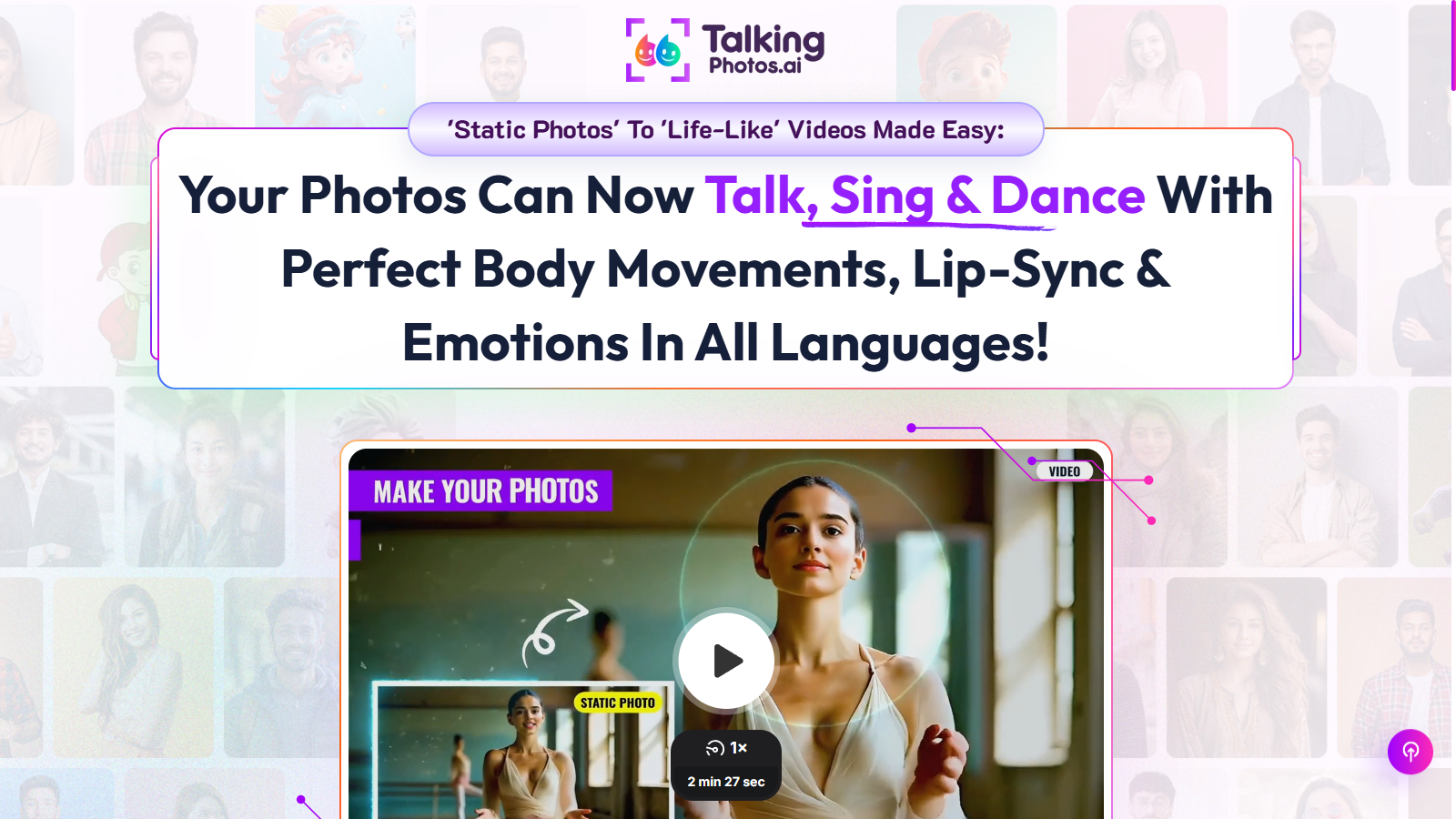
Screenshot of TalkingPhotos
What is TalkingPhotos?
TalkingPhotos is an innovative AI-powered tool that effortlessly transforms static images into engaging, lifelike videos. With its advanced technology, it allows users to bring their photos to life, enabling them to talk, sing, and dance with realistic movements and emotions in multiple languages.
One of the standout features of TalkingPhotos is its ability to create full-body talking photos. This feature enables users to either use full-body images or generate their own with AI, turning them into captivating videos with hand movements, facial expressions, and perfect lip-sync. It's a unique offering in the market, as no other app provides such a comprehensive range of dynamic movements and expressions.
Features of TalkingPhotos
TalkingPhotos is designed with a variety of capabilities that enhance the video creation experience:
- Photo to Video Transformation: Users can transform any static photo into a talking video, complete with natural expressions and speech.
- AI Character Generation: Create characters from prompts, allowing unlimited customization with realistic speech.
- Dynamic Actions: The app includes over 40 unique actions for characters, making them come alive with walking, dancing, waving, and more.
- Singing and Dancing Videos: Users can create animated videos where characters can sing along to music tracks, adding a fun twist to videos. With the 2026 update, improvements include enhanced lip-sync accuracy, smoother motion, and characters that can play instruments.
- Multi-Language Support: Break language barriers by creating videos in various languages. Users can upload voiceovers or choose from numerous text-to-speech options.
- Advanced AI Face Swap: Seamlessly insert faces into AI-generated videos while maintaining consistent character appearances and movements.
- AI Avatar Action Replicator: Upload a reference video to accurately reproduce movements with high realism.
- Storyboard Tool: Merge multiple scenes seamlessly, perfect for longer video projects, allowing for smooth transitions and a cohesive narrative.
- Full HD Video Quality: Videos can be downloaded in high definition, ensuring a professional look for all creations.
Pricing and Plans
TalkingPhotos offers two main pricing options:
- Basic Plan: At a one-time payment of NULL, users gain access to all essential features, unlimited video renders, and no monthly fees. This plan is perfect for casual users who want to explore what TalkingPhotos can do without ongoing costs.
- All-Access Plan: For those looking for more advanced features, the All-Access Plan is available for NULL, offering everything in the Basic plan along with premium features such as in-app voice recording, subtitles, captions, and more. This comprehensive plan is designed for professional users or businesses seeking to utilize TalkingPhotos for their content creation.
Why Choose TalkingPhotos?
TalkingPhotos stands out due to its unique blend of features that cater to both individuals and businesses. Whether you're looking to create personal videos, educational content, or marketing materials, this tool provides a range of functionalities that make video creation seamless and enjoyable. The no monthly fees and one-time payment structure ensure that users can access all functionalities without ongoing financial commitments, making it an appealing choice in today's digital landscape. Additionally, the 30-day money-back guarantee assures users of quality and satisfaction.
With its advanced technology, user-friendly interface, and impressive capabilities, TalkingPhotos is the perfect tool for anyone looking to elevate their video creation game. Whether you want to create fun videos for social media, educational materials, or even personalized content, TalkingPhotos provides everything you need to make your photos speak and engage with your audience like never before.
Pros & Cons
Pros
- Transforms static photos into lifelike videos with advanced AI technology.
- Offers over 40 unique character actions for dynamic movement and engagement.
- Supports multiple languages and has seamless text-to-speech integration.
Cons
- User-generated content may vary in quality and creativity.
Frequently Asked Questions
Translation not found for 'pricing_paid_with_onetime'
This tool offers a lifetime deal.
TalkingPhotos allows you to create a variety of engaging videos, including talking, singing, and dancing animations. You can bring static human, animal, and cartoon photos to life with perfect lip-sync and natural expressions. Whether for educational content, storytelling, or social media, the tool supports multiple formats and styles, making it ideal for diverse projects.
To use the AI Face Swap feature, you upload a photo of your face and integrate it into the AI-generated characters. This allows you to personalize your videos by placing your face in various scenes, making the content more engaging and relatable. Follow the in-app instructions to ensure a seamless face swap experience.
Yes, TalkingPhotos supports multi-language capabilities, allowing you to generate videos in various languages. You can either upload your voiceover in different languages or utilize the text-to-speech feature provided by the tool, which includes numerous voices and languages. This feature helps to reach a broader audience and break language barriers.
With the Basic plan, you can create videos up to 1 minute in length, while the All-Access plan allows for videos of up to 5 minutes. If you need longer videos, consider upgrading to the All-Access plan, which also provides additional features and allows for unlimited video renders without any watermarks.
The Storyboard feature in TalkingPhotos enables you to merge multiple scenes and video clips to create longer, cohesive productions. You can easily organize and connect different frames, ensuring smooth transitions throughout your video narrative. This is especially useful for creating stories, presentations, or any complex video sequence.
Yes, TalkingPhotos includes a background editor that allows you to modify and personalize the backgrounds of your talking characters. You can choose from existing scenes or create custom-designed backdrops to add your unique touch. Additionally, you can remove backgrounds entirely from images and download them as PNGs for more flexibility in your projects.
TalkingPhotos offers several support options for users. You can reach out to their support team at support@talkingphotos.ai for direct assistance. Additionally, they have community groups on platforms like Facebook and WhatsApp where you can connect with other users, share ideas, and seek advice.
To make your videos more engaging, try using a combination of character actions and dynamic facial expressions. Explore the 40+ unique actions available to enhance your storytelling. Additionally, taking advantage of the AI voice features can help add personality and emotion to your content. Experiment with different backgrounds and music tracks to create a well-rounded video experience.