Thumbfa.st

Generate professional YouTube thumbnails quickly with customizable design options.
Thumbfa.st
Category
Type
Tags
Pricing Model
Is this your tool?
Follow for updates & deals
Get alerts for Thumbfa.st discounts, feature releases & pricing changes
Similar Tools

PicLumen
Generate images from text and edit existing photos with various AI-powered tools for artistic expression.

Graphis
Collaborate on an infinite canvas to create and enhance images, videos, and text seamlessly.

Imagen 3
Transforms text prompts into high-resolution images, making digital content creation accessible for all.

Stability AI
Create and manipulate high-quality images, audio, video, and 3D content with advanced generative models.

Dzine
An AI design tool for creating and editing images and videos with intuitive controls.

Thumbfa.st Media Gallery
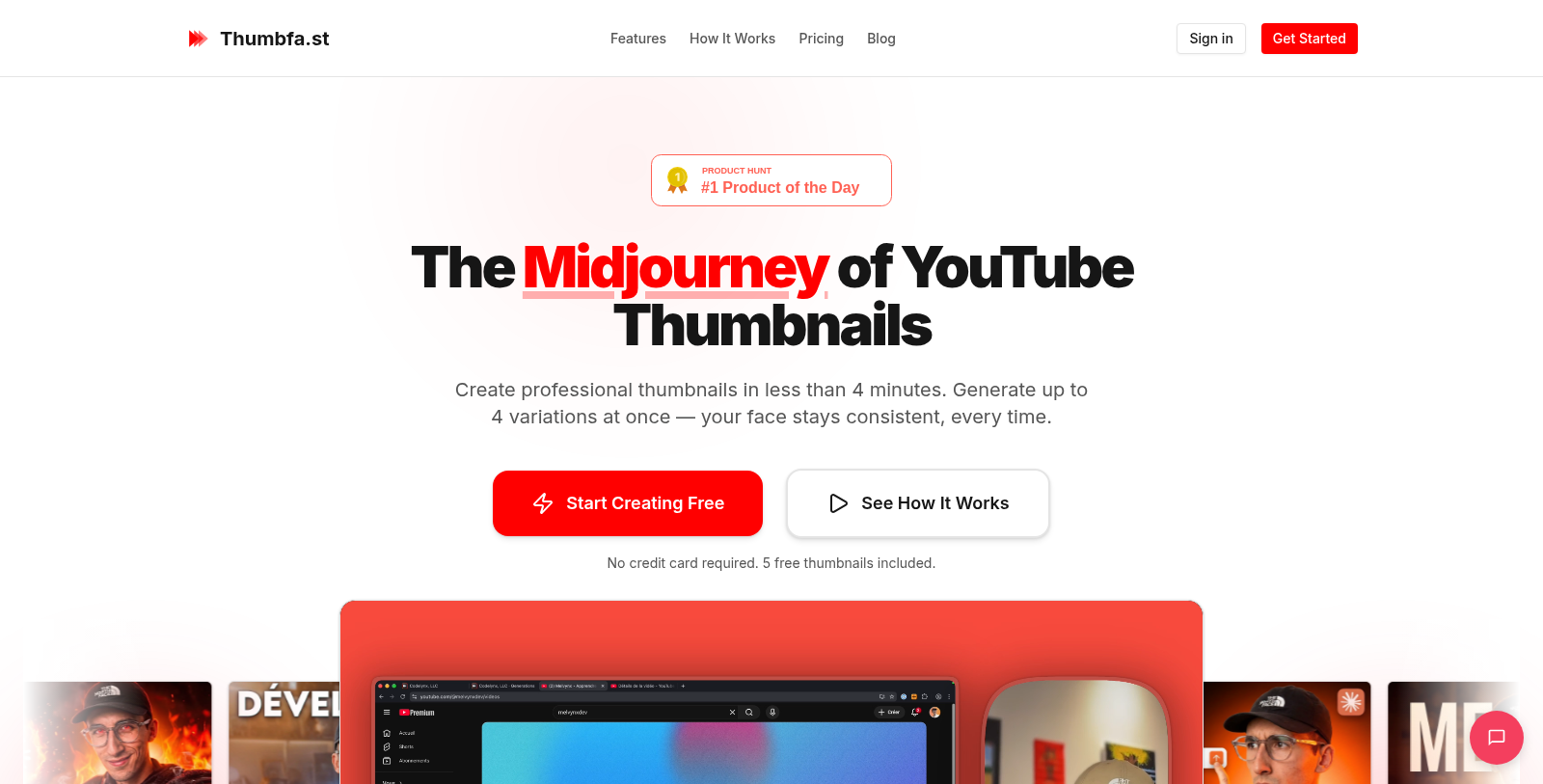
What is Thumbfa.st?
Thumbfa.st is an innovative tool designed specifically for YouTube creators looking to enhance their channel's visual appeal with stunning and professional thumbnails in a matter of seconds. This AI-powered platform addresses the challenges many creators face when designing thumbnails—often a process that can take hours to perfect. First, you can create professional-quality thumbnails in under 4 minutes, ensuring your content stands out in a crowded marketplace.
Why Choose Thumbfa.st?
Creating thumbnails is a critical component of any YouTube strategy. Studies show that the thumbnail can be the deciding factor between a viewer clicking your video or moving on to the next one, with Thumbfa. First, you can overcome common pain points in thumbnail creation, such as inconsistent style and likeness, and the lengthy design time. This tool is designed to make the process seamless and efficient.
Effortless Thumbnail Generation
One of the key features of Thumbfa.st is its ability to generate up to four thumbnail variations in one click. This means you can A/B test and select the thumbnail that best aligns with your content's theme. The AI handles the design intricacies—selecting colors and composition and keeping your likeness consistent across images —which is particularly beneficial for brand recognition.
Steal Styles and Inspirations
With Thumbfa.First, you can also seamlessly borrow design styles from other thumbnails. Paste in a YouTube URL, and the AI captures the style, composition, and vibe of that thumbnail, allowing you to create something equally eye-catching with your own face and message. It effectively eliminates the hours spent manually designing in software like Canva, allowing you to focus more on content creation.
Pricing Plans You Can Trust
Thumbfa.st offers several flexible pricing plans that cater to both casual creators and professionals. Users can start for free, with 5 free thumbnails per month, and upgrade to paid tiers that offer more credits, additional designs, and premium features. For serious creators, there is also a one-time purchase option that provides lifetime access, with no monthly fees. The tool operates on a credit system, with each thumbnail generation costing credits, keeping the pricing model straightforward and transparent.
User-Friendly Features
The user experience is tailored for quick and efficient use. With a simple three-step process—upload your profile picture, describe your vision for the thumbnail, and generate—you can create thumbnails faster than ever before. Whether you want a professional thumbnail for a video or something unique that captures your style, Thumbfa.st has the tools to make it happen.
Thumbfa.st is consistently updated with new AI models and features, ensuring that it stays ahead in this dynamic medium. With a commitment to uptime and responsiveness, you can rely on it for your thumbnail creation needs. For those just starting, the platform offers robust documentation and support to help you create perfect thumbnails.
Pros & Cons
Pros
- Generates consistent, professional thumbnails for YouTube with user-uploaded photos.
- Allows users to create multiple variations of thumbnails in seconds for A/B testing.
- Innovative style capture feature lets you replicate designs from existing thumbnails.
Frequently Asked Questions
Thumbfa.st is free to start, with paid plans from 0 to 199 USD per month.
This tool offers a lifetime deal.
Thumbfa.st offers several powerful features tailored for YouTube creators. Key functionalities include generating multiple thumbnail variations (up to 4 at once), maintaining a consistent likeness of the user's face across thumbnails, and the ability to upload any thumbnail as inspiration. Additionally, users can bypass AI restrictions with a built-in pixelation tool, and resolutions are automatically set to YouTube's specifications, enabling quick creation of professional-quality thumbnails.
Users can create a 'Person' profile by uploading a single face photo. The AI then uses this profile to ensure that the user's likeness remains consistent across all generated thumbnails, eliminating variations that can confuse viewers. This feature is particularly valuable for maintaining brand recognition and enhancing viewer familiarity.
Absolutely! Thumbfa.st lets you use existing thumbnails for inspiration. By simply pasting the YouTube URL of a thumbnail you admire, the AI will extract its style, colors, and composition. This functionality helps creators generate new thumbnails that capture the same eye-catching aesthetic, saving time in the design process.
To achieve the best results in thumbnail generation, start with a clear, concise description of what you want. Include specific elements such as names, emotions, or backgrounds. For example, instead of saying 'funny video,' you could specify 'a surprised face looking at a giant pile of money.' This specificity helps the AI create thumbnails that align with your vision.
Credit limits vary by subscription plan. Users on the free plan receive 5 credits per month, which limits thumbnail generation. Each thumbnail variation costs 1 credit, so users may need to upgrade to a plan with more monthly credits for consistent use. Additionally, users can generate only up to 4 thumbnails at a time, which requires careful credit management.
Thumbfa.st can be integrated with various applications via its REST API. This allows users to integrate its thumbnail-creation capabilities into their existing workflows, making it easier to manage and generate thumbnails alongside other content-creation tools. The integration documentation provides detailed guidance on implementing this functionality.
Thumbfa.st offers priority support via live chat for users on its Pro and Ultra plans. Additionally, the documentation section provides comprehensive coverage of features, best practices, and troubleshooting tips. Users can also reach out via email for assistance during business hours.
Creating a thumbnail with Thumbfa.st is quick and efficient; it can be completed in under 60 seconds. Users set up their creative assets, write a brief description of their desired thumbnail, and click 'generate.' This streamlined process enables rapid creation without graphic design skills or complex software.