Touchpoint

Generate personalized, brand-aligned email templates quickly using AI-driven design tools.
Touchpoint.com
Is this your tool?
Follow for updates & deals
Get alerts for Touchpoint discounts, feature releases & pricing changes
Similar Tools

Superwhisper
AI powered voice to text for macOS

NetworkAI
Generate personalized LinkedIn outreach messages using AI to enhance your professional networking.

Remail
AI-powered email assistant that generates tailored responses to streamline your email communication.

Jetwriter AI
Enhance your writing with personalized AI suggestions, grammar checks, and seamless integration across platforms.

MailMaestro
AI-driven email assistant that streamlines communication and improves email writing efficiency.

Touchpoint Media Gallery
Touchpoint (review) video
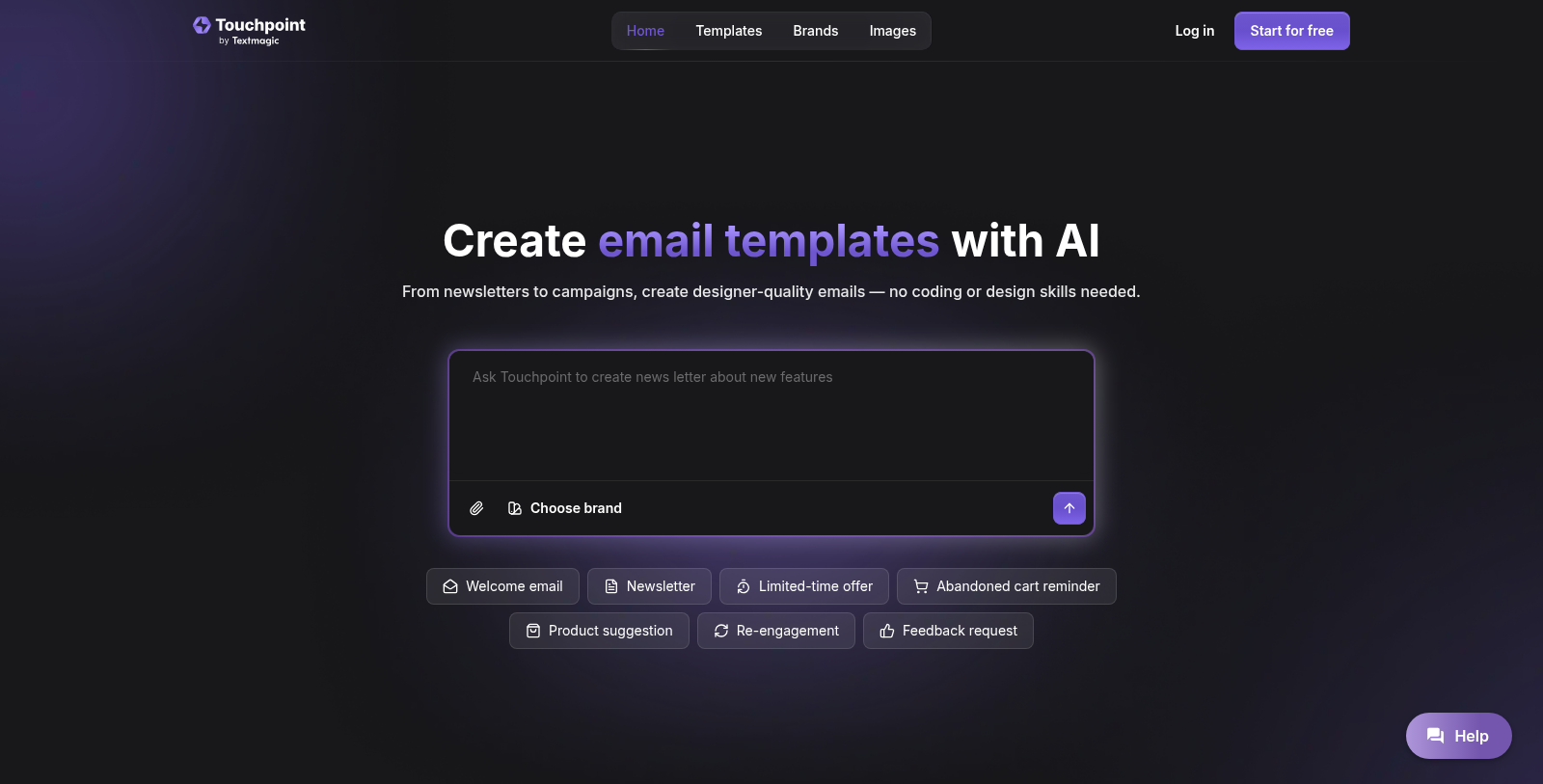
Screenshot of Touchpoint
What is Touchpoint?
Touchpoint is your AI-powered partner for creating branded, stylish emails that engage your audience effortlessly. From product launches to weekly newsletters, creating email templates is a breeze without coding or design skills. Just share your message, and let Touchpoint handle the design details.
Seamless Brand Integration
Getting started is simple. By linking your website to Touchpoint, your logo, colors, and brand assets are automatically imported, ensuring each email maintains a genuine brand identity. This seamless integration provides a professional look with no hassle.
AI-Driven Template Generation
The cornerstone of Touchpoint's functionality is its AI-driven feature that allows users to communicate their email requirements quickly. By chatting with the AI, users can transform a blank screen into an attractive email template in just seconds. This feature not only saves time but also removes the stress of starting from scratch.
Complete Customization Control
Once your email is generated, you retain complete control over the design. Users can edit copy, swap visuals, and adjust layouts with clicks, eliminating the need for cumbersome code edits. If you're an advanced user and prefer more granular control, you can refine the HTML directly to match your vision.
Effortless Email Campaign Management
Touchpoint simplifies the process of email campaigns by integrating with the Textmagic platform, a trusted name used by over 30,000 customers for sending text messages and emails worldwide. After designing an email in Touchpoint, users can export their templates to Textmagic with a single click, enabling quick sending and real-time performance monitoring.
Generating Engaging Emails with Prompts
For those who need inspiration, Touchpoint offers a range of ready-made prompts to spark creativity. Users can select specific types of emails from product announcements to follow-ups and let the AI craft templates tailored to their needs. This removes the anxiety of blank pages and ensures that users can create high-quality emails that resonate with their audience.
Robust Security and Data Privacy
Touchpoint prioritizes user security and privacy, providing peace of mind that your content and brand assets are safeguarded. The platform employs secure hosting practices to protect your data, making it a trusted choice for email marketing.
Pricing and Plans
Touchpoint begins with an enticing offer of 100,000 free test tokens to give new users a taste of its powerful features. After the initial free tokens, users can choose from a range of subscription plans tailored to their needs, with a monthly token pool that offers flexibility without hidden fees. Users can effortlessly upgrade or cancel their plans at any time, ensuring a no-obligation experience.
To summarize, Touchpoint empowers marketers, entrepreneurs, and businesses of all sizes to create beautiful, branded emails effortlessly and effectively. With its user-friendly interface, AI capabilities, and seamless integration with Textmagic, it transforms the email creation and sending process
Pros & Cons
Pros
- AI generates custom email templates quickly based on user prompts and branding.
- Seamless integration with Textmagic for easy email sending and performance tracking.
- No design or coding skills required, making it accessible for all users.
Cons
- Limited to exporting via Textmagic or as HTML, restricting tool flexibility.
Frequently Asked Questions
Touchpoint is free to start, with paid plans from 0 to 0 USD per month.
According to our latest information, this tool does not seem to have a lifetime deal at the moment, unfortunately.
With Touchpoint, you can create a variety of email types, including welcome emails, newsletters, limited-time offers, abandoned-cart reminders, product suggestions, re-engagement emails, and feedback requests. The AI is designed to help you craft polished, branded emails tailored to specific purposes, enhancing engagement with your audience.
To apply your brand in Touchpoint, link your website. The tool automatically pulls in your logo, colors, and other brand assets, ensuring that every email you create reflects your brand's identity. This seamless integration provides a consistent, professional appearance across all your email communications.
Yes, you can export your email templates to any email platform. Touchpoint lets you copy the clean HTML from the finished template and paste it into platforms like Gmail, Outlook, Yahoo Mail, or Apple Mail. Additionally, you can export directly to Textmagic with a single click for easy sending.
No, Touchpoint is designed for users without coding or design skills. The AI handles all technical aspects, allowing you to focus on your email content. You can easily customize templates with a few clicks, rather than writing code, making it accessible to anyone, from marketers to business owners.
To create an email template from scratch in Touchpoint, start by linking your website so branding is applied automatically. Next, describe your email type, and the AI will generate a draft based on your message. Afterward, you can customize the template by editing text, swapping visuals, and adjusting the layout. Finally, either export the template as HTML or send it directly using Textmagic.
Touchpoint integrates seamlessly with Textmagic, which is the parent platform responsible for email delivery. After creating your email template in Touchpoint, you can export it to Textmagic with one click. There, you can add recipients, personalize messages, and send your campaign while also monitoring performance metrics such as opens and clicks in Textmagic's reports.
Touchpoint prioritizes data privacy and security. All your content and brand assets are hosted securely, ensuring they remain protected throughout the email creation and delivery process. Users can create email templates with confidence, knowing that their data is safe.
To maximize the benefits of Touchpoint's AI prompts, start by selecting prompts that align with your email goals, such as promotional offers or event invitations. Customize these templates by adding personalized details to make the emails more engaging. Using a variety of prompts can also help you quickly generate creative ideas and maintain consistent communication with your audience.